Category: SEO Guide

  • What Is a Canonical Tag? Best Practices for SEO (2026 Guide)

    What Is a Canonical Tag? Best Practices for SEO (2026 Guide)

    Picture a bakery with one famous chocolate cake. Now imagine that cake sits on five different shelves. Each shelf has its own price tag. Customers get confused, and the owner cannot tell which shelf sells the most.

    Search engines face the same confusion with duplicate URLs. Your website may show one page on several addresses. Google sees each address as a separate page. That split can quietly weaken your rankings.

    A canonical tag solves this problem. It tells search engines which URL is the main version. At 4P Wisdom, we find canonical issues in almost every technical audit. Small mistakes here can drain traffic for months.

    This guide explains what a canonical tag is and how it works. You will learn when to use it and how to set it up. You will also see the mistakes that cost businesses traffic every month. Let’s start with the basics.

    What Is a Canonical Tag?

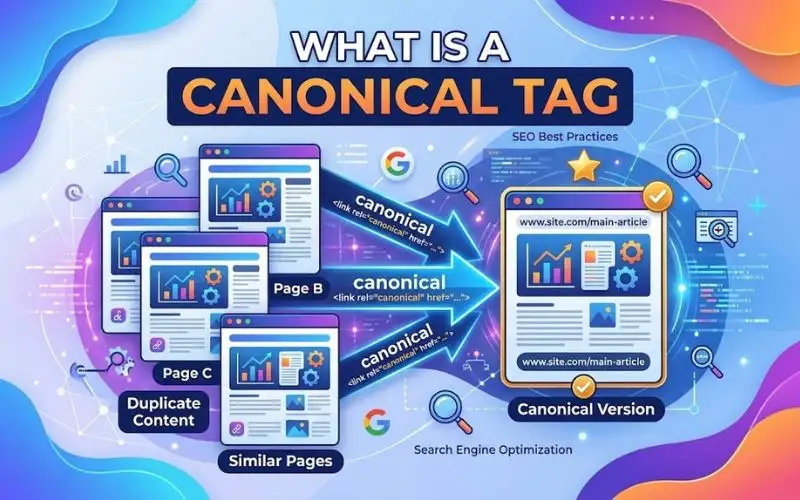
    A canonical tag is a short line of HTML code. It sits inside the head section of a webpage. It tells search engines the preferred URL for that content. Developers call it rel=”canonical”.

    The word canonical simply means official or authoritative. So the tag names the official version of a page. Every other version becomes a copy that supports the main one.

    Here is what the tag looks like in real code:

    <link rel=”canonical” href=”https://wisecarcare.com/financing-warranty/” />
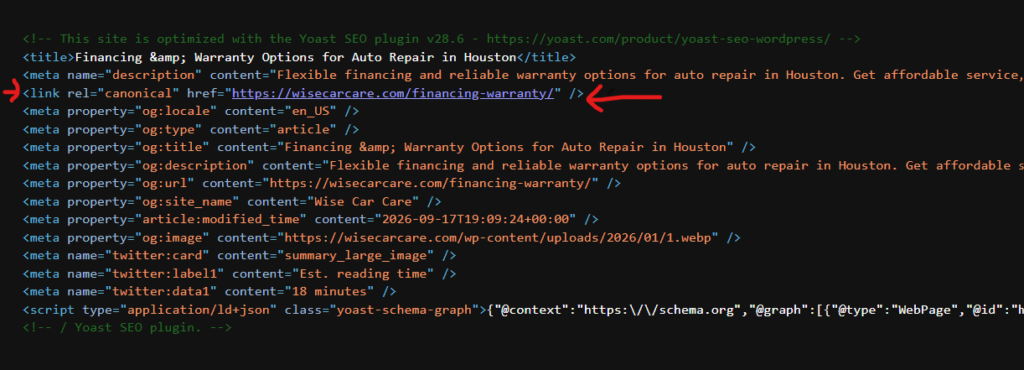
    Canonical Tag Example

    This line carries one clear message. It says, “Treat this address as the master copy.” Google, Bing, and Yandex all read this signal while crawling and indexing pages.

    The process of choosing the master URL is called canonicalization. Moz explains it well in its canonicalization guide. Google also documents it in its guide to consolidating duplicate URLs. 

    The idea is older than many people think. In 2009, Google, Yahoo, and Microsoft announced support for the tag together. It was a rare moment when rival search engines agreed on one standard. Since then, it has become a core tool in technical SEO.

    What Does Canonical Mean in SEO?

    In SEO, canonical means the version of a page you want indexed and ranked. All other versions are treated as duplicates. Search engines group those duplicates under one main URL. Then they pass ranking signals to that URL.

    Think of a folder system on your computer. The canonical page is the real file. The duplicates are shortcuts that point back to it. You only need to maintain one real file.

    This grouping happens inside Google’s index. Google forms a cluster of similar pages. Then it picks one page as the representative. Your canonical tag helps Google make that pick.

    Where Does the Canonical Tag Go?

    The tag must live in the head section of the HTML. It should not appear in the body. Google may ignore any tag placed in the wrong spot. This is a very common bug in themes and plugins.

    You can also send the tag through an HTTP header. This method suits PDFs and other files without HTML. We explain it in detail later in this guide.

    Is a Canonical Tag a Command or a Hint?

    It is a hint. Google calls it a strong signal, but it is not a strict rule. Google can override your choice when other signals disagree with it.

    This detail matters a lot. Many site owners add the tag and assume the job is done. In reality, the tag works best when your whole site supports it. Redirects, links, and sitemaps must all tell the same story.

    Why Canonical Tags Matter for SEO

    Duplicate content is not a penalty by itself. Google has said this clearly for years. But duplicate URLs still create real business problems. These problems are quiet, so many owners never notice them.

    Let’s look at each risk in detail.

    Link Equity Gets Split

    Backlinks are votes of trust. Suppose three websites link to three versions of one page. Each version earns only a slice of that trust. No single page gets the full benefit.

    This hurts more than most people expect. Imagine you earned thirty quality backlinks to a service page. If they spread across three URLs, each URL holds ten. Ten links rarely beat a competitor’s thirty.

    A canonical tag pulls those signals together. Google can then credit one strong URL instead of three weak ones. This consolidation often lifts rankings without any new link building. It is one of the cheapest wins in SEO.

    Crawl Budget Gets Wasted
    Crawl Budget Gets Wasted

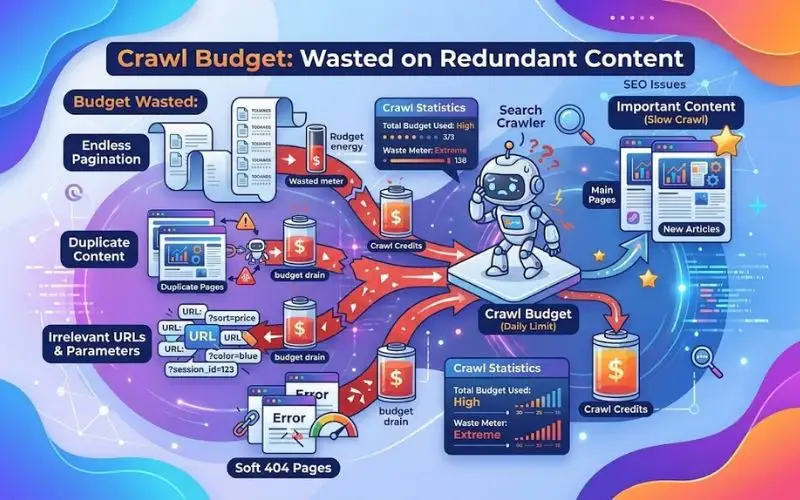
    Googlebot has limited time for each website. It cannot crawl every page every day. Duplicate URLs eat into that limited attention. Your new blog posts then wait longer to be discovered.

    We explain this in our guide to managing crawl budget for large sites. Large ecommerce stores and news publishers feel this problem the most. A store with filters can create thousands of URLs from a few hundred products.

    Clean canonical signals help bots reach your best pages faster. They spend less time on copies and more time on content that earns money.

    The Wrong Page May Rank

    Without guidance, Google picks a version on its own. It might choose a URL with tracking codes. It might choose a printer-friendly copy or an old mobile page.

    Those pages look messy in search results. They also convert poorly. A user who lands on a stripped-down copy may leave quickly. A canonical tag keeps your cleanest and most useful page in front of searchers.

    Analytics Become Confusing

    When traffic spreads across many URLs, reports get noisy. You cannot see which page truly performs well. Your team may make decisions based on split numbers.

    Clean canonicals make your data easier to trust. You see one page with one traffic total. That clarity helps you plan content, budgets, and campaigns with confidence.

    Content Theft Becomes Less Harmful

    Scrapers copy content often. They steal blog posts and publish them on spam sites. A self-referencing canonical on your page can travel with the copied code. Sometimes that helps Google identify the original source.

    It is not a perfect shield. But it adds one more layer of protection for your work. Combined with strong authorship signals, it supports your position as the true publisher.

    How Does Google Choose a Canonical URL?

    Google does not rely on one tag alone. It weighs many signals together. Understanding these signals helps you avoid conflicts. It also explains why some canonical tags get ignored.

    According to Google’s documentation, these signals matter most:

    1. Redirects, especially permanent 301 redirects.
    2. The rel=”canonical” tag.
    3. URLs listed in your XML sitemap.
    4. Internal links across your site.
    5. HTTPS over HTTP.

    Each signal carries a different strength. A redirect is very strong. A sitemap entry is weaker. Together they form a clear picture of your preferred URL.

    Why Consistency Beats Everything

    Think of these signals as five witnesses in a courtroom. If all five tell the same story, the judge believes them. If two witnesses contradict the others, doubt appears.

    Google behaves the same way. When every signal points to one URL, Google follows your choice. When signals clash, Google trusts its own judgment instead.

    What Happens When Signals Conflict?

    Imagine your canonical tag points to page A. But your sitemap lists page B. Your internal links also point to page B. Google may decide page B is your real preference.

    This is why audits matter. A single wrong signal can undo the work of the tag. Consistency is the secret to reliable canonicalization.

    The User Declared vs Google Selected Canonical

    Google Search Console shows two important terms. The user-declared canonical is the one you set. The Google-selected canonical is the one Google chose after weighing all signals.

    When both match, you are safe. When they differ, you have a conflict to solve. We show you how to check this later in the guide.

    Canonical Tag vs Other Duplicate Content Solutions

    Canonical tags are one tool among several. Each tool solves a slightly different problem. Choosing the right one saves you time and prevents new issues.

    Canonical Tag vs 301 Redirect

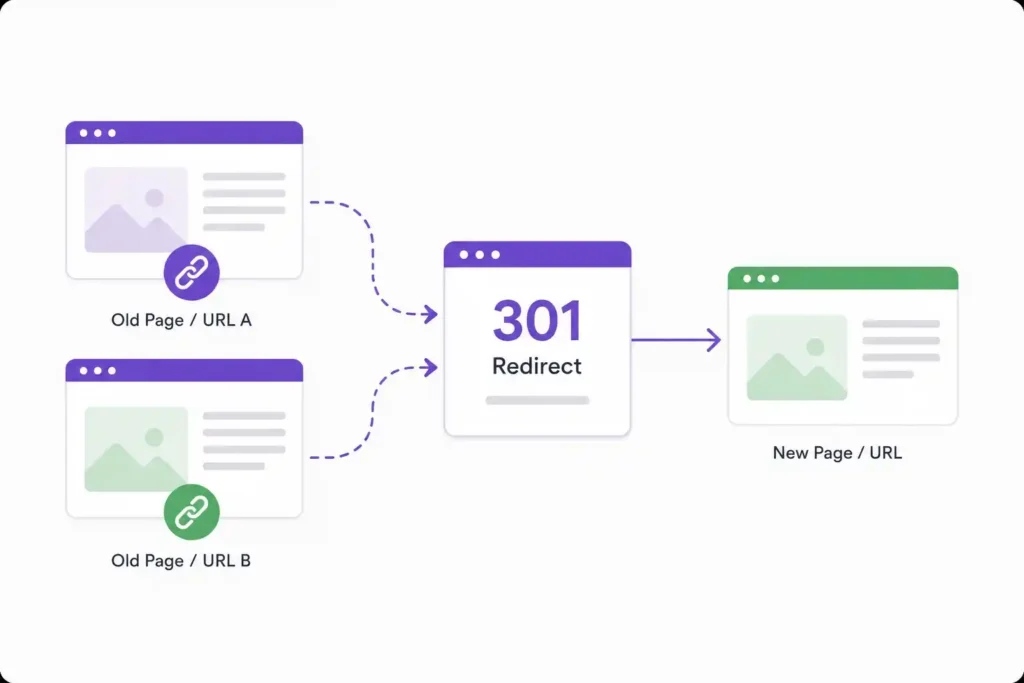
    A 301 redirect sends users and bots to a new URL permanently. The old page stops showing. A canonical tag keeps both pages live. It only suggests which one should rank.

    Use a redirect when the old page has no reason to exist. For example, you may have merged two blog posts into one. Use a canonical when both pages must stay open for users. Sorting and filtering pages are good examples.

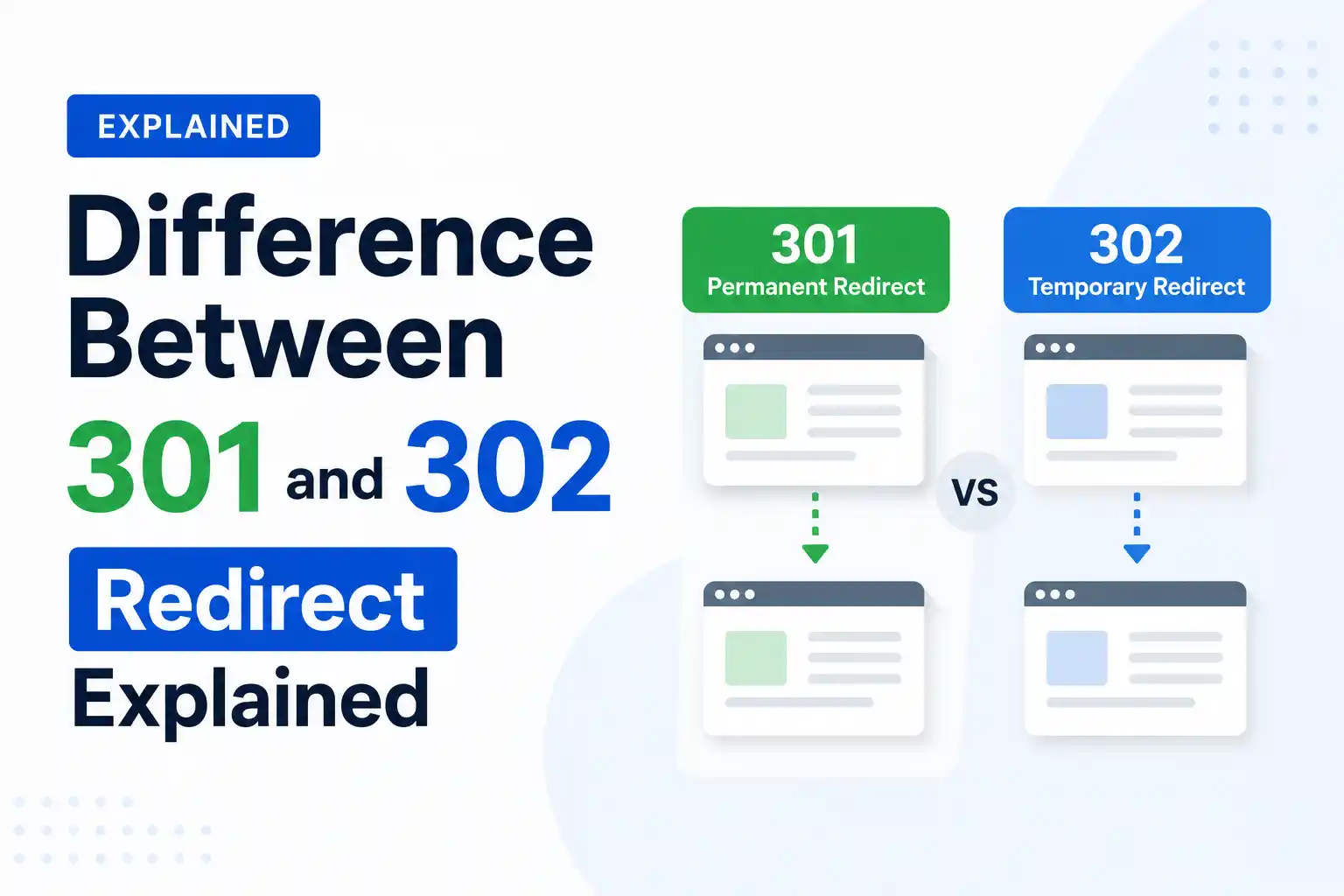
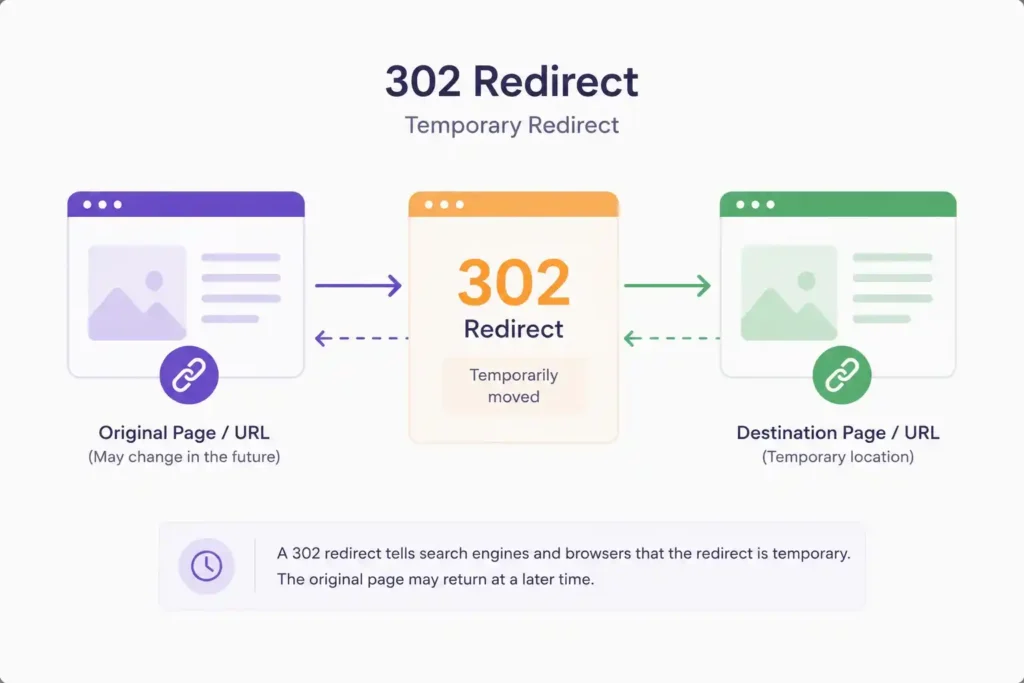
    For more detail, read our guide on the difference between 301 and 302 redirects. It explains how each redirect type passes ranking signals.

    Canonical Tag vs Noindex Tag

    A noindex tag tells Google to keep a page out of search results. A canonical tag tells Google which page to prefer. The goals are very different.

    No index removes a page. Canonical merges pages. Noindex also stops the page from passing strong signals in many cases. Never use both on the same page, because the messages clash.

    Canonical Tag vs Robots.txt

    The robots.txt file tells bots which areas they may crawl. It does not consolidate duplicates. In fact, blocking a page stops Google from reading its canonical tag.

    Keep duplicate pages crawlable if you want Google to see the tag. Use robots.txt for private areas, internal search pages, or low-value sections instead.

    Canonical Tag vs Parameter Handling

    Google once offered a URL Parameters tool inside Search Console. It has since been retired. Site owners now rely on canonical tags, clean internal links, and smart site structure.

    This change makes canonical tags even more important for filtered and tracked URLs. They are now one of your main tools for controlling parameter chaos.

    When Should You Use a Canonical Tag?

    Now let’s look at real situations. These are the cases where canonical tags earn their place. Each one appears often in client audits.

    URL Parameters and Filters

    Online stores create many URLs through filters. A URL like example.com/shoes/?color=red shows a slice of the same products. So does example.com/shoes/?sort=price. Every combination creates another address.

    A store with ten filters can produce thousands of near copies. Google may crawl them all and index a random few. Point these variations to the main category page. That keeps your ranking power in one place.

    Only do this if the filtered page adds no unique search demand. If people search for “red running shoes” often, that page may deserve its own canonical and unique content.

    Tracking Parameters

    Marketing teams add UTM parameters to links. These tags track where visitors come from. They also create new URLs with identical content.

    Without canonicals, these tracking URLs can compete with your clean page. Some even get indexed by mistake. A self-referencing canonical on the clean URL solves this neatly. The tracking still works, and your ranking stays protected.

    HTTP, HTTPS, and WWW Versions

    Your site may load on both secure and insecure addresses. It may also load with and without www. That can create four versions of every page.

    Pick one preferred version. Redirect the others to it with 301 redirects. Then add canonical tags that match your choice. Redirects give the strongest signal, and canonicals back them up.

    Trailing Slash Variations

    The addresses example.com/page and example.com/page/ can count as different URLs. Servers may serve the same content on both. Search engines may treat them as separate pages.

    Pick one style and use it everywhere. Your canonical tags, internal links, and sitemap should follow that style. Consistency removes the guesswork.

    Syndicated Content

    Sometimes a partner republishes your article on their site. Maybe you contributed a guest post or joined a content network. Ask them to add a cross-domain canonical pointing to your original.

    This tells Google who wrote the content first. Google notes that cross-domain canonicals are a hint too. But they work well when the content is truly the same. Always get this agreement in writing.

    Print and Mobile Versions

    Older sites sometimes keep separate print pages or mobile URLs. A canonical tag connects these to the main desktop version. Modern responsive design has reduced this need. Still, many legacy sites carry these extra URLs.

    If you run an old m dot site, review its tags carefully. Mistakes here can break mobile rankings.

    Product Variations

    A shirt in five colors might have five near-identical pages. If the content is truly the same, point them to one main product page. This keeps reviews and links in one place.

    If each color has unique content and real search demand, keep separate self-referencing canonicals. Let the data guide your choice.

    Content in Multiple Categories

    A blog post might appear under two category paths. For example, /seo/canonical-tag/ and /technical/canonical-tag/. Both show the same article.

    Choose one path as the master. Canonicalize the other to it. Better still, change your CMS settings so the second path never exists.

    Campaign and Landing Page Copies

    Marketers often clone landing pages for ads. These copies can look identical. Canonical tags stop them from competing with your main page in organic search.

    Alternatively, add a noindex tag to paid-only pages. Just remember not to combine the two tags on one page.

    Canonical Tag Best Practices for SEO

    This is the part that protects your rankings. Follow these rules on every page you manage. Each one is based on Google’s documentation and real audit experience.

    Always Use Absolute URLs

    Write the full address, including https and the domain. Relative paths can cause errors when pages are copied or crawled in unusual ways. A relative path may resolve to the wrong domain.

    Good example:

    <link rel=”canonical” href=”https://www.example.com/shoes/” />

    Risky example:

    <link rel=”canonical” href=”/shoes/” />

    Google says it can handle relative paths. But absolute URLs remove any doubt. They also protect you if someone scrapes your code.

    Add Self-Referencing Canonicals

    Every indexable page should point to itself. This sounds strange at first. But it is one of the smartest habits in technical SEO.

    If someone adds a tracking code to your URL, the canonical still points to the clean version. It acts like a safety net for every page. You do not need to predict every duplicate. The tag handles them automatically.

    Place the Tag in the Head Section

    Search engines only trust canonicals inside the head. If a plugin drops the tag into the body, Google may skip it. Always inspect the rendered code, not just your template file.

    Also watch for code that closes the head too early. A stray element or script can push your tag into the body. This bug is subtle, and it hides well.

    Use One Canonical Per Page

    Two canonical tags with different URLs create a conflict. Google will likely ignore both. This often happens when a theme and an SEO plugin both add tags.

    Check your page source and search for the word canonical. You should find exactly one match. If you find two, remove one at the source.

    Point to a Live, Indexable Page

    Your canonical target must return a 200 status code. It should not redirect. It should not show a 404 error. It should not carry a noindex tag.

    If the target is broken, Google will disregard your hint and choose for itself. A crawl can find these problems in minutes. Fix them before they spread.

    Avoid Canonical Chains

    A chain happens when page A points to page B, and page B points to page C. Google may not follow long chains. It may pick the wrong final page.

    Point every duplicate straight to the final version. Keep the path short and clear. A direct route is always more reliable.

    Keep Sitemaps Clean

    Your XML sitemap should list only canonical URLs. Do not include duplicates, redirected pages, or noindex pages. A tidy sitemap reinforces your canonical choices.

    Many CMS plugins build sitemaps automatically. Still, review them now and then. Plugins sometimes include parameter URLs after settings change.

    Link Internally to the Canonical Version

    Your internal links are strong signals. If your menu links to a parameter URL, Google may prefer that one. Always link to the clean, canonical address. Do this in menus, footers, blog posts, and buttons.

    A strong internal linking strategy supports your canonical setup every single day. It also helps users move through your site with ease. Good links guide both people and bots.

    Never Combine Canonical and Noindex

    These two tags send opposite messages. Noindex says remove this page. Canonical says merge signals into that page. When both appear, Google gets confused.

    Choose one goal per page. Then use the matching tag. Clear instructions produce predictable results.

    Do Not Block Pages in Robots.txt

    Googlebot must crawl a page to read its canonical tag. If robots.txt blocks the page, the tag stays invisible. Google may still index the blocked URL from links alone.

    Keep both the duplicate and the canonical page open to crawlers. Let Google see the full picture.

    Canonicalize Only Very Similar Content

    Canonical tags work when pages are near duplicates. Do not point unrelated pages to your homepage. Google will see it as a mistake and ignore it.

    A quick test helps. Ask yourself if a user would feel the two pages are the same. If yes, canonicalization is fine. If not, keep them separate.

    Handle Pagination Carefully

    Page two of a blog archive is not a copy of page one. It lists different items. So do not canonicalize every page to the first one. That would hide the content on later pages.

    Give each paginated page its own self-referencing canonical. Also make sure the items inside are reachable through normal crawlable links. Google no longer uses the old prev and next tags.

    Pair Canonicals With Hreflang

    Multilingual sites need extra care. Each language version should canonicalize to itself. Then hreflang tags connect the versions. Together they show Google which page fits which audience.

    Never point a French page to the English page. That tells Google the French page is only a copy. It can vanish from French search results.

    Use Canonical HTTP Headers for Files

    PDFs, Word documents, and images have no head section. You can send the canonical through an HTTP Link header instead. Google supports this method well.

    This helps when you publish downloadable guides that also exist as web pages. Ask your developer to set it at the server level. Then test the header with a crawler.

    Keep Canonicals Server-Side When Possible

    Google can read canonical tags added by JavaScript. But the process can be slower and less reliable. Server-rendered tags are safer and faster to process.

    If you use a JavaScript framework, test the rendered HTML. The URL Inspection feature shows what Google actually sees. Do not trust your browser alone.

    Review Canonicals After Every Major Change

    Site migrations, redesigns, and CMS updates can break canonical logic. Staging domains sometimes leak into live code. A plugin update can reset your settings overnight.

    Audit your tags after any big release. A ten-minute check can save months of lost traffic.

    Canonical Tags for Local SEO

    Local businesses face special risks. Many create near-identical service pages for each city. Those pages can look like duplicates to Google. That can hurt visibility in the map pack and organic results.

    Imagine a plumbing company with pages for Lahore, Karachi, and Islamabad. If the text is the same except for the city name, trouble follows. Google may fold them into one page. Two of your cities then lose their voice.

    Give Each Location Page Unique Value

    Write distinct content for each location. Add local landmarks, neighborhood names, and service area details. Include team members, customer reviews, photos, and local case studies.

    These details prove real presence. They also support the EEAT ideas of experience and trust. Once each page has unique value, give it a self-referencing canonical. That tells Google every city page deserves its own ranking.

    Never Canonicalize All City Pages to One Page

    This mistake erases local visibility. If every city page points to one master page, Google drops the others. You lose rankings in every area except one.

    Only canonicalize when two pages truly target the same location and intent. For example, two pages for the same city with different URLs.

    Watch Your Google Business Profile Link

    Your Google Business Profile links to a page on your website. Point it to a clean canonical landing page. Avoid long tracking URLs where possible. Messy links can cause reporting confusion.

    If you must track clicks, keep the canonical tag on the clean version. Our team explains how to strengthen this connection in our Google Business Profile optimization service. A tidy profile and a tidy site work together.

    Multi-Location Businesses

    Franchises often use one template across many branches. Each branch page needs unique NAP details. NAP means name, address, and phone number. Consistent NAP data builds trust with Google and customers.

    Add embedded maps and local business schema markup too. These signals help Google treat each page as a separate entity. They also support your rankings in local searches.

    Service Area Pages and Duplicate Risk

    Service area pages tempt marketers to copy and paste. Resist that urge. Google’s helpful content systems reward pages made for people. Thin copies rarely win.

    Use real photos of completed jobs in each area. Mention local regulations, weather, or common customer needs. This makes every page truly useful.

    How to Add a Canonical Tag

    The method depends on your platform. Here are the most common setups. Pick the one that matches your site.

    In WordPress

    Plugins like Yoast SEO and Rank Math add self-referencing canonicals by default. You can override the URL in each page’s advanced settings. This is handy for syndicated posts or merged content.

    Only override when you have a clear reason. After any change, view the source and confirm only one tag exists. Some themes add a second tag, and that creates a conflict.

    In Shopify

    Shopify adds canonical tags to themes automatically. A product shown inside a collection points back to its main product URL. This solves many duplicate problems out of the box.

    Still, check custom themes. Some developers remove or change the default code. Test a few product and collection pages after any theme update.

    In Wix and Squarespace

    Both platforms add canonical tags automatically. They also allow limited manual control. Review your settings if you run duplicate pages on purpose.

    If you need advanced control, use the built-in SEO settings or custom code areas. Always test the live page afterward.

    In Next.js and Custom Sites

    Developers can set canonicals in the metadata configuration. The official Next.js canonical guide shows how to do this cleanly. Always confirm the tag appears in the rendered output.

    Dynamic routes need special attention. A blog template should build the canonical from the real slug. Otherwise, every post may share the same tag by mistake.

    In HTTP Headers

    Servers can send a Link header with rel=”canonical”. Apache and Nginx both support this. It is the best option for PDFs and other non-HTML files.

    Test the header using a browser developer tool or a crawler. Make sure it points to a live, indexable URL.

    Manual HTML Method

    For a static site, paste the tag into the head section of each page. Use the full absolute URL. Save, upload, and test.

    This method takes time on large sites. Consider using templates so each page builds its own tag automatically.

    How to Check Canonical Tags

    Do not guess. Verify your tags with real tools. Here is a simple process you can follow.

    1. Right-click a page and choose View Source. Search for the word canonical.
    2. Open the URL Inspection tool in Google Search Console. Compare the user-declared and Google-selected canonicals.
    3. Run a crawl with Screaming Frog, Ahrefs Site Audit, or Semrush. These tools flag missing, broken, and conflicting tags.
    4. Open the Pages report in Search Console. Look for statuses such as “Duplicate without user selected canonical.”
    5. Compare your sitemap, internal links, and redirects with your canonical targets.
    check canonical tag in google search console

    If Google chooses a different URL from yours, investigate. Check for redirects, weak internal links, or sitemap conflicts. Also confirm the two pages are similar enough.

    Understanding Search Console Statuses

    Search Console uses several duplicate-related labels. “Duplicate without user selected canonical” means you set no tag. Google picked one on its own. Add a tag to take control.

    “Duplicate, Google chose different canonical than user” means your tag was overruled. Review your signals carefully. Look at redirects, links, and page similarity.

    “Alternate page with proper canonical tag” is a healthy status. It means Google respects your choice. Most of your duplicate URLs should show this label.

    Using a Crawler for Bulk Checks

    Manual checks work for a few pages. Large sites need automation. A crawler reads every URL and lists its canonical target. You can then filter for errors in seconds.

    Look for pages where the canonical differs from the URL. Then decide if each difference is intentional. Export the list and share it with your developer.

    Common Canonical Tag Mistakes

    Canonical tags look simple, but small mistakes can send confusing signals to search engines. Even experienced SEO professionals can overlook them, especially on large websites, during migrations, or after redesigns. A poorly implemented canonical tag can prevent the right page from being indexed, waste crawl resources, or cause Google to ignore your preferred URL.

    Here are some of the most common canonical tag mistakes to watch for.

    Pointing to a Broken URL

    One of the biggest canonical mistakes is pointing to a URL that no longer exists. If your canonical URL returns a 404 or 410 status code, it cannot serve as a useful consolidation target.

    For example, if:

    https://example.com/old-page

    is listed as the canonical but the page has been deleted, Google has no valid page to consolidate signals toward. The canonical signal may simply be ignored.

    Run regular crawls of your website and check that every canonical URL returns a successful, indexable response. If a canonical points to a deleted page, replace it with the correct live URL or update the page’s canonical to itself when appropriate.

    Pointing to a Redirected URL

    Your canonical should generally point directly to the final URL rather than to a URL that redirects somewhere else.

    For example:

    https://example.com/product

    redirects to:

    https://example.com/products/product-name

    It is better to make the second URL the canonical target rather than using the redirected URL.

    Redirect chains can create unnecessary crawl steps and send mixed signals about which URL you actually want search engines to treat as the preferred version. During an SEO audit, check canonical URLs for 301 and 302 redirects and update them to the final destination wherever possible.

    Canonicalizing to a Noindex Page

    Using a canonical tag that points to a page with a noindex directive can create conflicting signals.

    For example, Page A tells Google:

    “Consolidate my signals with Page B.”

    But Page B tells Google:

    “Do not include me in search results.”

    These instructions do not work well together because you are asking search engines to consolidate signals toward a page that you have deliberately excluded from indexing.

    Your canonical target should normally be a page that is accessible, indexable, and eligible to appear in search results. Review the target’s robots directives, HTTP status, and accessibility before choosing it as the canonical URL.

    Leaving Staging Domains in the Code

    Website redesigns and migrations can introduce another serious problem: accidentally leaving staging or development URLs in canonical tags.

    For example, your live page might be:

    https://example.com/service

    but the canonical could still point to:

    https://staging.example.com/service

    This tells search engines that the staging version is the preferred URL. If this happens across hundreds or thousands of pages, it can create significant indexing and ranking problems.

    Always audit canonical tags after a website launch, migration, domain change, or major redesign. Search the source code and crawl the live website to make sure no development, staging, temporary, or old-domain URLs remain.

    Canonicalizing Every Page to the Homepage

    Another common shortcut is setting the homepage as the canonical URL for almost every page on the website.

    For example, a service page such as:

    https://example.com/brake-repair

    should not normally have:

    https://example.com

    as its canonical simply because the homepage is considered the most important page.

    A canonical tag is meant to identify the preferred version of substantially duplicate or very similar content. It is not a tool for transferring all ranking signals to your homepage.

    If every page points to the homepage, Google may interpret those pages as duplicates or ignore the canonical signals altogether. Give each unique, valuable page its own self-referencing canonical unless there is a genuine reason to consolidate it with another URL.

    Using Relative URLs Carelessly

    Relative canonical URLs can sometimes work, but they introduce unnecessary room for mistakes.

    For example:

    <link rel=”canonical” href=”/service-page/”>

    They depend on the page’s current URL and environment to resolve correctly. This can become problematic when websites use multiple domains, subdomains, unusual URL structures, or development environments.

    Using an absolute URL makes the intended destination much clearer:

    https://example.com/service-page

    Absolute canonical URLs also make website audits easier because you can immediately see the complete target without having to interpret the current page’s path.

    Adding Canonicals Only With JavaScript

    Implementing canonical tags through JavaScript can introduce unnecessary complexity.

    While Google can process JavaScript, relying entirely on client-side rendering for important SEO signals can make implementation and troubleshooting more complicated. If possible, place the canonical tag directly in the server-rendered HTML.

    For example:

    <link rel=”canonical” href=”https://example.com/page/”>

    should ideally be present in the initial HTML response.

    If your CMS or application requires JavaScript to generate canonical URLs, test the rendered HTML carefully and confirm that search engines can see the correct canonical value.

    Mixing HTTP and HTTPS

    If your website uses HTTPS, your canonical URLs should normally use the secure HTTPS version as well.

    For example, avoid having:

    http://example.com/service/

    as the canonical when the preferred live page is:

    https://example.com/service

    Mixing HTTP and HTTPS can create inconsistent signals, particularly when redirects, internal links, XML sitemaps, and canonical tags use different versions of the same URL.

    During an SEO audit, make sure your preferred protocol is consistent across your canonical tags, redirects, internal links, XML sitemap, and other important signals.

    Forgetting Case Sensitivity

    URL capitalization can create unexpected duplicate URLs on servers that treat uppercase and lowercase paths differently.

    For example:

    https://example.com/Brake-Repair

    and:

    https://example.com/brake-repair

    may be treated as different URLs depending on the server configuration.

    Choose one consistent URL format and use it everywhere. Lowercase URLs are generally easier to manage and reduce the chance of creating multiple URL variations.

    If uppercase variations already exist and resolve separately, consider redirecting them to your preferred lowercase version and make sure your canonical tags, internal links, and sitemap all use the same format.

    Ignoring Mixed Signals

    A canonical tag is only one part of your website’s indexing signals. It cannot clean up a poorly structured website by itself.

    For example, your canonical might point to:

    https://example.com/service-a

    while your XML sitemap lists another URL, internal links consistently reference a third variation, and redirects point somewhere else.

    These conflicting signals make it harder for search engines to understand your preferred URL.

    During a technical SEO audit, compare your:

    • Canonical tags
    • Internal links
    • XML sitemap URLs
    • Redirects
    • HTTPS versions
    • Robots directives
    • Hreflang annotations, when applicable
    • Indexability and HTTP status codes

    The goal is consistency. When these signals all point toward the same preferred URL, search engines have a much clearer understanding of which version should be indexed and ranked.

    Canonicalization should therefore be treated as part of your overall technical SEO strategy rather than as a single HTML tag you add and forget.

    Canonical Tag Examples You Can Copy

    Real examples make the concept easier. Here are three common cases. Adapt them to your own URLs.

    Example One: Product Filter Page

    The filtered URL is example.com/shoes/?color=red. The main category is example.com/shoes/. Place this tag on the filtered page:

    <link rel=”canonical” href=”https://www.example.com/shoes/” />

    Google then groups the filter page under the category. Ranking signals flow to the category page.

    Example Two: Syndicated Blog Post

    Your original article lives at yourdomain.com/blog/seo-tips/. A partner republishes it on their site. Their page should include:

    <link rel=”canonical” href=”https://www.yourdomain.com/blog/seo-tips/” />

    This protects your authorship. Readers on the partner site still see the article. But Google credits you.

    Example Three: Self-Referencing Canonical

    Your service page sits at example.com/seo-services/. It should point to itself:

    <link rel=”canonical” href=”https://www.example.com/seo-services/” />

    This is the default for most pages. It guards against parameter and tracking duplicates.

    Does a Canonical Tag Pass Link Equity?

    Yes, in most cases. Google consolidates signals from duplicate pages into the canonical one. That includes links, relevance, and other ranking factors. So you keep the value of any links pointing to the copies.

    Google’s John Mueller has described canonical tags as similar to a 301 redirect in effect. But he has also stressed that they remain hints. Results can vary based on how similar the pages are.

    That is why you should never rely on canonicals for pages with different content. If the pages differ, Google may ignore the tag. Then no signals pass at all. Use canonicals for near duplicates only.

    Canonical Tags and Core Web Vitals

    Canonical tags do not affect page speed directly. But they help indirectly. Fewer duplicate URLs mean faster crawling and cleaner indexing. Your server also handles fewer needless requests.

    Pair canonical work with speed improvements for the best results. Compress images, cache pages, and reduce heavy scripts. A fast, well-structured site earns trust from both users and search engines.

    Canonical Tags and EEAT

    EEAT stands for experience, expertise, authoritativeness, and trustworthiness. Google uses these ideas to judge content quality. Canonical tags support them in quiet ways.

    A clean site with clear signals feels more trustworthy. It shows care and technical skill. It also ensures your best content, written by real experts, is the version that ranks.

    When you syndicate content, a canonical protects your authorship. It credits the original creator. That protects your reputation as the true source. Over time, this builds authority around your brand and your authors.

    How Often Should You Audit Canonical Tags?

    Small sites should audit twice a year. Medium sites should audit every quarter. Large ecommerce or publishing sites should monitor monthly. The bigger your site, the faster duplicates appear.

    Audit after any of these events:

    1. A site migration or domain change.
    2. A theme or plugin update.
    3. A new URL structure.
    4. A large content launch.
    5. A sudden drop in indexed pages.

    Set up alerts in Search Console and your crawler. Early detection keeps small problems small. It also saves your developers from emergency fixes.

    Advanced Tips From Our Technical SEO Team

    After years of audits, we have seen clear patterns. Here are practical tips that go beyond the basics.

    First, crawl your site as Googlebot would. Compare the raw HTML with the rendered HTML. Many canonical bugs only show up in one of them.

    Second, monitor your server log files. They show which URLs Googlebot really visits. If bots waste time on parameter pages, tighten your signals.

    Third, avoid creating duplicates in the first place. Clean URL structures reduce the need for fixes. Prevention beats repair every time.

    Fourth, document your canonical rules. Write down how filters, tags, and categories should behave. Developers and marketers can then work from one shared plan.

    Fifth, review the Google-selected canonical for your top landing pages. These pages drive revenue. Even one mismatch deserves attention.

    Let 4P Wisdom Fix Your Technical SEO

    Canonical tags look simple. But small errors can drain traffic for months. A proper audit finds the leaks and fixes them fast.

    At 4P Wisdom, we blend technical SEO, content strategy, and local optimization. We review canonicals, redirects, sitemaps, and internal links together. That full view is what keeps rankings stable.

    Our SEO services help businesses climb higher and attract real customers. Contact our team today for a full technical audit. We will show you exactly what to fix first.

    Frequently Asked Questions About Canonical Tags

    1. What is a canonical tag in simple words?

    A canonical tag tells search engines which URL is the preferred version of a page. It stops duplicate pages from competing in search results. Think of it as naming the official copy. Google then focuses its ranking signals on that one page.

    2. Does Google always follow the canonical tag?

    No. Google treats it as a strong hint, not a strict rule. If your redirects, links, or sitemap disagree with the tag, Google may choose another URL. Consistent signals give you the best chance of success.

    3. Should every page have a canonical tag?

    Yes, in most cases. Every indexable page should carry a self-referencing canonical. This protects it from duplicates created by tracking codes, parameters, and scrapers. It is a simple habit with lasting benefits.

    4. Can I use a canonical tag across different domains?

    Yes. Cross-domain canonicals work well for syndicated content. The partner site adds a canonical pointing to your original article. Google usually respects this when the content is nearly identical.

    5. What is the difference between a canonical tag and a 301 redirect?

    A 301 redirect moves users and bots to a new URL permanently. The old page no longer shows. A canonical tag keeps both pages live but suggests which one should rank.

    6. How do I know if my canonical tag is working?

    Use the URL Inspection tool in Google Search Console. Compare the user-declared canonical with the Google-selected canonical. If both match, your tag is working. You can also run a crawl to catch errors across your whole site.
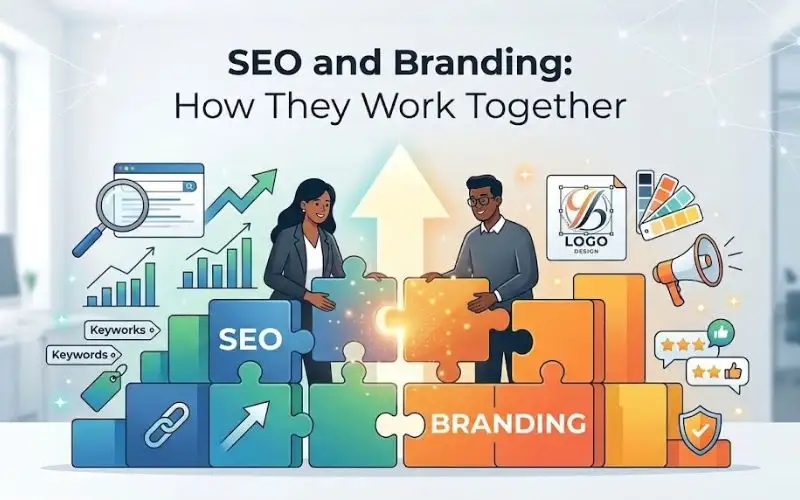
  • SEO and Branding | How They Work Together in the AI Era

    SEO and Branding | How They Work Together in the AI Era

    Your brand is no longer just a logo or a tagline. In the AI era, your brand is your most powerful SEO asset.

    Think about that for a moment.

    Traditional SEO taught us to chase keywords, build backlinks, and optimize meta tags. Those things still matter. But in 2026, the businesses that consistently appear in Google AI Overviews, ChatGPT answers, and Perplexity results share one common trait. They are trusted brands.

    AI systems do not recommend unknown businesses. They recommend brands they can verify, confirm, and trust. If your brand lacks that digital credibility, no amount of keyword optimization will save you.

    For local service businesses in Houston, this is both a challenge and an enormous opportunity. Most small businesses have invested nothing in brand building. That means the ones that start now can claim serious ground before the competition wakes up.

    Let us get into it.

    What Does Branding Mean for SEO?

    Branding for SEO is not about design. It is about reputation, recognition, and trust signals that search engines can measure.

    Here is a simple framework to understand it. Brand affects awareness. Awareness drives branded searches. Branded searches send powerful trust signals to Google. Those trust signals improve your rankings across both branded and non-branded keywords.

    Every time someone in Houston types “Wise Car Care oil change” instead of just “oil change near me,” that branded search tells Google something important. Real people are looking for this specific business by name. That kind of intentional search is a strong signal of brand authority.

    Award-winning SEO consultant Aleyda Solis was asked what the most underrated SEO tactic is. Her answer: “Probably building a brand.” That quote has held up consistently as SEO has evolved into the AI era.

    In 2026, branding is not supplementary to SEO. It is the foundation.

    How AI Search Engines Evaluate Your Brand

    This is the part that most branding and SEO articles miss entirely. AI search engines like ChatGPT, Google AI Overviews, Perplexity, and Microsoft Copilot operate differently from traditional search algorithms.

    Traditional Google ranking algorithms evaluate links, keywords, page speed, and on-page signals. They look at your website and the sites that link to it. AI search engines do all of that and then add a crucial layer: entity recognition and brand authority.

    Large language models (LLMs) are trained on enormous amounts of web content. That training gives them a sense of which brands are widely trusted, frequently discussed, and consistently recommended across the web. When someone asks an AI “who is the best HVAC company in Houston,” the AI does not just run a keyword search. It draws on patterns from everything it has been trained on.

    How AI Search Engines Evaluate Your Brand

    LLMs prioritize brand authority. To be featured in AI search results, you need to shift your focus from individual keywords to understanding entities. In the context of AI search, entities refer to specific brands, people, tools, or organizations that AI systems are designed to understand and prioritize.

    For a plumbing company in Sugar Land, a dental practice in the Heights, or an auto repair shop in Katy, this means one thing. You need to become a recognized entity in your local market, not just a website with keywords.

    There is a growing body of evidence that brand search volume and sentiment are strong predictors of AI visibility. If that trend continues, we will see brand authority play a major role in AI-driven rankings. 

    The 6 Ways Branding Directly Impacts Your SEO

    1. Branded Search Volume Sends a Trust Signal to Google

    When people search for your business name directly, that is called a branded search. It tells Google that real people know and want your business specifically.

    A Houston HVAC company that generates consistent branded search volume is signaling something powerful. Real customers trust this company enough to search for it by name. That behavioral data feeds directly into Google’s ranking algorithms.

    The more people search and engage with your brand online, the better your brand authority and the higher you will rank. 

    The Kleenex principle illustrates this perfectly. Nobody searches for “facial tissue.” Everyone searches for “Kleenex.” That branded dominance is the ultimate expression of brand-driven SEO power. And it scales down to every local market and every service category.

    An auto repair shop in Houston that builds a strong enough local brand will see customers searching “Wise Car Care” instead of “auto repair shop near me.” That shift represents a fundamental upgrade in the quality of your search traffic.

    2. Branding Improves Click-Through Rates on Search Results

    Your listing appears in Google results. Someone recognizes your brand name. They click.

    That recognition-driven click is more powerful than an accidental one. Research consistently shows that brand familiarity significantly increases organic click-through rates on search results pages. A higher click-through rate on your organic listing is a behavioral signal that tells Google your result is worth showing more often.

    Conversely, an unknown brand name in a local search result gets scrolled past. The user clicks the competitor they have heard of. Google notices the difference and adjusts rankings over time accordingly.

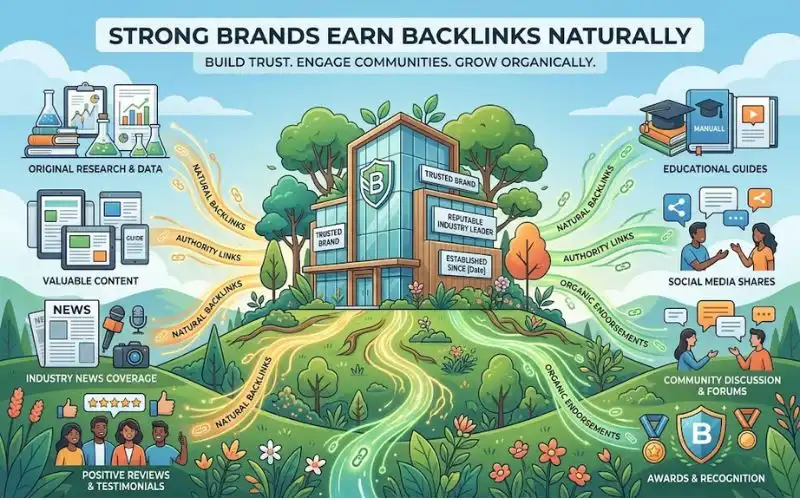
    3. Strong Brands Earn Backlinks Naturally

    Link building is one of the hardest parts of traditional SEO. For businesses with strong brands, it becomes significantly easier. Brands with real reputations attract natural mentions, citations, and links from other websites without actively chasing them.

    Developing a strong brand is, in a way, reverse engineering SEO. It helps to get a mass of people talking about your brand online in reviews, on social media, via citations, and in the form of backlinks. That conversation around your brand will signal to Google and other search engines your relevance in your specific market.

    Natural backlinks from trusted, locally relevant sources carry far more SEO weight than paid link placements on generic directories. Branding is the engine that makes natural link acquisition possible.

    4. Brand Authority Strengthens Your EEAT Profile

    Google evaluates content and websites through its EEAT framework. EEAT stands for Experience, Expertise, Authoritativeness, and Trustworthiness. AI systems use similar criteria to decide whose content to cite and which businesses to recommend.

    Traditional SEO signals like Google’s EEAT are not declining. In fact, it is the opposite. AI systems thrive on high-quality, context-rich signals when generating answers. 

    For local service businesses, EEAT signals look like this: a licensed plumber with a verifiable state license number on their website. A dental practice with credentialed practitioners named by name. An auto repair shop with ASE-certified mechanics listed prominently. These are not just trust signals for human visitors. They are entity signals that AI systems read to verify your brand’s legitimacy.

    The more your brand is associated with verified credentials, real team members, consistent reviews, and authoritative mentions, the stronger your EEAT profile becomes. And a stronger EEAT profile means better organic rankings and more frequent AI citations.

    5. Branded Content Drives Better User Behavior Signals

    Brands that people recognize and trust generate different user behavior than unknown businesses. Visitors who recognize your brand spend more time on your site, visit more pages, and bounce less often.

    These behavioral signals, including dwell time, pages per session, and bounce rate, are among the most important implicit ranking signals Google measures. A branded user experience naturally generates better behavioral data than a cold, unfamiliar one.

    6. Consistent Branding Strengthens Local Citation Signals

    Local SEO runs on citation consistency. Your business name, address, and phone number must appear consistently across Google, Yelp, Better Business Bureau, Angi, Apple Maps, and dozens of other directories. Inconsistency in your business name damages your local rankings.

    This is a branding issue as much as it is a technical SEO issue. A business that has a clearly defined, consistently used brand name will naturally maintain cleaner citation data. Businesses that rebrand frequently, use abbreviations sometimes, or list slightly different name variations across directories create citation confusion that depresses local rankings.

    For our SEO services clients, citation cleanup is one of the first technical wins we deliver. It is also one of the most direct connections between brand discipline and local search performance.

    Branding and AI Search: What Is Different in 2026

    The relationship between branding and SEO is not new. What is new in 2026 is how dramatically AI search has amplified the importance of brand signals.

    In traditional search, Google could rank your page based primarily on content and backlinks. A page with the right keywords and enough links could outrank a well-known brand in many cases. AI search has changed this dynamic in a fundamental way.

    AI search elevates brand reputation, mentions, and authority over traditional SEO tactics. PR-driven mentions in high-authority media influence both human readers and AI training models.

    When a Houston homeowner asks ChatGPT “which plumbing companies in Houston are most reliable,” the AI’s answer is based on patterns across thousands of web sources, reviews, mentions, and editorial content. It will name the brands that appear most consistently and most positively across those sources. A plumbing company with 200 Google reviews, consistent media mentions, and a strong local web presence will get cited. A company with a keyword-optimized website but no brand presence will not.

    Over 61% of AI mentions about corporate reputation come from earned media. That number climbs even higher when it comes to topics like trust or brand values. 

    Over 75% of brand mentions in AI-generated responses come from editorial media and social conversations, not a company’s own website. 

    This is a critical insight. Your own website is not the primary source AI uses to learn about your brand. The web around your brand is what AI reads. Reviews, news mentions, directory listings, social content, and community discussions all feed the AI’s understanding of who you are and whether you can be trusted.

    How Local Service Businesses Build Brand Authority for SEO

    Building a nationally recognized brand requires enormous resources. Building a locally authoritative brand in Houston, Katy, Sugar Land, or Spring is entirely achievable for a service business of any size. Here is how.

    Earn Reviews Consistently and Strategically

    Reviews are the most accessible and powerful brand-building tool available to a local service business. A Houston auto repair shop with 300 detailed, recent Google reviews is a recognizable local brand in the eyes of both customers and AI systems.

    Ask every satisfied customer for a review. Send a direct link to your Google review page. Aim for steady review velocity every single month. Ten reviews this month are worth more than fifty from two years ago.

    Get Mentioned in Local Media and Community Platforms

    For Houston area service businesses, local media coverage creates powerful brand and SEO signals simultaneously. A mention in a Houston Chronicle neighborhood section, a feature on a local news website, or a spotlight in a community newsletter all carry real authority weight.

    Reach out to local journalists and bloggers proactively. Offer to provide expert commentary on topics related to your service. An HVAC technician in the Heights who offers tips on summer cooling costs is a natural local media source. A Katy auto repair shop owner who explains Texas inspection requirements makes for a useful community resource piece.

    These earned media mentions build your brand entity and create backlinks from locally trusted sources. Both outcomes directly improve your SEO.

    Build a Consistent Visual and Messaging Identity

    Brand consistency across every customer touchpoint creates recognition over time. Your logo, your color palette, your tone of voice, and your key messages should look and feel identical on your website, your Google Business Profile, your social media accounts, and your service vehicles.

    A customer who sees your branded truck in the Katy neighborhood on Monday, finds your name on a community Facebook group on Tuesday, and then sees your Google listing on Wednesday is experiencing brand consistency. That consistency accelerates recognition and trust.

    Consistent branding also reduces citation confusion for local SEO purposes. When every platform uses exactly the same business name, address, and phone number, your local citation signals strengthen and your rankings improve.

    Create Content That Establishes Local Expertise

    Content marketing builds topical authority. But for local service businesses, the most powerful content is content that establishes local expertise specifically.

    A blog post titled “What to Do When Your AC Stops Working During a Houston Heat Wave” is not just a helpful resource. It is a brand signal. It tells every reader, and every AI system that indexes it, that your business understands the specific challenges of serving Houston area customers.

    Content that references local landmarks, weather patterns, city-specific regulations, and neighborhood names signals local authority in a way that generic national content never can. A Sugar Land roofing company that publishes a guide to navigating Texas insurance claims after a hailstorm is building local brand authority that no competitor can easily replicate.

    Leverage Social Proof Across Multiple Platforms

    Social proof beyond Google reviews extends your brand footprint across platforms that AI systems also index. Yelp reviews, Facebook recommendations, Nextdoor mentions, and Angi ratings all contribute to the picture of your brand that AI systems develop.

    Each platform where your business is positively represented is another data point for AI systems to draw on. A Houston plumbing company with 150 Google reviews, 80 Yelp reviews, and consistent Nextdoor recommendations has a richer, more verifiable brand profile than one with only Google reviews.

    Why Your Google Business Profile Is a Brand SEO Signal

    Your Google Business Profile is not just a directory listing. In the AI era, it is one of the most direct brand signals you can send to Google’s search and AI systems.

    Google’s own data confirms that businesses with complete, active, photo-rich profiles receive dramatically more direction requests and website visits than businesses with incomplete profiles. These behavioral signals from GBP directly influence your local search rankings and your visibility in AI-generated local answers.

    Your GBP profile communicates your brand identity to Google through every element:

    • Your business name confirms your brand entity.
    • Your business description signals your core services and values.
    • Your photos show Google what your brand looks like in the real world.
    • Your review responses demonstrate your brand voice and customer care standards.
    • Your Google Posts signal that your brand is active and engaged.
    • Your Q and A responses show expertise and customer orientation.

    A GBP profile that is consistently updated, rich with original photos, and populated with thoughtful review responses is a brand-building exercise that also happens to be one of the most powerful local SEO tactics available.

    Our Google Business Profile optimization services build your GBP into a brand asset that drives both local rankings and AI search visibility consistently.

    How Branded Search Volume Predicts AI Visibility

    This is one of the most forward-looking insights in modern SEO and AI search research. There is a direct relationship between branded search volume and how often a business gets cited in AI-generated answers.

    There is growing evidence that brand search volume and sentiment are strong predictors of AI visibility. 

    When many people in Houston are searching for your business name directly, that behavioral signal tells AI systems that your brand has genuine recognition and trust in the local market. AI systems incorporate these behavioral signals into their recommendations over time.

    The implication for local service businesses is powerful. Every marketing channel that builds brand awareness also builds your AI search visibility. A billboard campaign, a radio spot, a local sponsorship, or a neighborhood flyer drop all create brand impressions. Some of those impressions convert into branded searches. Those branded searches feed your AI visibility.

    In the AI era, traditional brand marketing and digital SEO are no longer separate disciplines. They reinforce each other in a measurable and trackable way.

    Common Branding Mistakes That Quietly Kill Your SEO

    Inconsistent Business Name Across Platforms

    Using “Joe’s Auto Repair” on Google but “Joe’s Auto Repair Shop” on Yelp and “Joe’s Auto” on Facebook creates citation inconsistency. This confuses Google’s local algorithms and weakens your brand entity signals. Pick one exact business name and use it identically everywhere.

    Neglecting Your Online Reputation

    A local business with a 3.2-star average rating has a brand problem that directly translates to an SEO problem. AI systems use sentiment and rating signals when evaluating which businesses to recommend. A low average rating, unanswered negative reviews, or a long gap in review activity all damage your brand authority in ways that affect your rankings.

    Hiding Behind Generics

    Service businesses that brand themselves around generic descriptions rather than distinct identities struggle to build brand recognition. “Houston Plumbing Solutions” is forgettable. A business with a strong name, a clear personality, and a memorable story builds brand equity that translates into search performance over time.

    No Content Strategy

    A website with only five pages and no ongoing content production cannot build topical authority or brand recognition in its market. Content is the primary mechanism through which your brand communicates expertise to both human audiences and AI systems. Without content, your brand is invisible beyond the immediate transaction.

    Ignoring Local Community Presence

    Local service businesses that exist only online miss the community presence that drives brand recognition in their service area. Sponsoring a Little League team in Katy, donating to a food drive in Spring, or participating in a Heights neighborhood association meeting all build local brand awareness. That awareness eventually converts into branded searches and organic brand mentions.

    Conclusion

    The era of purely technical SEO is not over. Keywords, site speed, schema markup, and link-building all still matter. But in 2026, the businesses winning in both traditional Google rankings and AI-driven search share a common foundation.

    They are trusted brands.

    They earn consistent reviews. They get mentioned in local media. Their business name appears identically across every platform. Their team is visible, credentialed, and human. Their content reflects genuine local expertise. Their Google Business Profile is active and photo-rich.

    These are all brand activities. And every one of them is also an SEO activity.

    For local service businesses in Houston, Katy, Sugar Land, Spring, and the Heights, building a recognizable local brand is now the most important SEO investment you can make. It is what creates the foundation that every keyword, backlink, and technical optimization builds upon.

    The competition is not doing this yet. That window is open. But it will not stay open forever.

    Ready to Build the Brand That Wins in AI Search?

    At 4P Wisdom, we build brand and SEO strategies for local service businesses that want to dominate their market in 2026 and beyond. We combine review generation, content strategy, Google Business Profile optimization, citation management, and technical SEO into one unified brand authority system.

    We serve businesses across Houston, Katy, Sugar Land, Spring, the Heights, and the surrounding areas.

    If your brand is invisible online right now, we know exactly how to change that.

  • Can Adding More Pictures Improve SEO Performance?

    Can Adding More Pictures Improve SEO Performance?

    You have probably heard it before. Add more images to your pages. It will help your SEO.

    But is that actually true? Or is it one of those half-truths that sounds logical but rarely holds up under scrutiny?

    The short answer: pictures can help your SEO. But not in the way most people think. Adding more pictures does not automatically move your Google rankings. Adding the right pictures, optimized the right way, for the right reasons, absolutely does.

    In this guide, you will learn exactly how images affect your rankings. You will learn when they help, when they hurt, and how to use them correctly. Whether you run an auto repair shop in Houston, a medical clinic in Katy, or a home services company in Sugar Land, this applies to your website right now.

    Do Pictures Directly Improve Google Rankings?

    Here is the honest truth that most SEO content skips over.

    Google does not reward pages simply for having more images. There is no minimum image count that improves your ranking. Adding 10 random pictures to a service page will not push you to position one.

    Google has confirmed this many times. Image count is not a direct ranking signal. It does not appear in Google’s own documentation on ranking systems.

    So why do so many businesses see improvement after adding images?

    Because images influence the things that Google actually measures. Time on page, bounce rate, Core Web Vitals, click-through rate, and user engagement are all things Google tracks. Images affect every single one of them. When images improve those signals, rankings improve as a result.

    The images are not the cause. Better user experience is the cause. The images are the vehicle. This distinction matters because it changes how you think about every picture on your website.

    How Images Influence SEO the Right Way

    Images affect SEO through six distinct paths. Understanding each one helps you deploy images strategically instead of randomly.

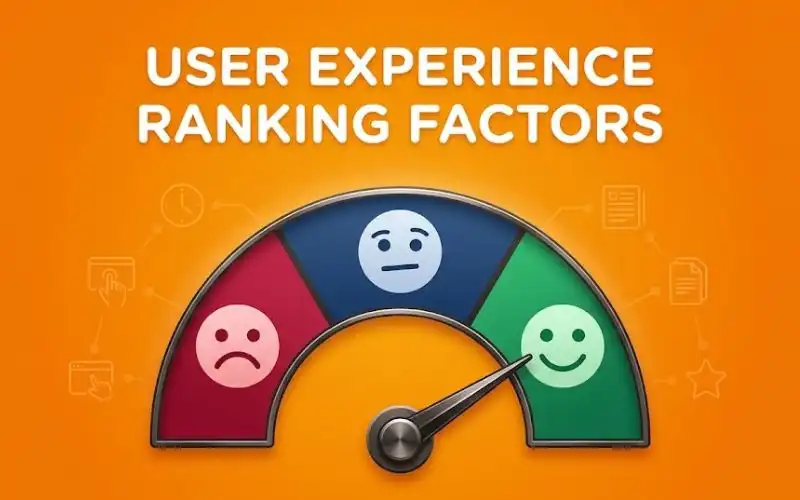
    1. Better User Experience Means Better Rankings

    user experince matter in seo performance

    A wall of text without a single visual is exhausting to read. This is especially true on mobile devices, where most of your Houston area customers are searching.

    When a page feels overwhelming, people leave. They scroll back to Google and click a competitor instead. That is called pogo-sticking, and Google notices it.

    Images break up dense content. They give the eye a place to rest. They help users scan and find what they need faster. When more people stay on your page longer, Google interprets that as a positive quality signal.

    Research from the Nielsen Norman Group consistently shows that readers scan pages in an F pattern. They look for visual anchors and subheadings. Images placed strategically act as those anchors and keep readers engaged.

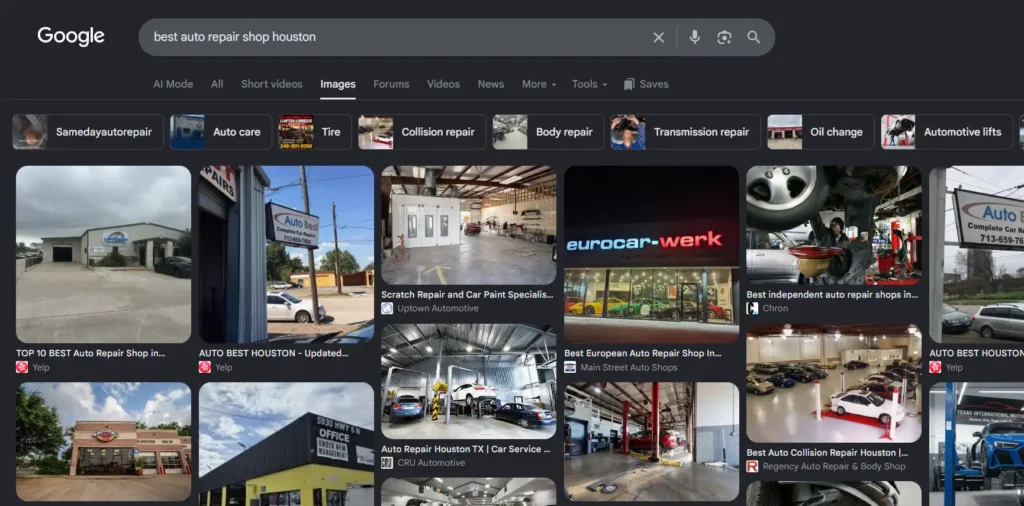
    2. Images Open the Door to Google Image Search

    Google Image Search drives hundreds of millions of searches

    Google Image Search drives hundreds of millions of searches every day. Most businesses completely ignore it as a traffic source.

    When you add properly optimized images to your pages, those images can appear in Google Image Search results. Someone in Houston searching for “brake pad replacement” or “water heater installation” might find your business through an image before they even find your regular listing.

    Image search traffic converts differently than organic text search. Users who find your content through an image have already made a visual connection with your work. That is a warmer lead.

    Optimized images also appear in Google Discover, Google Shopping, and AI powered search results like Google Lens. The visibility opportunities extend far beyond the traditional blue link on page one.

    3. Alt Text Adds Keyword Context Google Can Read

    Google cannot see images the way humans do. It reads the code around an image to understand what the image shows.

    Alt text is the written description attached to every image on your website. It tells Google what the image contains. It also helps screen readers describe images to visually impaired users, which is an accessibility requirement.

    From an SEO standpoint, alt text is one of the most valuable but most neglected on page signals available. An auto repair shop in Houston that uploads a photo with the filename “IMG47829.jpg” and blank alt text has wasted an opportunity. A photo with the filename “houston-brake-pad-replacement.webp” and alt text reading “ASE certified mechanic replacing brake pads at Houston auto repair shop” has just created a keyword-rich content signal Google can actually read and rank.

    Every image on your website is a potential keyword placement. Most businesses leave this entirely blank.

    4. Images Reduce Bounce Rate When Used Correctly

    Bounce rate measures how quickly users leave your page without taking any action. High bounce rates signal to Google that your page may not be meeting user expectations.

    A service page with only plain text and no visual support looks thin. Users scanning quickly may not trust it. They bounce.

    A service page with before and after photos, team photos, real equipment photos, and a friendly image of your facility looks credible. Users stay longer. They scroll further. They are more likely to call.

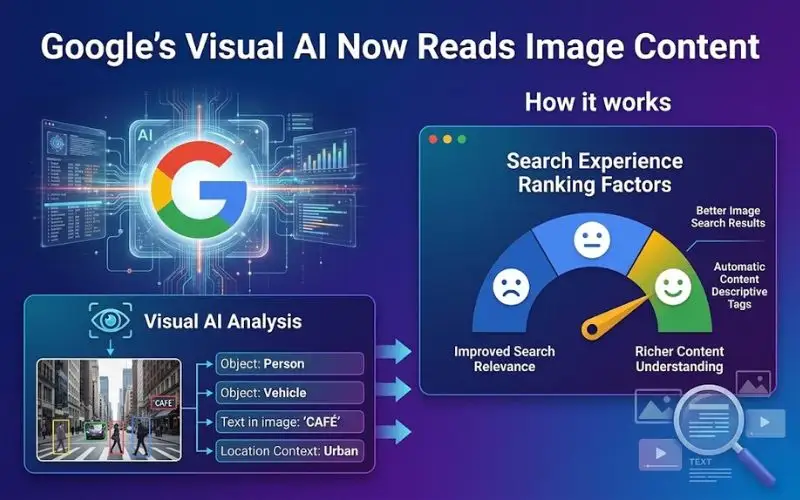
    5. Google’s Visual AI Now Reads Image Content

    This is the part that most competitors do not cover. Google Vision AI has become significantly more sophisticated in 2026.

    Google can now recognize the objects, scenes, people, and context within your images without relying solely on alt text. A photo of a certified mechanic performing a brake inspection at a physical shop communicates signals even if the alt text is imperfect.

    Google’s Visual AI and image recognition technology help the search engine understand whether your images are original and relevant to your content. Stock photos of generic office handshakes and smiling models signal nothing meaningful. Real, original photos from your actual business communicate authenticity and relevance.

    Original photography is a trust signal. It contributes to your EEAT profile, which stands for Experience, Expertise, Authoritativeness, and Trustworthiness. Google rewards businesses that show real expertise through real visual evidence.

    6. Images Strengthen Your GBP and Local SEO

    Your Google Business Profile is not a website. But it runs on images more than any other element.

    Google’s own data shows that businesses with photos receive 42% more requests for directions and 35% more website click-throughs than businesses without photos.

    For a local service business in Houston, those numbers represent real phone calls and real customers. A well-maintained Google Business Profile with fresh, original photos every month signals to Google that your business is active, legitimate, and worth recommending in local search.

    Our Google Business Profile optimization services include strategic photo planning and regular uploads to keep your profile performing at its highest level.

    When Images Actually Hurt Your SEO

    Not all images help. Poorly managed images can actively damage your rankings and your user experience at the same time.

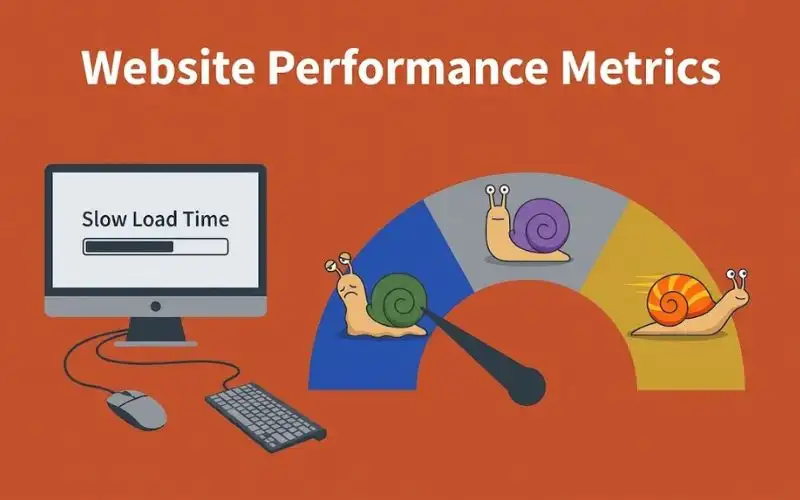
    Slow Page Load Speed and Core Web Vitals

    low website loading speed affect seo performance

    Page speed is a confirmed Google ranking factor. Large, uncompressed images are the number one cause of slow pages for local service business websites.

    Google measures page speed through Core Web Vitals. The most important metric for images is Largest Contentful Paint, commonly abbreviated as LCP. LCP measures how long it takes for the biggest visible element on your page to finish loading. In most cases, that element is your hero image or featured photo.

    If your LCP image is a 4MB JPEG that takes 6 seconds to appear, your page feels slow. Users leave before they ever read your content. Google penalizes the slow experience in rankings.

    An unoptimized homepage hero image can single-handedly push a business out of the top three local search results. This is not theoretical. It is a pattern we see regularly with Houston area service businesses.

    Missing or Unhelpful Alt Text

    Every image without alt text is a missed keyword opportunity. Google cannot fully understand an image without a readable description.

    Beyond SEO, missing alt text is an accessibility violation. The Americans with Disabilities Act and Web Content Accessibility Guidelines both address image accessibility. A website that ignores alt text creates legal exposure in addition to ranking damage.

    Generic File Names

    Uploading images named “photo1.jpg” or “screenshot.png” tells Google nothing about your content. File names are an early signal Google reads before it even loads the image.

    Always name your image files with descriptive, keyword-informed names before uploading them. Use words, not numbers. Keep them concise and relevant.

    Irrelevant or Stock Photos

    Fake-looking stock photos of models in hard hats or generic office scenes create zero trust with real customers. They also create zero contextual relevance for Google.

    If your Houston roofing company uses a stock photo of an anonymous roof on a page titled “Houston Roof Repair,” Google’s visual AI sees the disconnect. Your real crew on a real Houston home is more authoritative than any stock image.

    Images That Break the Mobile Experience

    Over 60% of local searches happen on mobile devices. An image that displays beautifully on a desktop may stretch, overflow, or break the layout entirely on a phone.

    Mobile broken layouts increase bounce rates dramatically. Users on mobile leave immediately if a page does not display correctly. A single poorly scaled image can cost a local business dozens of leads per month.

    How to Optimize Images for SEO the Right Way

    Great image SEO comes down to a handful of practices. Every one of these applies to local service businesses with no technical background required.

    Use Descriptive, Keyword-Rich File Names

    Before uploading any image, rename the file. Use clear, descriptive words that include your service and location where relevant.

    For example, a Houston auto repair shop uploading a photo of an oil change should name that file “oil-change-houston-auto-repair.webp” rather than “DSC00247.jpg.” This file name communicates context to Google immediately on upload.

    Keep file names lowercase. Separate words with a space because we are not using hyphens in this content. Keep the name concise and descriptive without keyword stuffing.

    Write Helpful Alt Text for Every Single Image

    Alt text should describe what is actually in the image. It should also naturally include your primary keyword where it makes sense.

    A good alt text for an auto repair shop photo reads: “Mechanic performing oil change at Houston auto repair shop.” A bad alt text reads “image” or is left completely blank.

    Write alt text as if you are describing the image to someone who cannot see it. Clarity and relevance are both rewarded. Keyword stuffing in alt text is not.

    Compress Images Without Sacrificing Quality

    Image compression reduces file size without visually degrading the image quality at normal viewing sizes. Tools likeTinyPNG and Squoosh from Google allow you to compress images quickly before uploading them.

    A 3MB image can often be compressed to under 200KB with no visible difference to the human eye. That size reduction dramatically improves page load speed and Core Web Vitals scores.

    Make image compression a standard step before uploading anything to your website.

    Serve Images in Next Generation Formats

    WebP is a modern image format developed by Google. It produces the same visual quality as JPEG and PNG at roughly 25 to 34 percent smaller file sizes.

    Most modern WordPress websites convert uploaded images to WebP automatically using plugins like Imagify or ShortPixel. If your website is not serving images in WebP format, that is an easy technical win your developer can implement quickly.

    AVIF is an even newer format that compresses more aggressively than WebP. Browser support has expanded significantly in 2026, making AVIF a viable option for forward-thinking websites.

    Apply Lazy Loading for Images Below the Fold

    Lazy loading tells the browser to only load images when the user is about to scroll to them. This dramatically reduces the initial page load time for pages with many images.

    Add the loading=”lazy” attribute to all images that appear below the first visible screen area. Do not apply lazy loading to your hero image or any image visible on initial page load. Lazy loading those above-the-fold images actually hurts your LCP score.

    Fix Your LCP Image

    Your LCP image is the single most important image on your page from a Core Web Vitals standpoint. Identify it using Google’s PageSpeed Insights tool.

    Once identified, prioritize that image. Serve it in WebP format. Compress it aggressively. Preload it in your page’s HTML so the browser fetches it before any other resource. This single optimization can move an LCP score from failing to passing.

    Google’s PageSpeed Insights is free to use and gives you a detailed breakdown of which images are slowing your page down.

    Add Structured Data for Key Images

    Schema markup can be applied to images on your service pages and blog posts. ImageObject schema tells Google additional details about your photos, including the subject, creator, and licensing information.

    For local service businesses, adding ImageObject schema to photos of your work, your team, and your facility strengthens your entity signals. It helps Google connect your visual content to your business identity in its knowledge graph.

    Our SEO services include technical image optimization and schema implementation for service business websites. We handle the technical layer so you can focus on running your business.

    How Many Images Does Your Page Actually Need?

    This is one of the most common questions local business owners ask. The answer is: it depends.

    There is no magic number that guarantees better rankings. The right number of images depends on your content topic, your user intent, and the page type.

    A simple contact page might need only one professional photo of your team or facility. A comprehensive service page explaining your full brake repair process might benefit from four to six photos showing the actual work. A blog post covering the top 10 HVAC maintenance tips might include one relevant photo per section.

    The question to ask for every image is: does this image help the reader understand or trust this content? If yes, include it. If the image is decorative filler that adds nothing meaningful, leave it out.

    What Google actually rewards is relevance, originality, and proper optimization. A single well-optimized, original, properly alt-tagged image outperforms ten unoptimized stock photos every single time.

    Images on Your Google Business Profile: A Local SEO Goldmine

    adding images on gbp improve local seo

    Your Google Business Profile is often the first visual impression potential customers have of your business. And photos are the primary driver of engagement on GBP listings.

    Businesses with photos on their Google Business Profile receive significantly more direction requests, phone calls, and website visits than businesses without photos. That is not a theory. That is data directly from Google.

    For local service businesses in Houston, Katy, Sugar Land, and The Woodlands, your GBP photos compete directly against every other business showing up in the map pack. The business with the most recent, highest-quality, and most varied photos wins more clicks.

    Here is what your GBP photo strategy should include:

    Your exterior storefront or facility shot should show your physical location clearly. It should include visible signage so Google and customers can verify your address.

    Interior photos showing your workspace, equipment, and team environment build trust before the first phone call. A Houston auto repair shop with clean, organized bay photos signals professionalism immediately.

    Team photos with real people at your business create a human connection. Customers in the Heights or Spring are more likely to call a business where they can see the actual team they will be working with.

    Work photos showing before-and-after results, completed jobs, and real services in progress are the most persuasive trust-building images on your entire GBP profile.

    Upload fresh photos to your GBP every single month. Google’s algorithm treats recent photos as a signal of business activity and legitimacy. A profile with photos uploaded last week outperforms a profile whose last photo was six months ago.

    Conclusion: Images Are a Tool, Not a Trick

    Here is what everything in this guide comes down to.

    Adding more pictures does not increase SEO by itself. But adding the right pictures, optimized correctly, placed strategically, uploaded consistently to both your website and your Google Business Profile, absolutely can move your rankings.

    Images improve user experience. Better user experience improves behavioral signals. Better behavioral signals improve rankings.

    For local service businesses in Houston, that chain of cause and effect is especially powerful. Your customers make quick decisions based on what they see. A well-optimized, visually credible online presence converts more searchers into callers. And callers become paying customers.

    The businesses winning in local search in 2026 are not the ones with the most images. They are the ones with the most strategic, optimized, and authentic visual presence across their website and their Google Business Profile.

    That is exactly what we build for local businesses at 4P Wisdom.

    6 Frequently Asked Questions About Images and SEO

    1. Does adding more pictures directly improve Google rankings?

    No, not directly. Google does not rank pages higher simply because they have more images. Image count is not a confirmed ranking factor. However, well-optimized images improve user experience, reduce bounce rate, increase time on page, and strengthen Core Web Vitals scores. All of those things indirectly improve your Google rankings. Focus on image quality and optimization rather than image quantity.

    2. What is alt text and why does it matter for SEO?

    Alt text is a written description added to each image in your website’s code. Google reads alt text to understand what an image contains, since search engine crawlers cannot view images the way humans do. Descriptive, keyword-informed alt text helps Google associate your images with relevant search queries. Missing alt text is a missed SEO opportunity on every single image. It is also an accessibility requirement for users with visual impairments who rely on screen readers.

    3. What image format is best for SEO in 2026?

    WebP is the recommended format for most use cases. It produces the same visual quality as JPEG and PNG at significantly smaller file sizes, which improves page speed and Core Web Vitals scores. AVIF is a newer format that compresses even further and is supported by all major browsers in 2026. Both formats improve LCP scores compared to traditional JPEG or PNG. If your website still serves JPEG images, switching to WebP is one of the easiest technical SEO improvements available.

    4. How many images should a service page have?

    There is no ideal number that applies to every page. The right number depends on your content, your topic, and what genuinely helps the reader. A simple service overview page might need two to three images. A detailed how-it-works page or a comparison guide might benefit from six to eight. Ask yourself whether each image adds value for the reader. Remove any images that are purely decorative. One original, well-optimized image from your actual business creates more SEO value than ten unrelated stock photos.

    5. Can images hurt my website’s SEO?

    Yes. Unoptimized images are one of the most common causes of SEO damage for local service business websites. Large, uncompressed images slow your page load time and hurt Core Web Vitals scores, particularly Largest Contentful Paint. Missing alt text removes valuable keyword signals. Generic stock photos create no trust or contextual relevance for Google’s visual AI. Images that break the mobile layout cause high bounce rates. Each of these scenarios can actively push your rankings down rather than lifting them up.

    6. Do Google Business Profile photos help local SEO rankings?

    Yes, significantly. Google’s own data confirms that businesses with photos receive more direction requests and website visits than businesses without photos. Fresh, original, varied photos on your Google Business Profile signal to Google that your business is active, legitimate, and trustworthy. For local service businesses in Houston competing in the map pack, GBP photos directly influence your local ranking position. A consistent monthly photo upload cadence keeps your profile active and competitive against businesses that upload photos once and forget them.

  • Google Business Profile Suspension: How to Appeal

    Google Business Profile Suspension: How to Appeal

    You log in one morning to check your Google Business Profile. Something feels wrong. Your listing has disappeared from Google Maps. There is a red or yellow banner across your dashboard. Your phone has stopped ringing entirely.

    Your Google Business Profile (GBP) has been suspended.

    This is one of the most stressful things a local business owner can experience. Businesses relying on Google Maps for phone calls and direction requests can lose 50 to 90 percent of new customer inquiries during a hard suspension, with no warning and no alternative route to those customers. 

    For a Houston plumber, an auto repair shop, a dental clinic, or any local service business, that kind of overnight visibility loss is a genuine revenue crisis.

    The good news is that most GBP suspensions can be resolved. You just need to follow the right process in the right order. This guide walks you through every step, from understanding why the suspension happened to submitting a winning appeal.

    Here is exactly what we cover:

    1. What a GBP suspension is and why it happens
    2. The difference between a soft suspension and a hard suspension
    3. The most common triggers for GBP suspensions
    4. How to audit your profile before you appeal
    5. Which documents to gather for reinstatement
    6. How to submit your appeal step by step
    7. What to do if your appeal gets denied
    8. How to prevent future suspensions

    Let us get your profile back online.

    What Is a Google Business Profile Suspension?

    A Google Business Profile suspension is Google’s enforcement action against a listing. It happens when Google believes your profile violates its guidelines. Suspensions can happen with zero warning. You may only discover the suspension when a customer tells you they cannot find your business on Google Maps.

    Google issues suspensions when a profile appears to violate guidelines or cannot be verified as eligible. There are two main types: soft suspensions and hard suspensions. 

    Understanding which type you have determines your very first steps.

    Soft Suspension vs Hard Suspension

    A soft suspension means your listing is still visible to the public on Google Maps and Google Search. But you lose the ability to manage your profile. You cannot respond to new reviews. You cannot post updates. You cannot edit your hours or services. Any edits you make sit in a “pending” state and do not go live.

    For a soft suspension, Google trusts that the business is real and legitimate, but no longer trusts the user managing the profile. Your listing stays live with its old information while you work to regain management control. 

    A hard suspension is far more serious. For a hard suspension, the listing is removed entirely from all public search results. It is a revenue emergency. The phone stops ringing immediately. 

    Soft suspension recovery typically takes 3 to 7 days. Hard suspension recovery averages 1 to 4 weeks.

    Both suspension types require a formal reinstatement request to Google. Both require you to fix violations before you submit anything.

    FeatureSoft SuspensionHard Suspension
    What happens?The business profile is disabled from the owner’s accountThe profile is removed/suspended from Google’s ecosystem
    Visibility on Google Maps/SearchUsually the profile may still appear publiclyUsually the profile is removed from Maps and Search
    Owner accessOwner may lose management accessOwner and profile may both be removed
    Main causeViolation of GBP guidelines or verification issuesSerious/repeated guideline violations or major trust issues
    SeverityLess severeMore severe
    AppealUsually requires correcting the issue and submitting an appealRequires a stronger appeal and evidence proving the business is eligible
    ExampleIncorrect business name, address, category, or other profile informationFake business, ineligible business, repeated violations, or significant spam

    Why a GBP Suspension Is a Revenue Emergency

    Many local businesses depend on Google Maps as their primary source of new leads. For home service companies, restaurants, medical practices, and auto repair shops, GBP drives the majority of daily phone calls.

    A business with 200 four-star reviews suddenly shows nothing during a hard suspension. That review history may not be visible to potential customers even if it is not permanently deleted. 

    The situation compounds quickly. The rankings your listing occupied become available to competitors immediately. Rebuilding that position after reinstatement takes additional time beyond the suspension period itself. 

    A Houston HVAC company that loses its GBP listing during a Texas summer has no room for a weeks-long recovery. Speed matters. And the fastest path to reinstatement is doing everything correctly the first time.

    Our Google Business Profile optimization services include a dedicated reinstatement service. Our team has successfully reinstated profiles for businesses across Houston and beyond.

    Most Common Reasons Google Suspends a Business Profile

    Google may suspend or restrict a Business Profile when it detects guideline or policy violations. Before you can fix anything, you need to understand what triggered your suspension. Google rarely tells you the exact reason. You have to investigate. 

    Here are the most common culprits.

    1. Keyword Stuffing in Your Business Name

    This is the single most common trigger for GBP suspensions. Business name violations top the list. Adding keywords, city names, or descriptors to your business name field instead of using your exact legal business name is the single most common trigger. 

    “Joe’s Auto Repair” should never become “Joe’s Auto Repair Best Mechanic Near Me Houston.” The business name must exactly match storefront signage and official documents. Remove all marketing taglines and keywords from the name field.

    Even adding a single phrase like “Licensed and Insured” or “Open Sundays” can trigger an automated suspension. Your business name on GBP must match your real-world signage exactly.

    2. Using a Virtual Office or P.O. Box Address

    P.O. Boxes, virtual offices, mailboxes, or co-working spaces that are not permanently staffed by your business during stated hours are not eligible addresses for GBP.

    If you operate from a co-working space or a shared office, Google wants to see that your business is physically staffed at that location during your listed hours. No signage or staff on site means your address is ineligible.

    A mobile HVAC technician who lists his home address without hiding it as a service area business violates the rules. The correct configuration is a service area-only setup with the address hidden. 

    Service area businesses must hide their address and list only the areas they serve. Do not show a residential or non-commercial address on your public profile.

    3. Duplicate Listings

    If multiple Google Business Profile listings exist for the same business at the same address, Google’s algorithms flag them for review. A home services company whose previous marketing agency created three separate GBP listings at the same address saw all three suspended after a competitor report.

    Search your business name and address in Google Maps before doing anything else. Check whether a previous marketing agency or a franchise system created extra listings. Duplicate listings must be removed or merged before you submit any appeal.

    4. Suspicious Account Activity or Rapid Edits

    Patterns that look like bulk spam management across multiple locations trigger account-level suspensions. Almost any update, including hour updates, can prompt an integrity check by Google’s algorithms. 

    Making multiple rapid changes to your business name, address, category, and phone number in a short window looks suspicious to Google’s automated systems. If you recently switched your business category, changed your address, and updated your hours all within a few days, that combination can trigger a flag.

    5. Prohibited or High-Risk Business Categories

    Certain business verticals face extra scrutiny and can be suspended if Google cannot verify they are legitimate and legally allowed to operate. Locksmiths and other sensitive categories are common examples. 

    Businesses in industries like locksmiths, bail bonds, financial services, and certain healthcare categories face more aggressive automated monitoring. These businesses often need to complete additional verification after reinstatement.

    6. Inaccurate or Mismatched Business Information

    Your Google Business Profile must be consistent with the information on your website, Yelp, Better Business Bureau, Facebook, and other major directories. Because almost any update can prompt an integrity check, it is critical to maintain a consistently accurate listing that aligns with information in other reputable online directories.

    If your phone number on Google differs from your website, or your address format varies between platforms, Google loses confidence in your listing. Inconsistency is a significant red flag.

    7. Fake or Incentivized Reviews

    Never purchase or incentivize reviews. The risk is catastrophic. A single enforcement action for fake reviews can trigger a hard suspension and permanent removal of your review history.

    A sudden burst of new reviews from accounts with no history, or reviews left in exchange for discounts, can look manipulative even when the intent is innocent. Build your reviews slowly and organically. That is what Google rewards.

    Step 1: Identify Your Suspension Type

    Log in to your Google Business Profile dashboard at business.google.com. Look for a suspended status notification or banner. This tells you what you are dealing with.

    If your listing still appears on Google Maps but you cannot make edits go live, you have a soft suspension. If your listing has completely disappeared from public search and maps results, you have a hard suspension.

    Both suspension types require a formal appeal to regain control. For a soft suspension, edits are in sandbox mode and do not appear on the public-facing profile. But Google’s reviewers will see these pending changes when they evaluate your appeal. Submitting while violations still exist almost guarantees a rejection. 

    Write down which type of suspension you have. This determines how urgently you need to act and what documents you need to gather.

    Step 2: Audit Your Profile for Policy Violations

    This step is non-negotiable. Do not skip it. Do not submit an appeal before completing this audit. Submitting before violations still exist almost guarantees a rejection.Review every section of your profile against Google’s guidelines for representing your business. Here is what to check.

    Check Your Business Name

    Does your business name exactly match your legal business registration and physical signage? Remove every keyword, tagline, city name, or descriptor. Your business name should be only your registered trade name. Nothing more.

    Confirm Your Address and Service Area

    Is your address a real, staffed, physical business location? If you are a service area business, is your address hidden and replaced with service area settings? Brick and mortar locations should show a precise address. Service area businesses should hide the address and list service areas only. Service areas must be within a 2-hour driving distance.

    Review Your Business Categories

    Is your primary category the most accurate reflection of your core service? Have you been switching categories frequently? Categories that do not match your actual business trigger automated flags. Choose only categories that exactly match your actual services.

    Verify Your Website and Phone Number

    Does the phone number on your GBP match the number on your website and across all directories? Does your website URL point directly to your actual business website with no redirect chains or mismatched domains? Call tracking numbers are allowed. But always add the main local business number as an additional phone number inside GBP so Google can still associate the listing with the primary line published across the web. 

    Make a list of every issue you find. Fix all of them before moving to the next step.

    Step 3: Gather Your Supporting Documents

    Google wants proof that your business is real, legitimate, and operating at the address listed on your profile. Start gathering these documents immediately while you complete your profile audit.

    Proof of business legitimacy should include the business’s EIN and Articles of Incorporation or formation documents. Invoices alone are not sufficient. Sole proprietors should provide alternative proof such as bank statements, tax filings, or other official documents that clearly tie the individual to the business name and address. 

    Here is the full list of documents to prepare:

    Your EIN letter from the IRS. Your Articles of Incorporation or state business formation document. Your business license or tax certificate. A lease agreement or utility bill showing your business name and address. Proof of business insurance. A recent business bank statement showing your business name. High-quality photos of your storefront exterior with visible permanent signage. Interior photos showing your branding and business space. For service area businesses, photos of your branded service vehicle.

    Online evidence also helps. Provide links to social media profiles, Better Business Bureau listings, major directory listings, and credible media mentions. These help Google verify that your business is legitimate and consistently represented online.

    If you have more than four documents to attach, compile them into a single ZIP file. Alternatively, upload them to a Google Drive folder and include a shareable link in your appeal. Make sure the sharing settings allow anyone with the link to view the files.

    Step 4: Fix All Violations First

    Before you submit a single word to Google, fix every issue you identified in your audit. This is the most critical step that most business owners skip.

    Remove keywords from your business name. Update your address or switch to service area configuration. Merge or delete duplicate listings. Correct any NAP inconsistencies across major directories including Yelp, Bing Places, Apple Maps, and industry-specific platforms.

    Many business owners submit a reinstatement appeal the moment they discover a suspension without identifying and correcting the underlying issue. Google reviewers check for active violations at appeal time. Submitting before correcting prolongs the suspension and can delay subsequent appeals. 

    For soft suspensions, your fixes will appear as pending edits. Google’s reviewers will see these pending corrections when they review your appeal. This shows them you understand the issue and have addressed it.

    If you want an expert to handle this audit and cleanup for you, our team at 4P Wisdom offers professional GBP optimization and reinstatement services. We have helped hundreds of businesses navigate this process successfully.

    Step 5: Submit Your Reinstatement Request

    With your violations fixed and your documents ready, it is time to submit your formal appeal to Google.

    Here is the exact process to follow.

    Sign in to Google Business Profile at business.google.com. Open your suspended location in the dashboard. Click the “Learn More” button that appears on the suspended listing screen. This will show you Google’s policy details and link you to the reinstatement request form.

    Open the Google Business Profile Reinstatement Request form. Complete every question in the questionnaire accurately and honestly.

    Find your Google Business Profile ID. Search for your business while logged in to the managing Google account. Click “View Profile.” Open the three-dot menu, then click “Business Profile Settings,” then “Advanced Settings.” Copy the Profile ID shown at the top.

    Important: The 60-Minute Document Upload Rule

    Once you open the evidence upload form in Google’s appeals tool, you have exactly 60 minutes to submit your documents or they will not attach to the appeal. You must have all your files ready and organized before you click.

    This is critical. Do not open the form until every document is named, organized, and sitting on your desktop ready to upload. A rushed or incomplete document submission is one of the top reasons appeals get denied.

    Upload your business documents and photos. Provide links to your BBB listing, Yelp profile, social media pages, and any press mentions or media coverage of your business. Submit the form and monitor your email for responses from Google Support.

    Step 6: Write a Clear and Factual Appeal Explanation

    The appeal explanation box is where many business owners hurt their chances. They write emotional appeals. They argue with Google. They make vague claims.

    Do not do any of that.

    Be concise and factual. A strong example explanation reads like this: “We removed marketing keywords from the business name and updated our service area settings to hide the address per guidelines.” That is it. State what was wrong and what you fixed. 

    Your appeal explanation should include a brief statement of your business type and location. It should state clearly what issue existed and exactly what you corrected. It should list the documents you are providing and what each one proves.

    Here is a template you can adapt:

    “[Business Name] is a [business type] serving [city/area]. We identified that our business name contained keywords beyond our legal trade name. We have corrected the name to match our legal registration and physical signage. We have also confirmed our NAP data is consistent across major directories. Enclosed, please find our EIN letter, Articles of Incorporation, business license, and storefront photos showing our signage. Links to our BBB and Yelp profiles are also included for verification.”

    That kind of clean, factual explanation helps Google’s reviewer process your case quickly. It shows you understand the guidelines and have taken them seriously.

    Step 7: Follow Up If You Do Not Hear Back

    Suspension reviews typically take a minimum of 24 hours to several days or weeks. Complex cases or sensitive business categories can take significantly longer.

    If two weeks pass with no response, post in the Google Business Profile Help Community forum. Google Product Experts monitor this forum. They can sometimes escalate stuck cases or identify missing information in your appeal.

    When you post in the community forum, keep your post professional and factual. Do not share sensitive documents publicly. The forum is public. Do not upload EIN letters, Articles of Incorporation, bank statements, leases, insurance policies, or IDs. Share those documents only through Google’s official reinstatement tools. 

    State your business name, your category, your city, and the date your suspension began. List the documents you submitted. Note any specific reason Google provided in the suspension notification. Ask clearly whether there are compliance gaps you should address.

    Reply to any follow-up requests from Google Support promptly. Additional documentation requests are normal. Respond within 24 hours wherever possible.

    What to Do If Your Reinstatement Appeal Is Denied

    A denial is not the end. Most denials happen because of incomplete evidence or unresolved violations. Read Google’s denial email carefully. It will usually give you clues about what needs to be stronger.

    If your request is denied, carefully reread Google’s email, correct remaining issues, and reapply with stronger evidence. Do not submit repeated appeals without making changes. 

    Strengthen Your Evidence

    If your first appeal was denied, your evidence was not convincing enough. Return to your document list. Add clearer exterior photos showing permanent signage from street view distance. Add a utility bill showing your business name at the physical address. Add your business insurance certificate. Gather any press coverage or media mentions of your business to include as additional credibility.

    Align Your Online Presence

    A denial often signals that your online presence does not match your GBP data well enough. Check your website. Does it clearly display your business name, address, and phone number? Does it have dedicated service pages that describe what you do? Check your NAP on every major directory. Fix every inconsistency you find.

    Align major directories, social profiles, and your website so they match the GBP name, address, phone, and services precisely. The stronger your consistent online footprint, the more likely Google will trust your reinstatement request.

    Our GBP optimization checklist walks you through exactly how to build a profile that Google trusts and rewards. If your denial seems related to a weak online presence, start there.

    How to Prevent Future GBP Suspensions

    Getting reinstated is stressful. Getting suspended again after reinstatement is worse. Here is how to protect your profile going forward.

    Always Use Your Exact Legal Business Name

    Never add keywords, cities, or descriptors to your GBP business name. Your legal business name is what appears on your business registration, tax documents, and physical signage. That is what goes in the business name field. Nothing else. Ever.

    Only List Addresses Where You Actually Operate

    If you are a service area business, hide your address and configure proper service area settings. If you have a physical storefront, confirm that your address pin is placed correctly on Google Maps. Never use a virtual office, P.O. box, or co-working space as your listed address unless your business is permanently staffed there during all listed hours.

    Check for Duplicate Listings Regularly

    Audit existing listings before creating new ones. Search your business name and address in Google Maps to check for duplicates your previous agency or franchise system may have created. Remove or report duplicates before they trigger a suspension. 

    Keep Your Profile Data Consistent Across All Platforms

    Your business name, address, and phone number must be identical across your website, Google, Yelp, Facebook, Better Business Bureau, Apple Maps, and every other directory where your business is listed. Even minor differences in address formatting create inconsistency signals that can trigger reviews.

    Build Reviews Organically and Consistently

    Ask satisfied customers for reviews after every positive interaction. Send a simple follow-up message with a direct link to your GBP review page. Aim for a steady, consistent flow of new reviews over time. Review velocity matters. A steady flow consistently over time is more valuable than a sudden burst followed by silence. 

    Never buy reviews, offer incentives for reviews, or ask employees to write reviews as customers. The risk of a hard suspension far outweighs any short-term benefit.

    Protect Your Google Account

    Enable two-factor authentication on the Google Account that manages your GBP. Unauthorized access to your account can lead to profile edits that trigger an automatic suspension. Keep your account credentials secure and do not share login access with people you do not fully trust.

    Avoid Making Multiple Major Edits Quickly

    Letting multiple agencies manage the same listing simultaneously can trigger suspicious activity flags. Conflicting edits from two agency accounts confuse Google’s systems. If you are changing agencies, make sure the previous agency removes themselves as a manager before the new team takes over. 

    If you need to update your business address, category, or name, make one change at a time. Allow a few days between major edits. Give Google’s systems time to process each change without flagging your profile for unusual activity.

    You can also read about how Google is integrating GBP management into its AI tools by checking our coverage of Google bringing Business Profile management tools to Gemini. Understanding how Google is evolving its platform helps you stay ahead of compliance requirements.

     Frequently Asked Questions About GBP Suspension Appeals

    1. How long does a Google Business Profile suspension appeal take?

    Suspension reviews typically take a minimum of 24 hours to several days or weeks. Complex cases or sensitive categories can take longer. Soft suspension appeals often resolve in 3 to 7 business days. Hard suspension appeals typically take 1 to 4 weeks. Cases involving multiple violations or sensitive business types can take 6 weeks or more. Submitting a complete, accurate appeal with strong documentation gives you the best chance of a fast resolution.

    2. What documents do I need to submit for a GBP reinstatement request?

    The most important documents are your EIN letter, Articles of Incorporation or business formation documents, business license or tax certificate, a utility bill or bank statement showing your business name and address, proof of insurance, and high-quality photos of your storefront signage and interior. Primary documentation should include the business’s EIN and Articles of Incorporation. Invoices alone are not sufficient. Sole proprietors should include bank statements or tax filings that tie their name to the business address.

    3. Can I submit a new appeal if my first one gets denied?

    Yes. But only after you make meaningful corrections and strengthen your evidence. If denied, carefully reread Google’s email, correct remaining issues, and reapply with stronger evidence. Do not resubmit without making changes. Submitting the same appeal a second time without changes does not improve your outcome and may cause delays. 

    4. Will my Google reviews be deleted if my profile is suspended?

    During a hard suspension, your reviews become hidden from public view. They are not automatically deleted. In most reinstatement cases, your review history is restored when the profile goes live again. However, a hard suspension that involves severe policy violations may result in permanent profile removal, in which case reviews can be permanently lost. This is one of many reasons to protect your profile health proactively.

     5. Can a competitor get my Google Business Profile suspended?

    Yes, competitors can file reports against your listing. Competitors can report your listing for guideline violations. If your listing is fully compliant, reports are unlikely to trigger a suspension. Non-compliant listings with keyword-stuffed names or incorrect addresses are more vulnerable to competitor reports being actioned. The best protection against competitor reports is maintaining a fully compliant profile at all times. 

    Let 4P Wisdom Handle Your GBP Reinstatement

    At 4P Wisdom, we specialize in Google Business Profile optimization and reinstatement for local service businesses across Houston, Texas, and beyond. Our team knows exactly what Google’s reviewers look for. We have successfully reinstated profiles for auto repair shops, dental clinics, HVAC companies, law firms, and dozens of other business types.

    If your profile is currently suspended, do not wait. Every day without your GBP listing costs you real customers and real revenue.

    Our Google Business Profile services include full profile audits, violation identification, document preparation, appeal submission, and ongoing optimization to prevent future suspensions.

  • How to Build a High-Converting Local Contact Us Page 

    How to Build a High-Converting Local Contact Us Page 

    Many businesses treat their Contact Us page as just a place for a contact form, phone number, or address. But it can do much more than that. A well-designed contact page can build trust, improve your local SEO, and turn more visitors into paying customers.

    At the Whitespark Local Search Summit, former Google engineer Joel Headley shared an important insight. Google actively crawls Contact Us pages to collect business information. It uses this data to better understand and verify your Google Business Profile. That means a detailed contact page can benefit both your customers and your search rankings.

    In fact, 83% of customers say they feel more loyal to brands that respond to and resolve their complaints. On top of that, 50% of marketers report that online forms are their highest-converting lead generation tool. 

    Many multi-location businesses create detailed location pages with helpful content. In contrast, most single-location businesses keep their contact page very basic. This is a missed opportunity.

    By adding the right information, your Contact Us page can become a powerful marketing tool. In this guide, you’ll learn the key elements every high-converting local Contact Us page should include.

    Include Complete and Accurate Contact Information

    It may sound obvious, but many businesses leave out important details on their Contact Us page. The more helpful your page is, the easier it is for customers to reach you.

    Make sure you include:

    • A friendly welcome message and short introduction
    • Your business name
    • A contact form and a direct email address (it’s best to offer both)
    • Your full business address
    • Your phone number
    • Your business hours
    • Shopping options, such as in-store pickup, curbside pickup, delivery, or appointment-only services
    • Accepted payment methods
    • Parking information, if applicable

    Add Trust Signals and Social Proof

    People want to feel confident before they contact a business. They want to know they’re dealing with a trustworthy company. Adding trust signals to your Contact Us page can help visitors feel more comfortable taking the next step.

    Set Clear Expectations

    Tell visitors exactly what happens after they contact you. This removes uncertainty and builds confidence.

    Include details like:

    • How quickly you’ll respond (for example, within 24 hours or two business days)
    • What happens after they submit the form or call your business
    • Anything that makes your business different, such as your experienced team, personalized service, or local expertise

    Showcase Your Credibility

    Highlight the achievements and organizations that support your reputation. These trust signals reassure visitors that they’re choosing a reliable business.

    Consider including:

    • Industry certifications and professional credentials
    • Memberships in local or national industry associations
    • Your local Chamber of Commerce membership
    • Professional organizations or networking groups
    • Better Business Bureau (BBB) rating
    • Awards your business has won
    • Media features or press mentions, with links where possible

    If your business has received significant media coverage or industry recognition, create a dedicated section to showcase it.

    Display Customer Reviews and Testimonials

    Customer reviews are one of the best ways to build trust. They show potential customers that real people have had a positive experience with your business.

    Add reviews and testimonials directly to your Contact Us page. If possible, include the customer’s name, city, photo, and a link to the original review or their website. This makes the testimonials feel more authentic.

    You should also display your overall star rating and the total number of reviews. Keep in mind that customers don’t expect a perfect 5-star rating. In fact, research shows that businesses with ratings between 4.0 and 4.7 stars are often seen as more credible than those with a perfect score.

    Reviews do more than build confidence. They also add fresh, unique, and locally relevant content to your page. That can improve your local SEO while helping more visitors become customers.

    Add Location-Specific Content

    Your Contact Us page should show visitors that you’re part of the local community. Adding location-specific content helps customers trust your business and gives search engines more context about where you operate.

    Here are a few ideas:

    • Introduce your team with photos and short bios.
    • Add pictures of your office, storefront, or team at work.
    • Explain what your business does and who you serve.
    • Highlight what makes your business different from competitors.
    • Mention well-known neighborhoods or landmarks near your location.
    • Include information about guarantees, warranties, or price-match policies.
    • Share upcoming events, community involvement, or local partnerships.
    • Answer a few frequently asked questions (FAQs).
    • List the cities, neighborhoods, or service areas you cover if you serve customers beyond your physical location.

    Optimize Your Contact Page for Local SEO

    A great Contact Us page should be optimized for both visitors and search engines. Here are the key elements to focus on.

    Write an Optimized Title Tag

    Your title tag is one of the most important on-page SEO elements. Include your primary keyword, your city, and your business name.

    A simple format is:

    Primary Keyword + City | Business Name

    You can also add nearby neighborhoods or service areas to make the page more relevant for local searches. While only part of the title may appear in search results, Google can still use the full title to understand your page.

    Create a Helpful Meta Description

    Your meta description should clearly explain what visitors will find on the page. Include a short overview of your business, your location, and the best ways to contact you. Write it for people first, not search engines.

    Add Internal Links

    Link to important pages on your website, such as your services, about page, or blog posts. Internal links help visitors find more information and make it easier for search engines to understand your site.
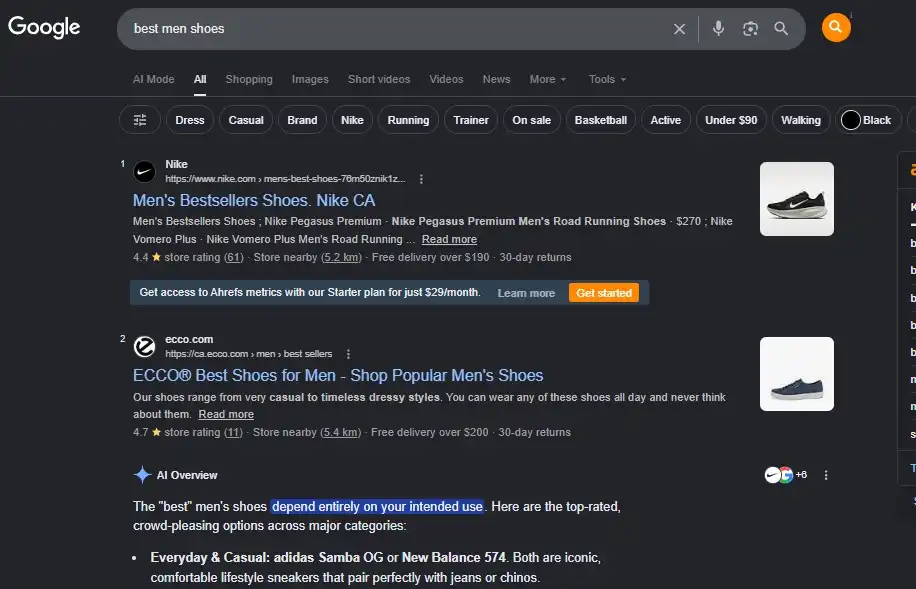
    Use Relevant External Links

    Linking to trusted local resources can add value for visitors. For example, you might link to your local Chamber of Commerce, city website, or industry organization when it’s relevant.

    Include a Clear Call to Action

    Don’t make visitors guess what to do next. Use clear calls to action throughout the page to encourage them to contact your business.

    Examples include:

    • Request a Quote
    • Schedule a Consultation
    • Call Now
    • Book an Appointment
    • Get in Touch

    Your call-to-action buttons should stand out and be easy to tap on mobile devices.

    Embed Your Google Business Profile Map

    Adding your Google Business Profile map makes it easy for customers to find your location and get directions. It also reinforces the connection between your website and your Google Business Profile, which can support your local SEO efforts.

    Turn Your Contact Page into a Conversion Page

    If you have one physical location, your Contact Us page also serves as your local landing page. If you have multiple locations, create a dedicated page for each one with unique local content.

    Think of every Contact Us page as a landing page designed to convert. Make it easy for people to contact you, answer their questions, build trust, and give them a clear reason to choose your business.

    A well-optimized Contact Us page can improve your local rankings, increase qualified leads, and help turn more visitors into loyal customers.

    20 Best Contact Us Page Examples and Why They Work 

    1. HostPapa: HostPapa offers 24/7 global support with international phone numbers, live chat, email, and a unique one-on-one video training session. The clean layout minimizes scrolling and features a prominent green CTA for customer care videos. Contact HostPapa
    1. Embark: Embark builds trust with human faces and clearly displays multiple contact methods, including phone, email, and a responsive form. Large text and elegant branding enhance readability and accessibility. Contact Embark
    1. Thrive Agency: Thrive features a bold contact form and multiple phone numbers. Below the fold, social proof like reviews and client results builds credibility for lead generation. Contact Thrive
    1. Nextiva Nextiva provides large interactive buttons, a human-like AI chat, and a helpful search bar. It balances self-service autonomy with quality human support options. Contact Nextiva
    1. Codica: Codica stands out with a human-like AI chat, “Get a free quote” CTA, and a named sales manager (Taya) promising quick responses. Awards add legitimacy. Contact Codica
    1. Google: Google emphasizes self-guided support with an advanced search bar, product-specific help centers, and community forums. Fast loading and seamless UX are expected standards. Google Contact
    1. WebFX: WebFX displays multiple phone numbers prominently above the fold. The simple white form and listed office locations make it ideal for phone-first customers. Contact WebFX
    1. HubSpot: HubSpot offers clear CTAs for Sales and Support, integrated portal access, and a live chatbot. It creates a convenient omnichannel experience. Contact HubSpot
    1. Zapier: Zapier uses bright orange branding and highlights 24-hour human support. Trust-building quotes and buttons like “Connect with a human” energize the page. Zapier Support
    1. Pixpa: Pixpa features a clean blue-and-white gradient, a contact form, and resources such as the Help Centre and “Hire a Pixpa Expert.” 24/7 live chat ensures quick help. Contact Pixpa
    1. Asana: Asana delivers a simple, scroll-less layout with large fonts and an integrated AI chatbot. Responsive design prioritizes user-friendly interaction. Asana Support
    1. Zendesk: Zendesk focuses on simplicity with bold CTAs, an AI chatbot, and a calming color palette. Mobile-friendly design promotes professionalism. Zendesk Contact
    1. Netflix: Netflix uses a search bar leading to articles and one-click text/chat or call options. Minimal layout ensures smooth navigation across devices. Netflix Help
    1. Ahrefs: Ahrefs excels in self-enablement with a beautifully designed Help Center, search, categories, and articles. White-blue gradient keeps it uncluttered. Ahrefs Help Center
    1. Apple: Apple provides an advanced search bar, account sign-in for personalized support, and product selection. Highly responsive on all devices. Apple Support
    1. Squarespace: Squarespace masters minimalism with just three clear buttons. Clean black-and-white design avoids overwhelm while directing users effectively. Squarespace Contact
    1. Medium: Medium offers bright blue search and categorized buttons for common issues. Simple navigation with request submission options. Medium Support
    1. Shopify: Shopify features a large AI chat panel and structured self-help links under clear headings. Strong focus on self-service. Shopify Support
    1. Mailchimp Mailchimp provides an AI assistant, dropdown topics, and a contact form. Responsive design with bold, readable copy. Mailchimp Contact
    1. Toyota:: Toyota prioritizes FAQs with large CTA buttons for common concerns. Phone support is available further down. Toyota Contact
    1. Skool: Skool keeps it ultra-simple with heading, address, email, and phone. Perfect basics for easy access. Skool Contact
    1. Slack: Slack uses email capture, topic selection, help center links, and a search bar. Purple accents and human images add personality. Slack Support
    1. PandaDoc: PandaDoc offers large bold buttons for “Contact sales” or demo requests, plus a simple contact form. White layout keeps it readable. PandaDoc Contact
    1. Fiverr: Fiverr prioritizes self-help with search and links, using a vibrant dark green palette. Easy navigation for freelancers and clients. Fiverr Support
    1. Salesforce: Salesforce delivers omnichannel variety with quick live chat, callback form, and prominent numbers. Responsive and interactive. Salesforce Contact.

    Final Thoughts

    A high-converting local Contact Us page is much more than a place to list your phone number or email address. It is a valuable opportunity to build trust, answer questions, and encourage visitors to take action.

    By using a friendly headline, displaying clear contact information, keeping your form simple, adding trust signals, showcasing your location, and making the page mobile-friendly, you create a better experience for potential customers. Optimizing your page for local SEO and regularly testing its performance can further increase leads and conversions.

    Remember, people who visit your Contact Us page are often ready to connect with your business. Make it as easy as possible for them to reach you, and you’ll turn more website visitors into loyal customers.

  • How Service Businesses Can Win with AI Search SEO

    How Service Businesses Can Win with AI Search SEO

    The way customers find service businesses has completely changed. A homeowner in Houston no longer scrolls through pages of links. They open Google and get an AI-generated answer instantly. A business owner types “best auto repair near me” into ChatGPT. The AI recommends one shop by name. That shop gets the call.

    This is the new reality of AI search SEO. If your service business is not ready, you are losing customers every single day.

    In this guide, you will learn exactly how to win in this new search landscape. Here is what we cover.

    Let’s get started.

    What Is AI Search SEO?

    AI search SEO is the practice of optimizing your content for AI-powered search platforms. These platforms include Google AI Overviews, ChatGPT, Perplexity, Microsoft Copilot, and Google Gemini.

    Traditional SEO gets your website to rank in a list of blue links. AI search SEO gets your business cited inside the AI-generated answer itself.

    That is a huge difference for service businesses.

    When a user asks “who is the best plumber in Houston,” Google AI does not list ten websites. It picks two or three trusted sources and builds an answer from them. Your job is to become one of those sources.

    Generative Engine Optimization (GEO) is the formal name for this practice. You may also see it called Answer Engine Optimization (AEO) or Large Language Model Optimization (LLMO). All three terms describe the same goal: make your content easy for AI to find, trust, and cite.

    For a Houston auto repair shop, a dental clinic, an HVAC company, or a law firm, this shift creates a real opportunity. The businesses that adapt early will dominate their markets. The businesses that wait will become invisible.

    How AI Search Differs from Traditional SEO

    Traditional SEO focuses on ranking your website in Google’s organic results. You target keywords, build backlinks, and optimize your pages. Then you hope people click your link.

    AI search works differently. The AI reads hundreds of sources simultaneously. Then it synthesizes one clear, confident answer. It picks the most credible and relevant sources to build that answer.

    By 2026, visibility depends less on page position and more on whether a brand gets cited within AI-generated responses. AI-referred visitors browse 12% more pages per visit and show a 23% lower bounce rate than non-AI referrals.

    That means AI-driven traffic is higher-quality traffic.

    For service businesses, this changes everything. A customer who arrives via an AI recommendation is already primed to buy. They did not just click a random link. The AI told them to trust you. That is a powerful endorsement no organic listing can replicate.

    Here is the clearest way to understand the difference:

    Traditional SEO: Rank in the list. Get the click. Hope for a conversion.

    AI Search SEO: Become the answer. Get named. Earn trust before the first click.

    Studies show that appearing in position one is less valuable than being cited in an AI Overview for high-intent queries. That tells you everything about where your energy needs to go. 

    Why Service Businesses Must Act Right Now

    Most service businesses are not ready for AI search. Industry data shows that 88% of local businesses have no active strategy to appear in AI search results.

    That is a massive opportunity for businesses that move early.

    First Page Sage data from 2026 shows that local SEO campaigns deliver a 700% average return on investment for service-based businesses within 6 to 12 months. Those who commit to a consistent, long-term plan face very little competition at the top. 

    Let us look at a real-world example. An HVAC company in Houston starts optimizing for AI search in January. They build FAQ content, add schema markup, and strengthen their Google Business Profile. By March, they appear in Google AI Overviews for “best HVAC repair Houston.” Their call volume doubles.

    Meanwhile, their competitor continues chasing traditional keyword rankings. They drop off the first page entirely. Their phone stops ringing. The window to gain early mover advantage is open right now. But it will not stay open forever.

    Strategy 1: Optimize for Google AI Overviews

    Google AI Overviews appear above organic results for millions of search queries every day. Ahrefs data shows AI Overviews have cut clicks to top-ranking content by up to 58%. Meanwhile, 65% of local searches already end without a click to a website. 
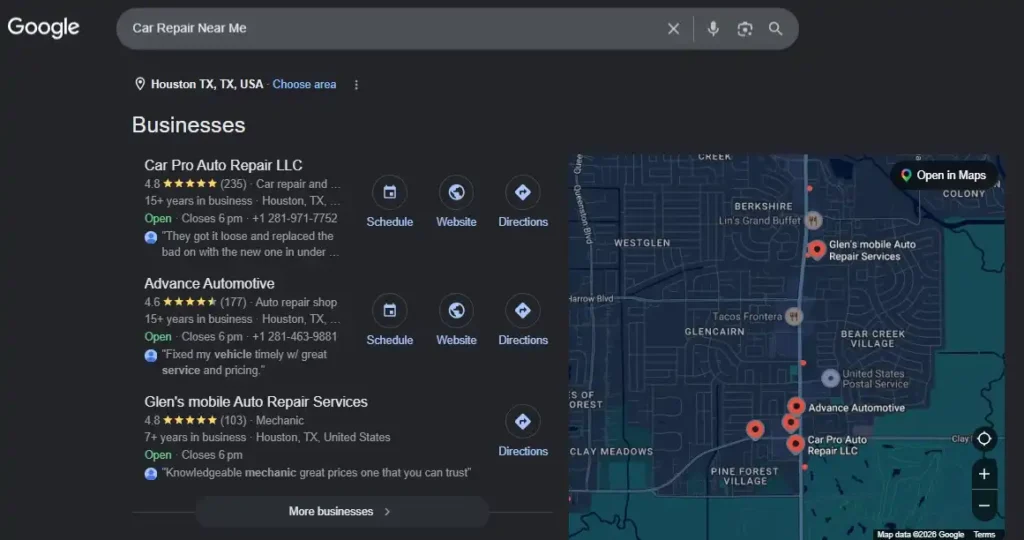
    That means the traffic that used to land on your website is now being captured by AI answers. Getting featured in those answers is now the priority.

    Answer Questions Directly at the Top of Each Page

    AI Overviews extract short, clear answers from web pages. Google’s AI looks for content that directly answers the user’s question. If your page buries the answer three paragraphs down, the AI will not find it.

    Start each service page with a direct, concise answer. Then expand with supporting details below. This format works perfectly for AI extraction and also improves conversion rates with human readers.

    For example, an auto repair shop in Houston could open their brake repair page like this: “Our Houston brake repair service typically takes 45 to 90 minutes.” Simple, direct, and ready for AI to cite.
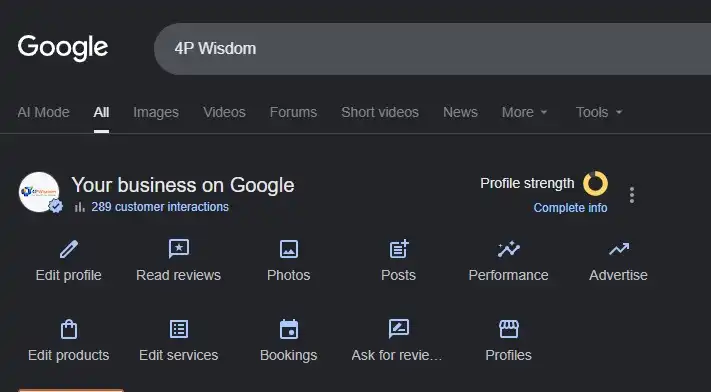
    Write FAQ Sections on Every Service Page

    Structured FAQ content on service pages gives AI Overviews ready-made passages to extract. FAQ schema markup signals to Google and AI crawlers that your content contains direct answers.

    Add 4 to 6 FAQ questions at the bottom of every service page. Write the answers in plain, conversational language. Keep each answer under 60 words. Make sure each question matches what real customers actually ask.

    Use Clear Heading Structures

    For a successful GEO strategy, structured content is essential. AI systems prefer clearly structured information with logical headings and paragraphs. Precise, context-rich answers are directly, concisely cited preferentially.

    Use H2 and H3 tags to break content into scannable sections. One topic per section. This makes it easy for both humans and AI to navigate your pages confidently.

    Strategy 2: Build Topical Authority with Content Clusters

    Topical authority is the new foundation of AI search SEO. AI systems trust businesses that cover a topic deeply and comprehensively. A single blog post is not enough. You need a content ecosystem.

    Topical authority, built through clusters of related, in-depth content, carries more weight than keyword density for AI search visibility. 

    A content cluster is a group of related pages built around one core topic. You create a pillar page that covers the topic broadly. Then you create several supporting blog posts that go deep on specific subtopics. All of them link back to the pillar page.

    Here is a real-world example. A roofing company in Houston wants to rank for roofing-related AI queries. Their pillar page covers “Roof Repair in Houston.” Their supporting pages cover topics like:

    How much does roof repair cost in Houston?
    How long does a roof repair take in Texas?
    Roof repair vs roof replacement: Which is right for you?
    How to find a licensed roofer in Houston?
    What types of roof damage are most common after Texas storms?

    Together, these pages build a topic cluster. Google’s AI recognizes the company as a genuine authority on roofing in Houston. It begins citing their content in AI Overviews for local roofing queries.

    If traditional SEO was about earning a spot among 10 blue links, GEO is about earning a place among the two to seven domains large language models typically cite in a single response. When an AI engine names your brand in its answer, it delivers an implicit endorsement no organic listing ever could. 

    Our content marketing services help service businesses build these exact content ecosystems. We research the right topics, write the content, and structure everything for maximum AI visibility.

    Strategy 3: Use Schema Markup and Structured Data

    Schema markup is code you add to your website. It tells search engines and AI systems exactly what your business does, where you operate, and how customers can contact you.
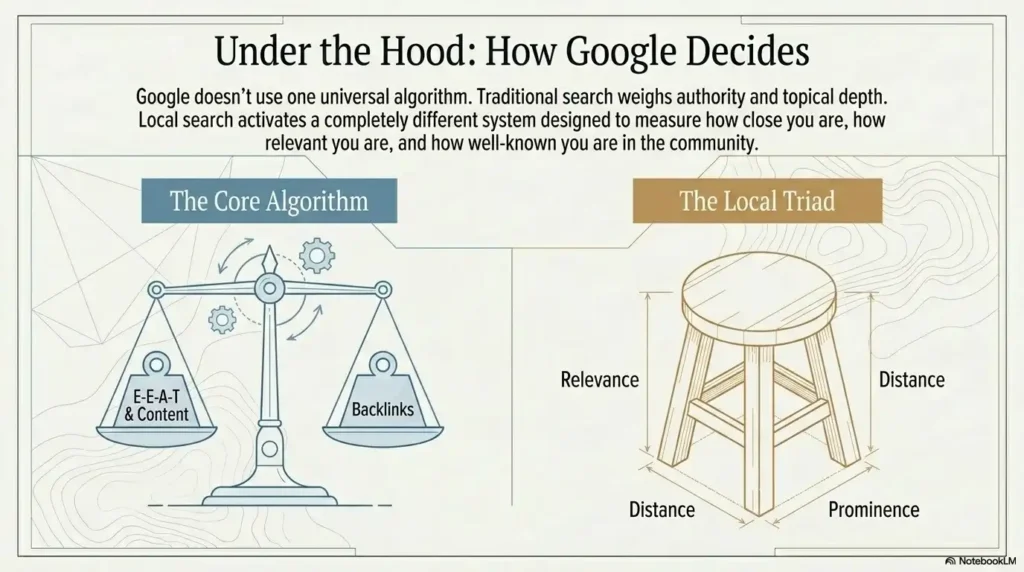
    Entity recognition, not just keyword matching, now determines which businesses get cited in AI-generated answers. Structured data markup is the bridge between your content and an AI engine’s ability to surface it.

    Here are the most important schema types for service businesses.

    LocalBusiness Schema

    This tells AI systems your business name, address, phone number, hours, and service area. Every service business needs this as a baseline. LocalBusiness schema with the type property set to your specific business type, such as Dentist, Plumber, or RoofingContractor, is the baseline requirement.
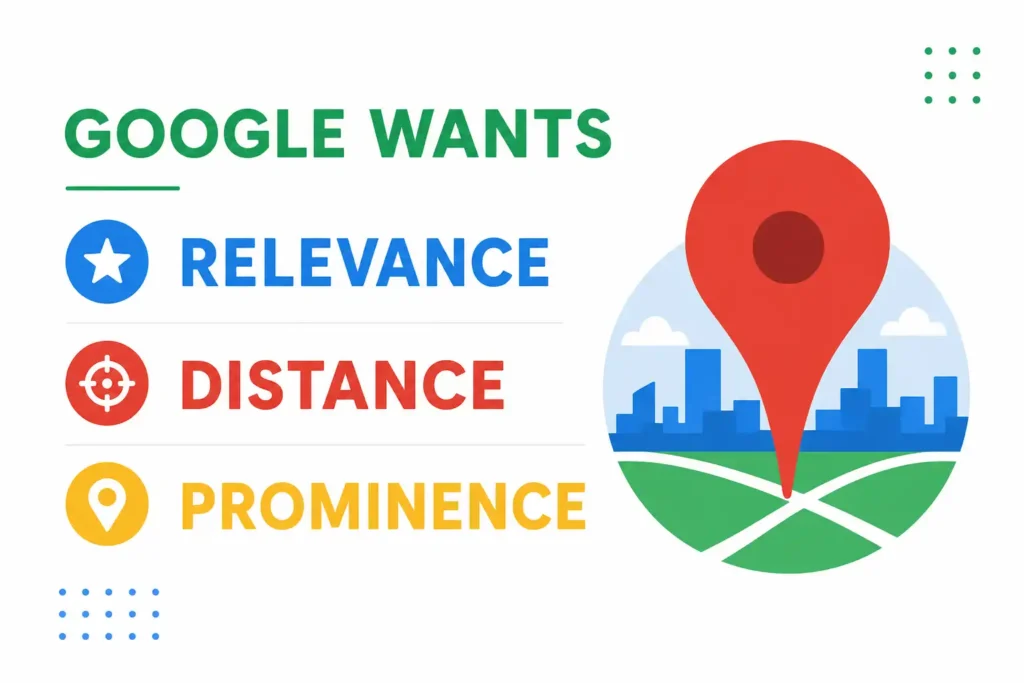
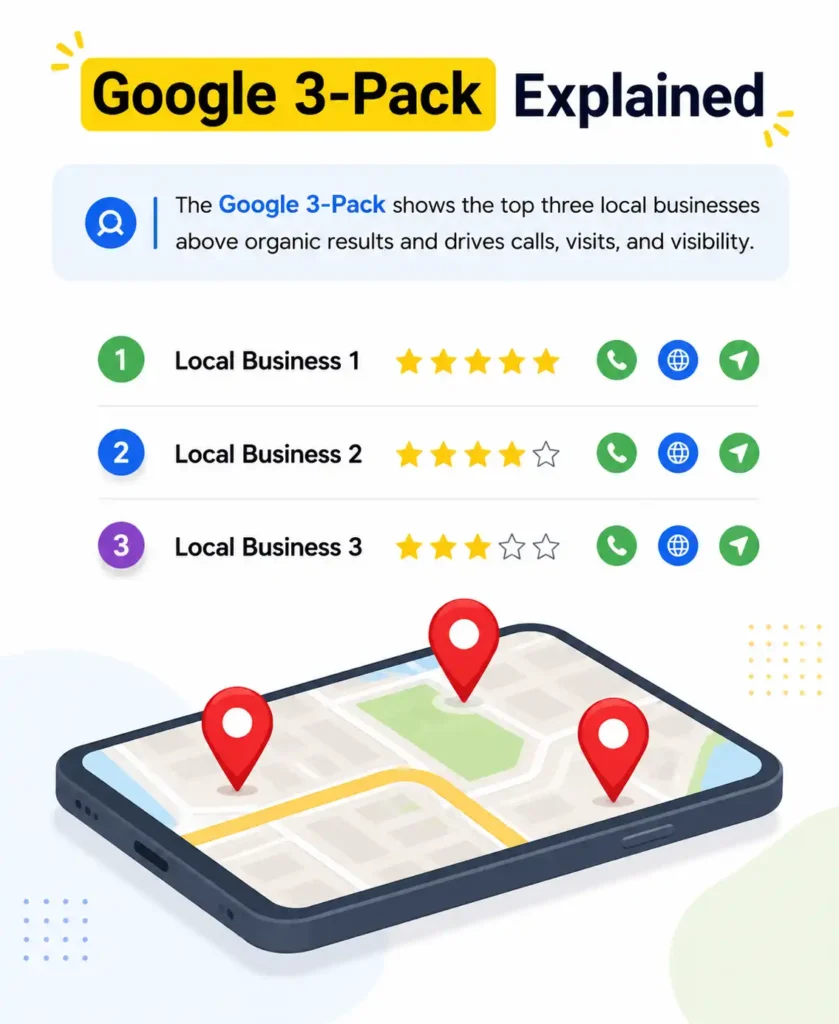
    An auto repair shop in Houston would use the “AutoRepair” schema type. A salon would use “HairSalon.” Getting this right ensures AI systems accurately understand and categorize your business.

    Service Schema

    Wrap each of your service pages in a Service schema. This clearly tells AI what specific services you offer. A dental office uses separate Service schema for teeth cleaning, root canals, and whitening. This level of specificity helps AI recommend you for very specific queries.

    FAQ Schema

    FAQ schema transforms your FAQ section into AI-ready data. Google can extract these answers directly into AI Overviews. Use structured data for FAQs. FAQ schema markup signals to Google and AI crawlers that your content contains direct answers. Keep your NAP data consistent everywhere. AI platforms cross-reference multiple sources to verify credibility.

    AggregateRating Schema

    This schema pulls your star ratings from verified review platforms. It increases trust signals for AI engines. More reviews with higher ratings improve your chances of being cited in local AI answers.

    AI systems like ChatGPT, Perplexity, and Claude use structured data to evaluate and recommend local businesses. Schema markup is non-negotiable for service businesses in 2026. AI systems prioritize credibility and availability.

    Strategy 4: Strengthen Your EEAT Signals

    EEAT stands for Experience, Expertise, Authoritativeness, and Trustworthiness. Google and AI systems use EEAT signals to decide which sources to trust and cite.

    For service businesses, EEAT is about proving you are the real deal. You cannot just tell Google you are trustworthy. You have to show it through consistent signals across your website and the broader web.

    Showcase Real Credentials

    Display your licenses, certifications, and professional memberships prominently on your website. An HVAC company should display their EPA certification on every page. A plumber should list their state license number. An auto repair shop should show their ASE certified mechanics by name.

    AI emergency service recommendations are a new frontier for trades businesses. You must optimize your EEAT signals through certifications, reviews, and structured data. To be recommended, you need proper schema markup identifying your business type, clearly stated service areas and emergency availability, and visible credentials. 

    Feature Real Team Members

    Create an About page with real names, photos, and bios. AI systems trust businesses with verifiable human experts. A Houston HVAC company that names their lead technician and lists their certifications signals strong EEAT to both Google and AI platforms.

    Collect and Display Customer Reviews

    Google AI prioritizes businesses with consistent, recent reviews from real customers. Encourage every satisfied customer to leave a Google review. Respond to all reviews, including negative ones. This signals accountability and trustworthiness to AI systems.

    Earn Mentions from Trusted Sources

    Get your business mentioned on local news websites, industry publications, and community organizations. A mention in the Houston Chronicle carries more trust weight than ten generic directory listings. These mentions build your brand entity in AI knowledge graphs.

    Publish Original Research and Real Case Studies

    Share your own data, results, and customer success stories. These are things AI cannot find anywhere else. Original insights make your content uniquely citable. A Houston roofing company that publishes data from their own completed jobs is impossible to duplicate.

    Our SEO services include a full EEAT audit for your website. We identify exactly what trust signals you are missing and help you build them systematically.

    Strategy 5: Optimize Your Google Business Profile for AI Search

    Your Google Business Profile (GBP) is one of the most powerful AI search signals for local service businesses. Google’s AI pulls directly from GBP data when building local answers.

    For service queries like “best HVAC repair near me” or “emergency dental near me,” Google pulls from Business Profiles, review platforms, and structured website content simultaneously.

    A fully optimized GBP dramatically improves your chances of appearing in AI generated local answers. Here is what to optimize:

    Choose the most specific business category available to your business. Write a keyword rich business description that includes your city and core services. Upload fresh, high quality photos every single month. Post weekly updates using the Google Posts feature. Add your complete service list with detailed descriptions. Keep your hours and contact details 100% accurate at all times. Actively collect and respond to every review you receive..

    In 2026, success is the combination of Google Business Profile dominance, review velocity, service and city page architecture, seasonal content, technical schema, and AI search visibility. The winners treat all of these as one unified system.

    Our local SEO services include complete Google Business Profile optimization. We manage your profile so AI keeps recommending your business to local customers month after month. Read our complete guide on Google Business Profile optimization checklist for bigger picture.

    Strategy 6: Target Conversational and Long Tail Queries

    AI search is built around conversational queries. Users do not type “plumber Houston” into ChatGPT. They ask “who is the best licensed plumber in Houston available on weekends?”

    This shift requires a new approach to keyword research and content creation. You need to identify the specific questions your customers ask. Then you need content that answers each question directly and completely.

    When someone asks an AI a complex question, the AI breaks it into smaller sub-queries and searches for each one separately. These are called fan-out queries. Make sure you have content that ranks for these shorter sub-queries too. Use the same terminology the AI might search for.

    For a Houston electrician, this means creating dedicated content that answers:

    “How much does it cost to rewire a house in Houston?”
    “Is rewiring a house worth it for older homes?”
    “How long does a full house rewire take in Texas?”
    “What permits do I need for electrical work in Houston?”

    Each of these is a standalone AI query. Each deserves its own focused page or content section on your website. Together, these pages build authority for your entire electrical services topic.

    Choose long-tail and question keyword queries. These are less competitive and more promising for conversion. They work especially well in AI responses. Apply LSI and semantic clustering to build topical authority by covering entities and concepts around your core topic.

    Our keyword research services identify the exact conversational queries your target customers use. We map these to the right content formats for maximum AI search visibility.

    Strategy 7: Win with Digital PR and Brand Mentions

    AI systems learn which brands to trust through digital PR and consistent brand mentions. When trusted websites mention your business by name, AI treats your brand as a credible authority. This is sometimes called brand entity optimization or off page EEAT.

    Measure AI citation frequency, which is how often your brand appears in AI generated answers. Track share of voice, which is your mentions versus competitors across AI platforms. Monitor citation sentiment, which is whether AI accurately and positively presents your brand.

    Here is how service businesses can build meaningful brand mentions.

    Reach out to local news outlets and pitch genuinely helpful stories. A Houston HVAC company could pitch a story about energy saving tips for brutal Texas summers. This earns a media mention and a backlink from a trusted local source. Both strengthen your AI authority.

    Contribute expert quotes to industry blogs and home improvement websites. When a popular blog is writing about water heater maintenance, your plumber can provide an expert comment. This builds authority and gets your brand name in front of a new audience.

    Get listed in credible local directories. These include the Better Business Bureau, Yelp, Angi, Houzz, and industry specific platforms. City specific local backlinks from regional directories, local news outlets, or community organizations significantly improve rankings in secondary service areas.

    Sponsor local events and community organizations in your city. Sponsorships often earn mentions on trusted local websites. A Houston garage door company that sponsors a neighborhood charity run may earn a mention on that charity’s website. AI systems see that mention and add it to your brand’s trust profile.

    Strategy 8: Keyword Research Built for AI Search

    Keyword research for AI search looks different from traditional keyword research. You still need to find what people search for. But you also need to understand how AI interprets those searches and what kinds of content AI chooses to cite.

    Start from broad seed keywords and then group them by intent. Queries can be informational, navigational, transactional, or commercial investigation type. Hybrids are common and you need to cover several aspects in your content. 

    For service businesses, focus on these four query types:

    Informational queries: “How much does AC repair cost in Houston?” This customer is researching. Give them the answer. Earn their trust. Then convert them with a clear call to action.

    Commercial queries: “Best HVAC company in Houston with good reviews.” This customer is comparing options. Your reviews, credentials, and case studies need to close the deal.

    Emergency queries: “Emergency plumber available now in Houston 77041.” This customer needs help immediately. Your page must answer instantly and your contact details must be front and center.

    Comparison queries: “Repair vs replace water heater Houston TX.” This customer is weighing options. Give them an honest, helpful comparison. They will trust you for it.

    Semantic keywords also matter deeply for AI search. These are related terms and entities that reinforce your topic authority. An auto repair shop targeting “brake repair” should also include related terms like brake pads, brake rotors, stopping distance, brake fluid, rotor resurfacing, and ASE certified mechanic. AI systems use these semantic relationships to decide whether your content genuinely covers a topic or only mentions it once.

    Our keyword research services include a full semantic keyword map for your target topics. We identify every entity, term, and query that builds your topical authority in AI search.

    Strategy 9: Measure Your AI Search Visibility

    Measuring AI search performance requires different tools and metrics than traditional SEO. Google Search Console shows you organic rankings. But it does not show how often your brand appears in ChatGPT answers or Google AI Overviews.

    Marketers who have spent years refining Google Analytics dashboards often have no comparable visibility into AI search performance. You need purpose-built GEO platforms that query AI engines directly and monitor brand performance over time.

    Here are the key metrics every service business should track for AI search:

    AI citation frequency tells you how often your brand appears in AI generated answers across different platforms. This is your most important AI search metric. Track it weekly.

    Share of voice measures your brand mentions versus your competitors across AI platforms. If your top competitor gets cited three times more often than you, you know where to focus your energy.

    Citation sentiment tells you whether AI platforms accurately and positively represent your brand. Sometimes AI gets your business details wrong. Monitoring this lets you correct problems before they cost you customers.

    AI referred traffic tracks visits and conversions coming from AI search platforms. Set up Google Analytics 4 to attribute traffic from ChatGPT, Perplexity, and other AI sources correctly. This connects your AI search efforts directly to real business outcomes.

    Also monitor your Google Business Profile insights every week. Profile views, direction requests, phone calls, and website clicks all reflect your local AI search visibility over time.

    Our performance marketing services include custom dashboards that track both traditional and AI search performance together. You will always know exactly what is working and where to invest next.

    Strategy 10: Local SEO Still Powers AI Recommendations

    Here is something that surprises many service business owners. Local SEO is still the engine that powers AI search recommendations. AI systems do not replace local SEO. They build directly on top of it.

    Consistent NAP citations and customer reviews directly contribute to the local authority that AI systems interpret. Service businesses that invest in local search optimization are better positioned to appear in AI-generated summaries.

    Your business name, address, and phone number must be consistent across every directory and platform online. AI platforms cross-reference multiple sources to verify credibility. Keep your NAP data consistent everywhere.

    If your phone number is different on Yelp, Google, and your website, AI loses confidence in your listing. This inconsistency pushes you down in AI recommendations and hurts your local rankings at the same time.

    Here is what strong local SEO looks like for AI search in 2026.

    Consistent NAP data across Google, Yelp, Bing, Apple Maps, Angi, BBB, and all industry specific directories. Inconsistency anywhere hurts everywhere.

    Location-specific landing pages for each city or neighborhood you serve. A Houston plumber serving Katy, Sugar Land, and The Woodlands needs a dedicated, optimized page for each location. These pages tell AI exactly where you serve.

    Local backlinks from Houston area websites, news outlets, and community organizations. These signal geographic relevance to AI systems and push your business higher in local AI answers.

    Review velocity matters more than review volume. AI systems favor businesses with a steady stream of recent reviews. Review velocity is now a core part of the AI search system for local service businesses. Ten reviews from this month outperform fifty reviews from two years ago. 

    Our local SEO services cover all of this. We build the local authority foundation that makes every other AI search strategy work.

    Conclusion: Your AI Search Opportunity Is Now

    AI search SEO is not a future trend. It is the present reality of how customers find service businesses today. Customers in Houston and across the country use Google AI Overviews, ChatGPT, and Perplexity every single day to find plumbers, electricians, HVAC technicians, auto repair shops, dentists, and countless other service businesses. The AI gives them one answer. One recommendation. One business gets the call.

    The service businesses that win in this environment share the same foundation. They build topical authority through content clusters. They implement schema markup that AI can read and trust. They earn strong EEAT signals from credentials, reviews, and original expertise. They maintain fully optimized Google Business Profiles. They answer customer questions better and more completely than any competitor.

    The great news is that most of your competitors are not doing any of this yet. 88% of local businesses have no active strategy to appear in AI search results. This is your window to establish authority before the market gets crowded.

  • Difference Between 301 and 302 Redirect Explained

    Difference Between 301 and 302 Redirect Explained

    Understanding the difference between 301 and 302 redirects is important for both SEO and user experience. A 301 redirect tells search engines that a page has permanently moved to a new URL, helping transfer ranking signals and authority. In contrast, a 302 redirect indicates that the move is temporary and that the original URL may return. Choosing the correct redirect type ensures search engines handle your pages properly and helps preserve your website’s visibility in search results.

    At 4P Wisdom, we see this mistake often. Businesses use the wrong redirect type. They lose link equity, rankings drop, and nobody knows why. Getting this right is not optional. It is a fundamental piece of technical SEO that directly affects your organic visibility.

    This guide breaks down everything clearly. By the end, you will know exactly when to use each redirect type, why it matters for SEO, and how to protect your hard-earned rankings.

    301 Redirect302 Redirect
    Redirects users from one page to anotherRedirects users from one page to another
    Used for permanent redirectsUsed for temporary redirects
    Used on pages you want to retireUsed on pages you want to restore later
    Often transfers search engine rankings (link equity)Rarely transfers search engine rankings
    Often cached by web browsersRarely cached by web browsers
    Signals that the original URL has permanently movedSignals that the original URL may return in the future
    Typically used for website migration, page relocation, and page consolidation projectsTypically used for website tests, website maintenance, and temporary promotions
    Preferred for long-term SEO changesPreferred for short-term website changes
    Search engines usually update their index to the new URLSearch engines usually keep the original URL indexed
    Best for preserving SEO value after a URL changeBest for maintaining the original URL’s ranking signals temporarily

    What Is a Website Redirect?

    A redirect is a server instruction to browsers and search engines. It says: “This URL has moved. Go here instead.” When someone clicks a link or types a URL, the server checks if a redirect exists. If yes, it sends the user to the new destination automatically.

    Redirects are part of the HTTP status code system. These codes are three-digit numbers that tell browsers what happened with a request. The 3xx category specifically handles all redirection responses. Within this category, 301 and 302 are the two most commonly used codes in SEO.

    Think of redirects like a change of address form at a post office. You tell the post office where you moved. They forward your mail accordingly. The key difference is whether the move is permanent or temporary.

    What Is a 301 Redirect?

    What Is a 301 Redirect

    A 301 redirect is a permanent redirect. It tells both browsers and search engines that a page has moved to a new URL forever. The original page is gone for good and will not come back.

    When Google’s crawler, Googlebot, encounters a 301 redirect, it understands the move is permanent. It begins the process of updating its index. Over time, typically within two to six months, the old URL gets replaced by the new one in search results.

    More importantly, a 301 redirect passes link equity, also known as PageRank or link juice. Experts estimate this transfer to be around 90 to 99 percent. That means your backlinks, domain authority, and ranking power follow you to the new URL.

    Common situations where you should use a 301 redirect include permanently deleting a page, launching a new domain during a rebrand, changing a URL structure for good, merging two websites into one, and switching from HTTP to HTTPS.

    Browsers also cache 301 redirects aggressively. This makes them efficient and fast for returning visitors. However, it also means they are harder to undo later. Once Google indexes a 301, reversing course takes significant time and effort.

    What Is a 302 Redirect?

    What Is a 302 Redirect

    A 302 redirect is a temporary redirect. It tells browsers and search engines: “This page has moved, but only for now. Expect it to return.” The original URL is kept in Google’s index because the signal is temporary.

    With a 302 redirect, Google does not fully transfer link equity to the destination URL. The original page retains its indexing status and authority. This is actually useful when you genuinely plan to bring the original URL back.

    Browsers cache 302 redirects minimally, which makes them easy to change or remove. This flexibility is exactly why they exist.

    Common situations where you should use a 302 redirect include running A/B tests on landing pages, redirecting users during site maintenance, testing a new design before making it permanent, creating seasonal campaign pages that will expire, and routing users to geo-specific content temporarily.

    If you accidentally use a 302 when you meant to use a 301, you can end up with two pages competing in Google’s index. Your link equity stays split, and neither URL ranks as strongly as it should.

    301 vs 302 Redirect: The Core Differences

    301 vs 302 redirects

    Understanding the differences is where most people go wrong. Let us lay them out clearly.

    Permanence

    A 301 signals that the URL change is permanent and final. A 302 signals that the move is temporary and the original URL will return. This is the single most important distinction between the two.

    SEO and Link Equity

    When it comes to search engine optimization, 301 redirects transfer almost all of your link equity to the new URL. This keeps your rankings intact after a migration. A 302 redirect does not permanently pass link equity. The original page retains its authority.

    Our SEO services always audit redirect chains before and after site migrations. Missing this step is one of the most costly technical SEO mistakes a business can make.

    Google’s Indexing Behavior

    With a 301, Google will eventually remove the old URL from its index and replace it with the new one. With a 302, Google keeps the original URL indexed because it expects the page to return. Using a 302 when you meant a 301 causes duplicate content issues and confuses search engines.

    Browser Caching

    Browsers cache 301 redirects heavily. Users who visited the old URL get served the cached redirect without hitting your server again. This is great for speed, but tricky if you ever need to reverse the redirect. Browsers cache 302 redirects lightly, giving you full flexibility to change or remove them anytime.

    Crawl Budget Implications

    For large websites with thousands of pages, crawl budget matters a lot. A 301 redirect consolidates signals to one URL, making crawling more efficient. A chain of 302 redirects can waste crawl budget since Google may keep visiting both the original and the destination URL repeatedly.

    The One Question That Decides Everything

    Before choosing between 301 and 302, ask yourself one simple question: Will the original URL ever serve content again?

    If the answer is no, use a 301 redirect. If the answer is yes, use a 302 redirect. If you are truly unsure, default to 301. It is the safer choice for preserving your SEO value in most real-world scenarios.

    Real-World Examples to Make This Crystal Clear

    Real-World Examples of Redirection in SEO

    Example 1: Website Rebrand

    Your company rebrands from “OldBrand.com” to “NewBrand.com.” The old domain will never be used again. Every page should have a 301 redirect pointing to the equivalent new page. This preserves your backlink profile, domain authority, and organic rankings.

    Example 2: Seasonal Sale Page

    You create a sale landing page at “/summer-sale” every year. During the off-season, you redirect it to your homepage. You plan to use that same URL again next summer. Use a 302 redirect here. Keep the original URL indexed so it retains its ranking power for next year.

    Example 3: A/B Testing

    You are running an A/B test on your product page. Half your visitors see version A and half see version B. Use 302 redirects so Google does not treat this as a permanent change. Once testing concludes, remove the redirect and implement the winning version permanently.

    Example 4: HTTPS Migration

    You switch your entire site from HTTP to HTTPS, which is a permanent and necessary change for security and SEO. Every HTTP URL should 301 redirect to its HTTPS equivalent. This consolidates authority and signals to Google that HTTPS is your canonical version going forward.

    For businesses running paid campaigns and conversion optimization alongside organic SEO, understanding redirects is doubly important. 

    How 301 and 302 Redirects Affect Technical SEO

    Technical SEO is the foundation of a high-ranking website. Redirects sit right at the heart of it. Here is how each type influences key technical factors.

    Page Rank and Link Equity Flow

    Google’s PageRank algorithm measures the authority of a page based on its backlinks. A 301 redirect allows almost all of that authority to flow to the destination URL. Over time, the new URL inherits the ranking power of the old one. A 302 does not trigger this permanent flow.

    Canonicalization

    Search engines use canonical signals to determine which version of a page to index. A 301 redirect is one of the strongest canonical signals you can send. It tells Google with certainty: this is the correct URL. A 302 is a weak or ambiguous signal that can create confusion in how Google handles canonicalization.

    Redirect Chains and Loops

    A redirect chain happens when URL A redirects to URL B, which redirects to URL C, and so on. Each hop in the chain loses a small percentage of link equity and slows down the user experience. Always audit your site for redirect chains. Whether using 301 or 302, keep chains to a minimum. Direct is always better.

    A redirect loop, where URL A points to URL B and URL B points back to URL A, will cause a page to fail entirely. Browsers will throw an error and users will see nothing at all.

    Our keyword research service at 4P Wisdom always maps out URL structures before any redirect implementation to avoid these costly errors.

    Hreflang and International SEO

    For websites targeting multiple countries or languages, redirect handling becomes even more complex. If you have hreflang tags set up for international targeting, make sure your 301 redirects properly account for locale-specific URLs. Misusing 302 redirects on international pages can leave the wrong URLs indexed in each regional Google Search.

    301 Redirects and Local SEO

    If you are a local business that has changed its address, phone number, or even its website URL, redirect management is critical. Local SEO relies heavily on consistent NAP data (Name, Address, Phone Number) across the web. But it also depends on consistent URL signals.

    If your old website URL is mentioned across local business directories, review sites, and Google Business Profile, a 301 redirect ensures that any visitor or crawler following those links reaches your current site without losing authority.

    Our local SEO service handles this as part of every local citation audit. Redirects from old domain names, old location pages, or old service pages are cleaned up and properly redirected so local rankings stay strong.

    Common Mistakes to Avoid

    Mistake 1: Using a 302 when you mean a 301. This is the most common error. It keeps your old URL indexed, dilutes your authority, and confuses search engines about which URL to rank.

    Mistake 2: Creating long redirect chains. Every extra hop reduces the link equity passed and slows load time. Always redirect from the original URL directly to the final destination.

    Mistake 3: Forgetting to update internal links. After redirecting pages, update your internal links to point directly to the new URL. Do not rely on redirects for internal navigation.

    Mistake 4: Not redirecting old backlinks. If you change your URL structure but forget to redirect pages that have strong backlinks, you lose that link equity completely.

    Mistake 5: Deleting pages without redirects. A page with backlinks or organic traffic should never simply return a 404 error. Always redirect it to a relevant existing page.

    Mistake 6: Redirecting everything to the homepage. This is called a soft 404 in Google’s eyes. If you cannot find a relevant destination, it is sometimes better to let the page 404 honestly than to send all deleted pages to the homepage.

    Strong content strategy paired with proper technical implementation is what separates good SEO from great SEO. Our content marketing services ensure your content architecture and URL structures are built for long-term ranking success from day one.

    How to Implement a 301 or 302 Redirect

    On Apache Servers

    For a 301 redirect, add this to your .htaccess file: Redirect 301 /old-page /new-page

    For a 302 redirect, replace 301 with 302 in the same format.

    On Nginx Servers

    For a permanent 301 redirect, use the return directive: return 301 /new-page;

    For a temporary 302 redirect, replace 301 with 302.

    In WordPress

    WordPress plugins like Rank Math or Yoast SEO have built-in redirect managers. You can set both 301 and 302 redirects directly from your dashboard without touching server configuration files.

    In Shopify

    Shopify has a native URL redirect feature under Online Store settings. All redirects in Shopify are treated as 301 by default. For temporary campaigns, you may need a custom app or a third-party redirect solution to implement a true 302 response.

    Using JavaScript

    Avoid using JavaScript for redirects whenever possible. Google can process JavaScript, but it introduces delays in the crawl process. Server-side redirects are always faster and more reliable for SEO purposes.

    According to Google’s own documentation, server-side 301 redirects are the preferred method for all permanent URL changes, as they pass the strongest signals and are processed most reliably by all search engine crawlers.

    301 vs 302 Redirects: A Quick Summary

    A 301 redirect means the move is permanent, link equity transfers fully, the old URL leaves Google’s index, and browser caching is aggressive. Use it for rebrands, migrations, HTTPS upgrades, and permanent URL changes.

    A 302 redirect means the move is temporary, link equity does not permanently transfer, the old URL stays in Google’s index, and browser caching is minimal. Use it for A/B tests, seasonal pages, maintenance, and geographic routing tests.

    When in doubt, choose 301. It is the safer default for protecting your SEO equity in most real-world scenarios.


    Frequently Asked Questions

    Does a 301 redirect pass 100% of link equity?

    No, not exactly 100%. Research and SEO experts generally estimate that a 301 redirect passes around 90 to 99 percent of the original page’s link equity. There is always a minor loss during the transfer. However, it is by far the best way to preserve your rankings and authority when permanently moving a page or domain.

    Can I change a 301 redirect to a 302 later?

    Technically yes, but it is difficult and time-consuming. Browsers aggressively cache 301 redirects. Users who visited the original URL may still be served the cached version for weeks or months. For this reason, always be certain that a change is permanent before implementing a 301.

    Is a 302 redirect bad for SEO?

    Not at all, when used correctly. A 302 redirect is perfectly fine for genuinely temporary situations like A/B tests, seasonal campaigns, or maintenance windows. The problem only arises when a 302 is used in situations that are actually permanent. That is when SEO suffers.

    How long does Google take to process a 301 redirect?

    Google typically processes and indexes 301 redirects within a few days to a few weeks. However, fully removing the old URL from its index and passing all authority to the new one can take anywhere from two to six months, depending on how often your site is crawled and how strong your domain authority is.

    What happens if I delete a page and do not add any redirect?

    Without a redirect, the deleted page returns a 404 error. Any backlinks pointing to that URL lose their value completely. Any user clicking an old link lands on an error page. If the deleted page had significant traffic or backlinks, always redirect it to the most relevant existing page on your site.

    Do 301 redirects affect page speed?

    Every redirect adds a small amount of latency because the browser must complete an additional HTTP request. For most users, this delay is negligible. However, redirect chains (multiple consecutive redirects) can noticeably slow down page load times. Google’s Core Web Vitals measure page speed as a ranking factor, so keep redirects direct and avoid unnecessary chains.

  • Internal Linking Strategy for SEO: Ultimate Guide

    Internal Linking Strategy for SEO: Ultimate Guide

    If you want your website to rank higher on Google, internal linking is one of the most powerful tools you have. Yet most website owners completely ignore it.

    In this guide, you will learn everything about the internal linking strategy. We will cover what it is, why it matters, and exactly how to do it right. Whether you are a beginner or an experienced SEO professional, this guide will help you build a smarter website structure that Google loves.

    Let us get started.

    What Is Internal Linking in SEO?

    An internal link is a hyperlink that connects one page on your website to another page on the same website. When you click on a link within a blog post that takes you to another blog post or service page, that is an internal link.

    Here is a simple example. Imagine you run a digital marketing website. You write a blog post about SEO basics. Inside that post, you link to your dedicated SEO services page. That connection between those two pages is an internal link.

    Internal links are different from external links, which point to pages on other websites. Internal links keep your visitors exploring within your own domain.

    Here is the sample code of the internal link

    href=https://wisecarcare.com/why-your-car-shakes-when-braking/”><b>car shake when braking</b></a>

    Internal Links vs External Links: What Is the Difference?

    Understanding the difference helps you use both strategically.

    Internal links connect pages within the same website. They pass authority between your own pages, help search engines discover your content, and guide users deeper into your site.

    External links point from your website to another website. They help build credibility when you cite trusted sources. According to Google’s Search Essentials documentation, linking to high-quality external sources can actually strengthen your content’s trustworthiness.

    Both types of links matter for SEO. But internal links are fully within your control. That makes them a massive opportunity.

    FeatureInternal LinksExternal Links
    DefinitionLink to another page on the same website.Link to a page on a different website.
    PurposeImprove navigation and site structure.Provide additional information or references.
    SEO ImpactHelps distribute authority across pages.Supports content credibility and relevance.
    DomainStays within the same domain.Points to a different domain.
    User ExperienceKeeps users on your website.Directs users to external resources.
    CrawlabilityHelps search engines discover pages.Helps search engines understand content context.
    ControlFully controlled by your website.Depends on an external website.
    Link EquityShares authority within the site.Can pass authority to another site.

    Why Is Internal Linking Important for SEO?

    Internal linking is not just a nice-to-have feature. It is a core part of how Google understands your website. Here is why it matters so much.

    1. Internal Links Help Google Discover and Crawl Your Pages

    Internal Links Distribute Page Rank and Link Authority

    Google uses web crawlers called Googlebots to discover and index web pages. These crawlers follow links from one page to the next. If a page on your site has no internal links pointing to it, Googlebot may never find it.

    This is especially critical for new content. When you publish a new blog post, adding internal links to it from existing pages tells Google to crawl and index it faster.

    Think of internal links as road signs. Without them, Google’s crawler gets lost on your website.

    2. Internal Links Distribute Page Rank and Link Authority

    Internal Links Distribute Page Rank and Link Authority

    PageRank is Google’s way of measuring how authoritative a page is. Pages that have many high-quality backlinks from other websites carry more authority.

    Here is the powerful part. When you internally link from a high-authority page to a lower-authority page, you pass some of that authority along. This is called link equity or link juice.

    For example, if your homepage has dozens of backlinks from other websites, it has strong authority. Linking from your homepage to a new blog post gives that blog post a strong authority boost. This helps it rank higher on Google Search results pages (SERPs).

    At 4P Wisdom, this is one of the first tactics we use when building an SEO strategy for a new client. It is simple, free, and incredibly effective.

    3. Internal Links Improve User Experience and Engagement

    When users land on your page, you want them to stay and explore. Internal links guide visitors to related content they will find useful. This keeps people on your website longer.

    Google tracks something called dwell time, which is how long users spend on your website. Longer dwell time sends a positive signal to Google. It tells the algorithm that your content is valuable and relevant.

    A well-structured internal linking strategy turns a single-page visit into a full website exploration. That is good for users and great for your rankings.

    4. Internal Links Establish Topical Authority

    Google no longer ranks websites based on keywords alone. It evaluates topical authority, which means how thoroughly your website covers a specific subject. If your website has dozens of pages all about digital marketing, all linked together intelligently, Google recognizes you as an authority on that topic.

    Internal linking creates that web of relevance. It tells Google that your website is a comprehensive resource, not just a collection of unrelated pages.

    Types of Internal Links You Should Know

    Not all internal links are the same. Understanding each type helps you place them strategically. Internal links can serve a variety of functions across a website. The most common types include:

    • Contextual links – Placed naturally within page content to connect related topics and provide additional value.
    • Navigational links – Found in primary menus, headers, or sidebars to help users move between key sections of a site.
    • Image links – Clickable images that direct users to other pages or resources.
    • Footer links – Located in the website footer, offering quick access to important pages and information.
    • Sidebar links – Displayed in sidebars to highlight relevant content, categories, or resources.
    • Breadcrumb links – Indicate a page’s position within the website structure, making navigation easier.
    • In-content call-to-action (CTA) links – Embedded within content to encourage users to take a specific action, such as signing up, downloading a resource, or making a purchase.

    Contextual Links

    Contextual links appear inside the body text of your blog posts and web pages. These are the most powerful type of internal links because they appear within relevant content. Search engines give contextual links the most weight.

    For example, if you are writing about content marketing and you link to your content marketing services page, that is a perfect contextual link. It is relevant, natural, and useful.

    Navigational Links

    Navigational Links

    Navigational links appear in your website’s main menu, sidebar, or top navigation bar. These links help users and search engines understand your site’s main structure. Your most important pages should always appear in navigation.

    Footer Links

    Footer Internal Links

    Footer links appear at the bottom of every page on your website. They give users quick access to important pages like contact, services, or privacy policy. While not as powerful as contextual links, footer links still contribute to your overall site architecture.

    Breadcrumb Links

    Breadcrumb Links

    Breadcrumb links show users exactly where they are within your site hierarchy. A breadcrumb might look like: Home / Blog / SEO / Internal Linking Guide. They improve both user experience and site structure.

    Image Links

    When you link an image to another page on your website, that is an image link. Make sure you use descriptive alt text for image links so search engines understand where they lead.

    CTA Links

    CTA internal links

    Call-to-action links are designed to convert visitors. They might say something like “Learn more about our SEO services” and link to a service page. These links serve both SEO and business goals simultaneously.

    How to Build a Winning Internal Linking Strategy Step by Step

    Now, let us get into the actual process. Here is the step-by-step internal linking strategy we use at 4P Wisdom for our clients.

    Step 1: Build a Clear Site Architecture First

    Before you start linking pages together, you need a clear map of your website’s structure. Think of your site like a pyramid.

    At the very top sits your homepage. Below it are your main category pages or pillar pages. Below those are your supporting blog posts and cluster content pages. Every layer connects to the ones above it.

    A clean pyramid structure ensures that authority flows from the top down. It also ensures that no page is more than three clicks away from the homepage. Google considers pages that are close to the homepage as more important.

    A shallow site architecture is always better than a deep, complicated one.

    Step 2: Identify Your Pillar Pages

    A pillar page is a comprehensive, authoritative piece of content that covers a broad topic in depth. It acts as the central hub for all related content on your website.

    For example, if your website is about digital marketing, one pillar page might be titled “The Complete Guide to SEO.” That page would then link out to multiple cluster pages covering specific subtopics like keyword research, on-page SEO, technical SEO, and link building.

    Your pillar pages should target broad, high-volume keywords. They should be the most thorough pages on your website for that topic. Pillar pages attract backlinks naturally because they are genuinely useful resources.

    Step 3: Create Topic Clusters Around Your Pillars

    Topical Cluster in SEO

    A topic cluster is a group of interlinked pages that all revolve around one central pillar page. Each cluster page covers a more specific subtopic related to the pillar.

    Here is a practical example. Your pillar page is about SEO. Your cluster pages might include:

    Keyword research for beginners. Local SEO strategy. On-page optimization checklist. Technical SEO audit guide. Internal linking strategy.

    Each cluster page links back to the pillar page. The pillar page also links out to each cluster page. This creates a tight web of relevance that Google absolutely loves.

    Topic clusters are one of the biggest internal linking strategies you can use today. They signal topical authority and help all the pages in the cluster rank better collectively.

    If you need help building a keyword strategy and topic cluster structure, our keyword research services can help you map it all out.

    Step 4: Use Your Highest Authority Pages to Pass Link Equity

    Not all your pages carry equal authority. Some pages have earned many backlinks from other websites. These pages are your most powerful assets.

    Here is the strategy. Go to your analytics or SEO tool and identify which pages have the most referring domains pointing to them. Those are your highest authority pages. Now look for opportunities to add internal links from those pages to newer or weaker pages you want to rank higher.

    This process is called sculpting link equity. You are deliberately directing the flow of authority across your website. It is one of the most advanced and effective internal linking tactics available.

    Always link from strong pages to pages you want to rank higher. Do not waste those high-authority pages by only linking to already popular content.

    Step 5: Optimize Your Anchor Text Carefully

    Anchor Text Optimization

    Anchor text is the clickable, highlighted text that contains a hyperlink. It is one of the most important signals Google uses to understand what the linked page is about.

    Good anchor text should be:

    Descriptive and specific. If you are linking to an SEO services page, use anchor text like “professional SEO services” rather than just “click here.”

    Brief and natural. Keep anchor text between two and five words. It should flow naturally within the surrounding sentence.

    Varied but relevant. Avoid using the exact same anchor text for every link to the same page. Use natural variations like “SEO strategy,” “search engine optimization services,” or “SEO experts.”

    Never use vague phrases like “read more,” “learn here,” or “this page.” Those phrases tell Google and users absolutely nothing about where the link leads.

    Anchor text optimization is a subtle but powerful technique. At 4P Wisdom, we treat anchor text as part of the broader SEO services strategy for every client website we manage.

    Step 6: Find and Fix Orphan Pages Immediately

    Orphan Pages

    An orphan page is a page on your website that has zero internal links pointing to it. Google’s crawlers cannot find orphan pages because there are no links leading to them. As a result, orphan pages almost never rank on Google.

    Every single page on your website should have at least two or three internal links pointing to it. If you publish a new blog post and never link to it from anywhere else on your site, it is essentially invisible.

    Use a site audit tool to scan for orphan pages regularly. When you find them, go back to your existing content and add relevant internal links pointing to those orphaned pages.

    Step 7: Reduce Crawl Depth to Three Clicks Maximum

    Crawl depth refers to how many clicks it takes to reach a specific page starting from the homepage. A page that requires five or six clicks to reach is very deep within your site hierarchy.

    According to Google, the fewer clicks it takes to reach a page, the more important that page appears. Keep all important pages within three clicks of the homepage. If you have important content buried deeply within your site, create shortcuts to it through internal links on higher-level pages.

    This is especially important for e-commerce websites with large product catalogs and for content websites with hundreds of blog posts.

    Step 8: Add Internal Links to Every New Piece of Content

    Whenever you publish new content, immediately go back and find at least three to five existing pages where you can add a link to the new content. This practice ensures every new page enters your site structure connected and discoverable.

    The fastest way to find linking opportunities is to search Google using the following format: site:yourwebsite.com “target keyword.” This shows you all the pages on your site that mention that topic. Those are your best candidates for adding an internal link.

    For instance, if you just published a guide on local SEO, you would search your site for pages mentioning “local SEO” or “local search” and add internal links from those pages to the new guide. Our local SEO services page is a great example of a page that deserves strong internal links from blog content covering local search topics.

    Common Internal Linking Mistakes to Avoid

    Even experienced SEOs make these mistakes. Learn them so you can avoid them.

    Using Too Many Internal Links on One Page

    More is not always better with internal links. If you cram dozens of links into a single blog post, you dilute the value passed to each link. Google divides the authority of a page equally among all outgoing links. Too many links mean each link gets very little power.

    Keep your internal links focused and purposeful. Every link should serve a real reason, either helping the user or passing relevant authority.

    Using Generic Anchor Text

    Never use phrases like “click here” or “read more.” These add no SEO value. Always use descriptive anchor text that tells both users and Google exactly where the link leads.

    Linking Only in One Direction

    Many websites only link downward, from pillar pages to cluster pages. But linking upward, from cluster pages back to pillar pages, is equally important. Bidirectional linking reinforces topical relevance and strengthens the entire cluster.

    Ignoring Broken Internal Links

    Broken internal links lead to 404 error pages. They waste crawl budget, frustrate users, and pass zero link equity. Run a site audit at least once per month to identify and fix broken internal links quickly.

    Overusing Exact Match Anchor Text

    While keyword-rich anchor text is good, using the exact same keyword phrase in every internal link can appear manipulative to Google. Use natural variations and synonyms to keep your internal linking looking organic.

    Not Updating Old Content with New Internal Links

    As you publish new content, always revisit your older posts and pages. Look for opportunities to add fresh internal links that point to your newer content. Old content often has strong authority built up over time. Linking from it to new content gives that new content a powerful boost.

    Internal Linking for Different Types of Websites

    Types of Internal Links

    Internal linking strategy looks different depending on what type of website you run. Here is how to approach it for the most common types.

    Internal Linking for Blogs

    Blogs benefit enormously from topic clusters and pillar pages. Group related blog posts together under a central pillar post. Link all related posts back to the pillar and link the pillar out to each related post. This structure helps you rank for competitive topics faster.

    Also, focus on linking from your most popular and highest traffic blog posts. When you add internal links from posts that already get thousands of monthly visitors, you pass significant authority to the linked pages.

    Internal Linking for E-Commerce Websites

    E-commerce sites have unique internal linking challenges due to their large size. Here are the key priorities for online stores:

    Link from category pages to product pages. Link from product pages to related product pages. Use “you might also like” sections to create automatic internal linking. Link from blog content to relevant product and category pages.

    E-commerce internal linking is directly tied to revenue. When users can easily navigate from one product to related products, conversion rates improve alongside rankings. Pairing smart internal linking with a strong performance marketing strategy amplifies results even further.

    Internal Linking for Service-Based Websites

    For agencies, consultants, and service providers, internal linking should connect blog content to service pages consistently. Every blog post you publish should have at least one or two links to a relevant service page.

    This serves two purposes. First, it passes SEO authority to your money pages. Second, it converts blog readers into potential clients by guiding them toward your services at the right moment.

    .

    How to Perform an Internal Link Audit

    Before you build a new internal linking strategy, you need to understand your current situation. An internal link audit reveals problems that may be hurting your rankings right now.

    Here is what to look for during your audit.

    Check for Broken Internal Links

    A broken internal link points to a page that no longer exists. These create 404 error pages, waste crawl budget, and damage user experience. Use any site audit tool to crawl your website and identify all broken internal links. Fix them by updating the link to point to the correct, live page or by removing the link entirely.

    Find Orphan Pages

    As discussed earlier, orphan pages have no internal links pointing to them. Run a crawl audit and cross-reference with your sitemap. Any page that appears in your sitemap but has no internal links pointing to it is an orphan page. Add relevant internal links to these pages immediately.

    Review Pages with Only One Internal Link

    A page with only one internal link is nearly invisible to Google. It has very little authority and is unlikely to rank for competitive keywords. Find these pages and add more internal links pointing to them from relevant content across your site.

    Check Your Crawl Depth

    Identify which pages are more than three clicks away from the homepage. These deep pages are given less priority by Google. Flatten your site architecture by adding internal links to these deep pages from shallower, high-level pages.

    Look for Nofollow Attributes on Internal Links

    The nofollow attribute tells Google not to pass link authority through a link. This attribute makes sense for external links you do not want to endorse. But for internal links, you almost always want authority to flow freely. Check your internal links for nofollow attributes and remove them unless there is a specific reason to keep them.

    Fix Internal Redirect Chains

    A redirect chain occurs when an internal link points to URL A, which redirects to URL B, which redirects to URL C. Each redirect step loses a small percentage of link equity. Always update internal links to point directly to the final destination URL. This preserves full link authority and improves page speed.

    Advanced Internal Linking Strategies for Maximum SEO Impact

    Once you have the basics in place, these advanced strategies will separate you from the competition.

    The Hub and Spoke Model

    The hub and spoke model is the most effective site architecture for topical authority. One central hub page covers a broad topic comprehensively. Multiple spoke pages cover specific subtopics in detail. Every spoke links back to the hub. The hub links out to every spoke.

    This model creates an incredibly tight content ecosystem. Google sees the hub as a definitive authority on the broad topic. The spokes rank for more specific long-tail keywords. The entire cluster benefits from the combined authority.

    Strategic Silo Structure

    Content silos group related pages together into isolated topic sections. Pages within a silo link primarily to other pages within the same silo. This keeps topical relevance tightly concentrated.

    For example, all your pages about local SEO would link mostly to each other. All your pages about content marketing would link mostly to each other. Cross-silo linking happens occasionally but is not the primary focus.

    Silos are particularly powerful for large websites covering multiple distinct topics.

    Leverage Your Most Trafficked Pages

    Use Google Search Console for check internal links

    Use Google Analytics or Search Console to identify which pages on your site receive the most organic traffic. These high-traffic pages are incredibly valuable real estate for internal links.

    Add internal links from your most trafficked pages to the pages you most want to rank. Even a single internal link from a page receiving 10,000 monthly visitors can make a significant difference to a newer page’s authority.

    Use Related Posts Widgets Carefully

    Many CMS platforms, like WordPress, allow you to automatically display related posts at the bottom of every blog post. These are internal links. However, be selective about how you configure them. Make sure they genuinely link to relevant, topically related content. Irrelevant automatic links add noise without adding value.

    Internal Linking During Content Refreshes

    Whenever you refresh or update an old piece of content, review its internal links at the same time. Old posts sometimes link to outdated pages or miss opportunities to link to newer content. A content refresh is the perfect moment to strengthen your internal linking network and keep authority flowing to your most current material.

    Our content marketing services include regular content refreshes as a core deliverable, partly because they are one of the most efficient ways to boost SEO without creating new content from scratch.

    Internal Linking and Google’s E-E-A-T Guidelines

    Internal Linking and Google's E-E-A-T Guidelines

    Google evaluates content based on Experience, Expertise, Authoritativeness, and Trustworthiness, commonly known as E-E-A-T. Internal linking plays a direct role in how well your website demonstrates these qualities.

    When your website has a clear, well-organized internal linking structure, it makes expertise visible. A reader who lands on your blog post can easily navigate to deeper, more detailed content on the same topic. This demonstrates that your website has comprehensive knowledge, not just surface-level content.

    Internal links that guide users toward expert-level pages, authoritative resources, and evidence-backed service pages all contribute to E-E-A-T signals.

    Linking to well-established external authorities like Google Search Central or Moz, combined with strong internal linking, creates a balanced content ecosystem that aligns with what Google considers trustworthy content.

    How Many Internal Links Should a Page Have?

    This is one of the most common questions about internal linking strategy. There is no perfect universal number. The right number depends on the length and purpose of your content.

    A general guideline is to include one internal link for every 300 to 500 words of content. A 2000-word blog post might naturally contain four to six contextual internal links. A longer, comprehensive guide like this one might include eight to twelve.

    The most important rule is this: every internal link must be genuinely relevant and useful. Do not force links where they do not belong just to hit a number. Unnatural linking can hurt user experience and may look manipulative to search engines.

    Internal Linking Tools and Resources

    Several tools can help you manage and optimize your internal linking strategy effectively.

    Google Search Console is free and shows you which pages are indexed and how Google is crawling your site. It also highlights crawl errors, which often include broken internal links.

    Screaming Frog SEO Spider is a powerful crawl tool that maps all the internal links on your website. It shows you exactly which pages link to which, helping you identify orphan pages, broken links, and redirect chains.

    Ahrefs and SEMrush both offer site audit features that analyze your internal link structure. They show link equity distribution, crawl depth, and linking opportunities.

    Yoast SEO plugin for WordPress includes an internal linking suggestions feature that recommends relevant posts to link to as you write. It makes on-the-go internal linking much faster.

    Frequently Asked Questions About Internal Linking Strategy

    Does Internal Linking Directly Improve Google Rankings?

    Yes. Internal linking directly influences how Google discovers, crawls, and ranks your pages. Pages with more internal links pointing to them tend to rank higher than pages with few or none. Additionally, strategic anchor text in internal links helps Google understand the topical relevance of your pages.

    How Often Should I Review My Internal Links?

    Conduct a full internal link audit at least once every three months. However, actively adding new internal links should be an ongoing, weekly practice. Every time you publish new content, add internal links to and from it on the same day.

    Should I Use Exact Match Keywords in Anchor Text?

    Using exact match keywords in internal link anchor text is acceptable and helpful. Unlike external links, where Google is stricter about anchor text manipulation, internal links with keyword-rich anchor text are generally considered natural and beneficial for SEO.

    What Is the Best Internal Link Structure for a Small Website?

    For small websites with fewer than 50 pages, a flat structure works best. Every page should be reachable from the homepage in just one or two clicks. Link your most important pages from the homepage directly and link related posts to each other with contextual links.

    Can Too Many Internal Links Hurt SEO?

    Yes, excessive internal links on a single page can dilute link equity and confuse users. Keep links focused and meaningful. A page packed with dozens of links to unrelated content is poor user experience and signals low quality to Google.


    Final Thoughts: Start Building Your Internal Linking Strategy Today

    Internal linking is one of the highest-return, lowest-cost SEO tactics available to any website owner. You do not need a budget to implement it. You just need a strategy, consistency, and a clear understanding of how your content connects.

    Start with your site architecture. Identify your pillar pages. Build your topic clusters. Add contextual links to every piece of content you publish. Fix orphan pages. Optimize your anchor text. Review your internal links regularly.

    Done consistently, internal linking strengthens your entire website, improves your Google rankings, and keeps your users engaged longer.

    If you want expert help building a comprehensive internal linking and SEO strategy, the team at 4P Wisdom is ready to help. We specialize in data-driven digital marketing that delivers measurable results. From keyword research and content strategy to local SEO and performance marketing, we build strategies that work for your business goals.

    Internal linking is not just a technical detail. It is the backbone of a winning SEO strategy.

  • What is the Difference Between Local SEO and Traditional SEO?

    What is the Difference Between Local SEO and Traditional SEO?

    Have you ever typed “coffee shop near me” on your phone and found a café two streets away? That is local SEO doing its job. But when you searched “how to brew the perfect espresso” and found a blog post from New York, that was traditional SEO at work. Both live under the same SEO umbrella. Both matter. Yet they are built for completely different goals, audiences, and strategies.

    If you are a business owner, a marketing manager, or someone who just wants to understand why your competitor keeps outranking you, finally, this guide is for you. We are going to break down every single difference, help you understand which one you need, and show you exactly how to use both to dominate search results.

    At 4P Wisdom, we have helped dozens of businesses navigate this exact question. So let us get into it, no jargon, no fluff, just clarity.

    What is SEO and Why Does It Even Matter?

    Before we compare the two types, let us make sure we are on the same page about what SEO actually is.

    SEO stands for Search Engine Optimization. It is the practice of making your website and online presence more visible on search engines like Google, Bing, and Yahoo. When someone types a query into Google, the search engine scans billions of web pages and decides which ones deserve to appear at the top.

    The higher you rank, the more people see your business. The more people see your business, the more traffic, leads, and sales you generate. That is why SEO is considered one of the highest-return digital marketing investments a business can make.

    According to a study by BrightEdge, organic search drives over 53% of all website traffic globally. That is more than paid ads, social media, and email combined. In other words, if you are not doing SEO, you are handing customers directly to your competitors.

    Now here is where most people get confused. SEO is not just one thing. It is a broad discipline with different strategies tailored to different goals. The two most important strategies for most businesses are traditional SEO and local SEO. Understanding the difference between them will completely change how you approach your marketing.

    What is Traditional SEO? A Deep Dive

    What is Traditional SEO

    Traditional SEO, often called organic SEO, is the process of optimizing your website to rank on search engine results pages (SERPs) for broad, non-location-specific queries. The audience you are trying to reach can be anywhere in the world or across an entire country. Location is irrelevant.

    Think of a software company selling project management tools. Their customers could be in Dallas, London, Toronto, or Singapore. They do not care where the buyer sits. They just want the right person, with the right problem, to find their product. That is traditional SEO in action.

    Traditional SEO is built around satisfying Google’s core ranking algorithm. This algorithm evaluates hundreds of signals to decide which content deserves the top spots.

    What Does Traditional SEO Actually Involve?

    Traditional SEO covers three main pillars: on-page optimization, off-page optimization, and technical SEO. Here is what each one means in practical terms.

    On-Page SEO involves everything you do directly on your website. This includes writing content that genuinely answers search queries, placing target keywords naturally in your headings and body text, writing compelling meta titles and descriptions, using proper heading structures from H1 to H6, optimizing image alt text, and building smart internal linking between your pages.

    Off-Page SEO involves everything that happens outside your website that signals authority to Google. The biggest factor here is backlinks. When reputable websites link to your content, Google treats it as a vote of confidence. The more high-quality backlinks you earn, the more authoritative your site appears. Guest posting, digital PR, podcast appearances, and creating shareable content are all off-page SEO tactics.

    Technical SEO is about making sure Google can actually find, crawl, and understand your website. This includes optimizing website loading speed, making your site mobile-friendly, fixing broken links and redirect errors, implementing structured data markup (also called schema markup), creating a clean XML sitemap, and ensuring your site has a secure HTTPS connection.

    Content Marketing sits at the heart of traditional SEO. Creating in-depth, expert-level blog posts, guides, and resource pages helps you rank for dozens or hundreds of keywords simultaneously. Our content marketing services are built specifically to grow your organic search footprint over time.

    What Keywords Does Traditional SEO Target?

    Traditional SEO chases what are often called broad or national keywords. These have no geographic modifier attached to them. Examples include:

    “how to start a business” “best accounting software” “digital marketing strategies” “how to lose weight fast” “project management tips”

    The people searching these terms could be anywhere. The content competing for these keywords comes from websites all around the world. This is what makes traditional SEO both exciting and competitive.

    Our keyword research services help businesses identify exactly which keywords are worth pursuing, based on search volume, competition level, and business relevance.

    What is Local SEO? A Deep Dive

    What is Local SEO

    Local SEO is a specialized branch of SEO that focuses on making your business visible to people searching for products or services in a specific geographic area. If someone is looking for a plumber in Houston, a dentist in Katy, or a bakery in Austin, local SEO is what puts your business in front of them.

    Here is the key distinction. Local SEO is not just about your website. It is equally, if not more, about your presence across Google Maps, the Google Local Pack, online directories, and customer review platforms. Your digital footprint needs to exist in multiple places, all consistently pointing Google to the same trustworthy information about your business.

    According to Google, 46% of all searches have local intent. That means nearly half of everything people search for is connected to finding something nearby. And according to HubSpot, 88% of consumers who do a local search on their smartphone visit or call a business within 24 hours. That is an incredibly high buying intent signal.

    What Does Local SEO Actually Involve?

    Local SEO builds on the foundation of traditional SEO and layers in several additional tactics that are unique to local search marketing.

    Google Business Profile (GBP) Optimization is the single most important element of local SEO. Your GBP is your free listing on Google that appears in Maps and Search. A fully optimized profile includes your accurate business name, address, and phone number (known as NAP), business category, service descriptions, opening hours, photos, and regular posts. Our team at 4P Wisdom specializes in Google Business Profile optimization that turns your listing into a constant stream of new inquiries.

    Google Business Profile (GBP) Optimization

    Local Citation Building means getting your business listed accurately on local directories and data aggregators. Directories like Yelp, Yellow Pages, Foursquare, Justdial, and local chamber of commerce sites all contribute to your local authority. The consistency of your NAP information across all of these platforms is critical. Even small inconsistencies like an old phone number or a slightly different address format can negatively impact your local rankings.

    Review Management is both a ranking factor and a conversion tool. Google uses the volume, recency, and sentiment of your reviews as a signal of trust and authority. Businesses with strong review profiles consistently outrank competitors with weaker ones. Responding to every review, positive or negative, also signals to Google that your business is active and engaged with its customers.

    Location-Specific Landing Pages involve creating dedicated web pages for each city or neighborhood you serve. These pages are optimized for geo-modified keywords and help Google understand exactly which areas your business is relevant for. A pest control company serving five cities, for example, should have a separate, unique landing page for each one.

    Local Link Building means earning backlinks from other businesses, organizations, and publications within your community. A sponsorship of a local sports team, a feature in a local news outlet, or a collaboration with a neighboring business can all generate powerful local backlinks that boost your Google Maps rankings.

    Local Business Schema Markup is code added to your website that helps Google understand your business information in a structured way. It includes your business type, address, hours, phone number, and more. Google uses this data to better understand your relevance for local searches.

    Our local SEO services cover every one of these tactics, fully managed and results-driven.

    What Keywords Does Local SEO Target?

    Local SEO targets geo-modified keywords and implicitly local search phrases. Examples include:

    “dentist in Houston” “best restaurant near me” “electrician open now Austin” “SEO agency Katy” “plumber near Bear Creek.”

    But here is something many people miss. Google does not always need you to include a city name for local intent to activate. If you search “plumber” from your phone, Google knows your location and will automatically show you local results. This is called implicit local search. Businesses that optimize for local SEO benefit from both explicit (city name included) and implicit (location-aware) searches.

    Local SEO vs Traditional SEO: The Core Differences Explained

    Now let us put them head-to-head in a clear, structured comparison.

    FactorTraditional SEOLocal SEO
    Target AudienceNational or global audienceCity, neighborhood, or region-specific audience
    Primary GoalRank for broad, topical keywordsRank in local search results and Google Maps
    Search Results LocationStandard organic search results (blue links)Google Local Pack, Google Maps, and local organic results
    Keyword TypeNon-location-specific, informational keywordsGeo-modified keywords and “near me” searches
    Key Ranking FactorsContent quality, backlinks, and technical SEOProximity, Google Business Profile signals, reviews, and local citations
    Google Feature UsedStandard SERPs (Search Engine Results Pages)Google Maps, Local Pack, and Local Finder
    Business Typee-commerce, SaaS, national service providersRestaurants, clinics, retail stores, and local service businesses
    Competition ScopeNational or international competitorsBusinesses within the same local area
    Conversion SpeedOften slower; users may be in research modeFaster; users typically have higher purchase intent
    Google Business Profile (GBP)Not requiredAbsolutely essential
    Customer ReviewsHelpful but not a primary ranking factorCritical for rankings and conversions
    Citation ManagementGenerally not applicableHighly important for local rankings
    Time to ResultsTypically 6–12 monthsOften, 3–6 months for local visibility improvements

    The Single Biggest Difference

    If you take nothing else from this guide, remember this. The core difference between local SEO and traditional SEO comes down to who you are trying to reach and where they are when they search.

    Traditional SEO says: find me no matter where you are, as long as you care about this topic.

    Local SEO says: find me because you are right here, and I am exactly what you need nearby.

    How Google’s Algorithm Treats Local vs Traditional Search Differently

    How Google's Algorithm Treats Local vs Traditional Search Differently

    Google does not use one universal algorithm for all searches. It uses different ranking systems depending on the intent it detects behind a query.

    How Google Ranks Traditional Organic Search Results

    For traditional SEO, Google primarily uses its core ranking algorithm. This evaluates:

    Page Authority: How many high-quality websites link to your page? Domain Authority: How trusted and established is your overall website? Content Quality: Does your content demonstrate E-E-A-T? E-E-A-T stands for Experience, Expertise, Authoritativeness, and Trustworthiness. Google introduced this framework to ensure the content that ranks is genuinely written by or reflects real expertise. Relevance: Does your content match what the searcher actually wants? Technical Health: Is your website fast, mobile-friendly, and crawlable? User Behavior: Are people clicking your result? Are they staying on the page? Are they bouncing back to Google immediately?

    How Google Ranks Local Search Results

    How Google Ranks Local Search Results

    For Local SEO, Google’s local ranking algorithm relies on three core factors that differ significantly from traditional organic search rankings. Google determines relevance, distance, and prominence when deciding which businesses appear in local search results and Google Maps. 

    Relevance asks: Does this business match what the person searched for? Is your Google Business Profile category correct? Does your website and GBP content clearly describe your services?

    Distance asks: How close is this business to the searcher? If someone searches “dentist near me,” Google will almost always prioritize dentists within a short distance, unless the other ranking factors are overwhelmingly strong for a more distant competitor.

    Prominence asks: How well-known and trusted is this business, both online and offline? This includes the number and quality of your Google reviews, the strength of backlinks to your website, how often your business name appears across the web, and how complete and active your Google Business Profile is.

    The Google Local Pack Explained

    The Google Local Pack Explained

    The Google Local Pack (sometimes called the Map Pack or the 3-Pack) is the section at the top of Google’s search results that shows a map and three business listings. It appears for searches with local intent.

    Appearing in the Local Pack is extraordinarily valuable for local businesses. Studies consistently show that the Local Pack receives between 40% and 60% of all clicks for local searches. Being in the top 3 local results is the equivalent of having a giant billboard at the busiest intersection in your city. Businesses ranked in the Local Pack see dramatically higher phone calls, website visits, and foot traffic compared to those that only appear in the regular organic results.

    This is why local SEO services that specifically target Local Pack rankings are so strategically valuable for brick-and-mortar businesses and service-area businesses alike.

    Key Ranking Factors: A Detailed Breakdown for Both Types

    Top Traditional SEO Ranking Factors

    Content Depth and Quality: Google rewards content that thoroughly covers a topic. Long-form content that answers the searcher’s question completely, addresses related subtopics, and provides genuine value consistently outperforms thin, surface-level content.

    Backlink Profile: Links from authoritative, relevant websites are one of the strongest traditional SEO signals. A single link from a respected industry publication can be worth more than a hundred links from low-quality sites.

    E-E-A-T Signals: Google wants to know that the person or organization behind the content has real-world experience and demonstrated expertise. Author bio pages, credentials, company history, and mentions in respected publications all strengthen your E-E-A-T profile.

    Core Web Vitals: Google officially uses page experience signals, including Largest Contentful Paint (LCP), Cumulative Layout Shift (CLS), and Interaction to Next Paint (INP) as ranking factors. These measure how fast and stable your website feels to users.

    Keyword Optimization: Naturally incorporating your target keyword and semantically related terms throughout your content signals topical relevance to Google. This is not about keyword stuffing. It is about covering a topic completely and naturally.

    Mobile Friendliness: Google indexes the mobile version of your website first. If your site does not work well on smartphones, your rankings across all search types will suffer.

    Top Local SEO Ranking Factors

    Google Business Profile Completeness: A fully completed GBP with accurate categories, services, photos, descriptions, and regular posting activity significantly outperforms an incomplete or neglected listing. Read our complete guide on the Google Business Profile optimization checklist.

    Review Quantity and Quality: Businesses with more reviews, higher average star ratings, and consistent review recency rank better in local search. According to Whitespark’s Local Search Ranking Factors report, review signals account for a significant portion of local pack ranking ability.

    NAP Consistency: Your Name, Address, and Phone number must be identical everywhere it appears online. Your website, your GBP, and every directory listing should all show exactly the same information. Inconsistencies create confusion for Google and damage your local authority.

    Local Citations: How many reputable local directories and data aggregators list your business? The more accurate mentions of your business across trusted local sites, the stronger your local authority becomes.

    Local Backlinks: Links from other businesses, news sites, and organizations within your city or region are particularly powerful for local SEO. They signal to Google that your business is a legitimate, recognized part of the local community.

    On-Page Local Signals: Your website should include location-specific content. Your city name should appear naturally in your page titles, headings, body copy, and meta descriptions. Embedding a Google Map on your contact page and using LocalBusiness schema markup also strengthens these signals.

    Behavioral Signals: Google tracks user behavior on your local listing. Businesses that receive more clicks, calls, direction requests, and photo views tend to rank higher over time. Active engagement with your listing is both a strategy and a signal.

    Local SEO vs Traditional SEO: Which Businesses Need Which?

    Businesses That Need Traditional SEO

    Traditional SEO is the primary strategy for businesses that are not dependent on serving a specific geographic area. These include:

    e-commerce stores that sell products online nationally or internationally. A clothing brand selling across US, or a software company with users globally needs traditional SEO to reach their distributed audience.

    SaaS (Software as a Service) companies whose product is entirely digital and accessible from anywhere. There is no physical location involved. Their customers could be in any city or country.

    Online education platforms, digital course creators, and e-learning companies whose students are spread across geographies.

    Content publishers, news websites, and blog-based businesses that generate revenue through advertising or affiliate marketing, targeting a wide readership on specific topics.pak

    B2B companies offering services that do not require in-person meetings, such as remote consulting, software development, or virtual accounting.

    National service providers who operate across an entire country without a storefront model. Airlines, insurance companies, and national retail chains with no localized search intent in their primary keywords fall into this category.

    Businesses That Need Local SEO

    Local SEO is essential for any business that serves customers in a defined geographic area, either at its physical location or by traveling to the customer. These include:

    Restaurants, cafés, and food businesses that depend on foot traffic and local dining searches.

    Medical and dental practices, including general practitioners, specialists, dentists, physiotherapists, and clinics.

    Legal firms, including law offices, legal consultants, and solicitors who serve clients within a specific jurisdiction.

    Home service providers include plumbers, electricians, HVAC technicians, painters, pest control companies, and cleaning services.

    Real estate agencies, mortgage brokers, and property managers serving a specific city or region.

    Retail stores, including boutiques, bookshops, electronics stores, and any business with a physical storefront.

    Fitness studios, gyms, yoga centers, and wellness businesses that rely on people visiting their premises.

    Educational institutions, including schools, tutoring centers, coaching academies, and training institutes, operate from a physical location.

    Businesses That Need Both

    Many businesses genuinely need both traditional SEO and local SEO working together. These include:

    Multi-location businesses, such as franchise chains or companies with offices in several cities. Each location needs local SEO for its specific area, while the corporate brand builds national authority through traditional SEO.

    Professional services like digital marketing agencies, accounting firms, and law firms that serve both local clients and national clients through remote work. A good example is 4P Wisdom, a digital marketing agency that serves local businesses in the United States while also building national authority in the digital marketing space.

    Healthcare providers who serve patients locally but also want to rank nationally for informational health content that builds their expertise and drives referrals.

    Hospitality businesses like hotels and resorts need local SEO for people searching in their city, but also traditional SEO to capture travel planners searching for destination-specific content from far away.

    Practical Strategy Guide: How to Execute Each Type of SEO

    Traditional SEO Strategy: Step by Step

    Traditional SEO Strategy

    Step 1 is conducting comprehensive keyword research. Use tools like Google Keyword Planner, Ahrefs, or SEMrush to identify keywords with meaningful search volume and manageable competition. Organize your keywords into topic clusters around the main themes your business covers. Our keyword research services can do this for you with expert precision.

    Step 2 is building a content strategy around those clusters. For each major topic, create a comprehensive pillar page that covers the subject in depth. Then create supporting blog posts that dive into specific subtopics and link back to the pillar page. This structure signals to Google that your site is a comprehensive authority on that topic.

    Step 3 is publishing expert-level content that satisfies E-E-A-T requirements. Include author bios that establish credentials, cite data from reputable sources, and cover topics with the kind of depth that only someone with genuine expertise could achieve. Our content marketing services are specifically designed to build this kind of authority.

    Step 4 is conducting a full technical SEO audit. Check for crawl errors, fix broken links, improve page loading speed, ensure your site is mobile-optimized, implement schema markup, and verify your Core Web Vitals scores through Google Search Console.

    Step 5 is building high-quality backlinks through outreach, guest posting, digital PR, and creating genuinely link-worthy resources. Quality matters far more than quantity here.

    Step 6 is monitoring and iterating. Track your keyword rankings, organic traffic, and conversion rates. Use Google Search Console and Google Analytics to understand what is working and where to improve.

    Local SEO Strategy: Step by Step

    Local SEO Strategy

    Step 1 is claiming and fully optimizing your Google Business Profile. This is not optional. Fill in every single field available. Choose the most accurate primary and secondary categories. Write a keyword-rich business description. Upload high-quality photos of your premises, team, and products. Set your exact service area. Enable messaging. Post updates regularly. Our Google Business Profile optimization service handles all of this for you.

    Step 2 is building and cleaning up your local citations. Start with the major data aggregators. Then build listings on industry-specific directories and locally relevant sites. Audit all existing citations to ensure your NAP is consistent everywhere. Correct any discrepancies immediately.

    Step 3 is actively generating and managing reviews. Create a simple, friction-free process for asking satisfied customers to leave a Google review. Send follow-up emails, add a review link to receipts, or use a QR code at your front desk. Respond to every single review to show you value customer feedback.

    Step 4 is creating location-specific pages on your website. Each city or service area you cover should have its own unique landing page. These pages should be genuinely helpful, not just thin pages stuffed with a city name. Include local testimonials, area-specific information, and locally relevant content.

    Step 5 is implementing LocalBusiness schema markup on your website. This structured data helps Google understand your business information directly from your code. It is a technical step, but it makes a meaningful difference in how Google reads and presents your business.

    Step 6 is building local community connections that generate organic mentions and links. Sponsor local events, collaborate with neighboring businesses, appear in local press, and participate in community organizations. Real-world presence translates into digital authority.

    Step 7 is monitoring your local rankings across Google Maps and organic search. Track how you rank for your key local terms across different neighborhoods. Monitor your review velocity and respond proactively to any negative reviews.

    Mistakes That Limit Success in Both Traditional and Local SEO 

    Mistakes That Limit Success in Both Traditional and Local SEO

    Traditional SEO Mistakes to Avoid

    Creating thin, superficial content that barely scratches the surface of a topic. Google’s Helpful Content system increasingly filters out content that feels generic or AI-generated without genuine expertise behind it.

    Ignoring technical SEO issues. A slow website with crawl errors and broken links will hold back even the best content from ranking.

    Chasing the wrong keywords. Ranking for keywords that bring lots of traffic but no conversions is a waste of time and resources. Always align keyword targets with business goals.

    Neglecting internal linking. Many websites have fantastic content that Google can barely find because no internal links are pointing to it from other pages. A strong internal linking structure distributes authority across your site.

    Building low-quality backlinks. Links from spammy, irrelevant, or low-authority sites can actually harm your rankings. Quantity without quality is harmful, not helpful.

    Local SEO Mistakes to Avoid

    Leaving your Google Business Profile incomplete or inactive. An incomplete GBP with no photos, no posts, and an inaccurate category is a major missed opportunity. Google deprioritizes listings that appear neglected.

    Having inconsistent NAP information across the web. If your phone number on your website is different from the one on your GBP or Yelp listing, Google gets confused. Confused search engines do not reward you with high rankings.

    Ignoring negative reviews instead of responding to them. How you handle a bad review tells potential customers and Google whether your business is trustworthy and professional.

    Not creating location-specific pages. One generic “About Us” page will not help you rank in multiple cities. Each area you serve needs its own optimized page.

    Treating local SEO as a one-time task. Local SEO requires ongoing attention. New competitors enter the market. Reviews need responses. Your GBP needs regular posts. Algorithms change. Consistent effort beats a one-time setup every time.

    Local SEO and Traditional SEO in the Era of AI Search

    Local SEO and Traditional SEO in the Era of AI Search

    The search landscape in 2026 is being dramatically reshaped by artificial intelligence. Google’s AI Overviews (formerly called Search Generative Experience) now appear at the top of many search results pages, summarizing answers before users even see traditional links. Understanding how this affects both types of SEO is now essential.

    How AI Search Affects Traditional SEO

    AI Overviews pull content from trusted, authoritative sources to generate their summaries. Websites with strong E-E-A-T signals, comprehensive content, and high domain authority are the ones most likely to be cited within these AI-generated answers.

    The implication for traditional SEO is clear. Creating genuinely authoritative, in-depth content is more important than ever. Thin, generic content is being filtered out more aggressively. Structured content with clear headings, tables, definitions, and direct answers to specific questions is more likely to be surfaced by AI systems.

    Additionally, featured snippets, which are a form of traditional SEO success, remain important as they are often the source material for AI summary boxes.

    How AI Search Affects Local SEO

    Voice search, powered by AI assistants like Google Assistant and Siri, has made local search even more conversational. People ask their phones things like “find a highly rated electrician near me who can come today.” Businesses with complete, accurate Google Business Profiles, strong review profiles, and clear service information are the ones appearing in these AI-powered voice responses.

    Google is also integrating more local business information directly into AI Overviews for searches with local intent. Your GBP data, reviews, and website content are all feeding into what Google’s AI says about your business when someone asks about services in your area.

    Read our detailed guide on how to rank in Google’s AI Overviews.

    The lesson here is consistent across both types: build real authority, serve real people, and create real content. AI rewards authenticity. It has no patience for manipulation.

    Final Thoughts

    The difference between local SEO and traditional SEO is ultimately a question of audience and geography. Traditional SEO casts a wide net across a broad topic for anyone, anywhere. Local SEO casts a precise net within a specific area for people ready to buy right now.

    Neither strategy is better than the other in isolation. The smartest businesses use both. They build a rock-solid traditional SEO foundation through great content and technical excellence, then layer local SEO on top to dominate their city or region.

    If you have been asking yourself why your competitor keeps showing up ahead of you in Google Maps, the answer is almost certainly local SEO. If you have been wondering why your blog content is not driving traffic or leads, the answer is likely gaps in your traditional SEO strategy.

    Both problems are completely solvable. Both solutions are available to you right now.

    Ready to stop guessing and start ranking? Explore our complete SEO services at 4P Wisdom and let us build a strategy that makes your business the one customers find first, every time.

    Frequently Asked Questions About Local SEO vs Traditional SEO

    Is local SEO harder than traditional SEO?

    Both have their own complexity. Traditional SEO is difficult because you are competing against the entire world for your keywords. Local SEO is simpler in terms of competition radius, since you are only competing with businesses in your area, but it requires managing an additional set of tactics like Google Business Profile optimization, reviews, and citations on top of your regular SEO work. For multi-location businesses, local SEO can become enormously complex at scale.

    Does a local business still need traditional SEO?

    Absolutely yes. There is technically no local SEO without the foundation of traditional SEO. When you create location pages, earn backlinks, and build a strong website, you are doing traditional SEO tasks that also support your local rankings. The two strategies are deeply interconnected. A business with a strong traditional SEO foundation will almost always outperform a competitor that has only done the local-specific elements.

     Can traditional SEO replace local SEO for a local business?

    No. If your business serves customers in a specific area and you want to appear in Google Maps and the Local Pack, you must do local SEO. No amount of traditional organic rankings can put you in the map results. The Local Pack is governed entirely by Google’s local algorithm, and only businesses that have optimized their local presence can compete for those positions.

    How long does it take to see results from local SEO?

    Most businesses begin to see meaningful improvements within 3 to 6 months of consistent, well-executed local SEO work. Quick wins can come earlier from tasks like optimizing your Google Business Profile and cleaning up citation inconsistencies. Some highly competitive local markets may take 6 to 12 months to see significant Local Pack ranking improvements.

    What is a local citation, and why does it matter?

    A local citation is any online mention of your business’s name, address, and phone number. Citations appear in business directories, review platforms, social media profiles, local news sites, and industry-specific listings. The more consistently and widely your business is cited across trusted platforms, the more authority and trust Google assigns to your local presence. Citations are one of the core building blocks of local SEO.

    What is the difference between the Google Local Pack and organic results?

    The Google Local Pack is the map section with three business listings that appears at the top of search results for local queries. It is governed by Google’s local algorithm and factors in proximity, GBP optimization, and reviews. The organic results are the traditional blue links below the map. These are governed by Google’s core ranking algorithm. A business can theoretically appear in both, and doing so creates a dominant presence on the results page.

  • Google Business Profile Optimization Checklist

    Google Business Profile Optimization Checklist

    Are you tired of watching competitors dominate local search results? Your Google Business Profile (GBP) might be the missing piece. In 2026, GBP is not just a free listing anymore. It is your digital storefront, your local SEO engine, and your AI-powered lead machine. Miss it, and you hand customers straight to your rivals.

    At 4P Wisdom, we help businesses in Pakistan and globally turn underperforming GBP listings into local lead magnets. This complete checklist covers every critical step. Follow it carefully, and watch your local visibility soar.

    What Is Google Business Profile and Why Does It Matter in 2026?

    Google Business Profile is a free tool from Google. It lets businesses manage how they appear on Google Search and Google Maps. Think of it as your business card on the world’s biggest search engine.

    In 2026, GBP functions as an AI-powered marketing hub. It shapes how customers find, evaluate, and choose your business. With Gemini-powered Ask Maps and AI Overviews, a well-optimized profile directly determines your local search visibility. 

    Profiles that are completely filled out receive 70% more visits. They also appear 18 times more often in search results than incomplete ones. 

    If you are a local business owner, a digital marketing agency, or an SEO professional, this checklist is for you. Let us dive in step by step.

    Step 1: Claim and Verify Your Google Business Profile

    claim and verify your gbp

    This is where everything starts. You cannot optimize what you do not own.

    Go to business.google.com and search for your business. Claim the listing if it already exists. If not, create a new one from scratch.

    Unverified profiles simply cannot rank in the Local Pack. Verification opens the door to every other optimization on this checklist. In 2026, you can verify through mail, phone, email, or video. 

    Video verification is now the default for new listings in most regions. Record a single continuous take that shows signage, interior, and a live management action to pass the first time.

    Pro tip: Use a business email connected to your domain for verification. It signals professionalism and builds entity trust with Google.

    Step 2: Get Your Business Name Right (No Keyword Stuffing)

    Your business name on GBP must match your real-world branding exactly. This is non-negotiable in 2026.

    Your business name must match real-world signage and legal documents exactly. Google now suspends profiles that stuff keywords into their business name. “Joe’s Plumbing” should never become “Joe’s Plumbing | Best Emergency Plumber Near Me.”

    Keep it clean. Keep it consistent. Use the same name across your website, social media, local directories, and invoices.

    Step 3: Nail Your NAP Consistency Across All Platforms

    NAP Consistency

    NAP stands for Name, Address, and Phone Number. Consistency here is a foundational local SEO signal.

    NAP consistency across every platform matters enormously. Mismatched data between your GBP, website, Yelp, and local directories confuses Google’s algorithms and damages rankings. 

    Audit your NAP on platforms like Yelp, Facebook, Yellow Pages, and local Pakistani business directories. Even a tiny difference in your address format can confuse Google’s algorithm. Fix every inconsistency before moving forward.

    Step 4: Choose the Right Business Categories

    choose the right business categories

    Category selection is arguably the most powerful ranking decision you will make. Get this right and everything else becomes easier.

    Your primary category carries more weight than almost any other ranking factor in local search. It dictates whether you show up in the map pack results when someone searches for your type of business. 

    Switching a law firm from “Law Firm” to “Personal Injury Attorney” can change Maps visibility more than any other on-profile edit. Choose the narrowest, most accurate category. Add secondary categories too. They help you appear for additional search queries.

    A bakery that also serves coffee should add “Coffee Shop” as a secondary category to appear in both sets of results. Audit competitor profiles and use Google’s autocomplete suggestions to spot categories that align with how people actually search in 2026. 

    According to Google’s own data, there are now over 4,100 business categories available. Stay updated as Google frequently adds new ones.

    Step 5: Write a Compelling Business Description

    You have 750 characters to convince a potential customer to choose you. Every word must work hard.

    Include your core services, your location, your unique value proposition, and trust signals. Write naturally. Mention the areas you serve. Avoid keyword stuffing, but do use relevant terms your customers actually search for.

    Here is the difference between weak and strong descriptions:

    Weak: “We are a digital marketing company. Call us today.”

    Strong: “4P Wisdom is a results-driven digital marketing agency helping businesses in Katy. We specialise in local SEO, social media marketing, Google Ads, and web design backed by real data and transparent reporting.”

    Specific details build authenticity aligned with EEAT principles. Mentions of accessibility, parking, and hours answer unspoken customer questions while avoiding subjective claims that violate Google guidelines. 

    Step 6: Set Up Your Service Area and Physical Address

    If you serve customers at their location, set a service area in your GBP. Be realistic, not greedy.

    Service areas should be set realistically, not aggressively. Avoid virtual offices or mailbox addresses. Your service radius should reflect actual business operations. 

    If you have a physical location, make sure your address is pinned correctly on Google Maps. Walk outside and check it yourself. One incorrect pin can send customers to the wrong street.

    Step 7: Add Your Business Hours (And Keep Them Updated)

    update your business hours on google business progile

    Wrong business hours are one of the most damaging things on a GBP listing. Nothing frustrates a potential customer more than arriving at a closed business.

    Showing up at a closed business ruins trust instantly. Inaccurate hours rank among the top causes of negative reviews for local businesses. Google uses hours of data to decide when your profile appears in real-time search results. 

    In 2026, businesses maintaining consistently accurate hours receive priority in AI-driven local search features. Set calendar reminders two weeks before major holidays to update special hours proactively. 

    Add special hours for Eid, public holidays, and seasonal closures in advance. Do not wait until customers complain.

    Step 8: Add All Your Products and Services

    Many business owners skip this step entirely. That is a big mistake.

    The product and offer catalogues have become materially more important in 2026. Google Maps now pulls products into its AI answers.

    List every service you offer with detailed descriptions. Include pricing if possible. Use language your customers actually use when searching. For example, instead of just writing “SEO,” write “Local SEO for small businesses in Lahore.”

    Google now cross-references your website’s service descriptions with your GBP Services tab to verify your expertise. This alignment between your website and GBP is a strong trust signal in 2026.

    Step 9: Upload High-Quality Photos Consistently

    Photos are not just decorative in 2026. They are trust signals and ranking assets.

    Profiles with richer media get more views, more calls, and more direction requests. Google’s own documentation cites roughly 42% more requests for directions and 35% more website clicks on profiles with photos than those without. 

    Google’s Vision AI now scans the content of your photos to understand your expertise. A plumber who uploads a high-resolution photo of a tankless water heater installation is more likely to rank for “water heater repair” even without that keyword in text.

    Here is what to upload:

    Upload real photos of your team at work. Upload interior and exterior shots of your premises. Upload photos of your products, services, and completed projects. Add before-and-after shots where relevant. Upload a 360-degree virtual tour if your business has a physical location.

    Never use stock images. Google and customers both see through them. Real photos build real trust.

    The single wide image that anchors the profile header should be 1,080 x 608 pixels minimum with a 16:9 ratio. Pick something evocative and branded, not a generic stock shot. 

    Step 10: Post Weekly on Google Business Profile

    create & manage posts on your business profile

    Google Posts are one of the most underused features in local SEO. Businesses that post consistently gain a clear competitive edge.

    Posts are engagement signals. Publishing weekly Posts, Events, and Offers lifts click-through in the local panel. Treat Posts as conversion assets. 

    A business that posts weekly stands out visually in the 3-Pack compared to a competitor whose last post is six months old. The activity signal of regular posting contributes to Google’s assessment of business prominence. 

    Here are the best post types to use:

    What’s New posts work for general updates and tips. Share recent work, team news, or service reminders. Offer posts work brilliantly for promotions and seasonal deals. They display a special badge in the local pack. Event posts work for webinars, workshops, or community events. They stay active for the duration of the event.

    Every post should have a clear call-to-action. Every post should include a relevant photo. Write in natural, conversational language. AI search systems love posts that sound human.

    Step 11: Build a Solid Review Strategy

    build a solid review strategy

    Reviews are one of the most powerful local ranking factors in existence. In 2026, they are even more critical because AI systems use them as the primary source of truth.

    Guide your customers to leave detailed reviews mentioning specific amenities and service outcomes so the AI can use those facts to answer future queries. 

    Review velocity beats review count. A steady flow of reviews over 90 days ranks better than a sudden burst of 50 followed by silence. 

    Here is how to get more reviews ethically:

    Ask happy customers immediately after a positive experience. Send a follow-up message with a direct link to your GBP review page. Train your team to request reviews as part of the customer journey. Respond to every single review, positive or negative.

    Detailed replies with local references or product mentions help reinforce relevance and show Google your business is engaged and trustworthy. 

    Responding to negative reviews professionally is just as important. A thoughtful response to a bad review can win back the customer and impress future ones.

    Step 12: Use the Q&A Section Strategically

    The Q&A section is a hidden gem that most businesses completely ignore. Do not make that mistake.

    Google’s Q&A feature is more powerful in 2026, often influencing what searchers see before clicking through. Seed your Q&A with real questions and detailed, helpful answers using actual customer language. 

    Anyone with a Google account can ask and answer questions about your business. Left unmanaged, competitors can answer questions inaccurately, and well-meaning customers can provide outdated or wrong information.

    Add at least 10 to 15 frequently asked questions yourself. Answer them clearly and completely. Use service names and location keywords naturally. Upvote your own answers to push them to the top. Check the section weekly and respond to new questions promptly.

    Step 13: Enable Google Messaging

    chat with customers from your business profile

    Customers increasingly prefer texting a business over calling. Enable GBP messaging and respond quickly.

    Google now monitors response times, which can affect rankings and engagement rates. Many customers prefer texting businesses over making phone calls. Enable messaging, set up quick response templates, and assign someone to reply promptly. 

    Set up automated welcome messages so no customer inquiry goes unacknowledged. Assign a team member to manage messages during business hours. Aim to respond within one hour wherever possible.

    Step 14: Optimise Your Website to Support Your GBP

    Your website and GBP must work together as a team. The disconnect between the two weakens both.

    Google now cross-references your website’s service descriptions with your GBP Services tab to verify your expertise. On-page local optimisation is one of the three biggest ranking factors alongside GBP and reviews. 

    Make sure your website has dedicated service pages that match what is listed on your GBP. Add an embedded Google Map on your contact page. Display your NAP clearly in the footer of every page. Create location-specific landing pages if you serve multiple cities.

    If you need help building an SEO-optimised website that supports your local GBP rankings, explore the digital marketing services at 4P Wisdom. We build websites specifically designed to amplify local SEO performance.

    Step 15: Track Your GBP Performance with Insights

    Data is your best friend. Use GBP Insights to understand what is working and what needs improvement.

    GBP provides free analytics showing exactly how customers find and interact with your listing. Track search queries that brought users to your profile, photo views, direction requests, website clicks, and call clicks. These indicate purchase intent. 

    The revamped GBP Insights dashboard in 2026 offers advanced analytics, including heatmaps and conversion tracking. Use these insights to refine your content, categories, and photo strategy over time.

    Set a monthly reminder to review your GBP analytics. Compare your performance quarter over quarter. Identify which services are driving the most search impressions and double down on those.

    Step 16: Build Local Citations and Directory Listings

    build local citations and directory listings

    Citations are online mentions of your business name, address, and phone number. They reinforce your local authority.

    Submit your business to local directories. Make sure your NAP is consistent everywhere. Focus on high-authority platforms like Yelp, Bing Places, Apple Maps, Facebook, and local Pakistani business directories.

    Mentions matter as much as links in 2026. AI systems favour businesses that look real, active, and consistently referenced across the web.

    For a deeper look at building local authority through citations and links, check out resources from Moz’s Local SEO Guide and BrightLocal’s Local SEO Learning Hub, which are trusted references in the digital marketing community.

    Step 17: Embrace AI and Generative Engine Optimisation (GEO)

    This is the big one that most businesses are missing in 2026. Google’s AI is now surfacing businesses in AI Overviews and Gemini-powered answers. You need to optimize for this new reality.

    To win in the Answer Engine era, you must move from traditional SEO to Generative Engine Optimization. Your goal is to provide the AI with the best possible source material about your business.

    Use the Services section to write short, declarative sentences about what you do. This chunked information is much easier for Google’s AI to parse and repeat to users.

    Make sure your business entity is clearly defined everywhere online. Use consistent language across your GBP, website, social media profiles, and press mentions. The more consistently you describe your business, the more confidently AI systems will recommend you.

    Step 18: Create an Ongoing GBP Maintenance Schedule

    Optimization is not a one-time project. It is an ongoing commitment. Set a clear schedule and stick to it.

    Weekly tasks: Post one new update with a photo and a call-to-action. Respond to all new reviews. Check and reply to Q&A questions. Monitor and respond to messages.

    Monthly tasks: Upload new photos from recent projects or team activities. Review GBP Insights data. Audit your services and make updates. Check NAP consistency across all directories.

    Quarterly tasks: Compare your profile against top competitors. Audit your business categories. Review and update your business description. Check for any new GBP features to enable.

    Ongoing optimisation through updates, fresh content, review management, and service refinement signals continued activity. Small, consistent improvements outperform occasional large changes and help sustain Map Pack visibility.

    According to recent analysis, Google’s algorithm has a faster decay rate in 2026. Businesses that had not posted an update or photo in over 30 days experienced dramatic drops in GBP impressions.

    Conclusion

    Think of your GBP as your 24-hour digital salesperson. It works while you sleep, answers customer questions, showcases your services, and builds your reputation. The businesses that treat it as a living, breathing asset dominate local search. The ones that ignore it disappear.

    Use this checklist as your roadmap. Bookmark it. Share it with your team. Come back to it every quarter.

    At 4P Wisdom, we live and breathe local SEO and digital marketing strategy. If you want expert help optimising your Google Business Profile or building a complete local SEO strategy, our team is ready to help your business grow.

    Ready to dominate local search? Contact 4P Wisdom today and let us build a Google Business Profile strategy that drives real results for your business.