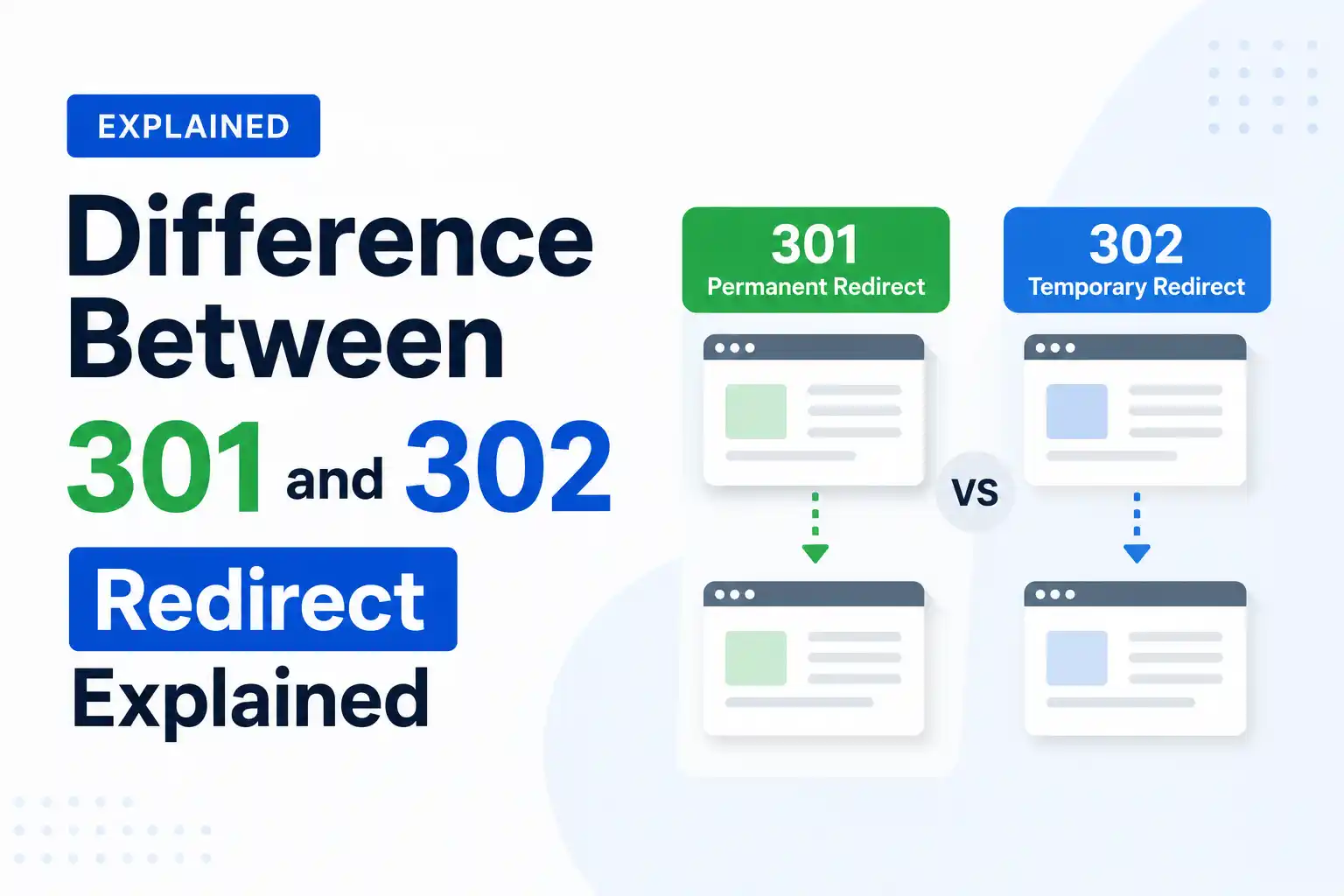
Understanding the difference between 301 and 302 redirects is important for both SEO and user experience. A 301 redirect tells search engines that a page has permanently moved to a new URL, helping transfer ranking signals and authority. In contrast, a 302 redirect indicates that the move is temporary and that the original URL may return. Choosing the correct redirect type ensures search engines handle your pages properly and helps preserve your website’s visibility in search results.
At 4P Wisdom, we see this mistake often. Businesses use the wrong redirect type. They lose link equity, rankings drop, and nobody knows why. Getting this right is not optional. It is a fundamental piece of technical SEO that directly affects your organic visibility.
This guide breaks down everything clearly. By the end, you will know exactly when to use each redirect type, why it matters for SEO, and how to protect your hard-earned rankings.
301 Redirect
302 Redirect
Redirects users from one page to another
Redirects users from one page to another
Used for permanent redirects
Used for temporary redirects
Used on pages you want to retire
Used on pages you want to restore later
Often transfers search engine rankings (link equity)
Rarely transfers search engine rankings
Often cached by web browsers
Rarely cached by web browsers
Signals that the original URL has permanently moved
Signals that the original URL may return in the future
Typically used for website migration, page relocation, and page consolidation projects
Typically used for website tests, website maintenance, and temporary promotions
Preferred for long-term SEO changes
Preferred for short-term website changes
Search engines usually update their index to the new URL
Search engines usually keep the original URL indexed
Best for preserving SEO value after a URL change
Best for maintaining the original URL’s ranking signals temporarily
What Is a Website Redirect?
A redirect is a server instruction to browsers and search engines. It says: “This URL has moved. Go here instead.” When someone clicks a link or types a URL, the server checks if a redirect exists. If yes, it sends the user to the new destination automatically.
Redirects are part of the HTTP status code system. These codes are three-digit numbers that tell browsers what happened with a request. The 3xx category specifically handles all redirection responses. Within this category, 301 and 302 are the two most commonly used codes in SEO.
Think of redirects like a change of address form at a post office. You tell the post office where you moved. They forward your mail accordingly. The key difference is whether the move is permanent or temporary.
What Is a 301 Redirect?
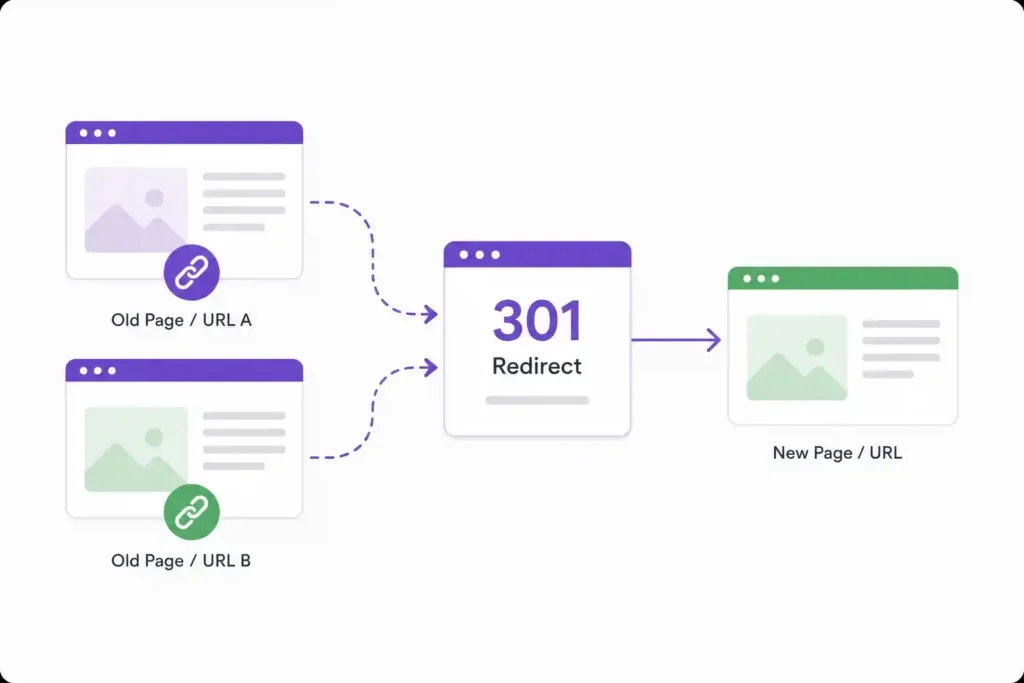
A 301 redirect is a permanent redirect. It tells both browsers and search engines that a page has moved to a new URL forever. The original page is gone for good and will not come back.
When Google’s crawler, Googlebot, encounters a 301 redirect, it understands the move is permanent. It begins the process of updating its index. Over time, typically within two to six months, the old URL gets replaced by the new one in search results.
More importantly, a 301 redirect passes link equity, also known as PageRank or link juice. Experts estimate this transfer to be around 90 to 99 percent. That means your backlinks, domain authority, and ranking power follow you to the new URL.
Common situations where you should use a 301 redirect include permanently deleting a page, launching a new domain during a rebrand, changing a URL structure for good, merging two websites into one, and switching from HTTP to HTTPS.
Browsers also cache 301 redirects aggressively. This makes them efficient and fast for returning visitors. However, it also means they are harder to undo later. Once Google indexes a 301, reversing course takes significant time and effort.
What Is a 302 Redirect?
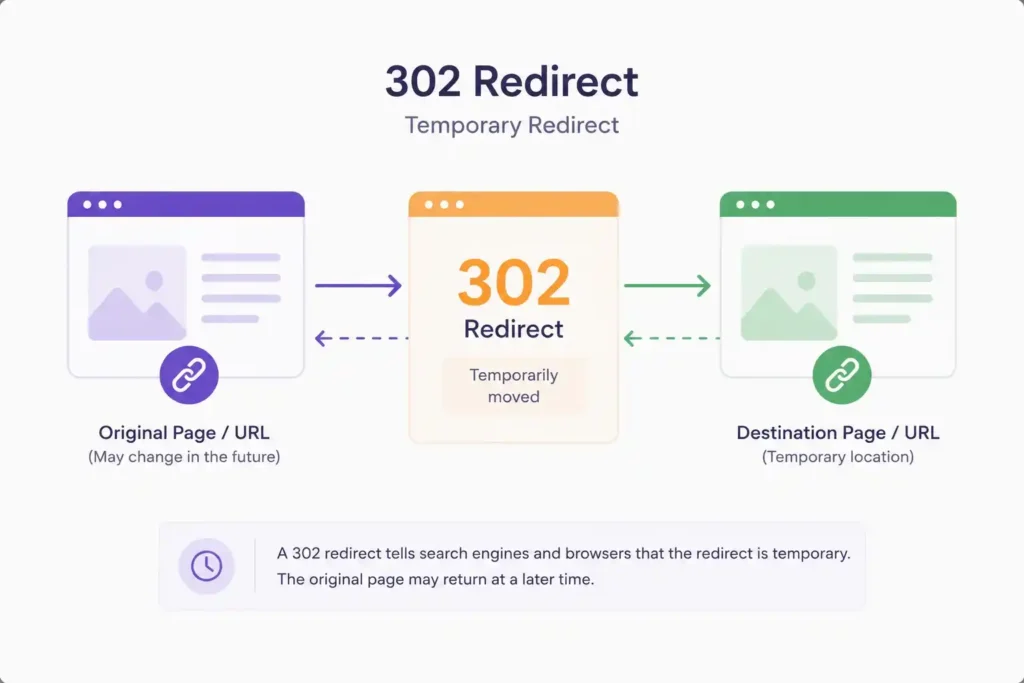
A 302 redirect is a temporary redirect. It tells browsers and search engines: “This page has moved, but only for now. Expect it to return.” The original URL is kept in Google’s index because the signal is temporary.
With a 302 redirect, Google does not fully transfer link equity to the destination URL. The original page retains its indexing status and authority. This is actually useful when you genuinely plan to bring the original URL back.
Browsers cache 302 redirects minimally, which makes them easy to change or remove. This flexibility is exactly why they exist.
Common situations where you should use a 302 redirect include running A/B tests on landing pages, redirecting users during site maintenance, testing a new design before making it permanent, creating seasonal campaign pages that will expire, and routing users to geo-specific content temporarily.
If you accidentally use a 302 when you meant to use a 301, you can end up with two pages competing in Google’s index. Your link equity stays split, and neither URL ranks as strongly as it should.
301 vs 302 Redirect: The Core Differences
Understanding the differences is where most people go wrong. Let us lay them out clearly.
Permanence
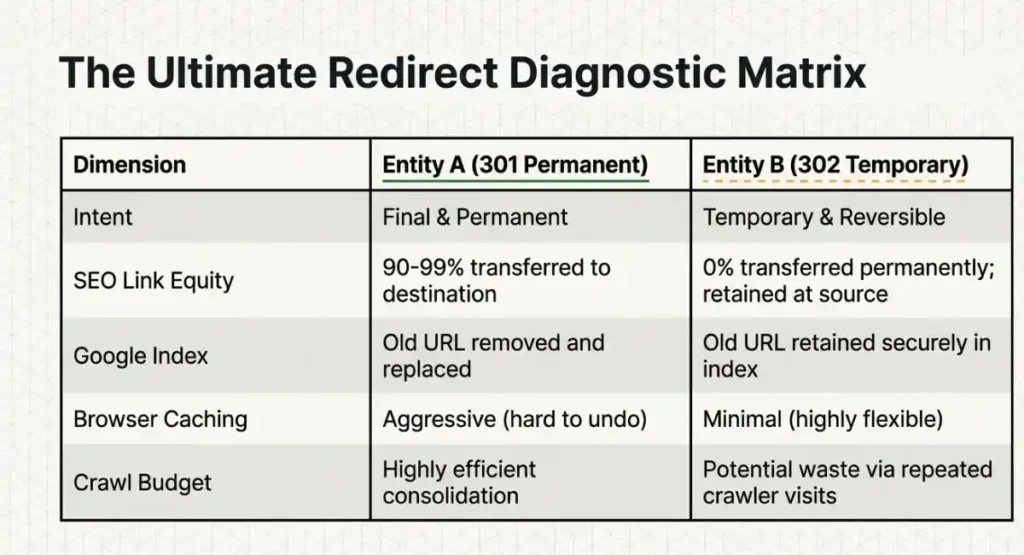
A 301 signals that the URL change is permanent and final. A 302 signals that the move is temporary and the original URL will return. This is the single most important distinction between the two.
SEO and Link Equity
When it comes to search engine optimization, 301 redirects transfer almost all of your link equity to the new URL. This keeps your rankings intact after a migration. A 302 redirect does not permanently pass link equity. The original page retains its authority.
OurSEO services always audit redirect chains before and after site migrations. Missing this step is one of the most costly technical SEO mistakes a business can make.
Google’s Indexing Behavior
With a 301, Google will eventually remove the old URL from its index and replace it with the new one. With a 302, Google keeps the original URL indexed because it expects the page to return. Using a 302 when you meant a 301 causes duplicate content issues and confuses search engines.
Browser Caching
Browsers cache 301 redirects heavily. Users who visited the old URL get served the cached redirect without hitting your server again. This is great for speed, but tricky if you ever need to reverse the redirect. Browsers cache 302 redirects lightly, giving you full flexibility to change or remove them anytime.
Crawl Budget Implications
For large websites with thousands of pages, crawl budget matters a lot. A 301 redirect consolidates signals to one URL, making crawling more efficient. A chain of 302 redirects can waste crawl budget since Google may keep visiting both the original and the destination URL repeatedly.
The One Question That Decides Everything
Before choosing between 301 and 302, ask yourself one simple question: Will the original URL ever serve content again?
If the answer is no, use a 301 redirect. If the answer is yes, use a 302 redirect. If you are truly unsure, default to 301. It is the safer choice for preserving your SEO value in most real-world scenarios.
Real-World Examples to Make This Crystal Clear
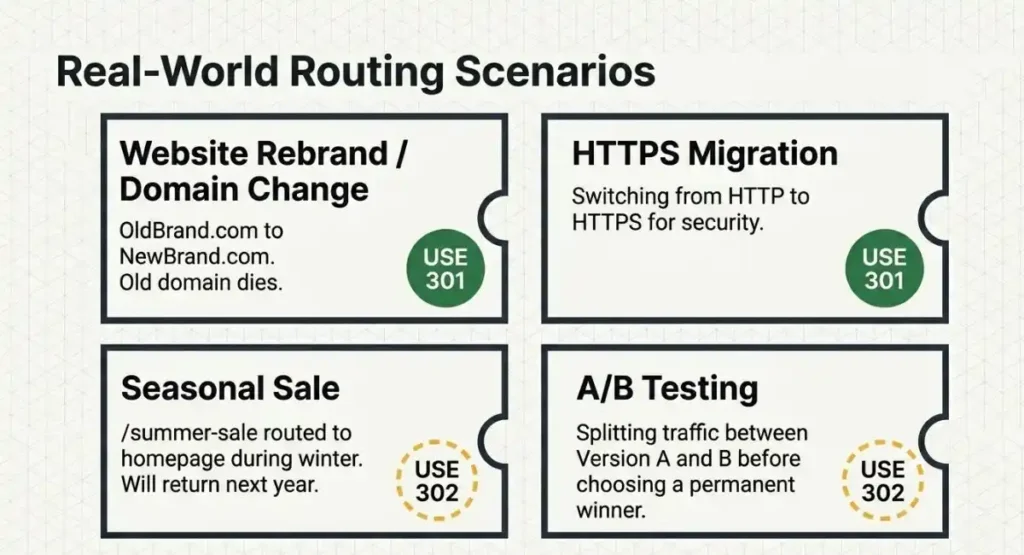
Example 1: Website Rebrand
Your company rebrands from “OldBrand.com” to “NewBrand.com.” The old domain will never be used again. Every page should have a 301 redirect pointing to the equivalent new page. This preserves your backlink profile, domain authority, and organic rankings.
Example 2: Seasonal Sale Page
You create a sale landing page at “/summer-sale” every year. During the off-season, you redirect it to your homepage. You plan to use that same URL again next summer. Use a 302 redirect here. Keep the original URL indexed so it retains its ranking power for next year.
Example 3: A/B Testing
You are running an A/B test on your product page. Half your visitors see version A and half see version B. Use 302 redirects so Google does not treat this as a permanent change. Once testing concludes, remove the redirect and implement the winning version permanently.
Example 4: HTTPS Migration
You switch your entire site from HTTP to HTTPS, which is a permanent and necessary change for security and SEO. Every HTTP URL should 301 redirect to its HTTPS equivalent. This consolidates authority and signals to Google that HTTPS is your canonical version going forward.
For businesses running paid campaigns and conversion optimization alongside organic SEO, understanding redirects is doubly important.
How 301 and 302 Redirects Affect Technical SEO
Technical SEO is the foundation of a high-ranking website. Redirects sit right at the heart of it. Here is how each type influences key technical factors.
Page Rank and Link Equity Flow
Google’s PageRank algorithm measures the authority of a page based on its backlinks. A 301 redirect allows almost all of that authority to flow to the destination URL. Over time, the new URL inherits the ranking power of the old one. A 302 does not trigger this permanent flow.
Canonicalization
Search engines use canonical signals to determine which version of a page to index. A 301 redirect is one of the strongest canonical signals you can send. It tells Google with certainty: this is the correct URL. A 302 is a weak or ambiguous signal that can create confusion in how Google handles canonicalization.
Redirect Chains and Loops
A redirect chain happens when URL A redirects to URL B, which redirects to URL C, and so on. Each hop in the chain loses a small percentage of link equity and slows down the user experience. Always audit your site for redirect chains. Whether using 301 or 302, keep chains to a minimum. Direct is always better.
A redirect loop, where URL A points to URL B and URL B points back to URL A, will cause a page to fail entirely. Browsers will throw an error and users will see nothing at all.
Ourkeyword research service at 4P Wisdom always maps out URL structures before any redirect implementation to avoid these costly errors.
Hreflang and International SEO
For websites targeting multiple countries or languages, redirect handling becomes even more complex. If you have hreflang tags set up for international targeting, make sure your 301 redirects properly account for locale-specific URLs. Misusing 302 redirects on international pages can leave the wrong URLs indexed in each regional Google Search.
301 Redirects and Local SEO
If you are a local business that has changed its address, phone number, or even its website URL, redirect management is critical. Local SEO relies heavily on consistent NAP data (Name, Address, Phone Number) across the web. But it also depends on consistent URL signals.
If your old website URL is mentioned across local business directories, review sites, and Google Business Profile, a 301 redirect ensures that any visitor or crawler following those links reaches your current site without losing authority.
Our local SEO service handles this as part of every local citation audit. Redirects from old domain names, old location pages, or old service pages are cleaned up and properly redirected so local rankings stay strong.
Common Mistakes to Avoid
Mistake 1: Using a 302 when you mean a 301. This is the most common error. It keeps your old URL indexed, dilutes your authority, and confuses search engines about which URL to rank.
Mistake 2: Creating long redirect chains. Every extra hop reduces the link equity passed and slows load time. Always redirect from the original URL directly to the final destination.
Mistake 3: Forgetting to update internal links. After redirecting pages, update your internal links to point directly to the new URL. Do not rely on redirects for internal navigation.
Mistake 4: Not redirecting old backlinks. If you change your URL structure but forget to redirect pages that have strong backlinks, you lose that link equity completely.
Mistake 5: Deleting pages without redirects. A page with backlinks or organic traffic should never simply return a 404 error. Always redirect it to a relevant existing page.
Mistake 6: Redirecting everything to the homepage. This is called a soft 404 in Google’s eyes. If you cannot find a relevant destination, it is sometimes better to let the page 404 honestly than to send all deleted pages to the homepage.
Strong content strategy paired with proper technical implementation is what separates good SEO from great SEO. Our content marketing services ensure your content architecture and URL structures are built for long-term ranking success from day one.
How to Implement a 301 or 302 Redirect
On Apache Servers
For a 301 redirect, add this to your .htaccess file: Redirect 301 /old-page /new-page
For a 302 redirect, replace 301 with 302 in the same format.
On Nginx Servers
For a permanent 301 redirect, use the return directive: return 301 /new-page;
For a temporary 302 redirect, replace 301 with 302.
In WordPress
WordPress plugins like Rank Math or Yoast SEO have built-in redirect managers. You can set both 301 and 302 redirects directly from your dashboard without touching server configuration files.
In Shopify
Shopify has a native URL redirect feature under Online Store settings. All redirects in Shopify are treated as 301 by default. For temporary campaigns, you may need a custom app or a third-party redirect solution to implement a true 302 response.
Using JavaScript
Avoid using JavaScript for redirects whenever possible. Google can process JavaScript, but it introduces delays in the crawl process. Server-side redirects are always faster and more reliable for SEO purposes.
According to Google’s own documentation, server-side 301 redirects are the preferred method for all permanent URL changes, as they pass the strongest signals and are processed most reliably by all search engine crawlers.
301 vs 302 Redirects: A Quick Summary
A 301 redirect means the move is permanent, link equity transfers fully, the old URL leaves Google’s index, and browser caching is aggressive. Use it for rebrands, migrations, HTTPS upgrades, and permanent URL changes.
A 302 redirect means the move is temporary, link equity does not permanently transfer, the old URL stays in Google’s index, and browser caching is minimal. Use it for A/B tests, seasonal pages, maintenance, and geographic routing tests.
When in doubt, choose 301. It is the safer default for protecting your SEO equity in most real-world scenarios.
Frequently Asked Questions
Does a 301 redirect pass 100% of link equity?
No, not exactly 100%. Research and SEO experts generally estimate that a 301 redirect passes around 90 to 99 percent of the original page’s link equity. There is always a minor loss during the transfer. However, it is by far the best way to preserve your rankings and authority when permanently moving a page or domain.
Can I change a 301 redirect to a 302 later?
Technically yes, but it is difficult and time-consuming. Browsers aggressively cache 301 redirects. Users who visited the original URL may still be served the cached version for weeks or months. For this reason, always be certain that a change is permanent before implementing a 301.
Is a 302 redirect bad for SEO?
Not at all, when used correctly. A 302 redirect is perfectly fine for genuinely temporary situations like A/B tests, seasonal campaigns, or maintenance windows. The problem only arises when a 302 is used in situations that are actually permanent. That is when SEO suffers.
How long does Google take to process a 301 redirect?
Google typically processes and indexes 301 redirects within a few days to a few weeks. However, fully removing the old URL from its index and passing all authority to the new one can take anywhere from two to six months, depending on how often your site is crawled and how strong your domain authority is.
What happens if I delete a page and do not add any redirect?
Without a redirect, the deleted page returns a 404 error. Any backlinks pointing to that URL lose their value completely. Any user clicking an old link lands on an error page. If the deleted page had significant traffic or backlinks, always redirect it to the most relevant existing page on your site.
Do 301 redirects affect page speed?
Every redirect adds a small amount of latency because the browser must complete an additional HTTP request. For most users, this delay is negligible. However, redirect chains (multiple consecutive redirects) can noticeably slow down page load times. Google’s Core Web Vitals measure page speed as a ranking factor, so keep redirects direct and avoid unnecessary chains.
If you want your website to rank higher on Google, internal linking is one of the most powerful tools you have. Yet most website owners completely ignore it.
In this guide, you will learn everything about the internal linking strategy. We will cover what it is, why it matters, and exactly how to do it right. Whether you are a beginner or an experienced SEO professional, this guide will help you build a smarter website structure that Google loves.
Let us get started.
What Is Internal Linking in SEO?
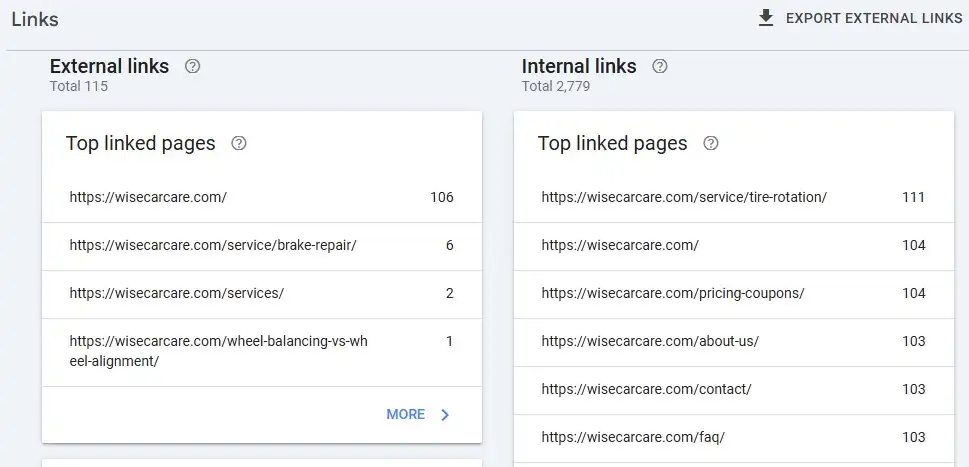
An internal link is a hyperlink that connects one page on your website to another page on the same website. When you click on a link within a blog post that takes you to another blog post or service page, that is an internal link.
Here is a simple example. Imagine you run a digital marketing website. You write a blog post about SEO basics. Inside that post, you link to your dedicated SEO services page. That connection between those two pages is an internal link.
Internal links are different from external links, which point to pages on other websites. Internal links keep your visitors exploring within your own domain.
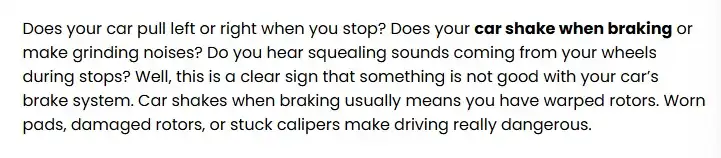
Here is the sample code of the internal link
href=https://wisecarcare.com/why-your-car-shakes-when-braking/”><b>car shake when braking</b></a>
Internal Links vs External Links: What Is the Difference?
Understanding the difference helps you use both strategically.
Internal links connect pages within the same website. They pass authority between your own pages, help search engines discover your content, and guide users deeper into your site.
External links point from your website to another website. They help build credibility when you cite trusted sources. According to Google’s Search Essentials documentation, linking to high-quality external sources can actually strengthen your content’s trustworthiness.
Both types of links matter for SEO. But internal links are fully within your control. That makes them a massive opportunity.
Feature
Internal Links
External Links
Definition
Link to another page on the same website.
Link to a page on a different website.
Purpose
Improve navigation and site structure.
Provide additional information or references.
SEO Impact
Helps distribute authority across pages.
Supports content credibility and relevance.
Domain
Stays within the same domain.
Points to a different domain.
User Experience
Keeps users on your website.
Directs users to external resources.
Crawlability
Helps search engines discover pages.
Helps search engines understand content context.
Control
Fully controlled by your website.
Depends on an external website.
Link Equity
Shares authority within the site.
Can pass authority to another site.
Why Is Internal Linking Important for SEO?
Internal linking is not just a nice-to-have feature. It is a core part of how Google understands your website. Here is why it matters so much.
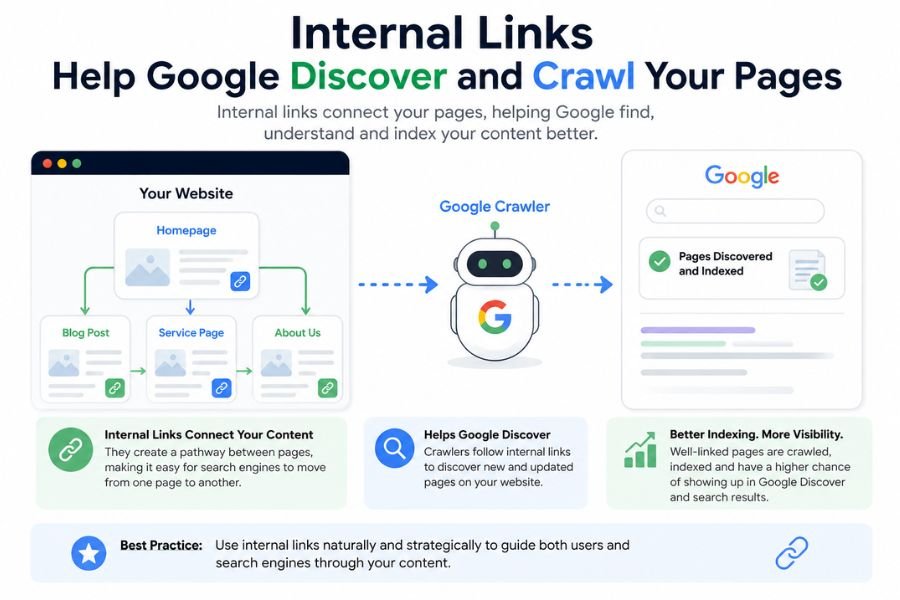
1. Internal Links Help Google Discover and Crawl Your Pages
Google uses web crawlers called Googlebots to discover and index web pages. These crawlers follow links from one page to the next. If a page on your site has no internal links pointing to it, Googlebot may never find it.
This is especially critical for new content. When you publish a new blog post, adding internal links to it from existing pages tells Google to crawl and index it faster.
Think of internal links as road signs. Without them, Google’s crawler gets lost on your website.
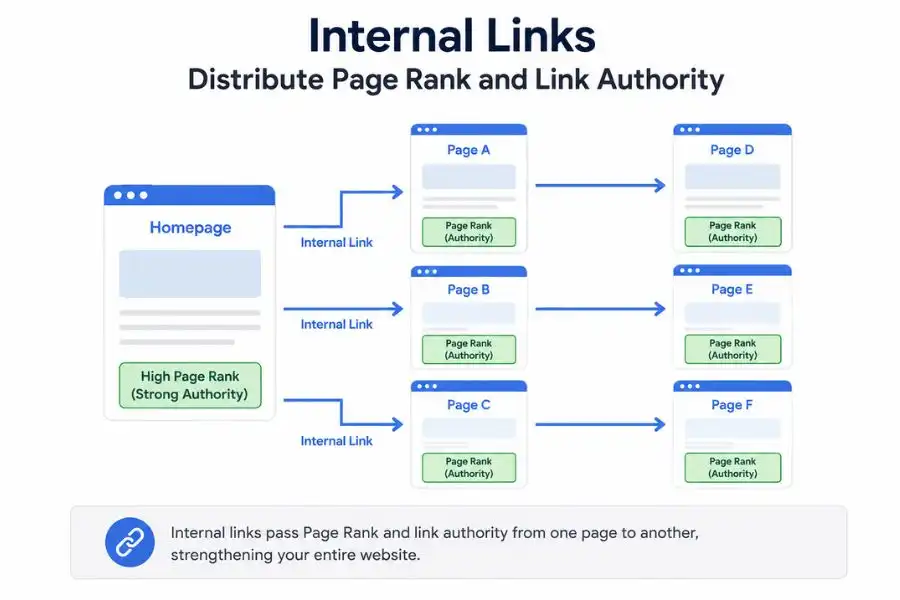
2. Internal Links Distribute Page Rank and Link Authority
PageRank is Google’s way of measuring how authoritative a page is. Pages that have many high-quality backlinks from other websites carry more authority.
Here is the powerful part. When you internally link from a high-authority page to a lower-authority page, you pass some of that authority along. This is called link equity or link juice.
For example, if your homepage has dozens of backlinks from other websites, it has strong authority. Linking from your homepage to a new blog post gives that blog post a strong authority boost. This helps it rank higher on Google Search results pages (SERPs).
At 4P Wisdom, this is one of the first tactics we use when building an SEO strategy for a new client. It is simple, free, and incredibly effective.
3. Internal Links Improve User Experience and Engagement
When users land on your page, you want them to stay and explore. Internal links guide visitors to related content they will find useful. This keeps people on your website longer.
Google tracks something called dwell time, which is how long users spend on your website. Longer dwell time sends a positive signal to Google. It tells the algorithm that your content is valuable and relevant.
A well-structured internal linking strategy turns a single-page visit into a full website exploration. That is good for users and great for your rankings.
4. Internal Links Establish Topical Authority
Google no longer ranks websites based on keywords alone. It evaluates topical authority, which means how thoroughly your website covers a specific subject. If your website has dozens of pages all about digital marketing, all linked together intelligently, Google recognizes you as an authority on that topic.
Internal linking creates that web of relevance. It tells Google that your website is a comprehensive resource, not just a collection of unrelated pages.
Types of Internal Links You Should Know
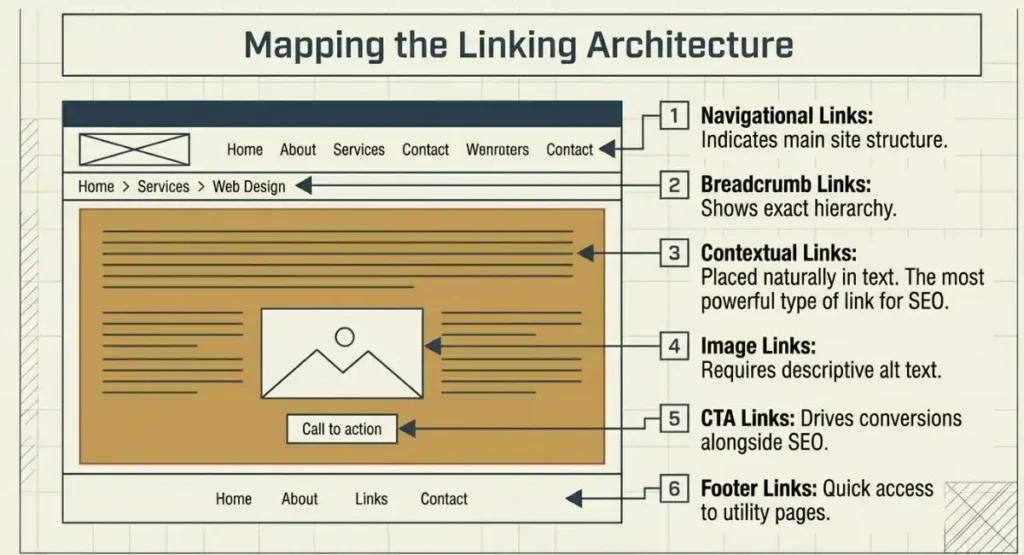
Not all internal links are the same. Understanding each type helps you place them strategically. Internal links can serve a variety of functions across a website. The most common types include:
Contextual links – Placed naturally within page content to connect related topics and provide additional value.
Navigational links – Found in primary menus, headers, or sidebars to help users move between key sections of a site.
Image links – Clickable images that direct users to other pages or resources.
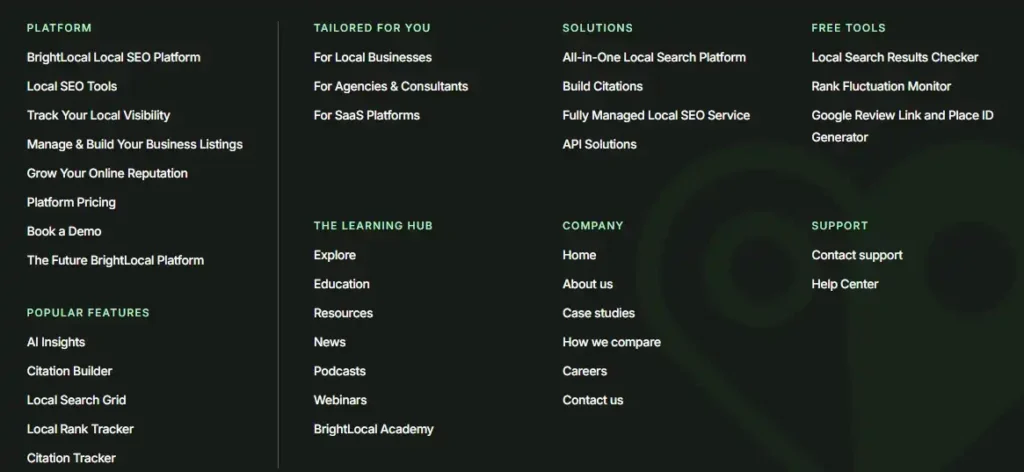
Footer links – Located in the website footer, offering quick access to important pages and information.
Sidebar links – Displayed in sidebars to highlight relevant content, categories, or resources.
Breadcrumb links – Indicate a page’s position within the website structure, making navigation easier.
In-content call-to-action (CTA) links – Embedded within content to encourage users to take a specific action, such as signing up, downloading a resource, or making a purchase.
Contextual Links
Contextual links appear inside the body text of your blog posts and web pages. These are the most powerful type of internal links because they appear within relevant content. Search engines give contextual links the most weight.
For example, if you are writing about content marketing and you link to your content marketing services page, that is a perfect contextual link. It is relevant, natural, and useful.
Navigational Links
Navigational links appear in your website’s main menu, sidebar, or top navigation bar. These links help users and search engines understand your site’s main structure. Your most important pages should always appear in navigation.
Footer Links
Footer links appear at the bottom of every page on your website. They give users quick access to important pages like contact, services, or privacy policy. While not as powerful as contextual links, footer links still contribute to your overall site architecture.
Breadcrumb Links
Breadcrumb links show users exactly where they are within your site hierarchy. A breadcrumb might look like: Home / Blog / SEO / Internal Linking Guide. They improve both user experience and site structure.
Image Links
When you link an image to another page on your website, that is an image link. Make sure you use descriptive alt text for image links so search engines understand where they lead.
CTA Links
Call-to-action links are designed to convert visitors. They might say something like “Learn more about our SEO services” and link to a service page. These links serve both SEO and business goals simultaneously.
How to Build a Winning Internal Linking Strategy Step by Step
Now, let us get into the actual process. Here is the step-by-step internal linking strategy we use at 4P Wisdom for our clients.
Step 1: Build a Clear Site Architecture First
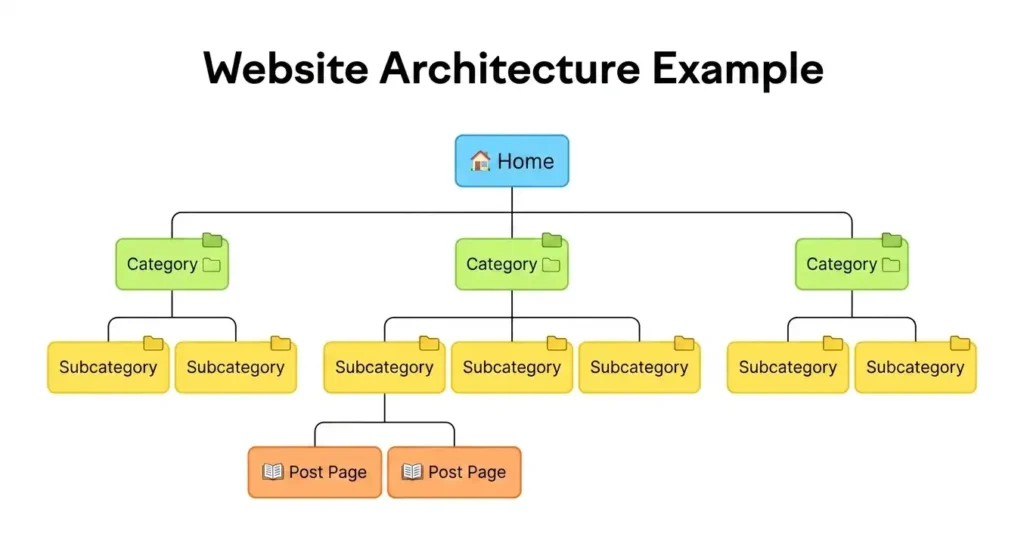
Before you start linking pages together, you need a clear map of your website’s structure. Think of your site like a pyramid.
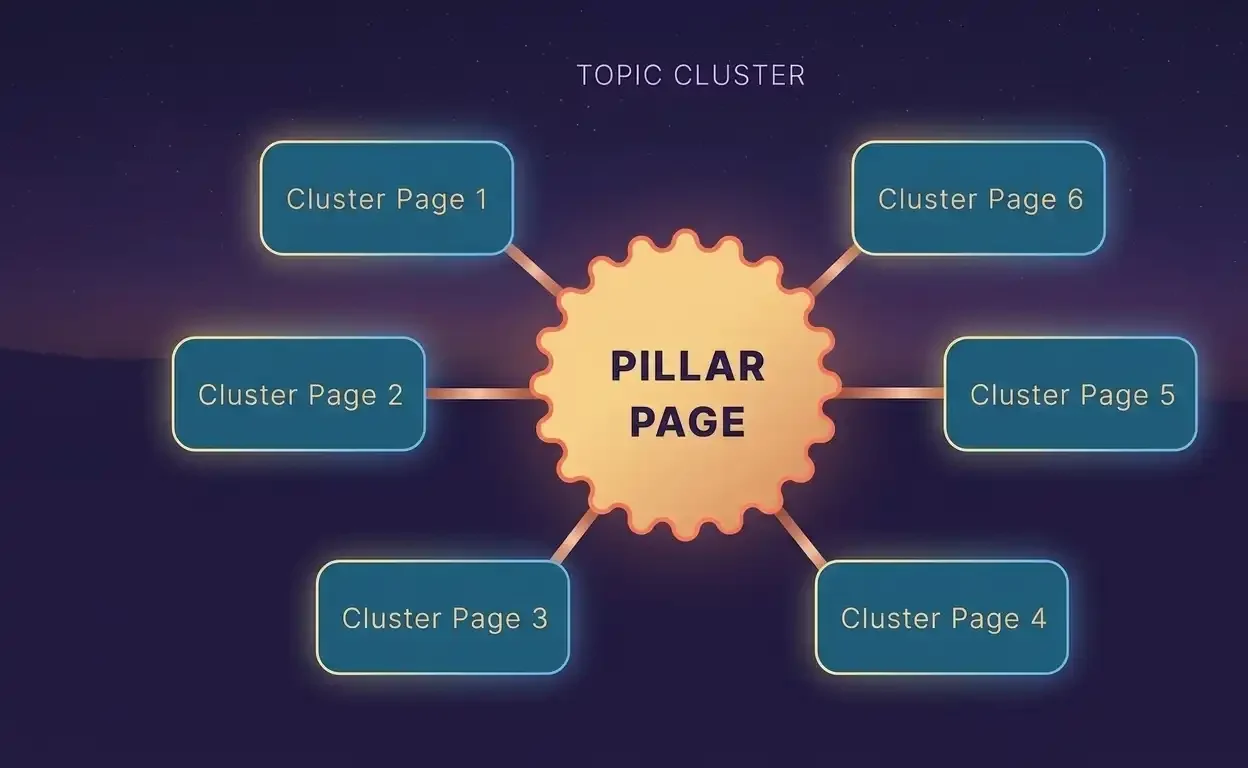
At the very top sits your homepage. Below it are your main category pages or pillar pages. Below those are your supporting blog posts and cluster content pages. Every layer connects to the ones above it.
A clean pyramid structure ensures that authority flows from the top down. It also ensures that no page is more than three clicks away from the homepage. Google considers pages that are close to the homepage as more important.
A shallow site architecture is always better than a deep, complicated one.
Step 2: Identify Your Pillar Pages
A pillar page is a comprehensive, authoritative piece of content that covers a broad topic in depth. It acts as the central hub for all related content on your website.
For example, if your website is about digital marketing, one pillar page might be titled “The Complete Guide to SEO.” That page would then link out to multiple cluster pages covering specific subtopics like keyword research, on-page SEO, technical SEO, and link building.
Your pillar pages should target broad, high-volume keywords. They should be the most thorough pages on your website for that topic. Pillar pages attract backlinks naturally because they are genuinely useful resources.
Step 3: Create Topic Clusters Around Your Pillars
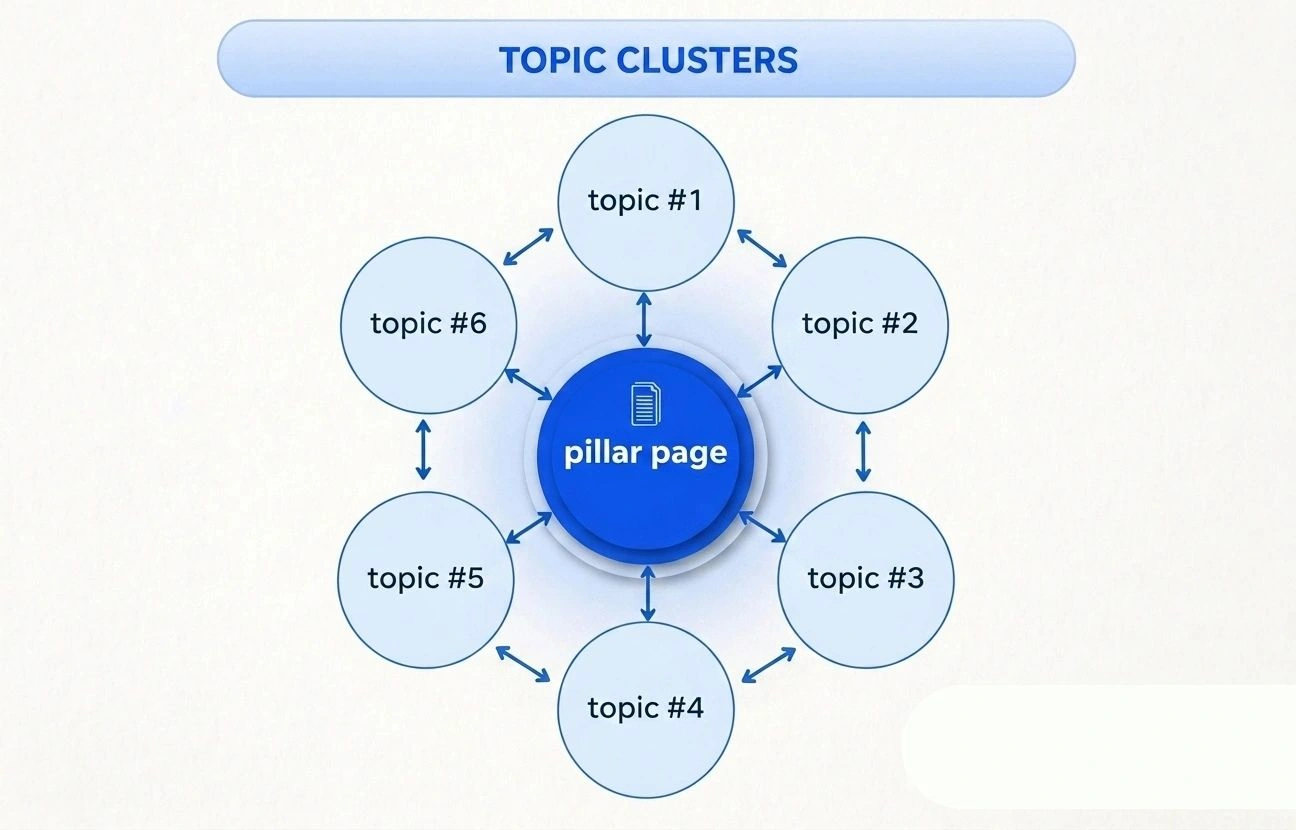
A topic cluster is a group of interlinked pages that all revolve around one central pillar page. Each cluster page covers a more specific subtopic related to the pillar.
Here is a practical example. Your pillar page is about SEO. Your cluster pages might include:
Keyword research for beginners. Local SEO strategy. On-page optimization checklist. Technical SEO audit guide. Internal linking strategy.
Each cluster page links back to the pillar page. The pillar page also links out to each cluster page. This creates a tight web of relevance that Google absolutely loves.
Topic clusters are one of the biggest internal linking strategies you can use today. They signal topical authority and help all the pages in the cluster rank better collectively.
If you need help building a keyword strategy and topic cluster structure, our keyword research services can help you map it all out.
Step 4: Use Your Highest Authority Pages to Pass Link Equity
Not all your pages carry equal authority. Some pages have earned many backlinks from other websites. These pages are your most powerful assets.
Here is the strategy. Go to your analytics or SEO tool and identify which pages have the most referring domains pointing to them. Those are your highest authority pages. Now look for opportunities to add internal links from those pages to newer or weaker pages you want to rank higher.
This process is called sculpting link equity. You are deliberately directing the flow of authority across your website. It is one of the most advanced and effective internal linking tactics available.
Always link from strong pages to pages you want to rank higher. Do not waste those high-authority pages by only linking to already popular content.
Step 5: Optimize Your Anchor Text Carefully
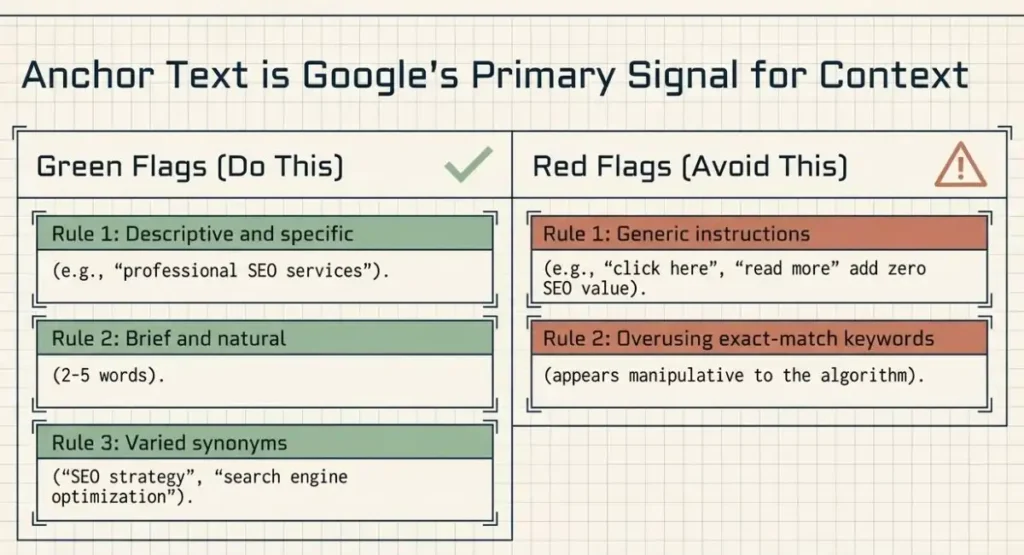
Anchor text is the clickable, highlighted text that contains a hyperlink. It is one of the most important signals Google uses to understand what the linked page is about.
Good anchor text should be:
Descriptive and specific. If you are linking to an SEO services page, use anchor text like “professional SEO services” rather than just “click here.”
Brief and natural. Keep anchor text between two and five words. It should flow naturally within the surrounding sentence.
Varied but relevant. Avoid using the exact same anchor text for every link to the same page. Use natural variations like “SEO strategy,” “search engine optimization services,” or “SEO experts.”
Never use vague phrases like “read more,” “learn here,” or “this page.” Those phrases tell Google and users absolutely nothing about where the link leads.
Anchor text optimization is a subtle but powerful technique. At 4P Wisdom, we treat anchor text as part of the broader SEO services strategy for every client website we manage.
Step 6: Find and Fix Orphan Pages Immediately
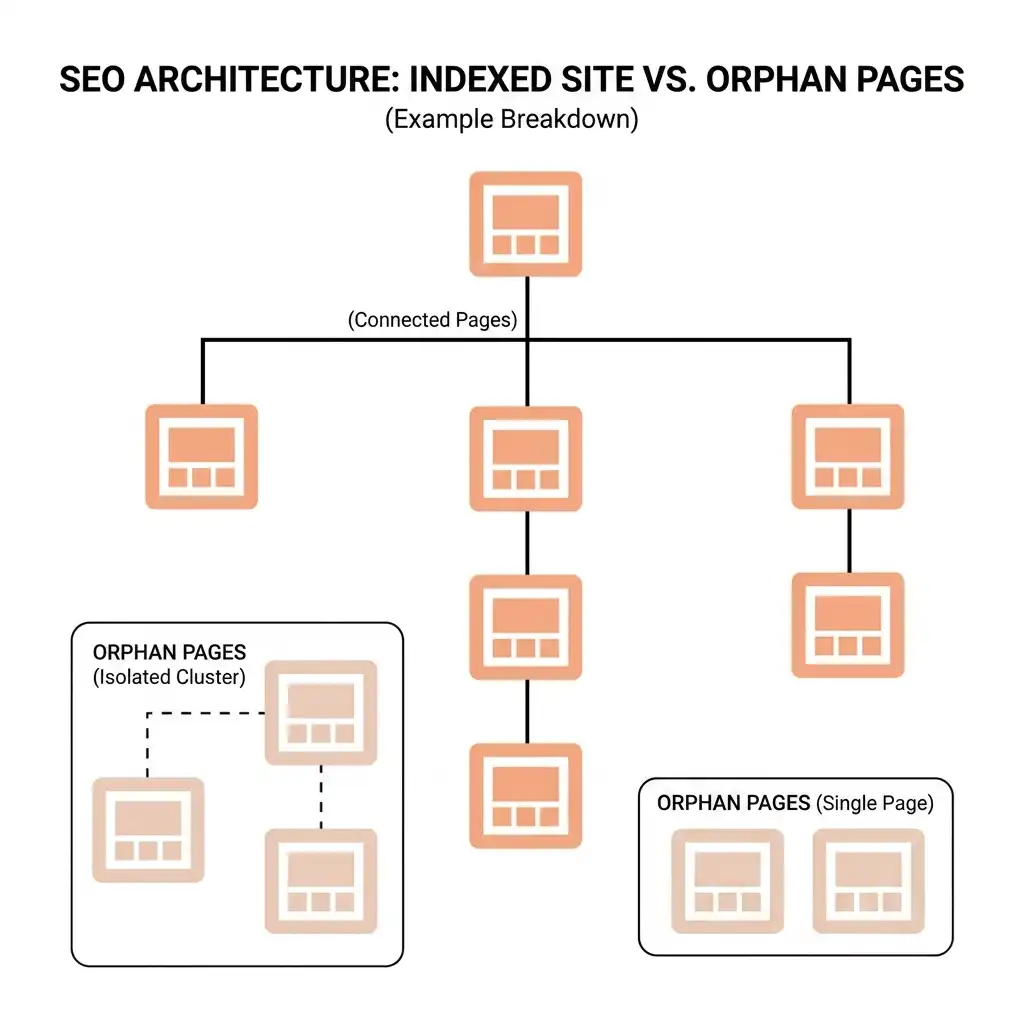
An orphan page is a page on your website that has zero internal links pointing to it. Google’s crawlers cannot find orphan pages because there are no links leading to them. As a result, orphan pages almost never rank on Google.
Every single page on your website should have at least two or three internal links pointing to it. If you publish a new blog post and never link to it from anywhere else on your site, it is essentially invisible.
Use a site audit tool to scan for orphan pages regularly. When you find them, go back to your existing content and add relevant internal links pointing to those orphaned pages.
Step 7: Reduce Crawl Depth to Three Clicks Maximum
Crawl depth refers to how many clicks it takes to reach a specific page starting from the homepage. A page that requires five or six clicks to reach is very deep within your site hierarchy.
According to Google, the fewer clicks it takes to reach a page, the more important that page appears. Keep all important pages within three clicks of the homepage. If you have important content buried deeply within your site, create shortcuts to it through internal links on higher-level pages.
This is especially important for e-commerce websites with large product catalogs and for content websites with hundreds of blog posts.
Step 8: Add Internal Links to Every New Piece of Content
Whenever you publish new content, immediately go back and find at least three to five existing pages where you can add a link to the new content. This practice ensures every new page enters your site structure connected and discoverable.
The fastest way to find linking opportunities is to search Google using the following format: site:yourwebsite.com “target keyword.” This shows you all the pages on your site that mention that topic. Those are your best candidates for adding an internal link.
For instance, if you just published a guide on local SEO, you would search your site for pages mentioning “local SEO” or “local search” and add internal links from those pages to the new guide. Our local SEO services page is a great example of a page that deserves strong internal links from blog content covering local search topics.
Common Internal Linking Mistakes to Avoid
Even experienced SEOs make these mistakes. Learn them so you can avoid them.
Using Too Many Internal Links on One Page
More is not always better with internal links. If you cram dozens of links into a single blog post, you dilute the value passed to each link. Google divides the authority of a page equally among all outgoing links. Too many links mean each link gets very little power.
Keep your internal links focused and purposeful. Every link should serve a real reason, either helping the user or passing relevant authority.
Using Generic Anchor Text
Never use phrases like “click here” or “read more.” These add no SEO value. Always use descriptive anchor text that tells both users and Google exactly where the link leads.
Linking Only in One Direction
Many websites only link downward, from pillar pages to cluster pages. But linking upward, from cluster pages back to pillar pages, is equally important. Bidirectional linking reinforces topical relevance and strengthens the entire cluster.
Ignoring Broken Internal Links
Broken internal links lead to 404 error pages. They waste crawl budget, frustrate users, and pass zero link equity. Run a site audit at least once per month to identify and fix broken internal links quickly.
Overusing Exact Match Anchor Text
While keyword-rich anchor text is good, using the exact same keyword phrase in every internal link can appear manipulative to Google. Use natural variations and synonyms to keep your internal linking looking organic.
Not Updating Old Content with New Internal Links
As you publish new content, always revisit your older posts and pages. Look for opportunities to add fresh internal links that point to your newer content. Old content often has strong authority built up over time. Linking from it to new content gives that new content a powerful boost.
Internal Linking for Different Types of Websites
Internal linking strategy looks different depending on what type of website you run. Here is how to approach it for the most common types.
Internal Linking for Blogs
Blogs benefit enormously from topic clusters and pillar pages. Group related blog posts together under a central pillar post. Link all related posts back to the pillar and link the pillar out to each related post. This structure helps you rank for competitive topics faster.
Also, focus on linking from your most popular and highest traffic blog posts. When you add internal links from posts that already get thousands of monthly visitors, you pass significant authority to the linked pages.
Internal Linking for E-Commerce Websites
E-commerce sites have unique internal linking challenges due to their large size. Here are the key priorities for online stores:
Link from category pages to product pages. Link from product pages to related product pages. Use “you might also like” sections to create automatic internal linking. Link from blog content to relevant product and category pages.
E-commerce internal linking is directly tied to revenue. When users can easily navigate from one product to related products, conversion rates improve alongside rankings. Pairing smart internal linking with a strong performance marketing strategy amplifies results even further.
Internal Linking for Service-Based Websites
For agencies, consultants, and service providers, internal linking should connect blog content to service pages consistently. Every blog post you publish should have at least one or two links to a relevant service page.
This serves two purposes. First, it passes SEO authority to your money pages. Second, it converts blog readers into potential clients by guiding them toward your services at the right moment.
.
How to Perform an Internal Link Audit
Before you build a new internal linking strategy, you need to understand your current situation. An internal link audit reveals problems that may be hurting your rankings right now.
Here is what to look for during your audit.
Check for Broken Internal Links
A broken internal link points to a page that no longer exists. These create 404 error pages, waste crawl budget, and damage user experience. Use any site audit tool to crawl your website and identify all broken internal links. Fix them by updating the link to point to the correct, live page or by removing the link entirely.
Find Orphan Pages
As discussed earlier, orphan pages have no internal links pointing to them. Run a crawl audit and cross-reference with your sitemap. Any page that appears in your sitemap but has no internal links pointing to it is an orphan page. Add relevant internal links to these pages immediately.
Review Pages with Only One Internal Link
A page with only one internal link is nearly invisible to Google. It has very little authority and is unlikely to rank for competitive keywords. Find these pages and add more internal links pointing to them from relevant content across your site.
Check Your Crawl Depth
Identify which pages are more than three clicks away from the homepage. These deep pages are given less priority by Google. Flatten your site architecture by adding internal links to these deep pages from shallower, high-level pages.
Look for Nofollow Attributes on Internal Links
The nofollow attribute tells Google not to pass link authority through a link. This attribute makes sense for external links you do not want to endorse. But for internal links, you almost always want authority to flow freely. Check your internal links for nofollow attributes and remove them unless there is a specific reason to keep them.
Fix Internal Redirect Chains
A redirect chain occurs when an internal link points to URL A, which redirects to URL B, which redirects to URL C. Each redirect step loses a small percentage of link equity. Always update internal links to point directly to the final destination URL. This preserves full link authority and improves page speed.
Advanced Internal Linking Strategies for Maximum SEO Impact
Once you have the basics in place, these advanced strategies will separate you from the competition.
The Hub and Spoke Model
The hub and spoke model is the most effective site architecture for topical authority. One central hub page covers a broad topic comprehensively. Multiple spoke pages cover specific subtopics in detail. Every spoke links back to the hub. The hub links out to every spoke.
This model creates an incredibly tight content ecosystem. Google sees the hub as a definitive authority on the broad topic. The spokes rank for more specific long-tail keywords. The entire cluster benefits from the combined authority.
Strategic Silo Structure
Content silos group related pages together into isolated topic sections. Pages within a silo link primarily to other pages within the same silo. This keeps topical relevance tightly concentrated.
For example, all your pages about local SEO would link mostly to each other. All your pages about content marketing would link mostly to each other. Cross-silo linking happens occasionally but is not the primary focus.
Silos are particularly powerful for large websites covering multiple distinct topics.
Leverage Your Most Trafficked Pages
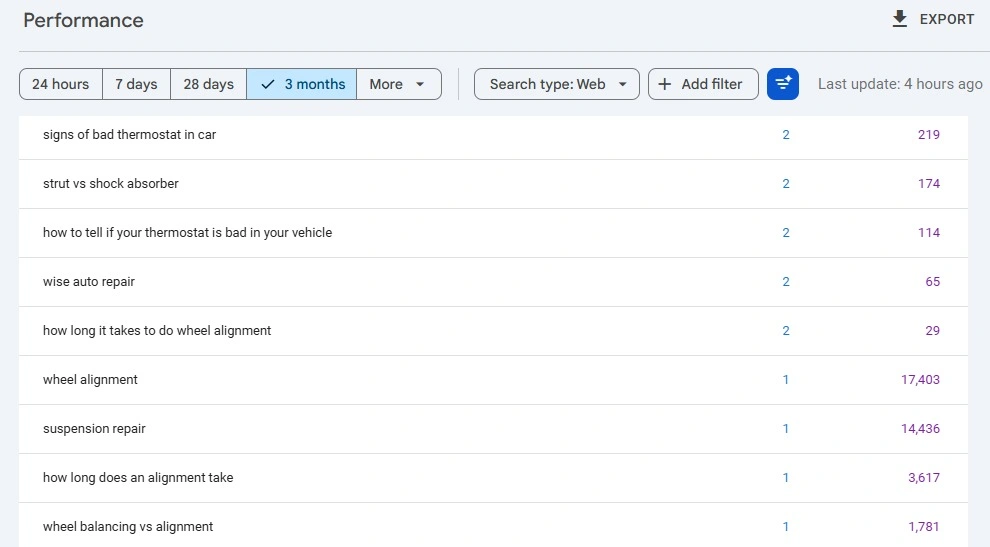
Use Google Analytics or Search Console to identify which pages on your site receive the most organic traffic. These high-traffic pages are incredibly valuable real estate for internal links.
Add internal links from your most trafficked pages to the pages you most want to rank. Even a single internal link from a page receiving 10,000 monthly visitors can make a significant difference to a newer page’s authority.
Use Related Posts Widgets Carefully
Many CMS platforms, like WordPress, allow you to automatically display related posts at the bottom of every blog post. These are internal links. However, be selective about how you configure them. Make sure they genuinely link to relevant, topically related content. Irrelevant automatic links add noise without adding value.
Internal Linking During Content Refreshes
Whenever you refresh or update an old piece of content, review its internal links at the same time. Old posts sometimes link to outdated pages or miss opportunities to link to newer content. A content refresh is the perfect moment to strengthen your internal linking network and keep authority flowing to your most current material.
Our content marketing services include regular content refreshes as a core deliverable, partly because they are one of the most efficient ways to boost SEO without creating new content from scratch.
Internal Linking and Google’s E-E-A-T Guidelines
Google evaluates content based on Experience, Expertise, Authoritativeness, and Trustworthiness, commonly known as E-E-A-T. Internal linking plays a direct role in how well your website demonstrates these qualities.
When your website has a clear, well-organized internal linking structure, it makes expertise visible. A reader who lands on your blog post can easily navigate to deeper, more detailed content on the same topic. This demonstrates that your website has comprehensive knowledge, not just surface-level content.
Internal links that guide users toward expert-level pages, authoritative resources, and evidence-backed service pages all contribute to E-E-A-T signals.
Linking to well-established external authorities like Google Search Central or Moz, combined with strong internal linking, creates a balanced content ecosystem that aligns with what Google considers trustworthy content.
How Many Internal Links Should a Page Have?
This is one of the most common questions about internal linking strategy. There is no perfect universal number. The right number depends on the length and purpose of your content.
A general guideline is to include one internal link for every 300 to 500 words of content. A 2000-word blog post might naturally contain four to six contextual internal links. A longer, comprehensive guide like this one might include eight to twelve.
The most important rule is this: every internal link must be genuinely relevant and useful. Do not force links where they do not belong just to hit a number. Unnatural linking can hurt user experience and may look manipulative to search engines.
Internal Linking Tools and Resources
Several tools can help you manage and optimize your internal linking strategy effectively.
Google Search Console is free and shows you which pages are indexed and how Google is crawling your site. It also highlights crawl errors, which often include broken internal links.
Screaming Frog SEO Spider is a powerful crawl tool that maps all the internal links on your website. It shows you exactly which pages link to which, helping you identify orphan pages, broken links, and redirect chains.
Ahrefs and SEMrush both offer site audit features that analyze your internal link structure. They show link equity distribution, crawl depth, and linking opportunities.
Yoast SEO plugin for WordPress includes an internal linking suggestions feature that recommends relevant posts to link to as you write. It makes on-the-go internal linking much faster.
Frequently Asked Questions About Internal Linking Strategy
Does Internal Linking Directly Improve Google Rankings?
Yes. Internal linking directly influences how Google discovers, crawls, and ranks your pages. Pages with more internal links pointing to them tend to rank higher than pages with few or none. Additionally, strategic anchor text in internal links helps Google understand the topical relevance of your pages.
How Often Should I Review My Internal Links?
Conduct a full internal link audit at least once every three months. However, actively adding new internal links should be an ongoing, weekly practice. Every time you publish new content, add internal links to and from it on the same day.
Should I Use Exact Match Keywords in Anchor Text?
Using exact match keywords in internal link anchor text is acceptable and helpful. Unlike external links, where Google is stricter about anchor text manipulation, internal links with keyword-rich anchor text are generally considered natural and beneficial for SEO.
What Is the Best Internal Link Structure for a Small Website?
For small websites with fewer than 50 pages, a flat structure works best. Every page should be reachable from the homepage in just one or two clicks. Link your most important pages from the homepage directly and link related posts to each other with contextual links.
Can Too Many Internal Links Hurt SEO?
Yes, excessive internal links on a single page can dilute link equity and confuse users. Keep links focused and meaningful. A page packed with dozens of links to unrelated content is poor user experience and signals low quality to Google.
Final Thoughts: Start Building Your Internal Linking Strategy Today
Internal linking is one of the highest-return, lowest-cost SEO tactics available to any website owner. You do not need a budget to implement it. You just need a strategy, consistency, and a clear understanding of how your content connects.
Start with your site architecture. Identify your pillar pages. Build your topic clusters. Add contextual links to every piece of content you publish. Fix orphan pages. Optimize your anchor text. Review your internal links regularly.
Done consistently, internal linking strengthens your entire website, improves your Google rankings, and keeps your users engaged longer.
If you want expert help building a comprehensive internal linking and SEO strategy, the team at 4P Wisdom is ready to help. We specialize in data-driven digital marketing that delivers measurable results. From keyword research and content strategy to local SEO and performance marketing, we build strategies that work for your business goals.
Internal linking is not just a technical detail. It is the backbone of a winning SEO strategy.
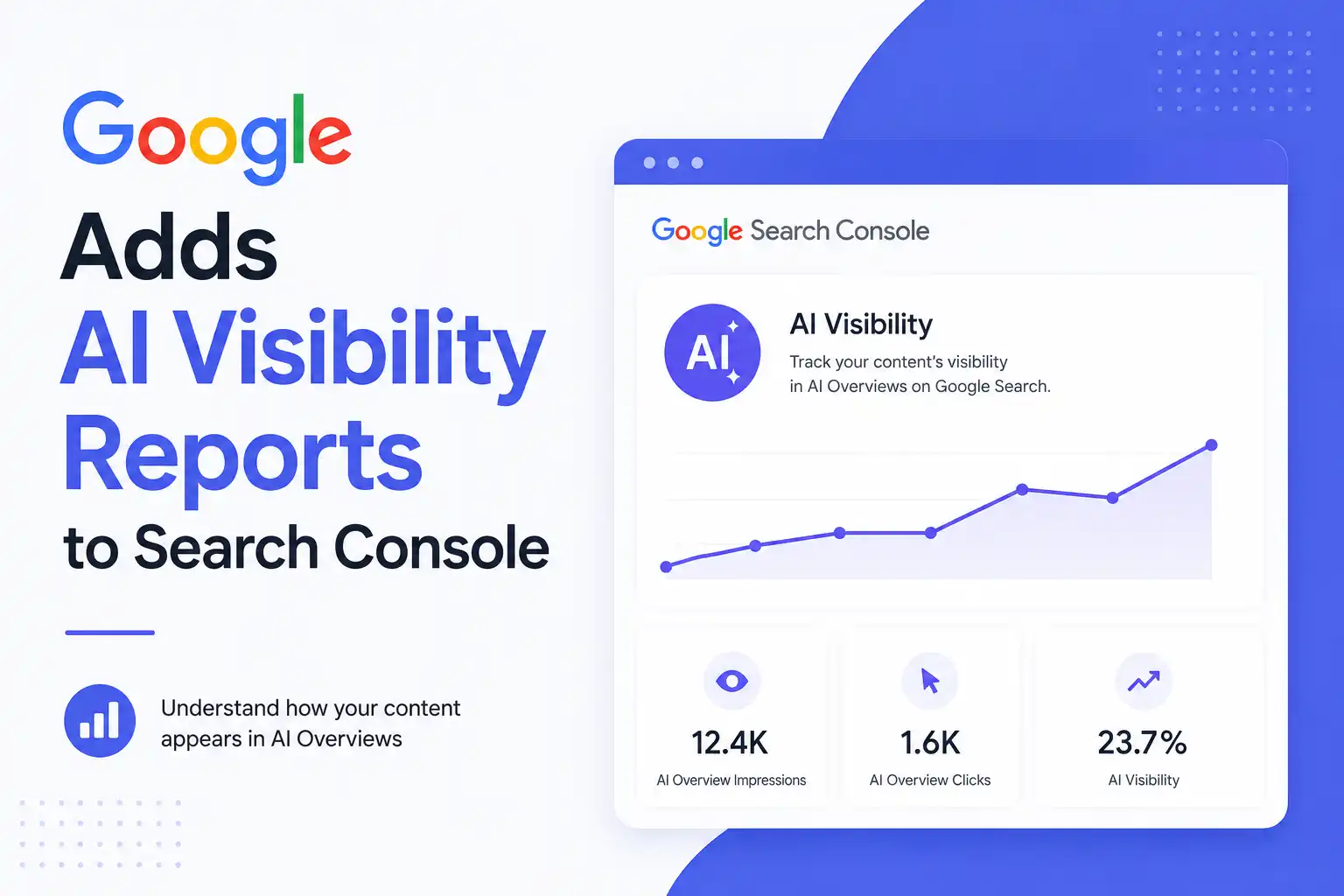
Google has started testing two significant new features in Search Console that are designed to give website owners more control and insight into how their content appears within Google’s AI-powered search experiences.
The first feature introduces a new setting that allows site owners to decide whether their content can appear in Google’s generative AI search features. The second provides dedicated reporting that shows how often a website’s pages are surfaced within AI-driven experiences across Google Search and Discover.
At the moment, these features are only being tested with a limited number of websites in the United Kingdom. Google says the rollout is part of an early testing phase, with plans to expand access globally if the experiment proves successful.
New AI Visibility Control Gives Publishers More Choice
One of the most notable additions is a new visibility toggle that allows website owners to opt out of appearing in Google’s AI-generated search experiences.
If a site owner chooses to disable this option, their content will no longer be eligible to appear in features such as:
AI Overviews
AI Mode
AI Overviews within Google Discover
As a result, the website will not receive impressions or traffic generated through these AI experiences.
Google has emphasized that enabling or disabling this setting will not affect a website’s rankings in traditional search results. In other words, the toggle only controls participation in AI-generated search features and is not used as a ranking signal elsewhere in Google Search.
The company describes this feature as an extension of existing publisher controls. For example, website owners already have tools such as:
Snippet controls, which determine how content appears in standard search results.
Google-Extended, which allows publishers to prevent their content from being used to train Google’s AI models.
Dedicated AI Performance Reports Arrive in Search Console
Alongside the new visibility control, Google is also testing dedicated reporting for AI search performance.
Previously, data from AI-powered search experiences was mixed into the standard Search Console performance reports, making it difficult for website owners to understand exactly how their content was performing within AI features.
The new reports aim to solve that problem by providing a separate view focused entirely on AI visibility.
According to Google, the reports will show:
How often URLs from a website appear in AI-generated search features
Visibility across both Google Search and Discover
Performance breakdowns by page
Country-level data
Device-specific data
Date-based reporting
Hourly-level granularity for deeper analysis
This dedicated reporting should make it much easier for SEO professionals, publishers, and site owners to monitor how frequently their content is being surfaced in Google’s AI experiences.
Important Data Is Still Missing
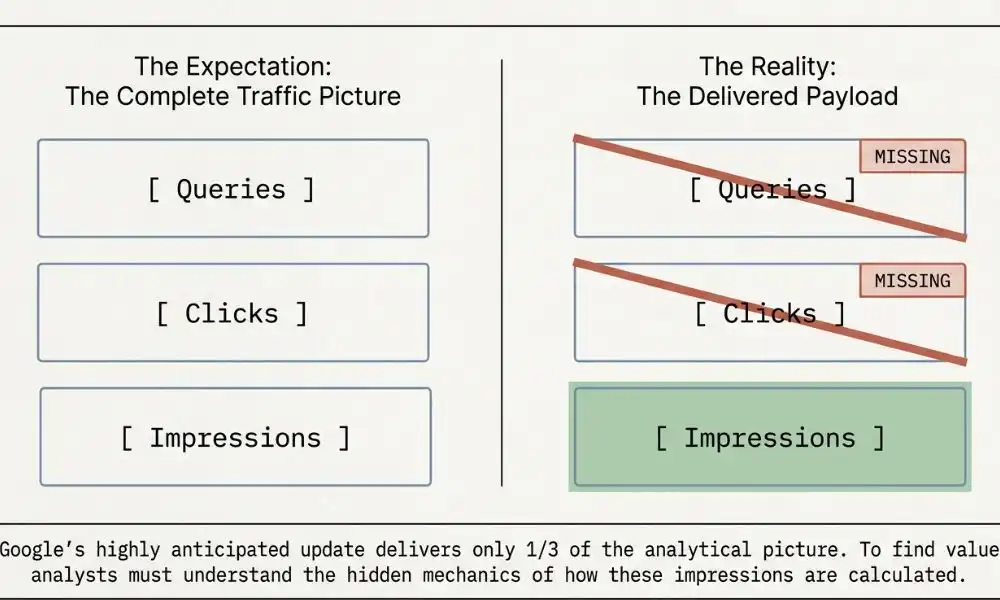
While the new reports represent a major step forward, they do not yet provide a complete picture.
Notably absent is click data, which would show how often users actually clicked on links after seeing them within AI-generated search results.
The reports also do not include query-level insights, meaning website owners cannot see the specific searches that triggered their content’s appearance in AI features.
For many publishers, these metrics are among the most valuable pieces of information because they help measure actual traffic and user engagement.
Google acknowledges these limitations and says it is continuing discussions with website owners to better understand which data points would be most useful. The company also confirmed that additional metrics are planned for future updates, although no specific timeline has been announced.
A Long-Standing Request From the SEO Community
The demand for AI-specific reporting has been growing since Google launched AI Overviews in the United States in 2024.
Since then, SEO professionals have repeatedly asked for clearer reporting that separates AI-driven visibility from traditional organic search performance.
The issue became even more apparent when Google confirmed that traffic and impressions generated through AI Mode were already included within Search Console’s overall performance data. While the data was technically being counted, there was no practical way to isolate and analyze it.
Google’s Search Advocate, John Mueller, also clarified that all links appearing within a single AI Overview share one position in Search Console reporting. This made it difficult for website owners to determine which links or placements were driving the strongest performance.
The lack of dedicated AI reporting has remained a recurring concern as Google continues expanding AI-generated search experiences.
Microsoft Has Been Moving Faster
While Google is only now beginning to test AI-specific reporting, Microsoft has already taken several steps in this area.
Earlier this year, Microsoft introduced an AI Performance dashboard within Bing Webmaster Tools. The company later expanded those capabilities by adding query-to-page mapping features and previewing a new Citation Share metric during SEO Week in May.
These developments have increased pressure on Google to provide more transparency around how websites perform within AI-powered search experiences.
Why These Updates Matter
For website owners, publishers, and SEO professionals, these new Search Console features represent an important shift toward greater transparency.
The dedicated AI reports finally provide a way to separate AI visibility from traditional search visibility, making it easier to understand how content is being surfaced across Google’s growing ecosystem of AI-powered experiences.
However, the biggest unanswered question remains user engagement.
Impression data can reveal how often content appears in AI results, but without click data, publishers still cannot accurately measure how much traffic those appearances generate. This has been one of the most frequently discussed challenges surrounding AI search measurement over the past year.
While Google’s latest announcement is a positive step, it does not fully address that concern yet.
What Happens Next?
Google says both the AI visibility toggle and the dedicated AI reporting dashboard will continue to be tested with a select group of websites in the UK before a broader global rollout.
The company has also indicated that additional reporting metrics will be introduced over time. However, Google has not yet shared details about which metrics will be added or when users can expect them.
For now, these new tools offer the clearest look yet at how websites are appearing within Google’s AI-powered search experiences—while also highlighting how much more visibility publishers still want into AI-driven traffic and user behavior.
However, this new setting serves a different purpose. Rather than controlling AI training or search snippets, it specifically determines whether content can appear in Google’s live AI-generated search experiences.
Artificial intelligence is rapidly changing the way content is created online, and YouTube is taking new steps to ensure viewers know when AI plays a role in the videos they watch.
The video-sharing platform recently announced updates to its AI disclosure system, including more prominent labels and automatic detectionof undisclosed AI-generated content. The changes are designed to improve transparency while helping audiences better understand the origin of the content appearing in their feeds.
As AI-generated videos become increasingly realistic, distinguishing between human-created and AI-created content is becoming more difficult. YouTube’s latest update aims to address that challenge by making AI disclosures easier to see and harder to ignore.
YouTube Is Making AI Labels More Visible
One of the biggest changes is where AI labels will appear on videos.
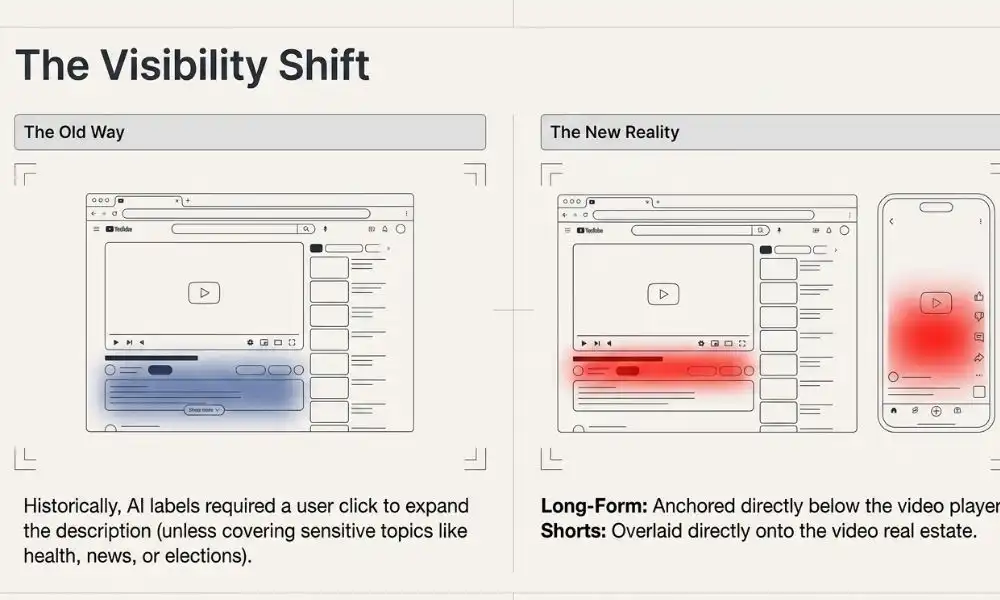
Previously, viewers often had to open a video’s description to see whether AI-generated content had been disclosed. As a result, many users never noticed these labels because they were hidden behind additional clicks.
With the new update, YouTube is moving AI labels to more visible locations.
For long-form videos, the disclosure label will now appear directly beneath the video player. On YouTube Shorts, the label will be displayed as an overlay on the video itself, making it visible while viewers watch.
This change represents a significant shift in how YouTube handles AI transparency. Instead of burying disclosures within descriptions, the platform is placing them front and center so viewers can quickly identify AI-generated content before deciding whether to continue watching.
According to YouTube Creator Liaison Rene Ritchie, the goal is simple: provide viewers with immediate context.
“If it looks real, but was made with AI, viewers will know immediately.”
Automatic Detection for Undisclosed AI Content
Alongside more visible labels, YouTube is introducing an automated detection system that identifies certain types of AI-generated videos.
Creators have already been required to disclose when they use AI to create realistic content. However, YouTube is now adding its own layer of verification.
If YouTube’s systems detect significant photorealistic AI-generated content that has not been disclosed, the platform may automatically add an AI label to the video.
This update is particularly important because AI tools are becoming more powerful and accessible. Anyone can now create highly realistic videos, images, and voice clones using generative AI platforms.
By implementing automated detection, YouTube hopes to reduce instances where creators fail to disclose AI-generated material, whether intentionally or accidentally.
However, YouTube has clarified that automated labeling does not replace the creator’s responsibility to disclose AI usage. Content creators are still expected to follow the platform’s disclosure requirements.
The updates were outlined by YouTube Creator Liaison Rene Ritchie in a video accompanying the official announcement.
Creators Can Appeal Incorrect Labels
Like any automated system, AI detection technology isn’t perfect.
To address potential mistakes, YouTube is giving creators the ability to dispute labels they believe were applied incorrectly.
Through YouTube Studio, creators can request a review if they think their content was wrongly categorized as AI-generated.
This appeal process is important because some videos may contain advanced visual effects, CGI, or editing techniques that could potentially be mistaken for AI-generated content.
At the same time, certain AI labels will remain permanent.
Videos created using YouTube’s own AI tools, such as Veo and Dream Screen, will automatically receive AI labels. Likewise, content containing C2PA metadata that identifies it as AI-generated will retain those disclosures.
Will AI Labels Affect Video Rankings?
One of the biggest concerns among creators is whether AI labels could negatively impact their channel performance.
According to YouTube, the answer is no.
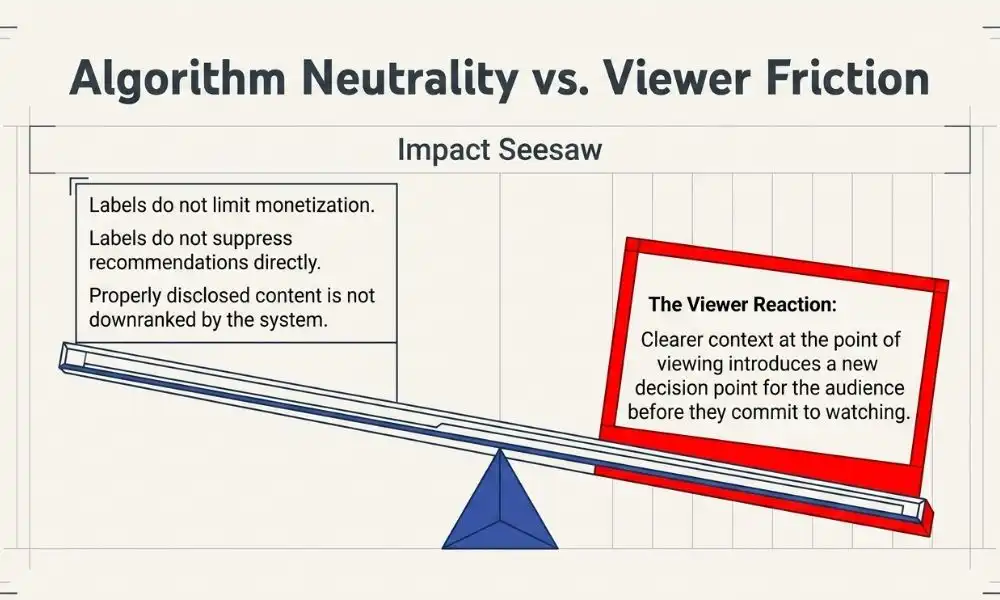
The company has stated that AI disclosure labels do not directly affect recommendations, search rankings, monetization eligibility, or ad revenue.
In other words, simply having an AI label attached to a video will not cause YouTube’s algorithm to suppress or penalize that content.
This reassurance is important for creators who use AI responsibly as part of their production workflow.
Many creators rely on AI for tasks such as:
Script generation
Voiceovers
Video editing
Thumbnail creation
Translation
Research assistance
YouTube appears to recognize that AI is becoming a standard tool for content creation rather than something that should automatically be viewed negatively.
However, there is an indirect factor worth considering.
While YouTube’s algorithm may not penalize AI-labeled videos, audience behavior can still influence performance. If viewers become less likely to click on AI-labeled content or spend less time watching it, those engagement signals could affect recommendations over time.
Ultimately, the success of AI-generated content may depend more on viewer preferences than on platform policies.
Why This Update Matters
The broader significance of this update goes beyond labels and algorithms.
Trust has become a major issue in the age of generative AI.
Today’s AI tools can create realistic faces, voices, environments, and even entire videos that are nearly impossible to distinguish from reality. While these capabilities open exciting, creative possibilities, they also increase the risk of misinformation, deception, and manipulated content.
By making AI disclosures more visible, YouTube is attempting to strike a balance between innovation and transparency.
Viewers gain additional context about what they’re watching, while creators can continue experimenting with new technologies without facing automatic penalties.
The update is particularly relevant for Shorts, where AI-generated content has grown rapidly in recent years.
Short-form video platforms reward speed, creativity, and high-volume content production—all areas where AI tools can provide significant advantages. As a result, AI-generated videos are becoming increasingly common across social media platforms.
The long-term impact of YouTube’s AI labeling system remains to be seen.
The platform has made it clear that labels are intended to inform viewers rather than punish creators. However, audience reactions could shape the future of AI-generated content on YouTube.
If viewers embrace AI-created videos, labels may simply become another piece of information displayed alongside titles and descriptions. If audiences become more selective about watching AI-generated content, creators may need to adjust their strategies accordingly.
What is certain is that transparency is becoming a priority across the digital content landscape.
As AI-generated media continues to evolve, platforms like YouTube will likely introduce additional tools and policies to help users understand how content is created. The latest update is another step toward building trust in an online environment where the line between human and machine-generated content is becoming increasingly blurred.
For creators, the message is clear: disclose AI use when required, stay informed about platform policies, and focus on creating content that provides genuine value to viewers regardless of whether AI is part of the production process.
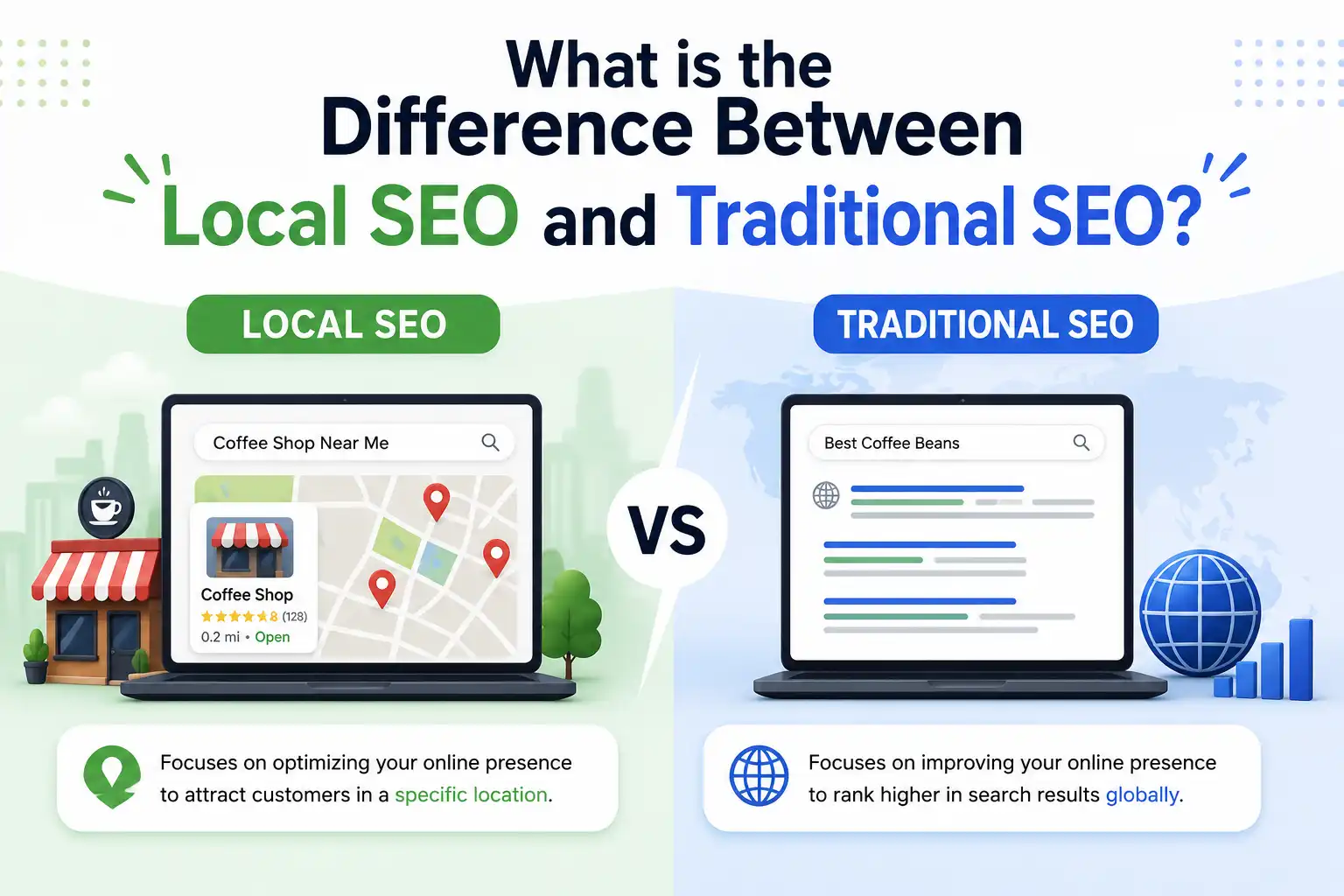
Have you ever typed “coffee shop near me” on your phone and found a café two streets away? That is local SEO doing its job. But when you searched “how to brew the perfect espresso” and found a blog post from New York, that was traditional SEO at work. Both live under the same SEO umbrella. Both matter. Yet they are built for completely different goals, audiences, and strategies.
If you are a business owner, a marketing manager, or someone who just wants to understand why your competitor keeps outranking you, finally, this guide is for you. We are going to break down every single difference, help you understand which one you need, and show you exactly how to use both to dominate search results.
At 4P Wisdom, we have helped dozens of businesses navigate this exact question. So let us get into it, no jargon, no fluff, just clarity.
What is SEO and Why Does It Even Matter?
Before we compare the two types, let us make sure we are on the same page about what SEO actually is.
SEO stands for Search Engine Optimization. It is the practice of making your website and online presence more visible on search engines like Google, Bing, and Yahoo. When someone types a query into Google, the search engine scans billions of web pages and decides which ones deserve to appear at the top.
The higher you rank, the more people see your business. The more people see your business, the more traffic, leads, and sales you generate. That is why SEO is considered one of the highest-return digital marketing investments a business can make.
According to a study by BrightEdge, organic search drives over 53% of all website traffic globally. That is more than paid ads, social media, and email combined. In other words, if you are not doing SEO, you are handing customers directly to your competitors.
Now here is where most people get confused. SEO is not just one thing. It is a broad discipline with different strategies tailored to different goals. The two most important strategies for most businesses are traditional SEO and local SEO. Understanding the difference between them will completely change how you approach your marketing.
What is Traditional SEO? A Deep Dive
Traditional SEO, often called organic SEO, is the process of optimizing your website to rank on search engine results pages(SERPs) for broad, non-location-specific queries. The audience you are trying to reach can be anywhere in the world or across an entire country. Location is irrelevant.
Think of a software company selling project management tools. Their customers could be in Dallas, London, Toronto, or Singapore. They do not care where the buyer sits. They just want the right person, with the right problem, to find their product. That is traditional SEO in action.
Traditional SEO is built around satisfying Google’s core ranking algorithm. This algorithm evaluates hundreds of signals to decide which content deserves the top spots.
What Does Traditional SEO Actually Involve?
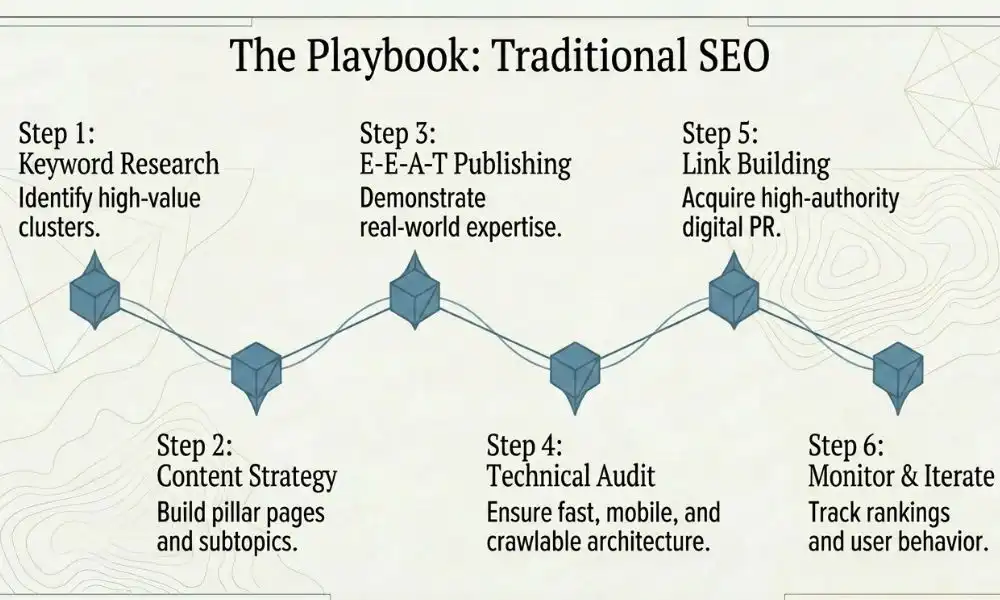
Traditional SEO covers three main pillars: on-page optimization, off-page optimization, and technical SEO. Here is what each one means in practical terms.
On-Page SEO involves everything you do directly on your website. This includes writing content that genuinely answers search queries, placing target keywords naturally in your headings and body text, writing compelling meta titles and descriptions, using proper heading structures from H1 to H6, optimizing image alt text, and building smart internal linking between your pages.
Off-Page SEO involves everything that happens outside your website that signals authority to Google. The biggest factor here is backlinks. When reputable websites link to your content, Google treats it as a vote of confidence. The more high-quality backlinks you earn, the more authoritative your site appears. Guest posting, digital PR, podcast appearances, and creating shareable content are all off-page SEO tactics.
Technical SEO is about making sure Google can actually find, crawl, and understand your website. This includes optimizing website loading speed, making your site mobile-friendly, fixing broken links and redirect errors, implementing structured data markup (also called schema markup), creating a clean XML sitemap, and ensuring your site has a secure HTTPS connection.
Content Marketing sits at the heart of traditional SEO. Creating in-depth, expert-level blog posts, guides, and resource pages helps you rank for dozens or hundreds of keywords simultaneously. Our content marketing services are built specifically to grow your organic search footprint over time.
What Keywords Does Traditional SEO Target?
Traditional SEO chases what are often called broad or national keywords. These have no geographic modifier attached to them. Examples include:
“how to start a business” “best accounting software” “digital marketing strategies” “how to lose weight fast” “project management tips”
The people searching these terms could be anywhere. The content competing for these keywords comes from websites all around the world. This is what makes traditional SEO both exciting and competitive.
Our keyword research services help businesses identify exactly which keywords are worth pursuing, based on search volume, competition level, and business relevance.
What is Local SEO? A Deep Dive
Local SEO is a specialized branch of SEO that focuses on making your business visible to people searching for products or services in a specific geographic area. If someone is looking for a plumber in Houston, a dentist in Katy, or a bakery in Austin, local SEO is what puts your business in front of them.
Here is the key distinction. Local SEO is not just about your website. It is equally, if not more, about your presence across Google Maps, the Google Local Pack, online directories, and customer review platforms. Your digital footprint needs to exist in multiple places, all consistently pointing Google to the same trustworthy information about your business.
According to Google, 46% of all searches have local intent. That means nearly half of everything people search for is connected to finding something nearby. And according to HubSpot, 88% of consumers who do a local search on their smartphone visit or call a business within 24 hours. That is an incredibly high buying intent signal.
What Does Local SEO Actually Involve?
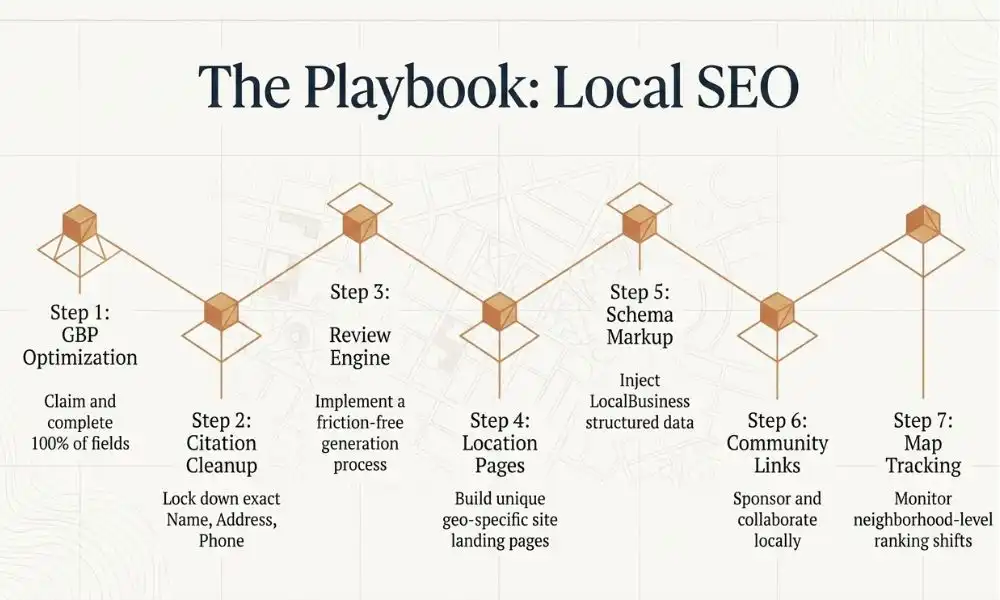
Local SEO builds on the foundation of traditional SEO and layers in several additional tactics that are unique to local search marketing.
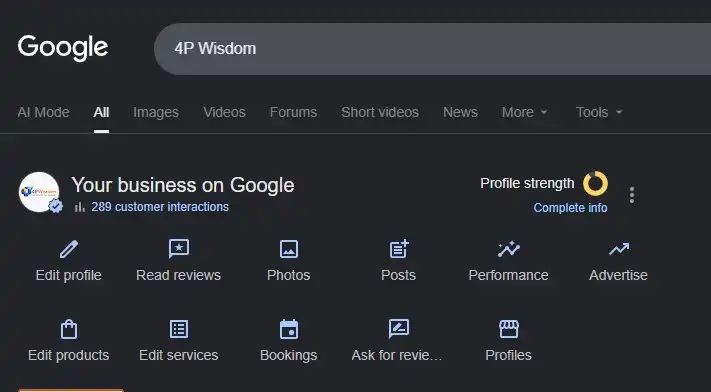
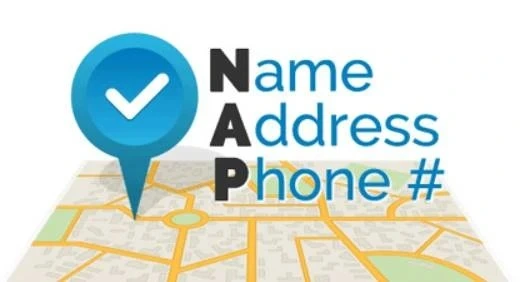
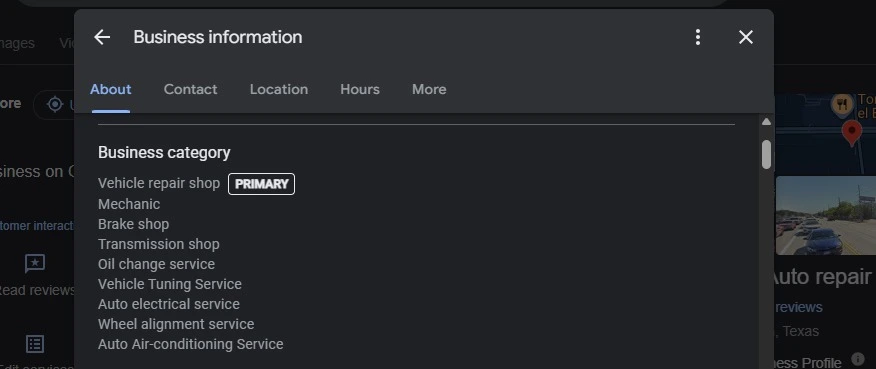
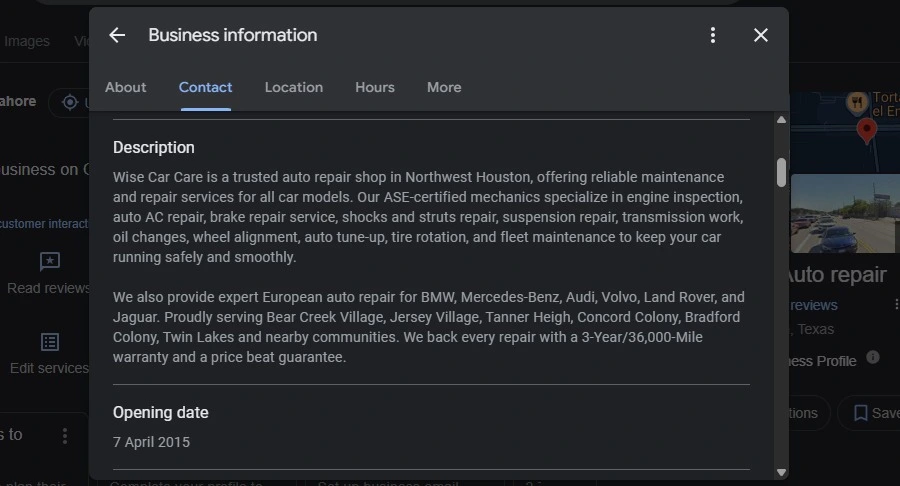
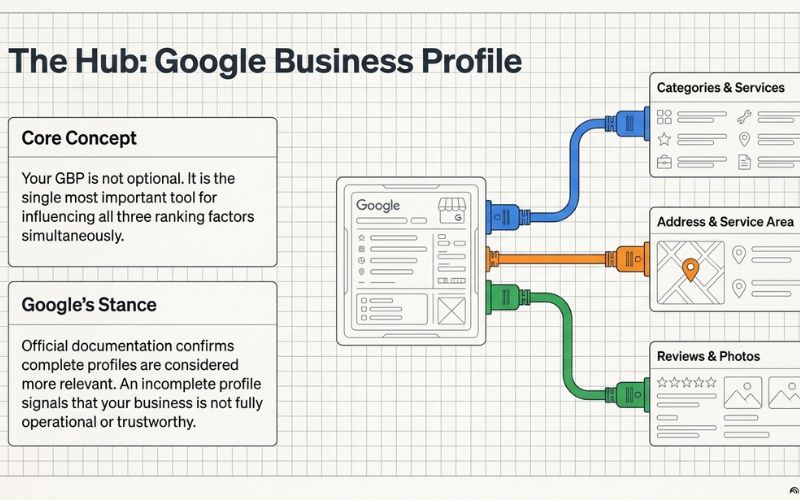
Google Business Profile (GBP) Optimization is the single most important element of local SEO. Your GBP is your free listing on Google that appears in Maps and Search. A fully optimized profile includes your accurate business name, address, and phone number (known as NAP), business category, service descriptions, opening hours, photos, and regular posts. Our team at 4P Wisdom specializes in Google Business Profile optimization that turns your listing into a constant stream of new inquiries.
Local Citation Building means getting your business listed accurately on local directories and data aggregators. Directories like Yelp, Yellow Pages, Foursquare, Justdial, and local chamber of commerce sites all contribute to your local authority. The consistency of your NAP information across all of these platforms is critical. Even small inconsistencies like an old phone number or a slightly different address format can negatively impact your local rankings.
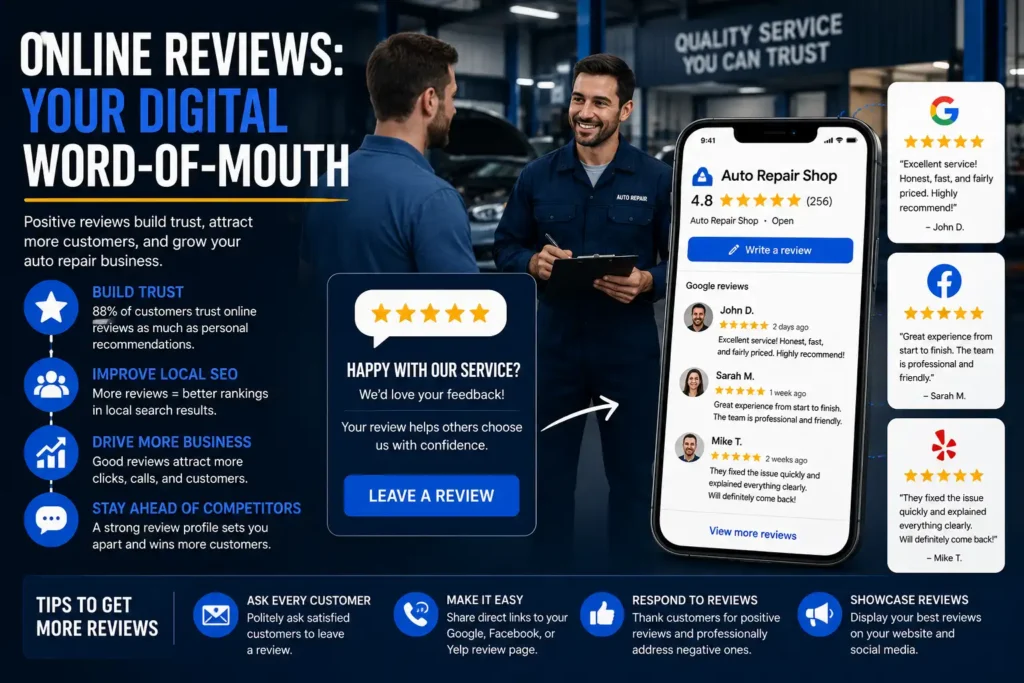
Review Management is both a ranking factor and a conversion tool. Google uses the volume, recency, and sentiment of your reviews as a signal of trust and authority. Businesses with strong review profiles consistently outrank competitors with weaker ones. Responding to every review, positive or negative, also signals to Google that your business is active and engaged with its customers.
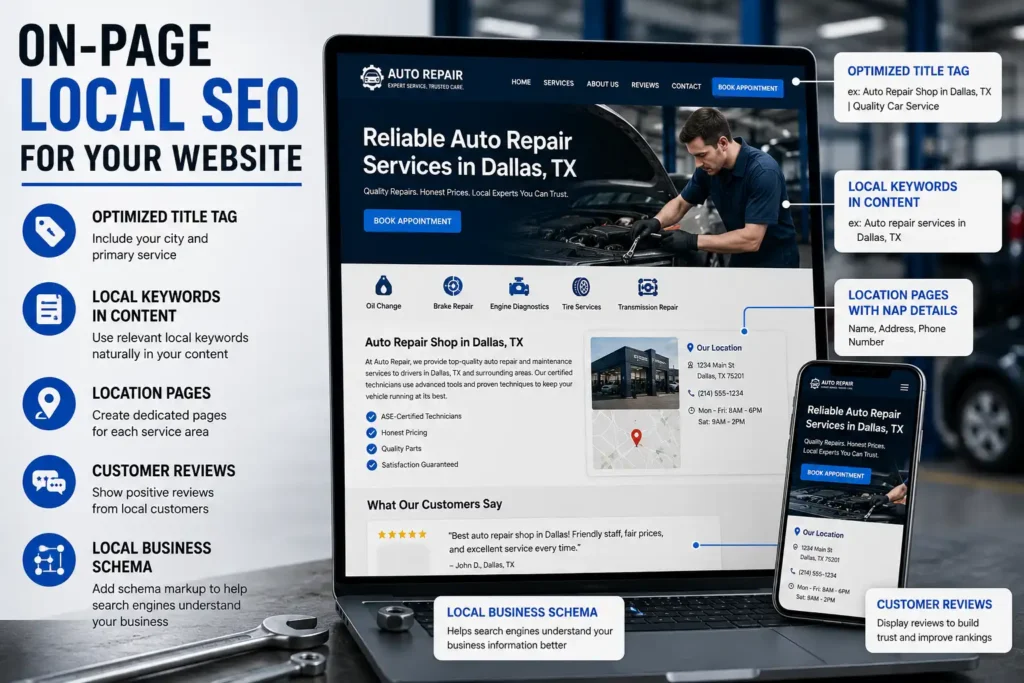
Location-Specific Landing Pages involve creating dedicated web pages for each city or neighborhood you serve. These pages are optimized for geo-modified keywords and help Google understand exactly which areas your business is relevant for. A pest control company serving five cities, for example, should have a separate, unique landing page for each one.
Local Link Building means earning backlinks from other businesses, organizations, and publications within your community. A sponsorship of a local sports team, a feature in a local news outlet, or a collaboration with a neighboring business can all generate powerful local backlinks that boost your Google Maps rankings.
Local Business Schema Markup is code added to your website that helps Google understand your business information in a structured way. It includes your business type, address, hours, phone number, and more. Google uses this data to better understand your relevance for local searches.
Our local SEO services cover every one of these tactics, fully managed and results-driven.
What Keywords Does Local SEO Target?
Local SEO targets geo-modified keywords and implicitly local search phrases. Examples include:
“dentist in Houston” “best restaurant near me” “electrician open now Austin” “SEO agency Katy” “plumber near Bear Creek.”
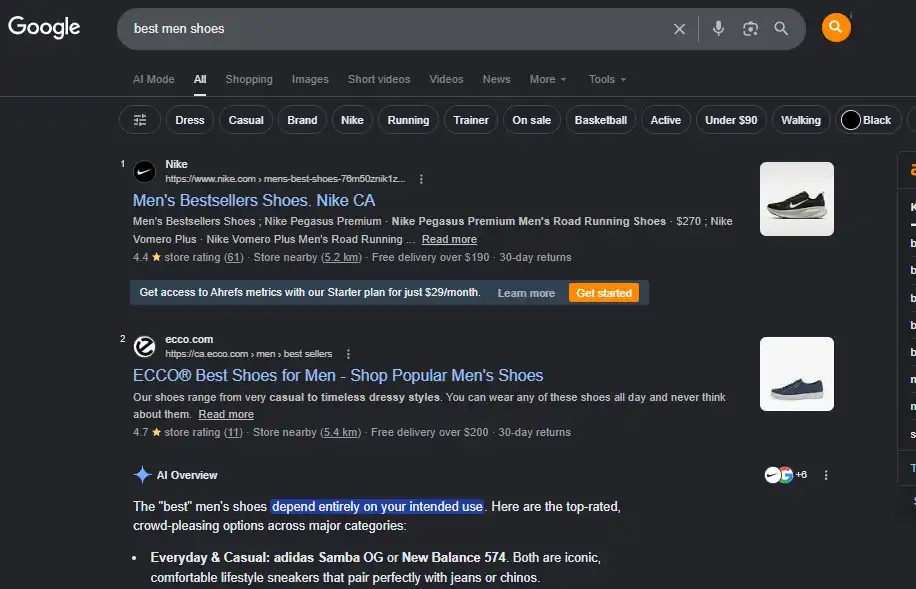
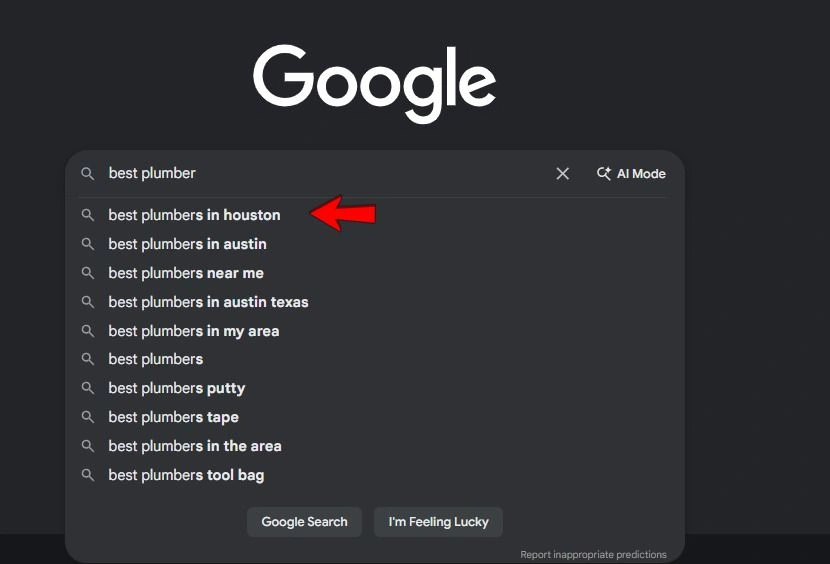
But here is something many people miss. Google does not always need you to include a city name for local intent to activate. If you search “plumber” from your phone, Google knows your location and will automatically show you local results. This is called implicit local search. Businesses that optimize for local SEO benefit from both explicit (city name included) and implicit (location-aware) searches.
Local SEO vs Traditional SEO: The Core Differences Explained
Now let us put them head-to-head in a clear, structured comparison.
Factor
Traditional SEO
Local SEO
Target Audience
National or global audience
City, neighborhood, or region-specific audience
Primary Goal
Rank for broad, topical keywords
Rank in local search results and Google Maps
Search Results Location
Standard organic search results (blue links)
Google Local Pack, Google Maps, and local organic results
Keyword Type
Non-location-specific, informational keywords
Geo-modified keywords and “near me” searches
Key Ranking Factors
Content quality, backlinks, and technical SEO
Proximity, Google Business Profile signals, reviews, and local citations
Google Feature Used
Standard SERPs (Search Engine Results Pages)
Google Maps, Local Pack, and Local Finder
Business Type
e-commerce, SaaS, national service providers
Restaurants, clinics, retail stores, and local service businesses
Competition Scope
National or international competitors
Businesses within the same local area
Conversion Speed
Often slower; users may be in research mode
Faster; users typically have higher purchase intent
Google Business Profile (GBP)
Not required
Absolutely essential
Customer Reviews
Helpful but not a primary ranking factor
Critical for rankings and conversions
Citation Management
Generally not applicable
Highly important for local rankings
Time to Results
Typically 6–12 months
Often, 3–6 months for local visibility improvements
The Single Biggest Difference
If you take nothing else from this guide, remember this. The core difference between local SEO and traditional SEO comes down to who you are trying to reach and where they are when they search.
Traditional SEO says: find me no matter where you are, as long as you care about this topic.
Local SEO says: find me because you are right here, and I am exactly what you need nearby.
How Google’s Algorithm Treats Local vs Traditional Search Differently
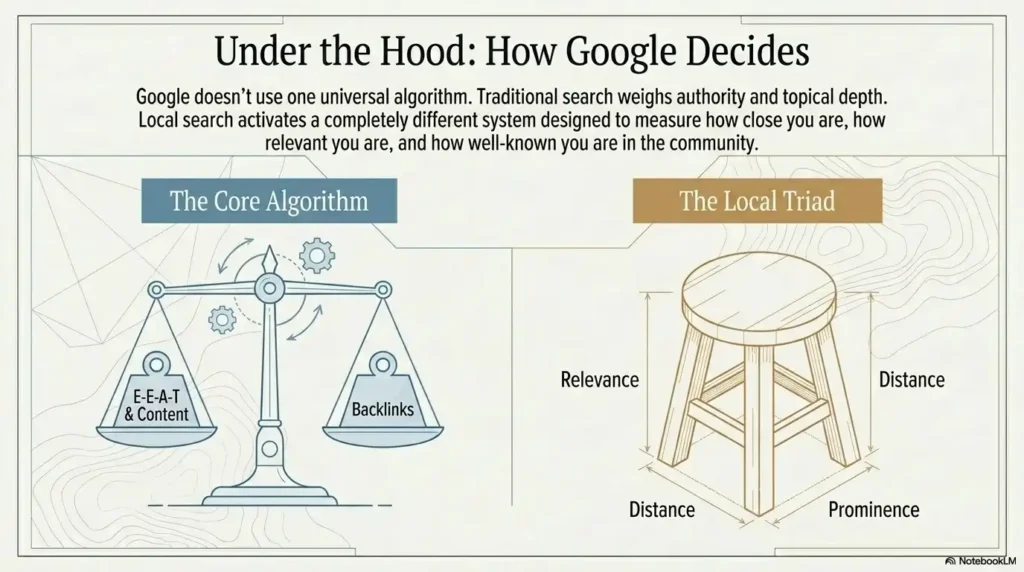
Google does not use one universal algorithm for all searches. It uses different ranking systems depending on the intent it detects behind a query.
How Google Ranks Traditional Organic Search Results
For traditional SEO, Google primarily uses its core ranking algorithm. This evaluates:
Page Authority: How many high-quality websites link to your page? Domain Authority: How trusted and established is your overall website? Content Quality: Does your content demonstrate E-E-A-T? E-E-A-T stands for Experience, Expertise, Authoritativeness, and Trustworthiness. Google introduced this framework to ensure the content that ranks is genuinely written by or reflects real expertise. Relevance: Does your content match what the searcher actually wants? Technical Health: Is your website fast, mobile-friendly, and crawlable? User Behavior: Are people clicking your result? Are they staying on the page? Are they bouncing back to Google immediately?
How Google Ranks Local Search Results
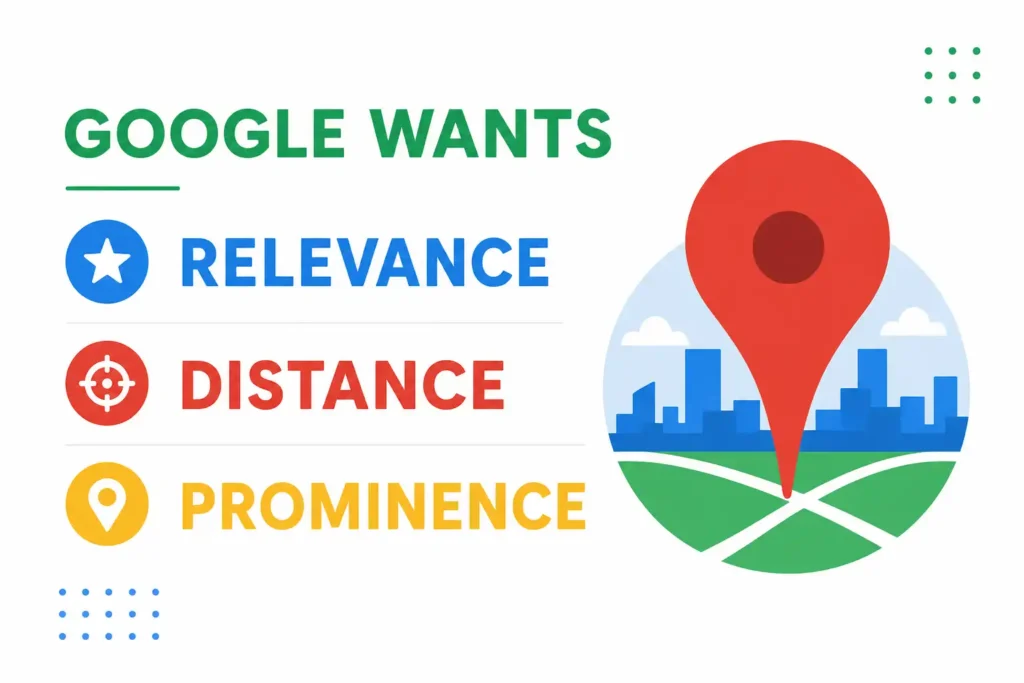
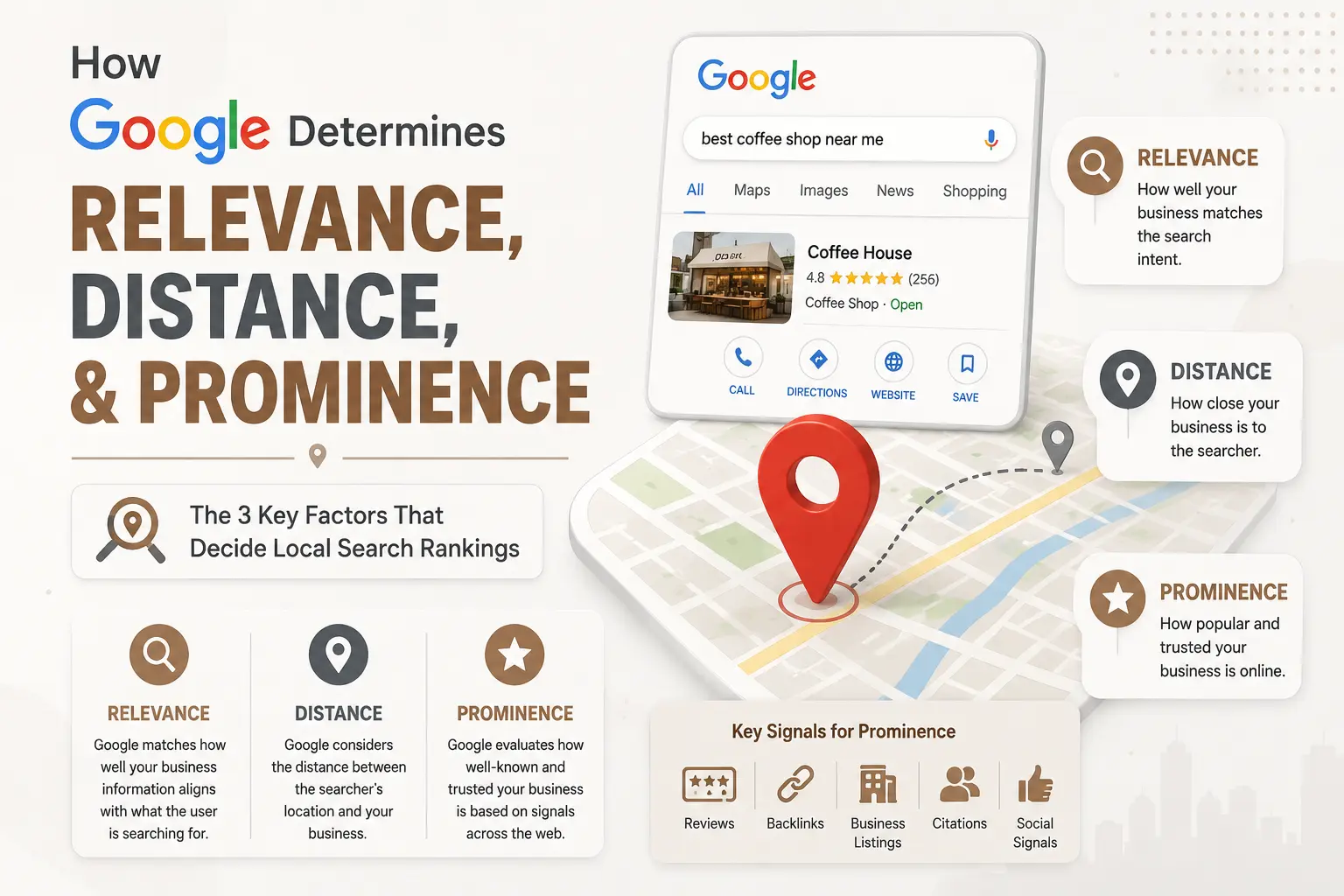
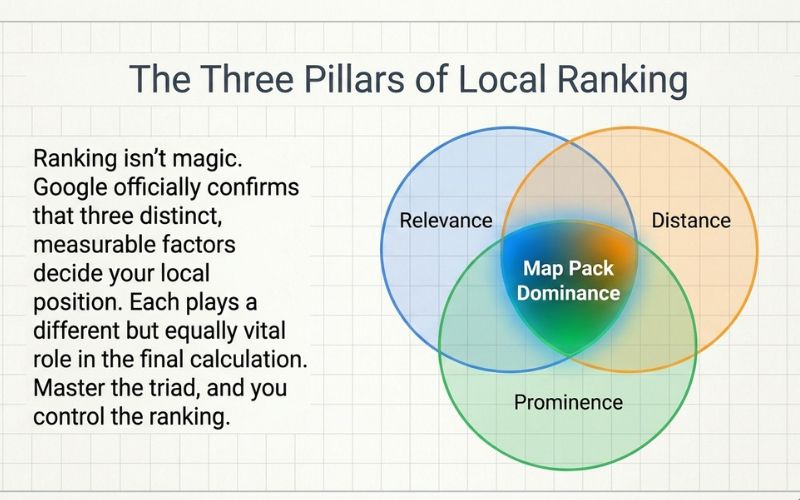
For Local SEO, Google’s local ranking algorithm relies on three core factors that differ significantly from traditional organic search rankings. Google determines relevance, distance, and prominence when deciding which businesses appear in local search results and Google Maps.
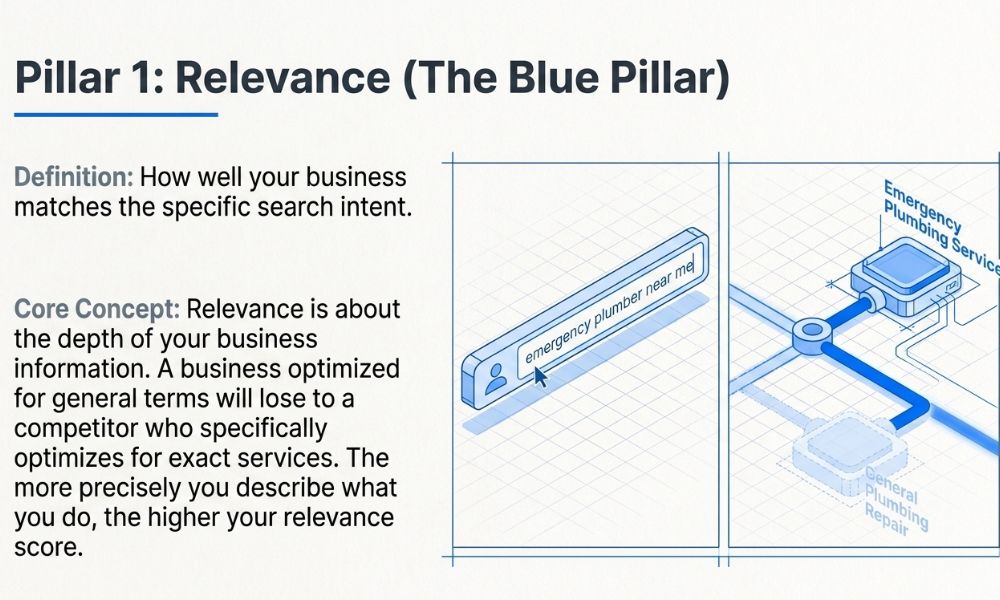
Relevance asks: Does this business match what the person searched for? Is your Google Business Profile category correct? Does your website and GBP content clearly describe your services?
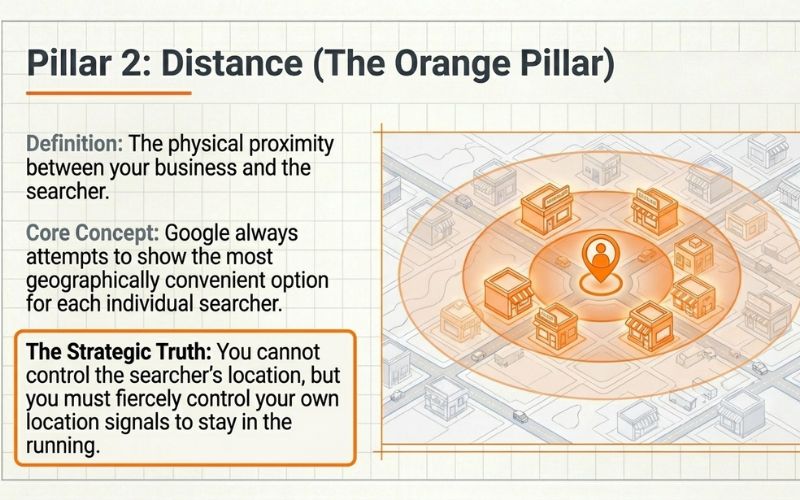
Distance asks: How close is this business to the searcher? If someone searches “dentist near me,” Google will almost always prioritize dentists within a short distance, unless the other ranking factors are overwhelmingly strong for a more distant competitor.
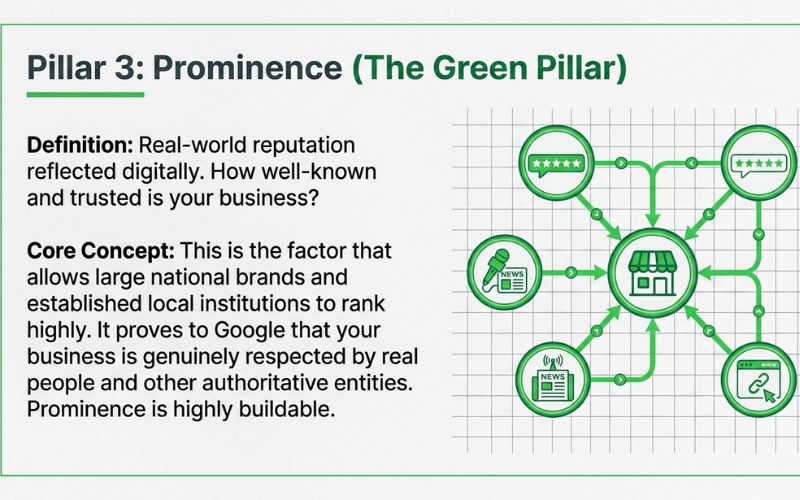
Prominence asks: How well-known and trusted is this business, both online and offline? This includes the number and quality of your Google reviews, the strength of backlinks to your website, how often your business name appears across the web, and how complete and active your Google Business Profile is.
The Google Local Pack Explained
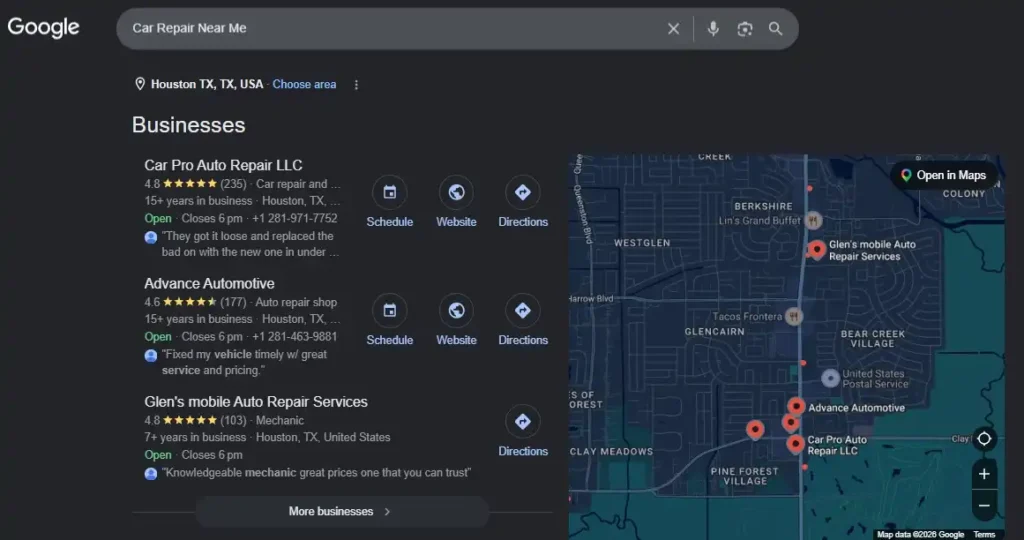
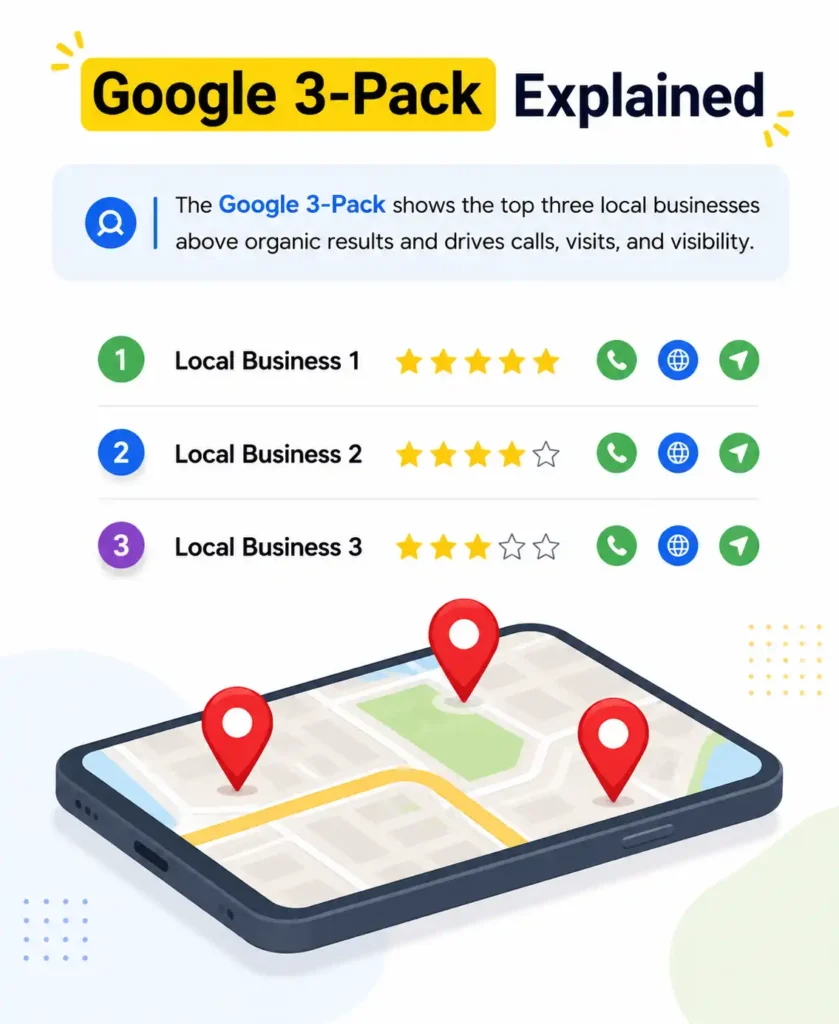
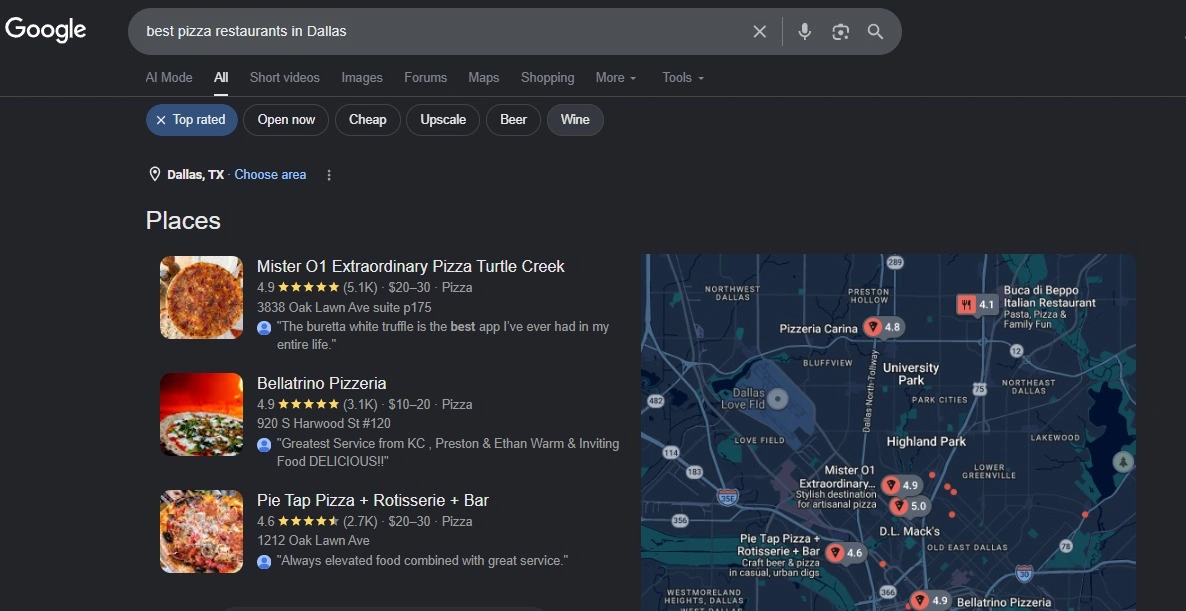
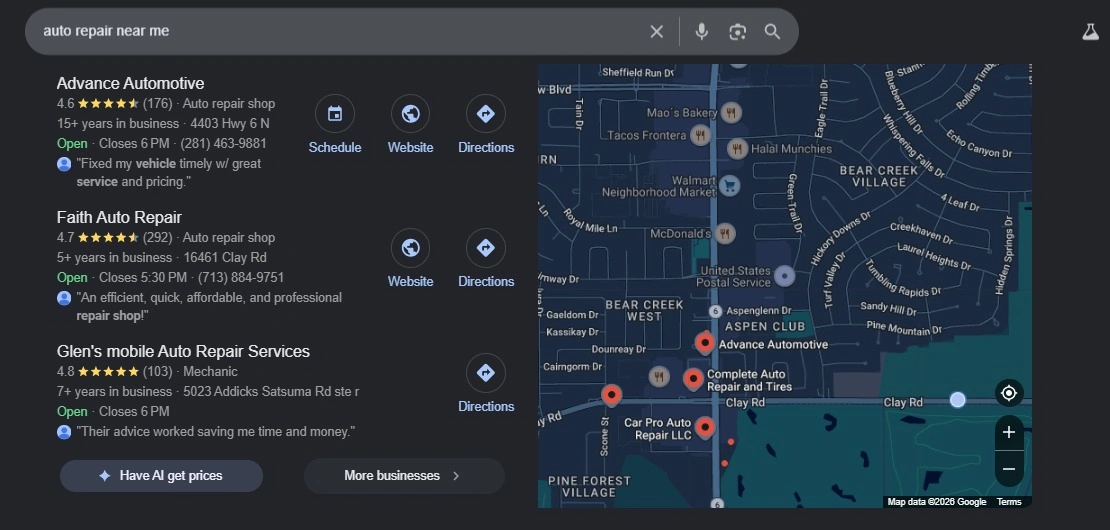
The Google Local Pack (sometimes called the Map Pack or the 3-Pack) is the section at the top of Google’s search results that shows a map and three business listings. It appears for searches with local intent.
Appearing in the Local Pack is extraordinarily valuable for local businesses. Studies consistently show that the Local Pack receives between 40% and 60% of all clicks for local searches. Being in the top 3 local results is the equivalent of having a giant billboard at the busiest intersection in your city. Businesses ranked in the Local Pack see dramatically higher phone calls, website visits, and foot traffic compared to those that only appear in the regular organic results.
This is why local SEO services that specifically target Local Pack rankings are so strategically valuable for brick-and-mortar businesses and service-area businesses alike.
Key Ranking Factors: A Detailed Breakdown for Both Types
Top Traditional SEO Ranking Factors
Content Depth and Quality: Google rewards content that thoroughly covers a topic. Long-form content that answers the searcher’s question completely, addresses related subtopics, and provides genuine value consistently outperforms thin, surface-level content.
Backlink Profile: Links from authoritative, relevant websites are one of the strongest traditional SEO signals. A single link from a respected industry publication can be worth more than a hundred links from low-quality sites.
E-E-A-T Signals: Google wants to know that the person or organization behind the content has real-world experience and demonstrated expertise. Author bio pages, credentials, company history, and mentions in respected publications all strengthen your E-E-A-T profile.
Core Web Vitals: Google officially uses page experience signals, including Largest Contentful Paint (LCP), Cumulative Layout Shift (CLS), and Interaction to Next Paint (INP) as ranking factors. These measure how fast and stable your website feels to users.
Keyword Optimization: Naturally incorporating your target keyword and semantically related terms throughout your content signals topical relevance to Google. This is not about keyword stuffing. It is about covering a topic completely and naturally.
Mobile Friendliness: Google indexes the mobile version of your website first. If your site does not work well on smartphones, your rankings across all search types will suffer.
Top Local SEO Ranking Factors
Google Business Profile Completeness: A fully completed GBP with accurate categories, services, photos, descriptions, and regular posting activity significantly outperforms an incomplete or neglected listing. Read our complete guide on the Google Business Profile optimization checklist.
Review Quantity and Quality: Businesses with more reviews, higher average star ratings, and consistent review recency rank better in local search. According to Whitespark’s Local Search Ranking Factors report, review signals account for a significant portion of local pack ranking ability.
NAP Consistency: Your Name, Address, and Phone number must be identical everywhere it appears online. Your website, your GBP, and every directory listing should all show exactly the same information. Inconsistencies create confusion for Google and damage your local authority.
Local Citations: How many reputable local directories and data aggregators list your business? The more accurate mentions of your business across trusted local sites, the stronger your local authority becomes.
Local Backlinks: Links from other businesses, news sites, and organizations within your city or region are particularly powerful for local SEO. They signal to Google that your business is a legitimate, recognized part of the local community.
On-Page Local Signals: Your website should include location-specific content. Your city name should appear naturally in your page titles, headings, body copy, and meta descriptions. Embedding a Google Map on your contact page and using LocalBusiness schema markup also strengthens these signals.
Behavioral Signals: Google tracks user behavior on your local listing. Businesses that receive more clicks, calls, direction requests, and photo views tend to rank higher over time. Active engagement with your listing is both a strategy and a signal.
Local SEO vs Traditional SEO: Which Businesses Need Which?
Businesses That Need Traditional SEO
Traditional SEO is the primary strategy for businesses that are not dependent on serving a specific geographic area. These include:
e-commerce stores that sell products online nationally or internationally. A clothing brand selling across US, or a software company with users globally needs traditional SEO to reach their distributed audience.
SaaS (Software as a Service) companies whose product is entirely digital and accessible from anywhere. There is no physical location involved. Their customers could be in any city or country.
Online education platforms, digital course creators, and e-learning companies whose students are spread across geographies.
Content publishers, news websites, and blog-based businesses that generate revenue through advertising or affiliate marketing, targeting a wide readership on specific topics.pak
B2B companies offering services that do not require in-person meetings, such as remote consulting, software development, or virtual accounting.
National service providers who operate across an entire country without a storefront model. Airlines, insurance companies, and national retail chains with no localized search intent in their primary keywords fall into this category.
Businesses That Need Local SEO
Local SEO is essential for any business that serves customers in a defined geographic area, either at its physical location or by traveling to the customer. These include:
Restaurants, cafés, and food businesses that depend on foot traffic and local dining searches.
Medical and dental practices, including general practitioners, specialists, dentists, physiotherapists, and clinics.
Legal firms, including law offices, legal consultants, and solicitors who serve clients within a specific jurisdiction.
Home service providers include plumbers, electricians, HVAC technicians, painters, pest control companies, and cleaning services.
Real estate agencies, mortgage brokers, and property managers serving a specific city or region.
Retail stores, including boutiques, bookshops, electronics stores, and any business with a physical storefront.
Fitness studios, gyms, yoga centers, and wellness businesses that rely on people visiting their premises.
Educational institutions, including schools, tutoring centers, coaching academies, and training institutes, operate from a physical location.
Businesses That Need Both
Many businesses genuinely need both traditional SEO and local SEO working together. These include:
Multi-location businesses, such as franchise chains or companies with offices in several cities. Each location needs local SEO for its specific area, while the corporate brand builds national authority through traditional SEO.
Professional services like digital marketing agencies, accounting firms, and law firms that serve both local clients and national clients through remote work. A good example is 4P Wisdom, a digital marketing agency that serves local businesses in the United States while also building national authority in the digital marketing space.
Healthcare providers who serve patients locally but also want to rank nationally for informational health content that builds their expertise and drives referrals.
Hospitality businesses like hotels and resorts need local SEO for people searching in their city, but also traditional SEO to capture travel planners searching for destination-specific content from far away.
Practical Strategy Guide: How to Execute Each Type of SEO
Traditional SEO Strategy: Step by Step
Step 1 is conducting comprehensive keyword research. Use tools like Google Keyword Planner, Ahrefs, or SEMrush to identify keywords with meaningful search volume and manageable competition. Organize your keywords into topic clusters around the main themes your business covers. Our keyword research services can do this for you with expert precision.
Step 2 is building a content strategy around those clusters. For each major topic, create a comprehensive pillar page that covers the subject in depth. Then create supporting blog posts that dive into specific subtopics and link back to the pillar page. This structure signals to Google that your site is a comprehensive authority on that topic.
Step 3 is publishing expert-level content that satisfies E-E-A-T requirements. Include author bios that establish credentials, cite data from reputable sources, and cover topics with the kind of depth that only someone with genuine expertise could achieve. Our content marketing services are specifically designed to build this kind of authority.
Step 4 is conducting a full technical SEO audit. Check for crawl errors, fix broken links, improve page loading speed, ensure your site is mobile-optimized, implement schema markup, and verify your Core Web Vitals scores through Google Search Console.
Step 5 is building high-quality backlinks through outreach, guest posting, digital PR, and creating genuinely link-worthy resources. Quality matters far more than quantity here.
Step 6 is monitoring and iterating. Track your keyword rankings, organic traffic, and conversion rates. Use Google Search Console and Google Analytics to understand what is working and where to improve.
Local SEO Strategy: Step by Step
Step 1 is claiming and fully optimizing your Google Business Profile. This is not optional. Fill in every single field available. Choose the most accurate primary and secondary categories. Write a keyword-rich business description. Upload high-quality photos of your premises, team, and products. Set your exact service area. Enable messaging. Post updates regularly. Our Google Business Profile optimization service handles all of this for you.
Step 2 is building and cleaning up your local citations. Start with the major data aggregators. Then build listings on industry-specific directories and locally relevant sites. Audit all existing citations to ensure your NAP is consistent everywhere. Correct any discrepancies immediately.
Step 3 is actively generating and managing reviews. Create a simple, friction-free process for asking satisfied customers to leave a Google review. Send follow-up emails, add a review link to receipts, or use a QR code at your front desk. Respond to every single review to show you value customer feedback.
Step 4 is creating location-specific pages on your website. Each city or service area you cover should have its own unique landing page. These pages should be genuinely helpful, not just thin pages stuffed with a city name. Include local testimonials, area-specific information, and locally relevant content.
Step 5 is implementing LocalBusiness schema markup on your website. This structured data helps Google understand your business information directly from your code. It is a technical step, but it makes a meaningful difference in how Google reads and presents your business.
Step 6 is building local community connections that generate organic mentions and links. Sponsor local events, collaborate with neighboring businesses, appear in local press, and participate in community organizations. Real-world presence translates into digital authority.
Step 7 is monitoring your local rankings across Google Maps and organic search. Track how you rank for your key local terms across different neighborhoods. Monitor your review velocity and respond proactively to any negative reviews.
Mistakes That Limit Success in Both Traditional and Local SEO
Traditional SEO Mistakes to Avoid
Creating thin, superficial content that barely scratches the surface of a topic. Google’s Helpful Content system increasingly filters out content that feels generic or AI-generated without genuine expertise behind it.
Ignoring technical SEO issues. A slow website with crawl errors and broken links will hold back even the best content from ranking.
Chasing the wrong keywords. Ranking for keywords that bring lots of traffic but no conversions is a waste of time and resources. Always align keyword targets with business goals.
Neglecting internal linking. Many websites have fantastic content that Google can barely find because no internal links are pointing to it from other pages. A strong internal linking structure distributes authority across your site.
Building low-quality backlinks. Links from spammy, irrelevant, or low-authority sites can actually harm your rankings. Quantity without quality is harmful, not helpful.
Local SEO Mistakes to Avoid
Leaving your Google Business Profile incomplete or inactive. An incomplete GBP with no photos, no posts, and an inaccurate category is a major missed opportunity. Google deprioritizes listings that appear neglected.
Having inconsistent NAP information across the web. If your phone number on your website is different from the one on your GBP or Yelp listing, Google gets confused. Confused search engines do not reward you with high rankings.
Ignoring negative reviews instead of responding to them. How you handle a bad review tells potential customers and Google whether your business is trustworthy and professional.
Not creating location-specific pages. One generic “About Us” page will not help you rank in multiple cities. Each area you serve needs its own optimized page.
Treating local SEO as a one-time task. Local SEO requires ongoing attention. New competitors enter the market. Reviews need responses. Your GBP needs regular posts. Algorithms change. Consistent effort beats a one-time setup every time.
Local SEO and Traditional SEO in the Era of AI Search
The search landscape in 2026 is being dramatically reshaped by artificial intelligence. Google’s AI Overviews (formerly called Search Generative Experience) now appear at the top of many search results pages, summarizing answers before users even see traditional links. Understanding how this affects both types of SEO is now essential.
How AI Search Affects Traditional SEO
AI Overviews pull content from trusted, authoritative sources to generate their summaries. Websites with strong E-E-A-T signals, comprehensive content, and high domain authority are the ones most likely to be cited within these AI-generated answers.
The implication for traditional SEO is clear. Creating genuinely authoritative, in-depth content is more important than ever. Thin, generic content is being filtered out more aggressively. Structured content with clear headings, tables, definitions, and direct answers to specific questions is more likely to be surfaced by AI systems.
Additionally, featured snippets, which are a form of traditional SEO success, remain important as they are often the source material for AI summary boxes.
How AI Search Affects Local SEO
Voice search, powered by AI assistants like Google Assistant and Siri, has made local search even more conversational. People ask their phones things like “find a highly rated electrician near me who can come today.” Businesses with complete, accurate Google Business Profiles, strong review profiles, and clear service information are the ones appearing in these AI-powered voice responses.
Google is also integrating more local business information directly into AI Overviews for searches with local intent. Your GBP data, reviews, and website content are all feeding into what Google’s AI says about your business when someone asks about services in your area.
The lesson here is consistent across both types: build real authority, serve real people, and create real content. AI rewards authenticity. It has no patience for manipulation.
Final Thoughts
The difference between local SEO and traditional SEO is ultimately a question of audience and geography. Traditional SEO casts a wide net across a broad topic for anyone, anywhere. Local SEO casts a precise net within a specific area for people ready to buy right now.
Neither strategy is better than the other in isolation. The smartest businesses use both. They build a rock-solid traditional SEO foundation through great content and technical excellence, then layer local SEO on top to dominate their city or region.
If you have been asking yourself why your competitor keeps showing up ahead of you in Google Maps, the answer is almost certainly local SEO. If you have been wondering why your blog content is not driving traffic or leads, the answer is likely gaps in your traditional SEO strategy.
Both problems are completely solvable. Both solutions are available to you right now.
Ready to stop guessing and start ranking? Explore our complete SEO services at 4P Wisdom and let us build a strategy that makes your business the one customers find first, every time.
Frequently Asked Questions About Local SEO vs Traditional SEO
Is local SEO harder than traditional SEO?
Both have their own complexity. Traditional SEO is difficult because you are competing against the entire world for your keywords. Local SEO is simpler in terms of competition radius, since you are only competing with businesses in your area, but it requires managing an additional set of tactics like Google Business Profile optimization, reviews, and citations on top of your regular SEO work. For multi-location businesses, local SEO can become enormously complex at scale.
Does a local business still need traditional SEO?
Absolutely yes. There is technically no local SEO without the foundation of traditional SEO. When you create location pages, earn backlinks, and build a strong website, you are doing traditional SEO tasks that also support your local rankings. The two strategies are deeply interconnected. A business with a strong traditional SEO foundation will almost always outperform a competitor that has only done the local-specific elements.
Can traditional SEO replace local SEO for a local business?
No. If your business serves customers in a specific area and you want to appear in Google Maps and the Local Pack, you must do local SEO. No amount of traditional organic rankings can put you in the map results. The Local Pack is governed entirely by Google’s local algorithm, and only businesses that have optimized their local presence can compete for those positions.
How long does it take to see results from local SEO?
Most businesses begin to see meaningful improvements within 3 to 6 months of consistent, well-executed local SEO work. Quick wins can come earlier from tasks like optimizing your Google Business Profile and cleaning up citation inconsistencies. Some highly competitive local markets may take 6 to 12 months to see significant Local Pack ranking improvements.
What is a local citation, and why does it matter?
A local citation is any online mention of your business’s name, address, and phone number. Citations appear in business directories, review platforms, social media profiles, local news sites, and industry-specific listings. The more consistently and widely your business is cited across trusted platforms, the more authority and trust Google assigns to your local presence. Citations are one of the core building blocks of local SEO.
What is the difference between the Google Local Pack and organic results?
The Google Local Pack is the map section with three business listings that appears at the top of search results for local queries. It is governed by Google’s local algorithm and factors in proximity, GBP optimization, and reviews. The organic results are the traditional blue links below the map. These are governed by Google’s core ranking algorithm. A business can theoretically appear in both, and doing so creates a dominant presence on the results page.
A driver’s check engine light just turned on. They grab their phone immediately. They type “auto repair shop near me” without thinking twice. Who shows up first wins that customer.
That’s the reality of local automotive search today. Traditional word-of-mouth still matters. But digital visibility now decides who gets the call.Google Local Service Ads (LSAs) have completely changed the game for independent auto repair shops.
If your shop isn’t using LSAs yet, you’re leaving real money on the table. This guide breaks down exactly why LSAs are no longer optional; they’re essential.
What Exactly Are Local Service Ads?
Local Service Ads are a pay-per-lead advertising format from Google. They appear at the very top of search results. They sit above organic listings, Google Maps results, and even traditional Google Ads.
When someone searches for “auto repair near me,” these ads appear first. They display your business name, the “Google Guaranteed” badge, and direct contact options.
Think of them as Google personally recommending your shop. That’s a powerful trust signal for any new customer.
1. You Appear at the Very Top of Google
Position matters more than almost anything in digital marketing. Most users never scroll past the first few results. Appearing at the top means more eyes on your shop.
LSAs secure that coveted top position, ensuring potential customers see your business first. This prime real estate dramatically increases your chances of capturing high-intent searchers.
Shops running Local Service Ads alongside traditional Google Ads see 30–50% more total leads. LSAs capture the top of the search results, while Google Ads capture the next tier.
That’s a significant competitive edge over shops not running LSAs.
2. The Pay-Per-Lead Model Saves You Real Money
Traditional pay-per-click (PPC) advertising charges you for every click. Clicks don’t always turn into calls. Calls don’t always turn into booked jobs. That’s a lot of wasted budget.
With LSAs, you only pay when a real customer calls to book a service, not when someone casually clicks on your ad. This means your budget goes further, and every dollar works harder.
For auto repair shops, the cost per lead typically falls somewhere between $20 and $120. This varies based on your location, competition, and the specific services you offer.
For shops operating on tight margins, this model is a breath of fresh air.
3. The Google Guaranteed Badge Builds Instant Trust
Trust is everything in the auto repair industry. Customers are handing over their vehicles and their wallets. They need to feel confident in who they’re choosing. The green Google Guaranteed badge instantly builds trust with potential customers. It tells people that Google has verified your shop and stands behind your work.
In the auto repair industry, trust is essential. When your ad appears with a “Google Guaranteed” badge next to it, it sends a powerful signal that your garage is trustworthy and vetted. This badge alone can be the deciding factor for a new customer choosing between two shops. It’s not just marketing, it’s credibility you can’t buy any other way.
4. You Only Reach Customers Who Are Ready to Buy
Not all traffic is equal. Someone browsing for fun is very different from someone with a broken-down car. LSAs are built to capture the second type of person.
When someone searches for a specific repair service and calls directly from Google’s results, they’re typically further along in their decision-making process. These customers have an immediate need and are actively seeking solutions.
LSAs prioritize customers in your service area, ensuring your ad budget focuses on leads that are most likely to visit your shop.
This hyper-local targeting means less time talking to price-shoppers and more time booking real jobs.
5. Mobile-First Booking Meets Customers Where They Are
The majority of local searches happen on mobile devices. Customers want to call or book without visiting a website. LSAs make this incredibly easy.
Mobile-first booking makes it easy for customers to call, message, or book services right from the ad on their mobile device without ever having to visit your website. For auto repair shops that might not have the most optimized or mobile-friendly website, this can be a big benefit.
Even if your website isn’t perfect, LSAs ensure customers can still reach you instantly. That’s a meaningful advantage for many independent shop owners.
6. Google Reviews Directly Fuel Your Ad Ranking
Your online reputation and your LSA performance are directly connected. The better your reviews, the better your placement. It’s that simple.
In 2025, the number and quality of your Google reviews play a bigger role in where your LSAs show up. Garage shops with consistently high star ratings and recent positive reviews are more likely to appear at the top of the LSA carousel.
Encouraging satisfied customers to leave reviews is crucial. Being Google Guaranteed gives your business more credibility and helps rank your ad higher in searches.
Every five-star review your shop earns is a direct investment in your ad visibility. Make review collection a standard part of your customer experience.
7. Voice Search Is Opening a New Channel
Smart speakers and voice assistants are everywhere now. “Hey Google, find an auto repair shop near me” is a real search being made daily. LSAs are built to show up for these queries.
Smart speakers and voice assistants are becoming more and more popular, which means voice searches for local businesses are on the rise. LSAs are designed to be compatible with these voice searches, giving repair shops one more avenue for being discovered.
This is a channel most shops haven’t even begun to think about yet. Early movers will have a distinct advantage as voice search keeps growing.
8. You Can Showcase Specific Services
Oil changes, brake repair, transmission service, tire installation — these are different searches with different customer intents. LSAs allow you to list them all specifically.
Google has expanded the service types you can list under LSAs, which means that auto shops can now showcase specialties like transmission repair, tire installation, or oil changes.
This granular categorization means your shop appears for the exact services customers are searching for, not just a generic “auto repair” result.
9. What Does Getting Started Actually Look Like?
Getting your LSAs live isn’t complicated. Google has a clear verification process that actually works in your favor.
The Google verification process typically takes 3–5 business days. Once approved, your ads can start appearing immediately for relevant searches in your area.
Here’s a quick overview of what you’ll need:
An active Google Business Profile
Valid business license and insurance documents
A clean background check for relevant personnel
At least a few verified Google reviews
A defined service area covering your target zip codes
To maximize LSA performance, shops need consistent positive reviews, quick response times (Google tracks this), proper licensing verification, and accurate service area definitions.
Pro Tip: Google tracks how quickly you respond to leads. Fast response times improve your ad ranking directly. Set up notifications on the LSA app so you never miss a lead.
10. The Window of Opportunity Won’t Stay Open Forever
Here’s the truth about LSAs right now: costs are still relatively affordable. That won’t last.
Right now, Local Services Ads are hidden gems in the advertising world, offering low cost per lead. But as more shops join, costs will rise. Start today to take advantage of affordable leads.
The shops that get in early will own their local market before competitors even realize what happened. This is one of the most cost-effective growth opportunities in automotive digital marketing today.
LSAs vs. Traditional Google Ads: A Quick Comparison
Feature
Local Service Ads
Traditional Google Ads
Ad Placement
Above all results
Below LSAs
Payment Model
Pay per lead
Pay per click
Trust Signal
Google Guaranteed badge
None
Targeting
Hyper-local
Broad or local
Setup Complexity
Moderate
High
Best For
Phone calls & bookings
Traffic & awareness
For most independent auto repair shops, LSAs should be the first ad investment — not Google Ads. Add traditional PPC later for broader coverage.
Real Talk: What Should Your Monthly Budget Be?
Budget is always the first question. Here’s an honest answer.
The cost varies by market and competition level, but most auto repair shops invest between $1,000–$3,000 per month in ad spend. Typical lead costs range from $20–$50 depending on your location and services.
You can set a monthly budget cap to control your ad spend, ensuring you don’t exceed your comfort zone. If you set a budget for 30 leads per month, Google will provide an estimated range of costs and adjust charges accordingly.
Start conservatively. Track your results carefully. Scale what works. There’s no reason to go all-in before you’ve validated the ROI for your specific market.
Common Mistakes Auto Shops Make with LSAs
Even good shops leave results on the table. Avoid these pitfalls:
1. Slow response times. Google tracks response speed. Missing calls hurts your ranking badly.
2. Ignoring disputes. If you receive a spam call or an invalid lead, dispute it. You can get that money back.
3. Neglecting reviews. LSA ranking is heavily review-driven. Ask every happy customer to leave one.
4. Wrong service area settings. Too wide wastes budget. Too narrow misses real customers.
5. Not monitoring the dashboard. Use analytics to track your ad performance, monitor which services get the most calls, and adjust your strategy accordingly. This data-driven approach helps you refine your advertising efforts.
Expert Tip: Combine LSAs with a Strong Google Business Profile
LSAs don’t operate in a vacuum. Your entire Google presence works together as a system.
A well-optimized Google Business Profile (GBP) supports your LSA ranking. Keep your hours updated. Add real photos of your shop and team. Respond to every review — positive and negative. List all your services accurately.
For a deeper dive into how Google Business Profile impacts local search visibility, check out Google’s official Local Services Ads Help Center — it’s the most authoritative resource for understanding verification requirements and optimization best practices.
Frequently Asked Questions
Q: Are LSAs available for auto repair shops everywhere? Currently, LSAs are available for auto repair shops throughout the United States. Availability in other regions continues to expand.
Q: Can I run LSAs and Google Ads at the same time? Absolutely — and it’s recommended. LSAs capture the top tier of search results, while Google Ads capture the next level down. Running both maximizes total lead volume.
Q: How fast will I see results? Most auto repair shop clients begin receiving qualified phone calls within the first week of campaign launch.
Q: What if I get a spam call through LSA? LSAs allow you to filter out junk, so your budget is focused on the customers you want. No more paying for spam calls or irrelevant leads.
Final Thoughts: This Is the Most Important Ad Format for Auto Shops Right Now
The auto repair industry is fiercely competitive at the local level. Every week you wait, a competitor in your area gets stronger. Every call they get is one your shop didn’t.
Local Service Ads give independent auto repair shops the same prime Google real estate that used to belong only to large chains and dealerships. The Google Guaranteed badge makes you credible. The pay-per-lead model makes you efficient. The hyper-local targeting makes every dollar count.
This isn’t a trend. This is how local customers find and choose service businesses right now, today. Get verified. Get listed. Get busy.
I have worked with over 100 independent auto repair shops across the country. The story is almost always the same. Great mechanics. Loyal regulars. But the phone stops ringing when you need it most. The shops that consistently fill their bays don’t have the biggest budgets. They have the smartest systems. This guide covers every strategy that actually works for auto repair shops in 2026. We go deep on local SEO, Google reviews, paid ads, social media, and customer retention. Every strategy has real examples and exact steps you can follow starting today.
First of all, let me tell you some stats. 97% of customers look online before selecting a local service provider, showing how important digital presence has become. Around 46% of all Google searches are driven by local intent, highlighting nearby needs. Additionally, 88% of people trust online reviews just as much as recommendations from friends, making reputation crucial for businesses today.
4P Wisdom offers auto repair shop marketing that helps local repair businesses get more calls, bookings, and loyal customers. We use simple but effective digital marketing strategies like SEO, Google Ads, and social media to grow your online presence. Our clients have seen up to 60% more bookings and 45% more customer inquiries with better local visibility.
Local SEO: The Foundation of Everything
If people in your city can’t find your shop online, nothing else matters. Local SEO is the single highest-ROI marketing channel for auto repair shops.
Dominate Google Business Profile
Your Google Business Profile (GBP) is the most important marketing asset your shop has. It shows up in Google Maps and the local three-pack. It appears before your website in many searches.
Most shop owners set it up once and forget about it. That is a serious mistake. Google rewards profiles that are actively maintained and regularly updated. Think of it like a social media profile. The more you put in, the more you get out.
Complete Every Section Without Exception
Start with the basics. Make sure your business name, address, and phone number are accurate. These must match exactly what is on your website and everywhere else online. Even small differences in formatting can hurt your local rankings.
Add your correct business category. “Auto Repair Shop” should be your primary category. Then add secondary categories like “Oil Change Service,” “Brake Shop,” and “Transmission Shop.” The more specific your categories, the more searches you appear in.
Write a compelling business description. Mention your city and neighbourhood. Include your key services like oil changes, brakes, transmission, and AC repair. Google reads this description carefully. It influences which searches show your profile.
Upload Fresh Photos Every Week
Profiles with photos get far more clicks than those without. But it is not just about having photos. It is about having new, recent photos. Google’s algorithm favours profiles that add content regularly.
Take photos of your bays and equipment. Show your team at work on vehicles. Photograph before-and-after repairs when the vehicle looks dramatically different. Share photos of your waiting area and front desk. These photos build trust before a customer ever calls.
According to Google, businesses with photos receive 42% more requests for directions. They also get 35% more website clicks. That is a huge difference for almost zero cost.
Post Updates at Least Twice Per Week
Google Posts are a free feature that almost nobody uses. You can post specials, seasonal promotions, and service reminders. Posts appear directly on your Google Business Profile.
Post a “Spring AC Check Special” before summer arrives. Post a “Winter Tire Swap” offer before the cold hits. Post a “Free Battery Check” in November when batteries start failing. These posts cost nothing. They make real calls.
Enable and Monitor Messaging
Turn on the messaging feature in your Google Business Profile. Many customers prefer texting over calling. A quick response to a message can convert a browser into a booking within minutes.
Pro Tip
Add your services individually in the Services section of GBP. Each service you add becomes a keyword Google can match to searches. A shop with 25 individual services listed ranks for far more searches than one with just a general description. I have seen this alone increase phone calls by 30% within 60 days.
Target the Right Local Keywords
Keyword research for auto repair shops is different from other industries. Most of your customers search with their city name. They search for the service they need right now. Your job is to be the first result they see.
Service Plus Location Keywords
The most valuable keywords follow a simple pattern. They combine a service type with a location. These are called geo-modified keywords. Examples include:
“Oil change in [city name]”
“Brake repair near [neighbourhood]”
“Transmission service [city]”
“Check engine light [city]”
“AC repair shop near me”
“Best auto repair shop in [city]”
Use a free tool like Google’s Keyword Planner to find the exact phrases people search in your city. You can also use Semrush orAhrefs for deeper research.
Emergency and Urgent Keywords
Some of your highest-value customers are in distress. Their check engine light just came on. Their brakes are grinding. These customers call the first shop they can find quickly. Targeting urgent keywords captures high-intent customers. Phrases like “emergency auto repair near me” and “same-day brake repair” convert extremely well.
Seasonal Keywords Matter Too
People search for car-related services at predictable times of year. Create content and campaigns around these patterns. Target “car battery replacement” searches more aggressively in autumn. Push “AC service” in late spring. Promote “winter tyre changeover” in early October. Aligning your marketing with seasonal search behaviour drives more leads at a lower cost.
Build Consistent Local Citations
A local citation is any online mention of your shop’s name, address, and phone number. These appear on business directories, review sites, and local websites. Google uses citations to verify that your business is legitimate and well-established.
The keyword is consistent. Your business name, address, and phone number must be identical everywhere. If your website says “123 Main St” but Yelp says “123 Main Street,” Google sees these as potentially different businesses. That inconsistency weakens your local ranking.
Priority Directories for Auto Repair Shops
Make sure your shop is listed and accurate on all of these platforms:
Yelp Business — one of the most-viewed directories for local services
Yellow Pages — still drives traffic, especially from older demographics
RepairPal — a trusted resource customers use to find verified shops
Apple Maps Connect — don’t forget iPhone users
Bing Places for Business — still 8% of search market share
Time-Saving Tool for Citations
Managing citations manually across 50-plus directories is painful. Tools likeBrightLocal andYext automate citation building and management. For most small shops, BrightLocal’s monthly plan at around $29 per month is worth every penny.
On-Page Local SEO for Your Website
Your website needs to tell Google exactly who you are, where you are, and what you do. This is called on-page local SEO. Done right, it significantly boosts your rankings for local searches.
Include Your City in Key Page Elements
Put your city name in your homepage title tag. Something like “Expert Auto Repair in [City Name] | [Your Shop Name]” is ideal. Also, include your city in your H1 heading. Add it naturally in the first paragraph of your homepage text.
Your footer should show your full address on every single page. This is called your NAP footer. It confirms your location to both Google and users.
Add Schema Markup for Local Business
Schema markup is code that tells search engines specific details about your business. Schema.org has a specific type for Auto Repair businesses. Adding this structured data helps Google display rich information about your shop in search results. It can show your hours, phone number, and star rating directly in the results.
If you use WordPress, plugins like Rank Math and Yoast SEO make adding schema markup easy. No coding required.
Create Individual Service Pages
Do not put all your services on one page. Each major service should have its own dedicated page. Create separate pages for oil changes, brake repair, transmission service, AC repair, engine diagnostics, and tyre services.
Each page should be at least 500 words. It should target a specific keyword like “Brake Repair in [City].” This approach gives Google much more content to index. It dramatically increases the number of relevant searches where your website appears.
Online Reviews: Your Digital Word-of-Mouth
Reviews are the number one factor that influences whether someone chooses your shop over a competitor. A steady stream of recent, positive reviews is non-negotiable in 2026.
How to Get a Constant Flow of Reviews
Most shop owners know reviews matter. Very few have a system that consistently generates them. The difference between a 3.8-star shop and a 4.8-star shop is almost always a system, not a luck problem.
The best time to ask for a review is at the exact moment a customer is happiest. That moment is when they pick up their vehicle. The repair is done. The problem is solved. They feel relieved. That is when you ask.
Build an Automated Review Request System
Manual review requests are inconsistent. Some service advisors remember to ask. Others don’t. An automated system sends a review request every single time without fail. Here is how to set it up:
Step 1: Collect Customer Phone Numbers and Emails
Make sure you capture every customer’s mobile number and email address at check-in. You need this for the follow-up system to work. Most shop management software, like Shopmonkey or Tekmetric, does this automatically.
Step 2: Send a Text Message Within 2 Hours of Pickup
Research shows that review request messages sent within two hours of service completion get the highest response rates. Send a simple, friendly text that thanks them and includes a direct link to your Google review page.
Step 3 : Keep the Message Short and Personal
Something like: “Hi [Name], thanks for trusting [Shop Name] with your vehicle today. We would love to hear about your experience. It takes just 60 seconds: [direct review link]” This converts far better than a formal template.
Step 4: Send One Follow-Up Email If No Response
Three days after the service, send one follow-up email. Mention a specific detail about their car if possible. Personalisation dramatically improves response rates on follow-ups.
Your goal should be getting at least 10 new Google reviews per month. This keeps your profile fresh in Google’s eyes. It signals active business operations. And it continuously builds trust with new potential customers who see recent, real reviews. Shops I have worked with that hit this goal consistently rank in the top 3 map results within 90 days.
Never Offer Incentives for Reviews
Do not offer discounts, freebies, or any reward for leaving a review. Google’s review policies strictly prohibit this. Violating this policy can result in your Business Profile being suspended entirely. It is not worth the risk. Ask genuinely. People respond to that.
How to Respond to Reviews the Right Way
Responding to reviews is as important as getting them. Google considers your response rate and response speed as local ranking factors. Potential customers read your responses just as carefully as they read the reviews themselves.
Responding to Positive Reviews
Thank the customer by name. Mention the specific service they had done. Invite them back. This shows you actually read reviews and genuinely care. It also helps your SEO because your response text contains relevant keywords.
For example: “Thanks so much for the kind words, Sarah! We are glad the brake service went smoothly. Looking forward to seeing you for your next oil change! That response naturally includes keywords like “brake service” and “oil change”.
Responding to Negative Reviews
Never argue with a negative review. Never post defensively. A bad response to a negative review can damage your reputation more than the original review did.
Instead, acknowledge the issue. Apologies for the experience. Offer to make it right offline. Something like: “We are sorry to hear this did not meet your expectations. Please call us at [number] so we can make this right.” This response shows potential customers you are professional and responsive.
Warning: Never Do This
Do not offer a refund or compensation publicly in a review response. This signals to dishonest people that leaving negative reviews results in free money. Always move resolution conversations to a private channel. One or two resolved complaints handled professionally can actually increase trust with future customers who see how you handle problems.
Diversify Your Review Platforms
Google reviews are the most important. But do not neglect other platforms. Yelp reviews influence rankings on Apple Maps. RepairPal reviews specifically target automotive customers. Facebook reviews matter for social proof when running ads. Aim to build reviews on at least three platforms simultaneously.
Google Ads: Fill Your Bays Immediately
Performance marketing through Google Ads is one of the fastest ways to generate quality leads for your auto repair shop. With the right setup and targeting, your business can start showing at the top of search results within days, helping you attract more local customers and increase bookings quickly.
Start with Google Local Service Ads
Google Local Service Ads (LSA) appear above regular paid search ads. They show your business name, star rating, and a call button. You only pay when a customer calls or messages directly through the ad. This is called pay-per-lead rather than pay-per-click.
For auto repair shops, LSA typically delivers a much lower cost per lead than standard Google Ads. I have seen shops get qualified calls for $15 to $30 each through LSA. The same calls from standard Google Ads often cost $50 to $80 each.
Getting the Google Guarantee Badge
To run LSA, you need to pass Google’s verification process. This involves a background check for your business and potentially your technicians. You also need to provide proof of insurance and a licence. Getting the Google Guarantee badge adds a green tick to your ad. This dramatically increases customer trust and conversion rates.
How to Maximise Your LSA Performance
Make sure your GBP has at least 25 reviews before running LSA
Respond to every lead within 5 minutes — Google tracks your response time
Mark leads as “booked” promptly inside the LSA dashboard
Dispute invalid leads immediately to avoid paying for them
Keep your availability calendar updated accurately
LSA Ranking Factors Google ranks your LSA based on review count, review score, response rate, and proximity. Shops with more reviews and faster response times appear first. This is why building your review system first is so important. A shop with 80 reviews will always outperform a shop with 20 reviews in the LSA results, regardless of budget.
Running Profitable Google Search Campaigns
Standard Google Search Ads give you more control over targeting and messaging. They work well for specific high-value services where the average repair ticket is large enough to justify the cost per click.
Target High-Value Service Keywords
Not all repairs are worth advertising equally. Focus your ad budget on services with high average repair values. Transmission repair, engine repair, timing belt replacement, and AC system service all have high ticket values. A $65 click that converts to a $1,200 repair is excellent ROI. A $40 click for an oil change that nets $45 is terrible ROI.
Target keywords that signal high intent. Phrases like “transmission repair near me,” “check engine light diagnosis [city],” and “AC not blowing cold [city]” indicate someone needs repair now. They are not just browsing.
Use Location Targeting Precisely
Do not target your entire state or region. Target a realistic radius around your shop. Most customers will not drive more than 10 to 15 miles for routine repairs. For major repairs, they might travel further. Set your radius accordingly and avoid paying for clicks from people who will never visit.
Build Dedicated Landing Pages
Sending ad traffic to your homepage is one of the biggest mistakes in auto repair advertising. Create a dedicated landing page for each ad campaign. A transmission repair ad should go to a transmission repair landing page. It should have your phone number prominently displayed, a simple contact form, and clear trust signals like reviews and certifications.
A well-designed landing page can double or triple your conversion rate from the same ad spend. That means twice as many leads for the same budget.
Set Up Conversion Tracking First
Before spending a single dollar on Google Ads, set up proper conversion tracking. Install Google Analytics 4 on your website. Track phone calls from ads using Google Ads call tracking. Track form submissions. Without this data, you are flying blind. You cannot improve what you cannot measure.
Negative Keywords Are Not Optional
Add an extensive negative keyword list before your campaigns go live. Negative keywords prevent your ads from showing for irrelevant searches. Exclude terms like “auto repair manual,” “auto repair training,” “free auto repair,” “auto repair jobs,” and “DIY car repair.” Failing to do this wastes 20 to 40% of your budget on people who will never call your shop.
Budget Recommendation
For most independent auto repair shops, a starting budget of $800 to $1,500 per month for Google Ads is realistic. This is enough to run meaningful campaigns without overextending. Once you have conversion data showing profitability, scale up. I have worked with shops spending $5,000 per month on Google Ads profitably. But they started at $1,000 and proved the model first.
Your Website: The Hub of All Marketing
Every marketing channel leads potential customers to your website, which is why responsive website designis so important. If your site is slow, hard to navigate, or looks unprofessional on mobile devices, people will leave before booking. A fast, user-friendly website helps turn visitors into real customers.
Website Design and Speed Fundamentals
The auto repair customer looking for help right now has no patience for a slow or confusing website. They will bounce within seconds and call the next shop on the list. Your website has one job. Make it effortless for someone to trust you and contact you.
Speed is a Make-or-Break Factor
Check your website’s speed right now using Google PageSpeed Insights. If your mobile score is below 70, you are losing customers and rankings simultaneously. Page speed is a confirmed Google Core Web Vitals ranking factor.
The most common speed killers for auto repair websites are unoptimized images, too many plugins, and cheap shared hosting. Compress all images before uploading them. Use a fast hosting provider. Consider a CDN (Content Delivery Network) to serve your site faster to local visitors.
Mobile-First Design Is Non-Negotiable
Over 70% of auto repair searches happen on mobile devices. Someone’s car breaks down. They pull out their phone. They search for a nearby shop. If your website is hard to navigate on a phone, they are gone.
Make your phone number a clickable tap-to-call button. Put it at the very top of every page. Do not make mobile visitors scroll to find how to contact you. That single change has increased calls by 25% or more for shops I have worked with.
What Your Homepage Must Include
Your phone number in large, clickable format at the top
Your city and neighbourhood are mentioned in the first heading
A clear list of your most common services
Your Google star rating with a link to your reviews
Photos of your shop, team, and equipment
ASE certifications or other trust badges
Your hours and address are in the footer of every page
An SSL Certificate Is Essential. Make sure your website uses HTTPS, not HTTP. An SSL certificate is required by Google for good rankings. It also shows the padlock icon in browsers. Without it, some browsers warn users that your site is “not secure.” That warning destroys conversion rates.
Service-Specific Landing Pages That Convert
Each of your major services should have its own dedicated webpage. Not just a line on a services list page. A proper, comprehensive page targeting a specific service and location.
A good service page for “Brake Repair in Houston” should include what brake repair involves, how long it takes, what it costs (at least a range), why choosing a certified shop matters, your specific brake repair process, customer testimonials mentioning brake work, and a clear call to action with your phone number.
The Services That Deserve Their Own Pages
Oil change and fluid services
Brake inspection and repair
Transmission service and repair
Engine diagnostics and repair
AC service and repair
Tyre services and rotation
Battery testing and replacement
Suspension and alignment
Pre-purchase vehicle inspections
Electrical system diagnostics
Each page should be at least 600 to 800 words. Use your target keyword naturally throughout. Include your city name in the page title, H1, and body text. Add a FAQ section answering common questions about that specific service. FAQs help your page rank for question-based searches.
Online Booking Is No Longer Optional
A significant percentage of modern car owners prefer booking appointments online. They do not want to call during business hours. They want to book at 9 PM after putting the kids to bed. If you do not offer online booking, you are losing those customers to shops that do.
Online booking tools also reduce the workload on your service advisors. Every appointment booked online is one fewer phone call they need to handle. That frees them to focus on customers already in the shop.
What to Look for in a Booking Tool
It integrates with your existing shop management software
It allows customers to select specific services
It sends automatic confirmation texts and emails
It sends reminder messages before the appointment
It appears on your Google Business Profile as a booking option
Tools like Shopmonkey and Tekmetric all offer online booking features designed specifically for auto repair shops.
Real Impact of Online Booking:
One of my clients added online booking to their site on a Thursday evening. By the following Monday, they had three new appointments booked outside of business hours. All three customers specifically mentioned they booked because the process was easy. One of those customers became their highest-spending regular in the following year.
Social Media That Actually Builds Your Business
Social media marketing for auto repair shops is not about going viral or chasing trends. It’s about staying active, building trust, and keeping your shop visible in the local community.
Facebook: Your Community Hub
Facebook remains the most powerful social platform for local service businesses. Its age demographics lean slightly older, which aligns perfectly with the typical auto repair customer. Facebook also has the most powerful local targeting available for paid advertising.
What to Post on Your Facebook Page
Before and after photos of interesting repairs
Short videos explaining common car problems in plain language
Seasonal maintenance tips with your shop branding
Team spotlights, introducing your mechanics
Customer testimonials with the customer’s permission
Special offers and promotions with clear expiry dates
Community involvement posts, like sponsoring local sports teams
Facebook Ads for Auto Repair Shops
Facebook Ads are especially powerful for re-engaging past customers and reaching new people nearby who have never heard of your shop. The targeting capabilities are remarkable. You can target people within five miles of your shop. You can target people who recently bought a vehicle. You can target by age, income range, and interests.
The most effective Facebook ad format for auto repair shops is the “seasonal reminder” ad. Run an ad in October saying “Is your car winter-ready?” with a simple coupon for a free inspection. Target people within 10 miles. A $200 Facebook Ad campaign like this typically generates $1,500 to $3,000 in repair revenue in my experience.
Retargeting Website Visitors
Install theFacebook Pixel on your website. This allows you to run ads specifically targeting people who have already visited your website. These are warm prospects who already know your shop exists. Retargeting ads typically convert at three to five times the rate of cold audience ads.
Instagram and Video Content That Gets Attention
Instagram and short-form video are increasingly powerful for auto repair shops. The audience tends to be younger, but that matters. You want to capture future loyal customers before your competitors do.
The Types of Content That Work for Auto Shops
Before and after photos perform exceptionally well. A heavily dented car next to the same car after panel beating and repainting is visually striking. These posts get high engagement and shares.
Short explanation videos build trust fast. Film a 60-second video of a mechanic explaining why brake fluid needs to be changed. Show the old fluid next to the new fluid. These educational videos position your shop as the experts and are immensely shareable.
Satisfying process videos are great for Instagram Reels. A time-lapse of a full engine removal and reinstall. Close-up shots of a brake job being done precisely. These appeal to the large online community of car enthusiasts and get far more reach than ordinary posts.
YouTube Shorts and TikTok for Younger Customers
Do not dismiss YouTube Shorts or TikTok for your shop. Shops that consistently post short, educational car care content build enormous local followings. The algorithm pushes this content to people in your geographic area.
Content Marketing: Build Trust at Scale
Content marketingearns you trust before a customer ever sets foot in your shop. The right content answers the questions your customers are already asking Google.
Blogging for Local SEO and Lead Generation
A blog might sound old-fashioned. But it is one of the most powerful SEO tools an auto repair shop can use. Every blog post is a new page that Google can rank. Every page that ranks is another way customers find your shop.
The Types of Blog Posts That Generate Leads
Problem-based posts capture customers in crisis. Titles like “What to Do When Your Check Engine Light Comes On in [City]” or “Why Is My Car Making a Grinding Noise When I Brake?” answer the exact question someone just typed into Google. These visitors are in the market for a repair right now.
Comparison posts help customers make decisions. “OEM vs Aftermarket Parts: What’s Better for Your Car?” or “Is It Worth Fixing a High-Mileage Car?” These posts build trust because you are providing genuinely useful information without a hard sell.
Seasonal maintenance posts are evergreen and highly searchable. “How to Prepare Your Car for Winter in [City]” gets searched every November. “Signs Your Car AC System Needs Service” gets searched every June. Write these posts once, and they generate leads every single season for years.
How Often Should You Post?
Aim for at least 4 to 6 posts per month. Consistency matters more than volume. A shop that publishes two solid 800-word posts per month will outperform one that posts 10 thin articles and then goes quiet for three months. Quality and consistency are everything in blog content.
Content Idea Generator: Go to AnswerThePublic.com and type in terms like “car repair,” “brake repair,” or “check engine light.” It will show you hundreds of actual questions people are searching for. Every question is a potential blog post. This free tool can give you a year’s worth of content ideas in 15 minutes.
YouTube as a Lead Generation Engine
YouTube is the second-largest search engine in the world. It is owned by Google. Videos that rank well on YouTube often also appear in Google search results. This makes YouTube an incredibly powerful SEO tool for local businesses.
You do not need high-quality production equipment. A modern smartphone in decent lighting is enough to create content that works. The quality of the information matters far more than production value for educational auto repair content.
Video Ideas That Drive Local Leads
“What does [warning light] mean and what should you do?”
“How do we diagnose a [common problem] at [Shop Name]?”
“A tour of our shop in [City Name]”
“What to expect during a full brake inspection”
“How long does a transmission service take?”
“5 things to check before buying a used car in [City]”
Optimise Your Videos for Local Search
Include your city name in every video title. Use keywords your customers search for. Add your shop’s full address and phone number in every video description. Link to your website in the first line of each description. Add location tags to every video. These steps help your videos appear when local customers search for auto repair help.
Customer Retention: Your Most Profitable Marketing
Getting a new customer costs five to seven times more than keeping an existing one. Your retention marketing is where your real profit lives. Most shops dramatically underinvest in this area.
Email and SMS Marketing That Brings Customers Back
Every customer who has ever visited your shop is a warm lead. They already know you. They already trust you to some degree. Getting them back for their next service should be far easier than finding a brand new customer.
Yet most auto repair shops have zero system for following up with past customers. They rely entirely on customers remembering to call when their car needs work. That is leaving enormous revenue on the table.
Service Reminder Emails Work Remarkably Well
Set up automated service reminder emails based on time since last visit or mileage. Someone who got an oil change at your shop six months ago probably needs another one. An automated email saying “Hey [Name], it has been about six months since your last oil change. Ready to book?” is simple and extremely effective.
SMS Beats Email for Urgency
Text message open rates average around 98%. Email open rates average around 21%. For time-sensitive service reminders, SMS almost always outperforms email. Twilio and Podium both offer affordable SMS marketing tools that integrate with most shop management systems.
What to Send and When
Oil change reminder at 5,500 miles or five months after last service
Tyre rotation reminder at six months after the last rotation
Annual vehicle inspection reminder each year in the same month
Seasonal promotions two weeks before the season starts
Birthday discount for your most loyal customers
Declined service follow-up after 30 and 60 days
Declined Services: Hidden Revenue. Every service your technicians recommended but the customer declined is a warm sales lead sitting in your database. Have your service advisors call customers one month after a declined service. A simple call saying “Hi, we recommended replacing your brake pads last month. How are they holding up?” converts surprisingly often. Many customers simply needed more time to make the decision.
Simple Loyalty Programs That Actually Work
A loyalty programme does not need to be complicated. The goal is simply to make your regular customers feel valued and to give them a reason to keep choosing your shop over the one down the street.
The Punch Card Model
The simplest loyalty programme for an auto shop is also one of the most effective. Offer a free oil change after every five paid oil changes. This is easy to understand, easy to manage, and genuinely drives repeat visits.
You can do this digitally using a simple app like Stampr or even just track it in your shop management system. The physical punch card also works fine. Some customers love having something tangible to carry in their glove box.
VIP Customer Club
For your top 20% of customers by revenue, consider a VIP programme. VIP members might get priority scheduling, a free annual inspection, and 10% off parts. The cost to you is minimal. The loyalty it creates is substantial. These are your advocates who refer friends and family to your shop.
The 80-20 Rule in Auto Repair. In most shops, around 20% of customers generate 80% of revenue. Know who those customers are. Treat them exceptionally well. A handwritten thank-you card from the owner after a major repair costs almost nothing. It creates a memory that the customer will tell their friends about. Word-of-mouth referrals from your VIP customers are often your highest-quality and lowest-cost new customer source.
Referral Programmes That Generate Consistent Leads
Your happy customers are your best salespeople. They already trust you. They have already recommended you to friends informally. A formal referral programme makes that process systematic and rewards both parties.
The simplest referral programme: give your existing customer a $25 credit for each new customer they refer. The new customer gets $25 off their first service. You pay $25 to acquire a new customer who could spend $1,000 per year with you for the next decade. That is an outstanding return on investment.
How to Promote Your Referral Programme
Mention it verbally when customers pick up their vehicles
Include it in your email follow-up sequence
Post about it on social media once per month
Add a card to the take-home bag with each service
Put a small sign at your front counter
Include it in your customer loyalty welcome message
The key to a referral programme is making it easy to share. Provide customers with a unique referral code or a simple share link they can text to friends. Friction kills referral programmes. The easier it is to refer, the more referrals you will get.
How to Allocate Your Marketing Budget
Marketing budget allocation depends entirely on your shop’s current situation. Here is a practical framework based on 15 years of working with independent auto repair shops.
Budget Frameworks for Different Shop Stages
I am going to be direct. Many shops waste marketing budget on the wrong channels at the wrong stage of their business. Here is what actually makes sense at each stage.
New Shop (Open Less Than 12 Months)
Your priority is generating leads fast while building long-term assets. Allocate your budget roughly like this: 40% on Google Ads and LSA for immediate leads, 30% on local SEO and website optimisation, 20% on social media content creation, and 10% on print and local community presence.
Your minimum viable marketing budget as a new shop is around $1,500 per month. Below this level, results will be frustratingly slow. If the budget is very tight, prioritise your Google Business Profile and review generation first. Both are free and provide the highest return per hour spent.
Growing Shop (1 to 3 Years Old)
By now, you have some data. You know which services are most profitable. You know where most of your customers come from. Shift your budget toward what is already working. Increase SEO investment as it begins to compound. Maintain Google Ads for your most profitable high-ticket services. Begin email and SMS marketing for customer retention.
Established Shop (3 Plus Years)
If your SEO is working well, organic leads should be your primary channel. Use paid ads selectively for seasonal promotions and high-value services where the cost per click is justified. Invest heavily in customer retention marketing. Returning customers are your most profitable segment.
The Rule of Thumb: Most marketing consultants recommend spending 5 to 10% of gross revenue on marketing for a growing business. A shop doing $600,000 per year in revenue should be spending $30,000 to $60,000 annually on marketing. That breaks down to $2,500 to $5,000 per month. If your shop is spending significantly less than this, you are likely under-investing in growth.
Are you tired of watching competitors dominate local search results? Your Google Business Profile (GBP) might be the missing piece. In 2026, GBP is not just a free listing anymore. It is your digital storefront, your local SEO engine, and your AI-powered lead machine. Miss it, and you hand customers straight to your rivals.
At 4P Wisdom, we help businesses in Pakistan and globally turn underperforming GBP listings into local lead magnets. This complete checklist covers every critical step. Follow it carefully, and watch your local visibility soar.
What Is Google Business Profile and Why Does It Matter in 2026?
Google Business Profile is a free tool from Google. It lets businesses manage how they appear on Google Search and Google Maps. Think of it as your business card on the world’s biggest search engine.
In 2026, GBP functions as an AI-powered marketing hub. It shapes how customers find, evaluate, and choose your business. With Gemini-powered Ask Maps and AI Overviews, a well-optimized profile directly determines your local search visibility.
Profiles that are completely filled out receive 70% more visits. They also appear 18 times more often in search results than incomplete ones.
If you are a local business owner, a digital marketing agency, or an SEO professional, this checklist is for you. Let us dive in step by step.
Step 1: Claim and Verify Your Google Business Profile
This is where everything starts. You cannot optimize what you do not own.
Go to business.google.com and search for your business. Claim the listing if it already exists. If not, create a new one from scratch.
Unverified profiles simply cannot rank in the Local Pack. Verification opens the door to every other optimization on this checklist. In 2026, you can verify through mail, phone, email, or video.
Video verification is now the default for new listings in most regions. Record a single continuous take that shows signage, interior, and a live management action to pass the first time.
Pro tip: Use a business email connected to your domain for verification. It signals professionalism and builds entity trust with Google.
Step 2: Get Your Business Name Right (No Keyword Stuffing)
Your business name on GBP must match your real-world branding exactly. This is non-negotiable in 2026.
Your business name must match real-world signage and legal documents exactly. Google now suspends profiles that stuff keywords into their business name. “Joe’s Plumbing” should never become “Joe’s Plumbing | Best Emergency Plumber Near Me.”
Keep it clean. Keep it consistent. Use the same name across your website, social media, local directories, and invoices.
Step 3: Nail Your NAP Consistency Across All Platforms
NAP stands for Name, Address, and Phone Number. Consistency here is a foundational local SEO signal.
NAP consistency across every platform matters enormously. Mismatched data between your GBP, website, Yelp, and local directories confuses Google’s algorithms and damages rankings.
Audit your NAP on platforms like Yelp, Facebook, Yellow Pages, and local Pakistani business directories. Even a tiny difference in your address format can confuse Google’s algorithm. Fix every inconsistency before moving forward.
Step 4: Choose the Right Business Categories
Category selection is arguably the most powerful ranking decision you will make. Get this right and everything else becomes easier.
Your primary category carries more weight than almost any other ranking factor in local search. It dictates whether you show up in the map pack results when someone searches for your type of business.
Switching a law firm from “Law Firm” to “Personal Injury Attorney” can change Maps visibility more than any other on-profile edit. Choose the narrowest, most accurate category.Add secondary categories too. They help you appear for additional search queries.
A bakery that also serves coffee should add “Coffee Shop” as a secondary category to appear in both sets of results. Audit competitor profiles and use Google’s autocomplete suggestions to spot categories that align with how people actually search in 2026.
According to Google’s own data, there are now over 4,100 business categories available. Stay updated as Google frequently adds new ones.
Step 5: Write a Compelling Business Description
You have 750 characters to convince a potential customer to choose you. Every word must work hard.
Include your core services, your location, your unique value proposition, and trust signals. Write naturally. Mention the areas you serve. Avoid keyword stuffing, but do use relevant terms your customers actually search for.
Here is the difference between weak and strong descriptions:
Weak: “We are a digital marketing company. Call us today.”
Strong: “4P Wisdom is a results-driven digital marketing agency helping businesses in Katy. We specialise in local SEO, social media marketing, Google Ads, and web design backed by real data and transparent reporting.”
Specific details build authenticity aligned with EEAT principles. Mentions of accessibility, parking, and hours answer unspoken customer questions while avoiding subjective claims that violate Google guidelines.
Step 6: Set Up Your Service Area and Physical Address
If you serve customers at their location, set a service area in your GBP. Be realistic, not greedy.
Service areas should be set realistically, not aggressively. Avoid virtual offices or mailbox addresses. Your service radius should reflect actual business operations.
If you have a physical location, make sure your address is pinned correctly on Google Maps. Walk outside and check it yourself. One incorrect pin can send customers to the wrong street.
Step 7: Add Your Business Hours (And Keep Them Updated)
Wrong business hours are one of the most damaging things on a GBP listing. Nothing frustrates a potential customer more than arriving at a closed business.
Showing up at a closed business ruins trust instantly. Inaccurate hours rank among the top causes of negative reviews for local businesses. Google uses hours of data to decide when your profile appears in real-time search results.
In 2026, businesses maintaining consistently accurate hours receive priority in AI-driven local search features. Set calendar reminders two weeks before major holidays to update special hours proactively.
Add special hours for Eid, public holidays, and seasonal closures in advance. Do not wait until customers complain.
Step 8: Add All Your Products and Services
Many business owners skip this step entirely. That is a big mistake.
The product and offer catalogues have become materially more important in 2026. Google Maps now pulls products into its AI answers.
List every service you offer with detailed descriptions. Include pricing if possible. Use language your customers actually use when searching. For example, instead of just writing “SEO,” write “Local SEO for small businesses in Lahore.”
Google now cross-references your website’s service descriptions with your GBP Services tab to verify your expertise. This alignment between your website and GBP is a strong trust signal in 2026.
Step 9: Upload High-Quality Photos Consistently
Photos are not just decorative in 2026. They are trust signals and ranking assets.
Profiles with richer media get more views, more calls, and more direction requests. Google’s own documentation cites roughly 42% more requests for directions and 35% more website clicks on profiles with photos than those without.
Google’s Vision AI now scans the content of your photos to understand your expertise. A plumber who uploads a high-resolution photo of a tankless water heater installation is more likely to rank for “water heater repair” even without that keyword in text.
Here is what to upload:
Upload real photos of your team at work. Upload interior and exterior shots of your premises. Upload photos of your products, services, and completed projects. Add before-and-after shots where relevant. Upload a 360-degree virtual tour if your business has a physical location.
Never use stock images. Google and customers both see through them. Real photos build real trust.
The single wide image that anchors the profile header should be 1,080 x 608 pixels minimum with a 16:9 ratio. Pick something evocative and branded, not a generic stock shot.
Step 10: Post Weekly on Google Business Profile
Google Posts are one of the most underused features in local SEO. Businesses that post consistently gain a clear competitive edge.
Posts are engagement signals. Publishing weekly Posts, Events, and Offers lifts click-through in the local panel. Treat Posts as conversion assets.
A business that posts weekly stands out visually in the 3-Pack compared to a competitor whose last post is six months old. The activity signal of regular posting contributes to Google’s assessment of business prominence.
Here are the best post types to use:
What’s New posts work for general updates and tips. Share recent work, team news, or service reminders. Offer posts work brilliantly for promotions and seasonal deals. They display a special badge in the local pack. Event posts work for webinars, workshops, or community events. They stay active for the duration of the event.
Every post should have a clear call-to-action. Every post should include a relevant photo. Write in natural, conversational language. AI search systems love posts that sound human.
Step 11: Build a Solid Review Strategy
Reviews are one of the most powerful local ranking factors in existence. In 2026, they are even more critical because AI systems use them as the primary source of truth.
Guide your customers to leave detailed reviews mentioning specific amenities and service outcomes so the AI can use those facts to answer future queries.
Review velocity beats review count. A steady flow of reviews over 90 days ranks better than a sudden burst of 50 followed by silence.
Here is how to get more reviews ethically:
Ask happy customers immediately after a positive experience. Send a follow-up message with a direct link to your GBP review page. Train your team to request reviews as part of the customer journey. Respond to every single review, positive or negative.
Detailed replies with local references or product mentions help reinforce relevance and show Google your business is engaged and trustworthy.
Responding to negative reviews professionally is just as important. A thoughtful response to a bad review can win back the customer and impress future ones.
Step 12: Use the Q&A Section Strategically
The Q&A section is a hidden gem that most businesses completely ignore. Do not make that mistake.
Google’s Q&A feature is more powerful in 2026, often influencing what searchers see before clicking through. Seed your Q&A with real questions and detailed, helpful answers using actual customer language.
Anyone with a Google account can ask and answer questions about your business. Left unmanaged, competitors can answer questions inaccurately, and well-meaning customers can provide outdated or wrong information.
Add at least 10 to 15 frequently asked questions yourself. Answer them clearly and completely. Use service names and location keywords naturally. Upvote your own answers to push them to the top. Check the section weekly and respond to new questions promptly.
Step 13: Enable Google Messaging
Customers increasingly prefer texting a business over calling. Enable GBP messaging and respond quickly.
Google now monitors response times, which can affect rankings and engagement rates. Many customers prefer texting businesses over making phone calls. Enable messaging, set up quick response templates, and assign someone to reply promptly.
Set up automated welcome messages so no customer inquiry goes unacknowledged. Assign a team member to manage messages during business hours. Aim to respond within one hour wherever possible.
Step 14: Optimise Your Website to Support Your GBP
Your website and GBP must work together as a team. The disconnect between the two weakens both.
Google now cross-references your website’s service descriptions with your GBP Services tab to verify your expertise. On-page local optimisation is one of the three biggest ranking factors alongside GBP and reviews.
Make sure your website has dedicated service pages that match what is listed on your GBP. Add an embedded Google Map on your contact page. Display your NAP clearly in the footer of every page. Create location-specific landing pages if you serve multiple cities.
If you need help building an SEO-optimised website that supports your local GBP rankings, explore the digital marketing services at 4P Wisdom. We build websites specifically designed to amplify local SEO performance.
Step 15: Track Your GBP Performance with Insights
Data is your best friend. Use GBP Insights to understand what is working and what needs improvement.
GBP provides free analytics showing exactly how customers find and interact with your listing. Track search queries that brought users to your profile, photo views, direction requests, website clicks, and call clicks. These indicate purchase intent.
The revamped GBP Insights dashboard in 2026 offers advanced analytics, including heatmaps and conversion tracking. Use these insights to refine your content, categories, and photo strategy over time.
Set a monthly reminder to review your GBP analytics. Compare your performance quarter over quarter. Identify which services are driving the most search impressions and double down on those.
Step 16: Build Local Citations and Directory Listings
Citations are online mentions of your business name, address, and phone number. They reinforce your local authority.
Submit your business to local directories. Make sure your NAP is consistent everywhere. Focus on high-authority platforms like Yelp, Bing Places, Apple Maps, Facebook, and local Pakistani business directories.
Mentions matter as much as links in 2026. AI systems favour businesses that look real, active, and consistently referenced across the web.
For a deeper look at building local authority through citations and links, check out resources from Moz’s Local SEO Guide and BrightLocal’s Local SEO Learning Hub, which are trusted references in the digital marketing community.
Step 17: Embrace AI and Generative Engine Optimisation (GEO)
This is the big one that most businesses are missing in 2026. Google’s AI is now surfacing businesses in AI Overviews and Gemini-powered answers. You need to optimize for this new reality.
To win in the Answer Engine era, you must move from traditional SEO to Generative Engine Optimization. Your goal is to provide the AI with the best possible source material about your business.
Use the Services section to write short, declarative sentences about what you do. This chunked information is much easier for Google’s AI to parse and repeat to users.
Make sure your business entity is clearly defined everywhere online. Use consistent language across your GBP, website, social media profiles, and press mentions. The more consistently you describe your business, the more confidently AI systems will recommend you.
Step 18: Create an Ongoing GBP Maintenance Schedule
Optimization is not a one-time project. It is an ongoing commitment. Set a clear schedule and stick to it.
Weekly tasks: Post one new update with a photo and a call-to-action. Respond to all new reviews. Check and reply to Q&A questions. Monitor and respond to messages.
Monthly tasks: Upload new photos from recent projects or team activities. Review GBP Insights data. Audit your services and make updates. Check NAP consistency across all directories.
Quarterly tasks: Compare your profile against top competitors. Audit your business categories. Review and update your business description. Check for any new GBP features to enable.
Ongoing optimisation through updates, fresh content, review management, and service refinement signals continued activity. Small, consistent improvements outperform occasional large changes and help sustain Map Pack visibility.
According to recent analysis, Google’s algorithm has a faster decay rate in 2026. Businesses that had not posted an update or photo in over 30 days experienced dramatic drops in GBP impressions.
Conclusion
Think of your GBP as your 24-hour digital salesperson. It works while you sleep, answers customer questions, showcases your services, and builds your reputation. The businesses that treat it as a living, breathing asset dominate local search. The ones that ignore it disappear.
Use this checklist as your roadmap. Bookmark it. Share it with your team. Come back to it every quarter.
At 4P Wisdom, we live and breathe local SEO and digital marketing strategy. If you want expert help optimising your Google Business Profile or building a complete local SEO strategy, our team is ready to help your business grow.
Ready to dominate local search? Contact 4P Wisdom today and let us build a Google Business Profile strategy that drives real results for your business.
How to Do Keyword Research for Local SEO in the AI Era
Let me ask you something, honestly. Are you showing up when people nearby search for your business? If not, your keyword strategy might be stuck in 2019. Local SEO keyword research has changed dramatically. AI-powered search has rewritten the rules completely. And if you are still doing keyword research the old way, you are leaving serious money on the table.
This guide is your complete roadmap for local keyword research in the AI era. Whether you are a small business owner, a local marketer, or a growing brand in Texas, this guide is built for you. We will cover everything from location-specific keywords to near-me searches to AI-era tactics that most competitors are completely missing.
Let us get into it.
Why Local SEO Keyword Research Is Different in 2026
Local keyword research is not the same as general SEO keyword research. It never was. But in 2026, the gap between the two has grown even wider.
Nearly 60% of searches now result in zero clicks because users never leave the search page. AI-generated results now take up a large portion of that page. This means your keywords need to work harder than ever. They need to earn visibility in Google Maps, the Local Pack, AI Overviews, and organic results simultaneously.
Over 50% of consumers use search engines to find local businesses. Around 76% of people who search for something nearby visit a business within one day. Think about that for a moment. Three out of four people who search locally show up in person within 24 hours. These are not casual browsers. These are ready-to-buy customers. And the only way to capture them is through smart, well-researched local marketing keywords.
Google’s local pack now appears on over 46% of all Google searches. For businesses serving specific geographic areas, local SEO is the highest-ROI organic channel available.
At 4P Wisdom, we see this play out with our clients every single day. If you want us to build a complete local keyword strategy for your business, explore our SEO services today.
What Are Location-Specific Keywords?
Before we jump into the process, let us get the fundamentals right. What exactly are location-specific keywords?
A location-specific keyword is a search phrase that includes a geographic qualifier. It tells Google where the searcher is looking for a service or product.
Here are some simple examples. “Digital marketing agency in Austin” is a location-specific keyword. “Best SEO company in Dallas” is another strong one. “Plumber near me in Houston” is a classic version that combines service, location, and user proximity all in one phrase.
A local keyword is a search term that includes specific geographic qualifiers, such as a city, neighborhood, or region. For instance, “Italian restaurant in San Antonio” is a local keyword, whereas “Italian restaurant” is a general keyword.
These keywords are the lifeblood of any local SEO campaign. Without them, you are competing with the entire world. With them, you are competing only for customers in your backyard who are ready to act today.
The New Reality of Local Search in the AI Era
Here is where it gets exciting. And a little bit challenging.
There are now fewer direct queries like “pizza” and more question-based queries such as “what kind of pizza is near me?” People are leaving the old standard of Google search behind and using AI programs to ask questions instead. This shift is massive. It means your keyword strategy must go beyond single-word and two-word phrases. You need to think in complete questions and conversational sentences.
Keyword research is still absolutely relevant in the AI era. You need to build targeted lists of both traditional search and conversational AI search keywords. This will increase your chances of getting ranked in traditional organic results as well as AI-generated answers and overviews.
One key difference to understand is that conversational queries used for AI search often do not appear in traditional keyword tools. They usually do not have high enough search volumes to show up. You will need a mix of techniques and tools to discover the long-tail keywords your customers are actually using to prompt AI assistants.
This is the new local keyword research challenge. And we are going to show you exactly how to handle it, step by step.
Step 1: Start with Your Core Services and Locations
Every great local keyword research process starts the same way. You make a simple list.
Write down every service you offer. Then write down every city, neighborhood, district, or area you serve. Now combine them into search phrases.
For example, if you are a digital marketing agency serving Austin, Texas, your starter list might look like this. “SEO services Austin” is a clear starting point. “Digital marketing agency Austin, TX” is another. “Social media marketing Dallas,” “Google Ads management Houston,” and “content marketing agency Texas” all belong on that list too.
These are your seed keywords. Think of them as the starting point, not the finish line.
You do not need a fancy tool to begin finding valuable local keywords. Just head to Google and search for your service plus your city. Type “Austin plumber” or “dentist in Fort Worth” and see what appears. Then look closely at what shows up in the search engine results pages. Map Pack listings and Google Business Profile descriptions often include the exact target keywords local businesses are using to win rankings.
Pay close attention to those Map Pack descriptions. Notice the language businesses use to describe themselves. This is pure keyword intelligence hiding in plain sight.
Step 2: Use Google Autocomplete and People Also Ask
Google is your best free keyword research tool. Most people do not use it nearly enough for local research.
Type your service and location into the Google search bar. Do not hit enter yet. Watch what appears in the dropdown suggestions. Every suggestion represents a search that real people have already performed. These are not guesses. These are actual customer searches happening in your market right now.
For example, typing “digital marketing agency Austin” might reveal suggestions like “digital marketing agency Austin for small businesses” or “best digital marketing company in Austin with pricing.” Those are real searches. Those are real customers looking for exactly what you offer.
Now do the full search and scroll down. Look at the People Also Ask box on the results page. Every question inside that box is a keyword opportunity. These are the exact questions your potential customers are asking Google and AI tools every day.
Google Trends is another powerful free tool for local keyword discovery. It allows you to analyze the popularity of specific keywords over time and across different regions. By identifying trending search terms in Texas, you can align your content strategy with what potential customers are actively looking for right now.
Write down every suggestion and question you find. You will use these throughout your content, your Google Business Profile Q&A section, and your website FAQ pages.
Step 3: Discover Long-Tail Local Keywords
Short keywords like “plumber Houston” are highly competitive. Long-tail local keywords are where the real wins happen for most local businesses.
Long-tail keywords are longer, more specific phrases. They have lower competition but much higher conversion intent. A person typing a long-tail keyword knows exactly what they want and is very close to making a decision.
Here are some strong examples. “Affordable plumber for water leaks in North Dallas” is a long-tail keyword. “Best digital marketing agency for restaurants in San Antonio” is another excellent one. “How to find a reliable electrician near me in Fort Worth” is perfect for AI-era searches.
Long-tail keywords continue to dominate local search. Research consistently shows that around 70% of all search traffic comes from long-tail keywords as users become increasingly specific in how they search.
These keywords are especially powerful in the AI era. AI tools like Google’s AI Overviews and Gemini love answering specific questions. When you create content targeting these precise long-tail searches, you dramatically increase your chances of appearing in AI-generated answers and recommendations.
Use tools like Google Search Console, Semrush, Ahrefs, or Ubersuggest to find long-tail variations of your core keywords. Filter for local intent. Look for keywords that include Texas city names, neighborhood names, or near-me phrases.
If you want expert help identifying the right long-tail local keywords for your business, check out our dedicated keyword research service at 4P Wisdom.
Step 4: Master Near-Me Keywords and How to Rank for Them
Near-me keywords deserve their own section because they are that important to local businesses in 2026.
Local searches are one of the biggest drivers of qualified traffic online. People who add “near me” to their search have extremely high purchase intent. They are not browsing. They are ready to call, visit, or book. This is why near-me keyword optimization translates directly into foot traffic and phone calls, not just website visits.
Now here is the crucial thing most business owners get wrong. You do not actually put the phrase “near me” in your web page content repeatedly. That is keyword stuffing. Google will see through it immediately and penalize your rankings.
Instead, here is how to rank for near-me keywords the right way.
First, make sure your profile is fully optimized using a Google Business Profile optimization checklist. When someone in Austin searches “digital marketing agency near me,” Google relies on your GBP details and location signals to decide which businesses appear. A complete and active Google Business Profile is one of the most important “near me” ranking factors for local SEO. You can learn exactly how to do this through ourGoogle Business Profile optimization service.
Second, use location signals throughout your website naturally. Include your city name, neighborhood name, and nearby landmarks in your page titles, headings, and body content. For example, writing “4P Wisdom serves businesses across Austin, Round Rock, and Cedar Park” is far more powerful than inserting “near me” awkwardly everywhere on the page.
Third, build consistent NAP citations everywhere online. NAP stands for Name, Address, and Phone Number. Your NAP must be identical across every online directory, social platform, and citation where your business appears. Mismatched data confuses Google’s local algorithm and directly suppresses your rankings.
Keep your content updated with trending modifiers too. Phrases like “near me now,” “open today,” and “best rated near me” are growing in search volume. For home service businesses in Texas, optimizing service pages for searches like “24-hour electrician near me in Plano” or “emergency plumber near me in Frisco” captures extremely high-intent traffic.
Step 5: Research Your Competitors’ Local Keywords
Your local competitors have already done a lot of keyword research for you. Use it to your advantage.
Search for your main service in Google along with your Texas city name. Look at who is ranking in the top three positions in the Map Pack and the top five organic results. These businesses have cracked the local SEO code in your specific market.
Visit their websites. Look at their page titles, their headings, and their service page content. What keywords are they targeting? What locations are they mentioning? What phrases do they repeat most often? Write it all down.
Use a tool like Semrush or Ahrefs to dig even deeper. Enter a competitor’s URL and pull their organic keyword data. Filter for keywords that include your city name or regional Texas terms. You will quickly discover gaps, keywords your competitors rank for that you are not yet targeting. These are your most immediate ranking opportunities.
Map Pack descriptions are particularly revealing. GBP descriptions often contain exactly the keywords competitors use to attract local customers. Studying those descriptions gives you direct insight into what is already working in your local market.
Step 6: Use Google Search Console for Existing Local Data
If your website has been live for any length of time, Google Search Console is sitting on a goldmine of local keyword data right now. Most business owners never look at it properly.
Log in and go to the Performance section. Filter your search queries to look for anything that includes a city name, neighborhood, or location-based phrase. You will see exactly what local keywords are already driving impressions and clicks to your site today.
Google Search Console is a free service that gives you deep insight into how users find your content through search. Use it to evaluate which local keyphrases are already working and which ones need improvement. It is one of the most underutilized tools in local SEO.
Look specifically for keywords where you currently rank in positions 4 through 15. These are your quick-win opportunities. You are already close to the top of Google for these terms. With targeted optimization, you can push them into the top three where the real clicks happen.
Step 7: Build Local Keyword Cluster
Old-school SEO was about targeting one keyword per page. Modern local SEO keyword research is about building semantic keyword clusters.
A keyword cluster is a group of related keywords that all share the same topic and user intent. You target the entire cluster together on a single, well-structured page.
For example, instead of writing a page targeting only “SEO agency Austin,” you would build a page that covers the full cluster. That cluster might include “SEO services in Austin,” “best SEO company in Austin Texas,” “affordable SEO for small businesses Austin,” “local SEO expert Austin,” and “how to improve Google rankings for Austin businesses.” One page. One comprehensive topic. Multiple ranking opportunities.
Google’s algorithm uses natural language processing to interpret meaning, not just match exact phrases. LSI keywords and semantic terms, which are words and phrases closely related to your main keyword, help search engines understand the full context of your content. This is why pages that cover a topic thoroughly outrank thin pages that target a single keyword.
This approach is exactly what AI search systems love. When your content covers a local topic completely using natural, semantic language, Google’s AI Overviews are far more likely to surface your business as the authoritative local answer.
Our content marketing services build keyword clusters for local businesses and turn them into high-converting content that ranks consistently.
Step 8: Target Conversational and Voice Search Keywords
Voice search has permanently changed how people find local businesses. Smart speakers, Siri, Google Assistant, and AI chat tools have made conversational queries the standard in 2026.
A user may type “best pizza restaurants in Dallas” into a search engine. But with voice search, they are far more likely to say, “What are the best pizza restaurants near me?” As voice search adoption increases, conversational keywords become more critical for every local business.
Here is how to find conversational local keywords effectively. Think about what your customers would literally say out loud when searching for your service. Not what they would type in 2015. What they would actually say naturally to a voice assistant today.
They would say, “Where can I find a good digital marketing agency in Austin?” They would ask “Who is the best SEO expert near me in Texas?” They would want to know “Which company does affordable content marketing near Dallas?” These are your voice search keywords.
Write them all down. Create content that answers them directly and completely. Use them in your FAQ sections, your Google Business Profile Q&A, and your blog posts. For AI-specific optimization, include hyper-local references, add location-specific FAQs, use natural local context, and add Schema.org markup for your business information.
Step 9: Map Keywords to Your Local SEO Content Strategy
Finding keywords is only half the battle. Where and how you use them matters just as much as which ones you choose.
Here is a simple mapping guide for local marketing keywords.
Your homepage should target your primary service plus your main city. “Digital Marketing Agency in Austin, Texas” is a perfect homepage title target.
Each service page should target a specific service plus a location. “Local SEO Services in Dallas” and “Google Ads Management in Houston” are ideal page-level keywords. Each service deserves its own dedicated page with its own keyword cluster.
Location pages should target your service plus every Texas city or area you serve. If you serve Austin, San Antonio, and Fort Worth, create a dedicated landing page for each city with unique content.
Blog posts should target long-tail questions and informational local keywords. Guides like this one, local case studies, and how-to articles targeting question-based searches capture users at the research stage of their journey.
Your Google Business Profile should use local keywords naturally in your business description, your service descriptions, your Google Posts, and your Q&A answers.
For local SEO, your site should include location-specific pages, clear contact information with schema markup, and content that genuinely answers the needs of your local Texas audience. Embed Google Maps, highlight local testimonials, and showcase your community involvement.
Need help putting this all together into a cohesive local SEO strategy? Our local SEO services cover everything from keyword mapping to content creation and GBP management.
Step 10: Track, Measure, and Refine Your Local Keyword Strategy
Keyword research is never truly finished. It is an ongoing process that requires regular attention and adjustment.
Set up Google Search Console and Google Analytics 4 to monitor your local keyword performance continuously. Track which keywords drive impressions, clicks, and actual conversions. Look at which pages are earning positions in the local pack and which ones need further optimization.
Track local organic rankings separately from your map pack rankings. Monitor conversion actions including phone calls attributed to local search, form submissions from location pages, and direction requests. Each of these signals tells you which keywords are actually driving real business results, not just traffic.
Review your keyword strategy at least once every quarter. Local search patterns change with seasons and trends. New competitors enter your Texas market regularly. Google rolls out algorithm updates multiple times per year. What worked brilliantly six months ago might need refreshing today.
It is good practice to review and update your local keyword strategy at least every six months. Local trends change, and staying current ensures you are always targeting terms with the strongest search activity and relevance in your specific area.
The Best Tools for Local Keyword Research in 2026
Let us talk about the tools that make this entire process faster and more accurate for local businesses.
Google Search Console is completely free and absolutely indispensable. It shows you exactly what keywords you already rank for and where your immediate opportunities lie.
Google Keyword Planner is another free tool from Google. It gives you search volume data and keyword ideas for any location in the country, including every Texas city and region.
Semrush is the industry-leading paid tool for competitive local keyword research. Its Map Rank Tracker feature is especially powerful for tracking local pack positions across different neighborhoods within the same city.
Ahrefsis another premium tool widely used by SEO professionals. Its Keywords Explorer is excellent for finding long-tail local keyword opportunities with manageable competition.
Google Trendshelps you discover seasonal keyword patterns specific to Texas regions. This is perfect for planning your local content calendar around events, seasons, and trending topics.
Google Business Profile Insights gives you direct data about what search terms people use to find your GBP listing. This is pure, unfiltered local keyword intelligence you cannot get anywhere else.
AI tools like ChatGPT are increasingly useful for brainstorming conversational keyword variations and question-based query lists. You can upload your keyword CSV and ask AI to group keywords by topic, intent, and local relevance.
For learning deeper keyword research methodology, the Semrush Keyword Research Guide and the Moz Beginner’s Guide to SEO remain two of the most trusted free resources in the digital marketing industry.
Local Keyword Research Mistakes That Kill Rankings
Even experienced SEO professionals make these errors. Knowing them protects you from wasting time and money.
Keyword stuffing is the biggest and most common mistake. Cramming your Texas city name and service term into every sentence does not help rankings. Google’s AI detects it instantly and penalizes you for it. Write naturally and let keywords flow organically within helpful content.
Ignoring neighborhood-level keywords is a costly miss that many businesses make. Most businesses only target their city name. But searchers often use specific neighborhoods, suburbs, and landmarks. “SEO agency in The Woodlands” converts far better than just “SEO agency Houston” for users who live in that area.
Targeting only high-volume keywords is a trap that trips up beginners. High-volume keywords are dominated by large national brands with massive budgets. Focus instead on medium and low-volume keywords with strong local intent. They are easier to win and convert at significantly higher rates.
Forgetting to update keywords as your business grows is another common error. If you have added new services or expanded into new Texas cities, your keyword strategy must reflect that immediately. Stale keyword maps lead to missed opportunities.
Neglecting your Google Business Profile is perhaps the most costly mistake of all. Your GBP is your most powerful tool for ranking in local keyword searches. Every field you leave empty is a ranking signal you are throwing away.
How AI Is Changing Local Keyword Research Forever
Let us talk directly about artificial intelligence and what it means for your local keyword strategy. AI is reshaping local SEO at a rapid pace. But businesses that adapt now will dominate for years ahead.
In the Answer Engine era, your goal is to provide AI search systems with the best possible source material about your business. AI systems evaluate content quality deeply. EEAT principles, which stand for Experience, Expertise, Authoritativeness, and Trustworthiness, matter more than at any previous point in SEO history. Google wants to see that your content comes from someone with genuine knowledge and real-world experience in their field.
Write content that sounds like a real human expert, not a keyword list. Answer questions completely and directly. AI Overviews pull answers from content that directly addresses a searcher’s specific question. When you target a question-based local keyword like “how to choose a digital marketing agency in Austin,” answer that question thoroughly and specifically with real expertise.
Keep your content consistently fresh. Recent analysis confirms that the visibility decay rate is faster in 2026 than ever before. Businesses that had not posted an update or fresh photo in over 30 days experienced significant drops in GBP impressions. Consistent activity signals to Google that your business is alive, relevant, and trustworthy.
Use schema markup throughout your website. Structured data helps AI systems understand your business entity clearly. Use LocalBusiness schema, Service schema, and FAQ schema wherever relevant. This technical step significantly increases your chances of appearing in AI-generated local answers.
Building Your Local Keyword Research Action Plan
Let us bring everything together into a clear, practical action plan you can start immediately.
In week one, list all your services and all the Texas locations you serve. Combine them into seed keywords. Search each one in Google and collect autocomplete suggestions and People Also Ask questions. Fill an entire document with raw ideas.
In week two, run your seed keywords through Google Keyword Planner and a paid tool like Semrush or Ahrefs. Pull your top competitors’ keyword data. Identify your quick-win opportunities in positions 4 through 15 in Search Console.
In week three, organize your keywords into clusters by topic and user intent. Map each cluster to a specific page on your website. List which pages need to be created and which existing pages need to be updated.
In week four, begin creating or optimizing content around your keyword clusters. Update your Google Business Profile with keyword-rich service descriptions. Start your weekly GBP posting schedule.
From month two onward, monitor your Google Search Console data weekly. Track your local pack rankings. Respond to every review within 24 hours. Post weekly on GBP. Refine your strategy based on real performance data and repeat the process.
Final Thoughts
Here is the truth about local keyword research. It is not a one-time project. It is a strategy that compounds over time. Every new keyword you rank for, every new question you answer, every new Texas location page you create builds upon the one before it.
Businesses that invest in local SEO consistently outperform those that do not. They earn more calls, more visits, and more revenue from their digital presence. The businesses that treat local keyword research as a living, evolving strategy are the ones that dominate their markets year after year.
At 4P Wisdom, we have helped businesses across Texas and beyond build local keyword strategies that deliver real, measurable results. From in-depth local SEO keyword research to content creation and Google Business Profile optimization, we handle the entire process.
Ready to stop losing local customers to competitors? Let us build a local keyword strategy that puts your business exactly where your customers are searching.
Frequently Asked Questions About Local Keyword Research
What is local keyword research, and why does it matter?
Local keyword research is the process of finding search terms that potential customers in your specific geographic area use to find businesses like yours. It matters because it helps you appear in front of the right people at exactly the right moment, those who are nearby and ready to act.
What are the best free tools for local SEO keyword research?
Google Search Console, Google Keyword Planner, Google Trends, and Google Business Profile Insights are the best free tools available. They give you real data about how actual customers search for businesses in your local area without spending a single dollar.
How do I rank for near-me keywords?
Ranking for near-me keywords requires a fully optimized Google Business Profile, consistent NAP citations across all directories, genuine location signals throughout your website content, and a steady stream of authentic customer reviews. Focus on building real local relevance signals rather than stuffing “near me” into your content.
How often should I do local keyword research?
Review and refresh your local keyword strategy at least every three to six months. Monitor your Google Search Console performance monthly. After any major Google algorithm update, audit your keyword strategy immediately to ensure nothing has shifted.
What is the difference between local keywords and general keywords?
General keywords have no geographic qualifier. Local keywords include a city name, neighborhood, region, or proximity phrase like “near me.” Local keywords attract users with specific geographic intent, which means they carry much higher purchase intent and convert at significantly higher rates than general keywords.
Have you ever wondered why some businesses show up on Google, and others do not? You might have a great business, but your competitor keeps appearing above you in search results. It feels frustrating, especially when you know your service is better than theirs.
The answer almost always comes down to three factors: relevance, distance, and prominence. Google uses all three to decide which businesses appear in the local search results and Map Pack. Understanding how each one works gives you a real advantage over every competitor in your area.
In this guide, we are breaking down each factor clearly and simply. By the end, you will know exactly how Google evaluates your business and how to improve your rankings fast.
What Is the Google Local Search Algorithm?
Google’s local search algorithm is different from its regular web search algorithm. When someone searches for a local business, Google activates a specialized local ranking system. This system evaluates nearby businesses and decides which ones deserve to be shown first.
The results appear in two main places: the Google Map Pack and the regular organic results. The Map Pack is the box of three local businesses that appears near the top of the search results page. Getting into that Map Pack is one of the most valuable things a local business can do online.
Google officially confirms that three factors determine local rankings. Those three factors are relevance, distance, and prominence. Each one plays a different but equally important role in your final position.
Factor One — Relevance
What Is Relevance in Local Search?
Relevance is about how well your business matches what someone searched for. If someone searches “emergency plumber near me,” Google looks for businesses that clearly offer emergency plumbing services. A business that only mentions general plumbing repair may rank lower than a more specifically optimized competitor.
Relevance is not just about your business category; it is about the depth of your business information. Google reads your Google Business Profile, your website, your services listed, and your content to determine relevance. The more precisely and thoroughly you describe your services, the more relevant Google considers your business to be.
What Signals Affect Relevance?
Several clear signals directly influence how relevant Google considers your business to be.
Your Google Business Profile categories are the single strongest relevance signal you have. Choosing the most accurate primary category — and adding all relevant secondary categories is essential.
Your business description matters more than most people realize. Write a clear, keyword-rich description that explains exactly what you do and who you serve. Do not use filler language or generic descriptions that could apply to any business in your industry.
Your listed services and products also communicate relevance directly to Google. List every service you offer with clear, descriptive names and accurate descriptions. This tells Google exactly what your business does and when to show it in search results.
Your website content reinforces the relevance signals from your Google Business Profile. A well-optimized website with service-specific landing pages, location pages, and blog content sends strong relevance signals. When your GBP and website agree and reinforce each other, your relevance scores improve significantly.
How to Improve Your Relevance Score
Start by auditing your Google Business Profile and making sure every section is fully and accurately completed. Check that your primary category is as specific as possible for your exact type of business. Add all secondary categories that honestly apply to your services.
Write a detailed and keyword-rich business description using natural, human language. List every service you offer using the services section inside your Google Business Profile. Add photos that visually communicate what your business does and the quality of your work.
On your website, create individual landing pages for each major service you offer. Use specific language that matches how your customers actually search for your services online. This alignment between your GBP and website is one of the fastest ways to improve local relevance.
Distance refers to how far your business location is from the person who is searching. Google measures the physical distance between the searcher and every potentially relevant local business. Businesses that are closer to the searcher generally have a geographic advantage in local search results.
This is why two people in different parts of a city can search the same phrase and see different results. Google is always trying to show the most geographically convenient options for each individual searcher.
Does Distance Always Win?
This is one of the most misunderstood parts of local SEO, and it is important to get this right. Distance is a significant factor, but it does not automatically override relevance and prominence. A highly relevant and prominent business that is slightly farther away can still outrank a closer but weaker competitor.
According to Moz’s Local Ranking Factors research, proximity is just one piece of a complex ranking equation. Businesses with strong GBP optimization, consistent reviews, and authoritative websites can compete effectively even with a distance disadvantage.
What this means practically is very important for your strategy. You cannot control where your business is physically located, but you can control relevance and prominence. Investing deeply in those two factors is how you overcome a geographic disadvantage in your market.
How Location Signals Affect Distance Rankings
Google uses several location signals to determine the distance component of your ranking.
Your business address as listed on your Google Business Profile is the primary distance signal. It must be accurate, consistent, and match exactly what appears on your website and across all online directories.
Your service area settings in Google Business Profile also influence how Google interprets your business location. If you serve customers beyond your immediate address, setting your service area correctly communicates that to Google.
The location of the person searching matters as well, and you cannot directly control that. What you can do is make sure your business information is perfectly accurate, so Google always finds and positions you correctly.
Consistent NAP data your business Name, Address, and Phone number across all online directories reinforces your location signals. Inconsistencies in your NAP data confuse Google and can cause your rankings to drop even when everything else is strong.
For businesses that serve multiple locations across a region, local SEO services can help you rank in each area effectively.
Factor Three — Prominence
What Is Prominence in Local Search?
Prominence is about how well-known and trusted your business appears to be — both online and offline. Google tries to reflect real-world reputation in local search results, not just digital optimization. A business that is genuinely respected, widely reviewed, and frequently mentioned online ranks higher because of prominence.
This is why large national brands and established local institutions sometimes rank above newer businesses in the Map Pack. Their prominence has been built over the years through consistent customer experiences, reviews, and online mentions.
The good news is that prominence is absolutely buildable, and it builds faster than most business owners expect.
What Signals Build Prominence?
Prominence is made up of several interconnected signals that all work together.
Google reviews are the single most visible and powerful prominence signal for local businesses. The number of reviews you have, the overall star rating, and how recently reviews were posted all matter significantly. Google also reads the content of your reviews — relevant keywords mentioned by real customers boost your relevance and prominence simultaneously.
BrightLocal’s Local Consumer Review Survey consistently shows that reviews are among the top factors consumers use to evaluate local businesses. More genuine, recent, and detailed 5-star reviews directly translate into higher local search rankings.
Your website’s domain authority and backlink profile are also core prominence signals. Google evaluates how many other authoritative websites link to your business website. Earning backlinks from local news outlets, industry directories, community organizations, and local business associations builds prominence effectively.
Local citations across trusted directories like Yelp, Facebook, Apple Maps, Bing Places, and industry-specific sites contribute to prominence as well. The more consistently your business is mentioned across reputable platforms, the stronger your prominence signal becomes.
Your overall online visibility beyond Google also matters. Mentions in local newspapers, community blogs, podcast appearances, and press releases all contribute to Google’s assessment of your business prominence.
How to Improve Your Prominence Quickly
Build a consistent and systematic review generation process into your daily business operations. Ask every satisfied customer to leave a Google review and make it easy by sharing a direct review link. Respond professionally to every review you receive, both positive and negative. Thoughtful responses show Google and future customers that your business is active, engaged, and customer-focused.
Build local backlinks by partnering with local chambers of commerce, community organizations, and relevant industry directories. Create genuinely useful content, blog posts, guides, and how-to articles that other local websites and publications want to link to. Every high-quality backlink that points to your website increases your domain authority and strengthens your prominence.
Keep your NAP data consistent across every online platform where your business is listed. Audit your citations regularly to find and correct any inconsistencies that may be weakening your prominence signals.
For businesses that want to build prominence quickly and systematically, our content marketing service creates authoritative, linkable content that builds your online reputation month after month.
How Relevance, Distance, and Prominence Work Together
Understanding each factor individually is important, but understanding how they interact is even more powerful. Google does not rank businesses based on a single factor in isolation. Instead, it weighs all three together and delivers the result it believes will best serve the searcher.
Think of it this way. A business with exceptional prominence and outstanding relevance can rank above a closer but weaker competitor. A business with perfect proximity but poor relevance and almost no reviews will struggle to rank even for nearby searchers. The businesses that consistently win the Map Pack are the ones that are strong across all three dimensions simultaneously.
This is why a holistic local SEO strategy always outperforms a narrow focus on just one or two signals. You need to optimize your Google Business Profile for relevance. You need to earn reviews for prominence. You need accurate location data for distance. All three working together is what puts you at the top and keeps you there.
Common Mistakes That Hurt Your Local Rankings
Many businesses unintentionally damage their rankings by making avoidable mistakes across these three factors.
Choosing a vague or incorrect primary category on Google Business Profile weakens your relevance significantly. Leaving your business description incomplete or generic misses a major opportunity to communicate exactly what you do. Inconsistent NAP data across online directories creates conflicting location signals that confuse Google’s distance assessment. Ignoring review generation allows competitors to build prominence while your business stays relatively unknown. Having a slow, mobile-unfriendly website weakens both your relevance signals and your overall prominence in Google’s eyes.
Each of these mistakes is fixable and fixing them often produces noticeable ranking improvements within weeks.
The Role of Your Google Business Profile in All Three Factors
Your Google Business Profile is the single most important tool you have for influencing all three ranking factors. It directly impacts relevance through your categories, services, and description. It impacts distance through your address and service area settings. It impacts prominence through your reviews, photo count, and posting frequency.
A fully and expertly optimized Google Business Profile is not optional for local businesses in competitive markets. It is the foundation of everything else you do in local SEO.
Google’s own documentation confirms that businesses with complete and accurate profiles are considered more relevant in local search. An incomplete or neglected profile sends the opposite signal that your business may not be fully operational or trustworthy.
Quick Action Plan to Improve Your Local Rankings
Here is a straightforward action plan you can start implementing immediately.
First, open your Google Business Profile and complete every single section thoroughly. Check your primary category and update it if a more specific option exists for your business type. Add all relevant secondary categories that honestly describe additional services you provide.
Second, rewrite your business description to be specific, keyword-rich, and genuinely helpful for searchers. List every service you offer in the services section with clear names and accurate descriptions. Upload at least 20 high-quality photos showing your team, your work, and your business location.
Third, create a simple system for consistently requesting Google reviews from satisfied customers. Send a direct review link via text or email right after a positive service experience. Respond to every new review within 24 hours, showing Google and customers that you are actively engaged.
Fourth, audit your NAP data across all major online directories and correct any inconsistencies you find. Make sure your website address, phone number, and business name match perfectly on every platform.
Fifth, invest in creating high-quality website content that earns backlinks and builds your authority over time. A well-optimized website with strong domain authority dramatically amplifies the work you do on your Google Business Profile.
If this feels like a lot to manage on your own, our team at 4P Wisdom handles all of this for local businesses every day.
Why Local SEO Is a Long-Term Investment Worth Making
Some business owners want instant results and PPC advertising can absolutely deliver that in the short term. Our performance marketing services are designed to do exactly that for businesses that need immediate lead flow.
But local SEO and Map Pack optimization build something that PPC cannot: lasting, compounding authority. Every review you earn, every backlink you gain, and every piece of content you publish compounds over time. The businesses that invest in local SEO consistently today are the ones dominating their markets two years from now.
Relevance, distance, and prominence are not a one-time fix — they are ongoing signals that require consistent attention. The businesses that treat local SEO as a continuous process — not a one-time project consistently win in competitive markets.
Final Thoughts
Google’s local ranking algorithm is built around one core goal: helping searchers find the best business for their specific need. Relevance tells Google what your business does. Distance tells Google where it is. Prominence tells Google how trusted it is. Your job is to be the strongest option across all three of those dimensions.
The great news is that every single factor is within your control. You can improve your relevance by optimizing your Google Business Profile and website thoroughly. You can signal your location accurately by keeping your NAP data consistent everywhere online. You can build prominence by earning reviews, creating great content, and getting mentioned across the web.