
Search engines do not crawl every page on your website all the time. Instead, they allocate a limited number of requests known as the crawl budget.
Understanding crawl budget is essential for improving how quickly your content gets indexed and how efficiently search engines discover your pages.
If your website has thousands of pages, crawl budget becomes a critical factor in your overall SEO strategy. Wasting crawl budget on low-value pages means your important content may never get indexed quickly enough to compete in search results.
Understanding Crawl Budget: The Complete Definition
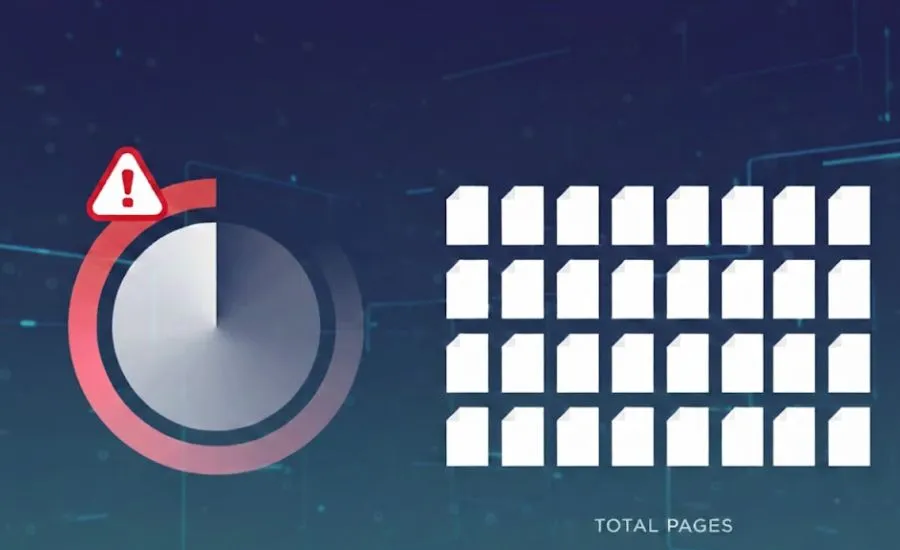
Crawl budget refers to the number of pages a search engine bot crawls on your site within a given timeframe.
It is influenced by your site’s authority, update frequency, and server performance. Google’s crawl budget is essentially the balance between how much Google wants to crawl your site and how much your server can handle.
There are two main components that make up your crawl budget:
Key Components of Crawl Budget
- Crawl Rate Limit: How fast Googlebot can crawl your site without overloading your server. Google automatically adjusts this based on server response times.
- Crawl Demand: How much Google wants to crawl your site based on its perceived value, authority, and how frequently content changes.
The combination of these two factors determines how many pages Google will crawl on your website in any given period.

Why Crawl Budget Matters for SEO
- Faster indexing of new and updated content
- Better visibility for your most important pages
- Avoid wasting crawl resources on low-value URLs
- Improved overall search engine efficiency on your website
If your crawl budget is wasted on low-value pages, your important content may not get indexed quickly. For large websites this can mean significant delays in getting new content to appear in search results.
The Science Behind How Google Determines Your Crawl Budget
Google uses several signals to determine how much crawl budget to assign to your website. The primary factors are your site’s overall authority, the freshness of your content, and how well your server performs under crawl load.
Websites with high domain authority and fresh, regularly updated content tend to receive a larger crawl budget. Sites with slow server response times or frequent errors tend to receive less crawl attention.
Google has confirmed that crawl budget is most relevant for large websites with thousands of pages. For small websites with fewer than a few hundred pages, crawl budget is rarely a concern.
Factors That Influence Crawl Budget
- Website authority: Higher authority sites receive more crawl attention from Google
- Site speed and performance: Fast servers allow bots to crawl more pages efficiently
- Content freshness: Regularly updated content increases crawl demand
- Internal linking structure: Well-structured internal links help bots discover all pages
- Error rates: High numbers of 404 errors and server errors reduce crawl efficiency
- Duplicate content: Duplicate pages waste crawl budget without adding value
- URL parameters: Excessive URL parameters create unnecessary page variations
Identifying Crawl Budget Issues on Your Website
There are several clear signs that your website may have crawl budget issues that are hurting your SEO performance:
- Important pages are not getting indexed or are taking too long to appear in search results
- New content is being crawled very slowly despite being published regularly
- You have a high number of crawl errors reported in Google Search Console
- Your site has a large number of low-quality, duplicate, or thin pages
- Search Console shows a very low number of pages crawled per day
Comprehensive Crawl Budget Optimization Strategies
Optimizing your crawl budget is about making sure search engine bots spend their time on your most valuable pages. Here are the most effective strategies:
Fix Crawl Errors
Resolve broken links, redirect chains, and server issues immediately. Every crawl error wastes precious crawl budget and signals to Google that your site is poorly maintained. Use Google Search Console to identify and fix these errors regularly.
URL Sitemap Optimization
Keep your XML sitemap clean and up to date. Only include URLs that you want indexed. Remove any pages from your sitemap that return errors, are redirected, or have been removed. A clean sitemap helps Google prioritize your most important pages.
Managing Duplicate Content and Reducing Crawl Waste
Duplicate content is one of the biggest causes of crawl budget waste. When Google encounters multiple pages with the same or very similar content, it has to crawl all of them to determine which version to index. Use canonical tags to consolidate duplicate pages and reduce unnecessary crawl requests.
Common sources of duplicate content include:
- URL parameters that create multiple versions of the same page
- HTTP and HTTPS versions of pages
- WWW and non-WWW versions
- Printer-friendly page versions
- Faceted navigation pages on e-commerce sites
Strategic Internal Linking for Enhanced Crawling
A strong internal linking structure helps search engine bots discover and prioritize your most important pages. Make sure your key pages are reachable from your homepage within a few clicks. Avoid orphan pages that have no internal links pointing to them as these may never get crawled.
Use your internal linking structure to signal to Google which pages are most important on your website. Pages with more internal links pointing to them tend to be crawled more frequently.
Linking New Content Quickly
When you publish new content, make sure to add internal links to it from existing high-authority pages on your site as quickly as possible. This signals to Google that the new content is important and helps it get discovered and indexed faster.
Remove Low-Value Pages
Identify and remove or consolidate pages that provide little or no value to users or search engines. Common low-value pages include:
- Duplicate content pages
- Thin pages with very little content
- Parameter-generated URL variations
- Archive and tag pages with minimal unique content
- Old or outdated pages that no longer serve a purpose

Use Robots.txt Effectively
Block sections of your website that you do not want crawled using your robots.txt file. This includes admin sections, login pages, internal search result pages, and any other areas that offer no SEO value. Be careful not to accidentally block important pages or resources.
Keep Content Updated
Fresh content increases crawl demand. Websites that regularly publish new content and update existing pages tend to receive more frequent crawl visits from Google. Create a consistent content publishing schedule to maintain strong crawl demand.
Using Robots.txt Files Strategically
Your robots.txt file is one of the most powerful tools for managing crawl budget. Use it to prevent Google from crawling sections of your website that offer no value in search results.
Common areas to block in robots.txt include search result pages, admin and login pages, shopping cart and checkout pages, user account pages, and any dynamically generated pages that create duplicate content.
Always test your robots.txt changes carefully to make sure you are not accidentally blocking important pages or resources that Google needs to render your pages correctly.
Monitoring Crawl Activity with Google Search Console
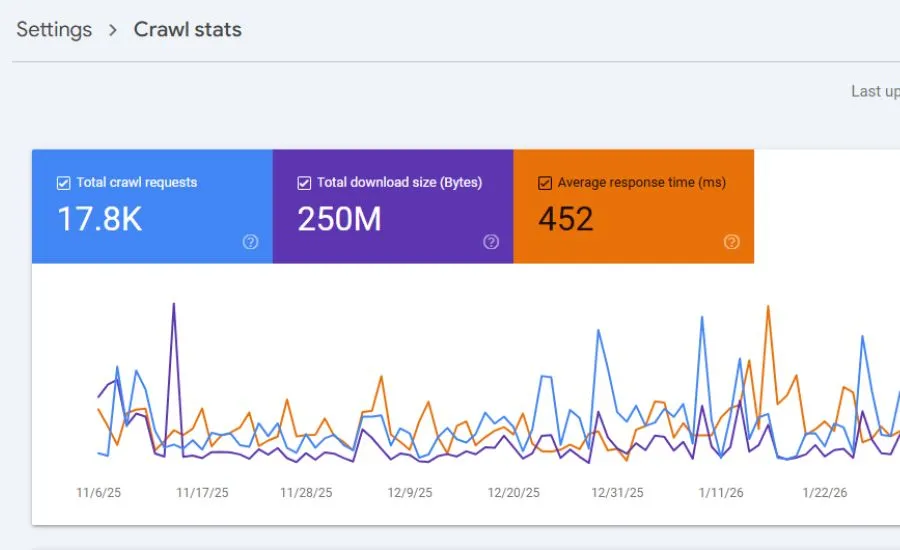
Google Search Console provides a dedicated crawl stats report that shows you exactly how Google is crawling your website. Use this report to track the number of pages crawled per day, average response time, and any crawl anomalies.
Review your crawl stats regularly to identify sudden drops in crawl activity which could indicate technical issues, or unexpected spikes which could mean a bot is crawling low-value pages.
Advanced Crawl Budget Optimization Techniques
- Implement HTTP/2: HTTP/2 allows multiple requests over a single connection which makes crawling significantly more efficient
- Optimize server response time: Aim for server response times under 200ms to maximize crawl efficiency
- Use canonical tags: Properly implemented canonical tags eliminate duplicate content and consolidate crawl budget
- Fix redirect chains: Long redirect chains waste crawl budget and slow down page discovery
- Implement pagination correctly: Use proper pagination markup to help Google understand paginated content
- Optimize crawl depth: Keep important pages within 3 clicks from the homepage
JavaScript Rendering Considerations
JavaScript-heavy websites can have significant crawl budget challenges. Googlebot has to render JavaScript to see the content, which requires additional processing resources. This means JavaScript pages may be crawled less frequently than HTML pages.
If your website relies heavily on JavaScript for content rendering, consider implementing server-side rendering or pre-rendering to ensure your content is immediately accessible to search engine bots without additional processing.
Common Crawl Budget Mistakes You Must Avoid
- Blocking important pages: Accidentally blocking key pages or CSS and JavaScript files in robots.txt
- Ignoring duplicate content: Allowing large numbers of duplicate pages to be crawled unnecessarily
- Allowing crawl traps: Infinite scroll, calendar archives, and faceted navigation can create endless URLs
- Neglecting crawl errors: Leaving large numbers of 404 errors and server errors unaddressed
- Poor internal linking: Allowing important pages to become orphaned with no internal links
- Overusing noindex: Using noindex on important pages that should be indexed
Avoiding Crawl Traps
Crawl traps are website structures that cause search engine bots to crawl an infinite or very large number of low-value URLs. Common crawl traps include:
- Infinite scroll pages without proper pagination
- Calendar-based archives that generate URLs indefinitely
- Faceted navigation on e-commerce sites generating thousands of filter combinations
- Session IDs appended to URLs creating unique versions of every page
- Search result pages that are accessible to crawlers
When Crawl Budget Really Matters
Crawl budget is most critical for these types of websites:
- Large websites with thousands or millions of pages where not all pages can be crawled frequently
- E-commerce stores with large product catalogs and faceted navigation
- News websites that publish content frequently and need fast indexing
- Websites with frequent content updates that need rapid re-indexing
For small websites with a few hundred pages or less, crawl budget is rarely a limiting factor and most optimization energy is better spent elsewhere.
Taking Action on Your Crawl Budget Today
Focus on optimizing your site structure, improving page speed, and removing unnecessary pages to make the most of your crawl budget. Start by auditing your website with Google Search Console to understand your current crawl activity and identify the biggest areas for improvement.
Prioritize fixing crawl errors, consolidating duplicate content, and improving internal linking as your first steps. These actions will have the most immediate impact on how efficiently Google crawls and indexes your website.
Conclusion
Crawl budget plays a critical role in how search engines interact with your website.
Optimizing it ensures that your most important pages are discovered, crawled, and indexed efficiently. By understanding the factors that influence crawl budget and implementing the strategies outlined in this guide, you can significantly improve how Google crawls your website and ultimately boost your SEO performance.
Leave a Reply